Godot Version
4.7.2
Question
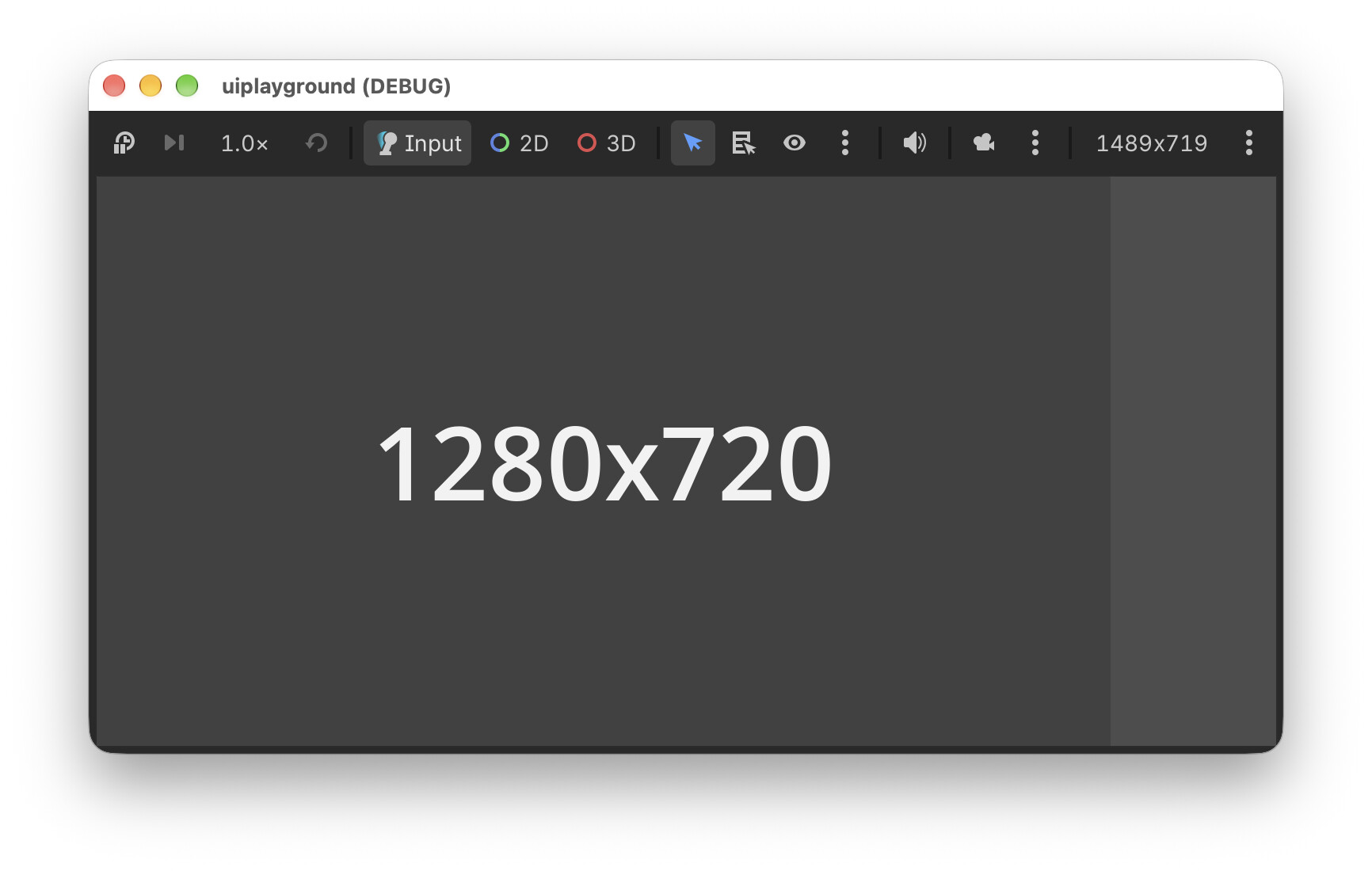
I am having a weird issue where the debug window will only shrink to 1489 pixel wide, even though the project Viewport Width is set to 1280. So as soon as I run the project, the window expands to 1489px wide and won’t go any smaller. Window Width Override doesn’t seem to affect it, as far as I can tell it’s just the debug window itself refusing to go smaller in this specific project (a new project is fine). It’s super weird!
Is anyone familiar with this? I could make a new project but I’d like to fix this so I can understand what’s going on.
Maybe Godot does not want to shrink below the size required for the embedded window’s toolbar. You may have to disable the embedded game on play, check the three dots on the farthest right.
Embed game on next play is enabled, so it’s not that.
Maybe Godot does not want to shrink below the size required for the embedded window’s toolbar.
That seems like how it behaves. Is there a way around this? Borderless and Extend to Title don’t seem to do anything, but that may be mac-isms at play. I need to test this on my Windows machine.
Disable embed game on next play, that window and it’s toolbar is from the “embedded” game
Oh, my bad. Ok, disabling the embed and removing that toolbar allows the window to shrink to arbitrarily small sizes. So it seems the toolbar is indeed what was keeping the window from shrinking.
BTW, how do I bring that embed back without the toolbar?
In the “Game” main screen (the top-center section with 2D, 3D, Script) there should be a similar tool bar, the three dots on the farthest right. This toolbar may also change in style next update! Hopefully it will be less confusing or better to give directions!
In the Toolbar above the Game, open the Menu next to the Resolution (1489x719).
This Menu has two “Embedded Window Sizing” Options that keep the Game from changing your intended Aspect Ratio:
- Fixed Size
- Keep Aspect Ratio