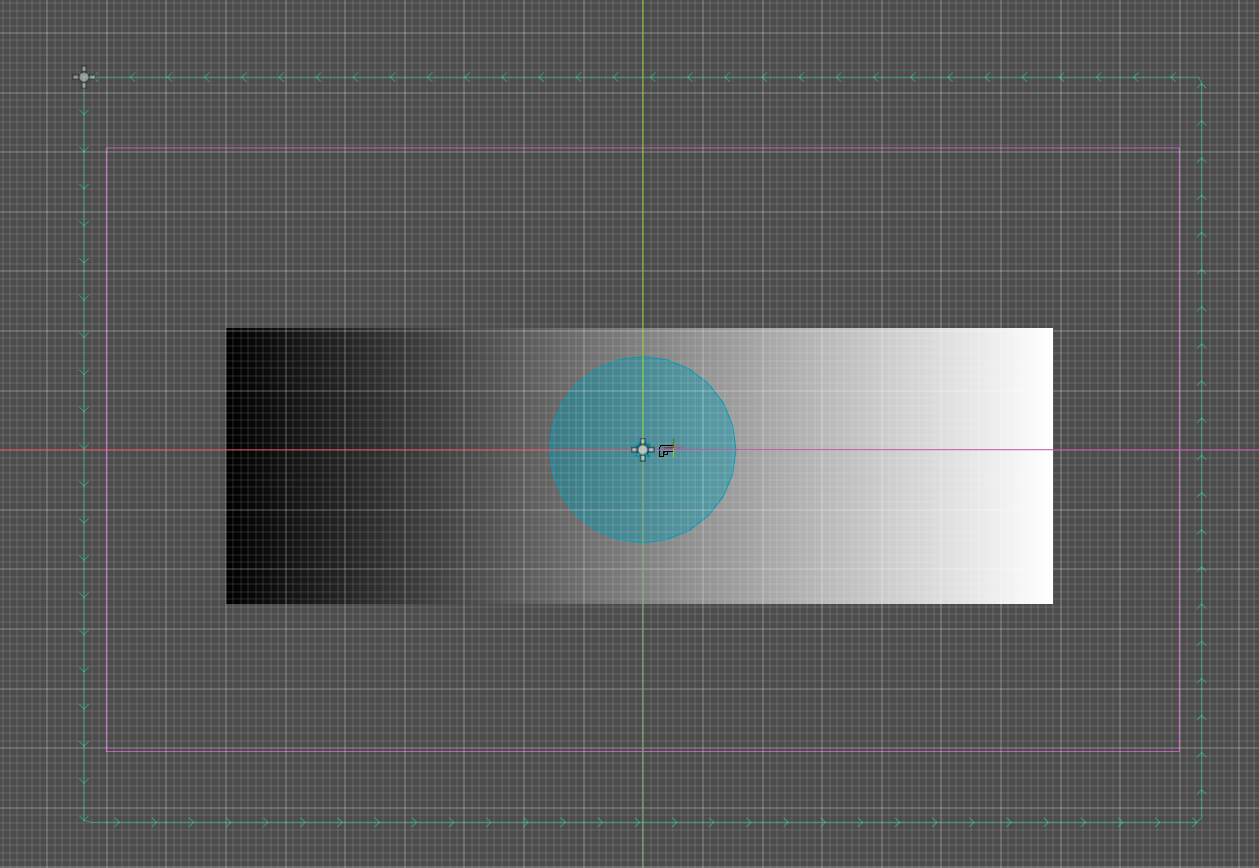
In the image above, I have a player in the center (0,0) and a Camera2D that follows that player around, outside the view of the camera is a Path2D that I’m using to randomly spawn enemies from outside of the screen that will move towards the player.
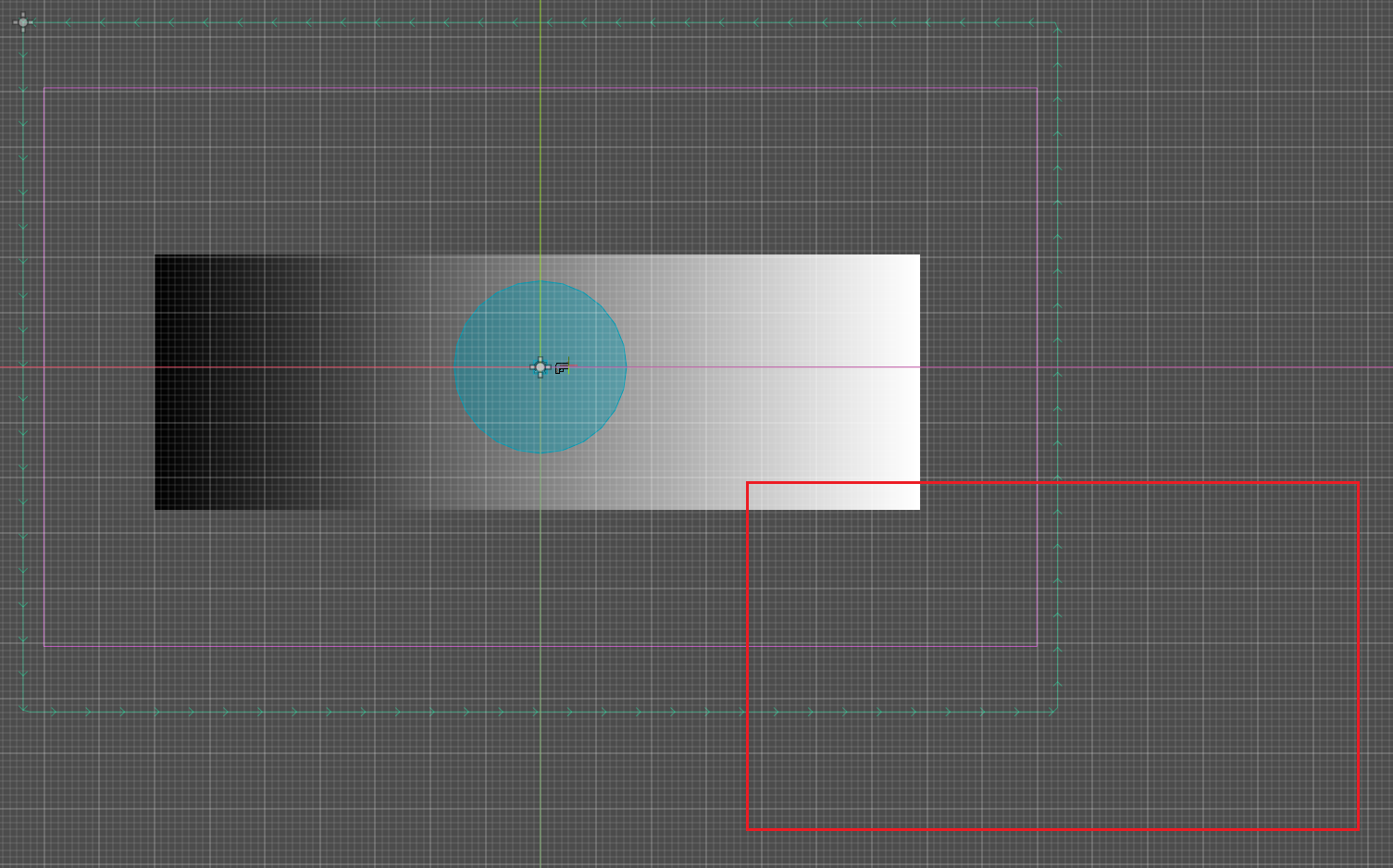
However, once in game it appears as if the Path2D is actually here:
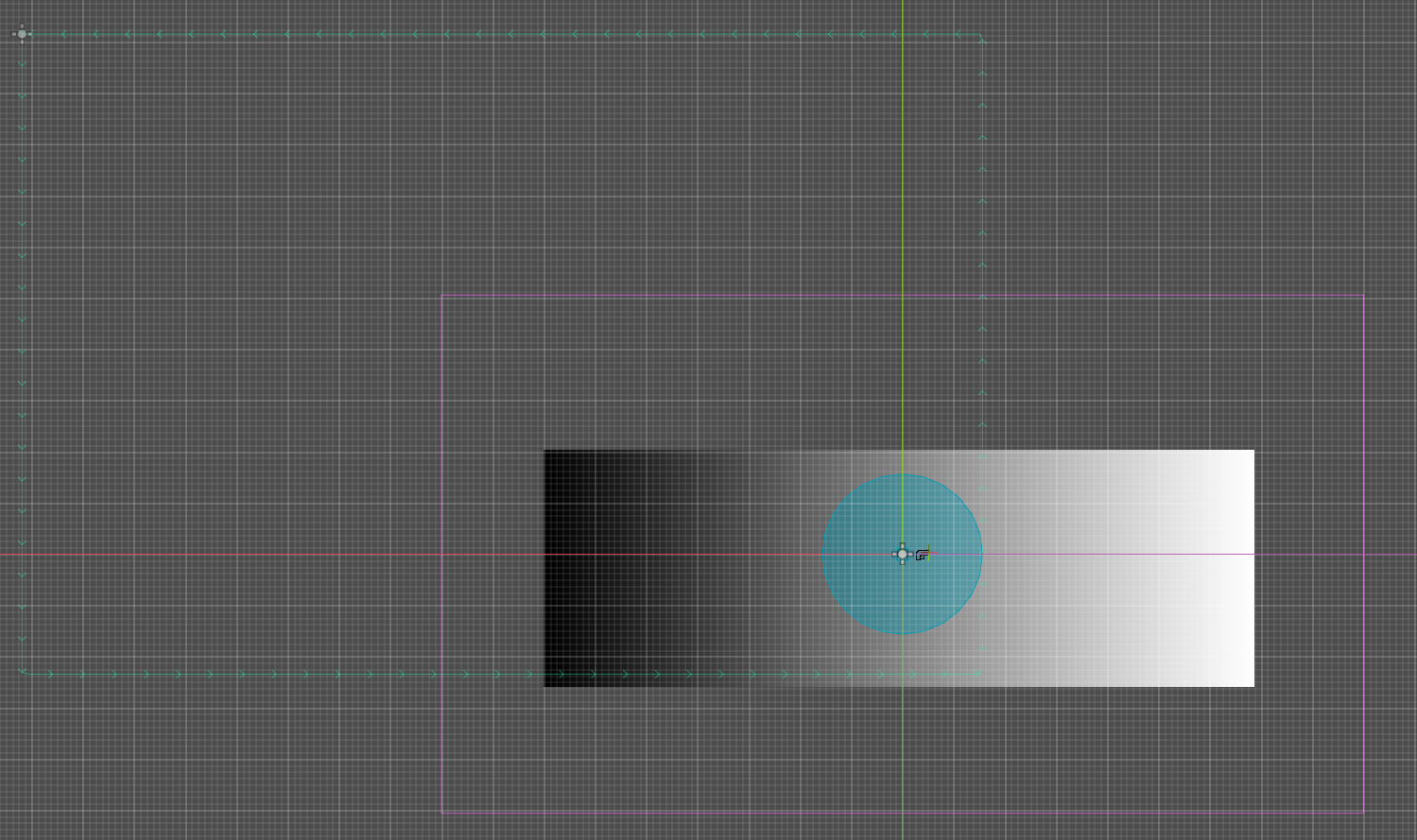
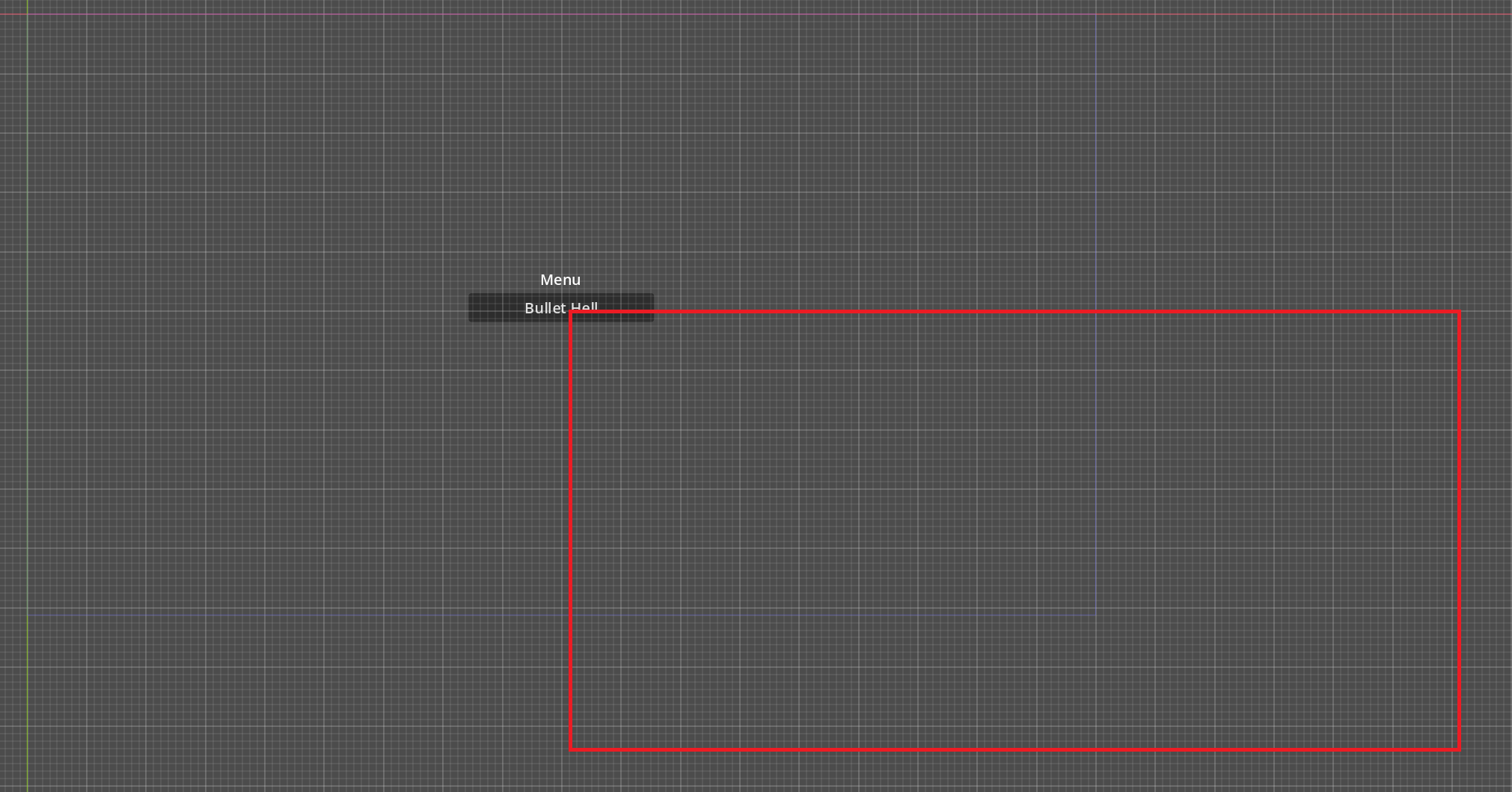
Where the red square that I’ve drawn in. Which means enemies will always spawn in the bottom right of the screen to head towards the player. When i shift the Path2D to with its bottom right corner near the center of the screen like so:
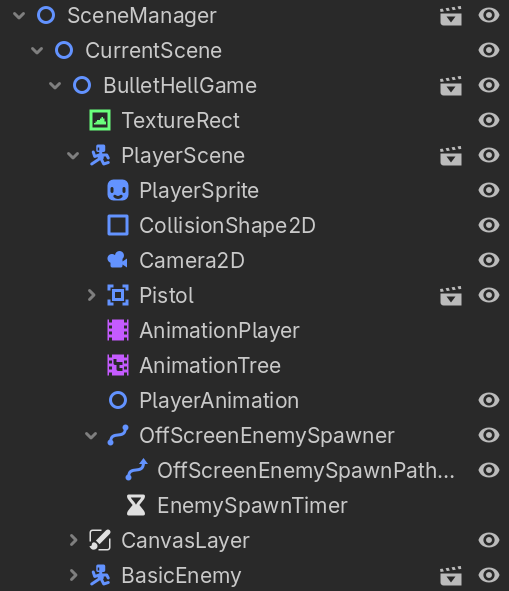
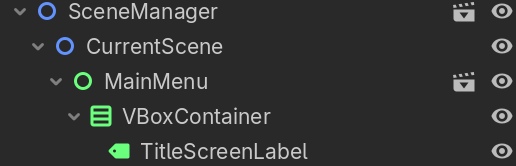
I’m going to have to assume the SceneManger (which is a root node I’m using to switch between scenes) is doing something that is offsetting everything: But given the fact that the spawner is a child of the player, and the player is positioned correctly I’m not sure why this is happening.
The only code I have in the scene manager that messes with positioning of children nodes is:
The blue outline of the screen boundary is hard to see but the X/Y coordinate axis in the top left should be (0,0).
I guess this might be an issue where some scenes don’t have an attached Camera2D, and other scenes do causing this issue?
The thing I’m confused about is why the CurrentScene having its position moved to the center of the viewport rect only affects certain child nodes and not all of them? If that were the case where everything is offset, I would have expected the gradient texture in the middle of the screen to also shift but that doesn’t appear to be the case.
Do my non-camera scenes need to have a centered camera to solve this issue without changing the CurrentScene position in the manager?
 .