Godot Version
4.7.1
Question
Hello! I’m building a procedural “mystery dungeon” game, so I threw together some tiles to test with. Currently, my code deals with tiles by their index in the MeshLibrary. I want 0 to be a generic “wall”, 1 to be a generic “floor”, and the rest to be different hallway/objective/ect tiles. For example, my code generates a border by placing tile index 0 in a rectangle around the gameplay area.
However, after importing a new mesh set, it’s out of order! Here’s the proper order as seen in the raw mesh library scene:
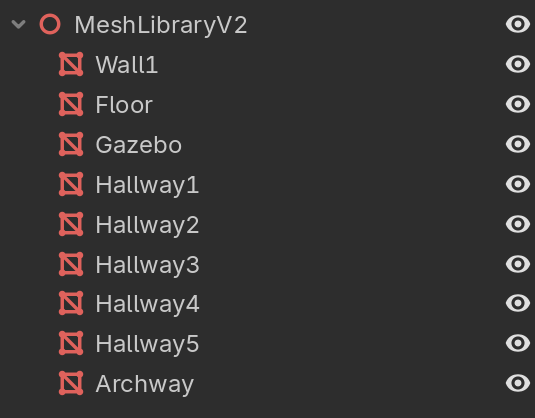
And here’s the order it generates after exporting:
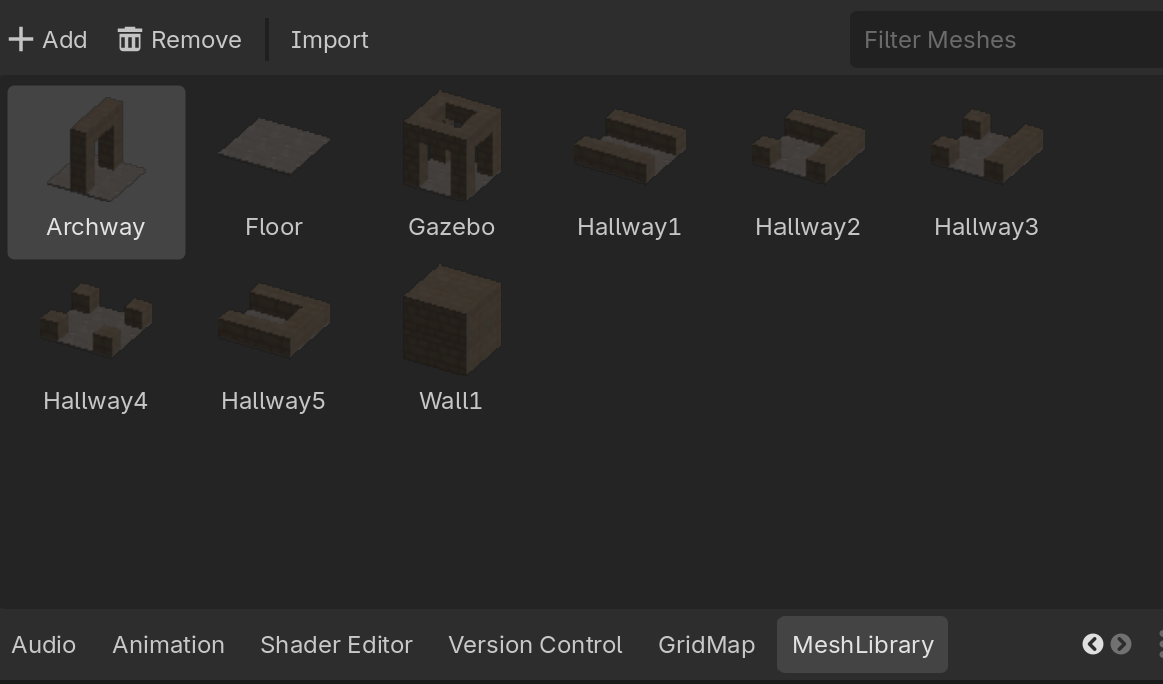
It seems like “Archway” and “Wall1” are swapped. Is there any way to fix this? It’s not a huge deal, I can work around it, but it’ll make things a lot more messy…
(I’ve tried re-importing + moving the tiles around in the editor, with no luck)