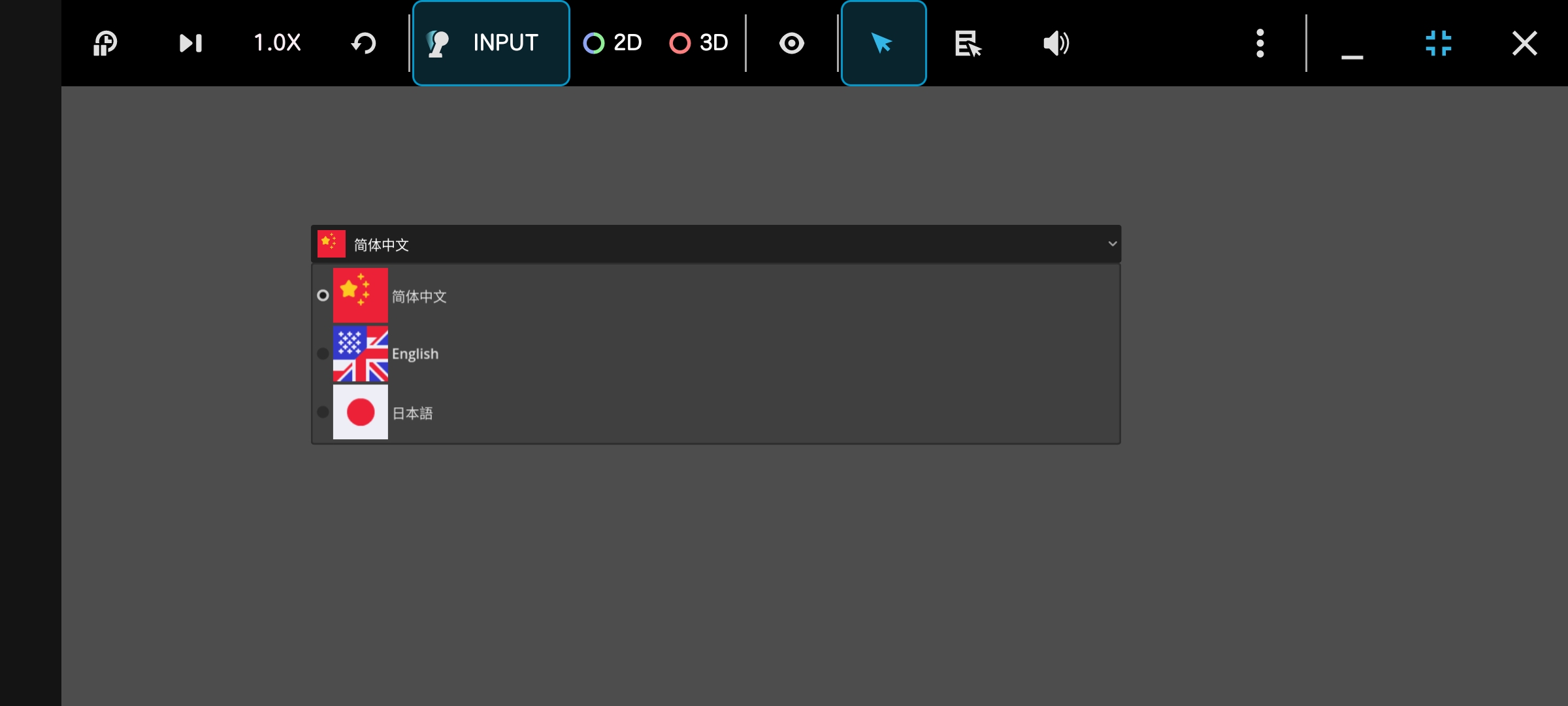
How can I resize item icons inside an OptionButton’s PopupMenu dropdown without modifying source image files in Godot 4?
you can resize the copy of the texture like this
func resized_icon(tex: Texture2D, size: Vector2i) -> Texture2D:
    var img := tex.get_image()
    img.resize(size.x, size.y, Image.INTERPOLATE_LANCZOS)
    return ImageTexture.create_from_image(img)

# Usage
option_button.add_icon_item(resized_icon(preload("res://icons/sword.png"), Vector2i(32, 32)), "Sword")
You can change the size of the icons by changing the PopupMenu.icon_max_width theme property. This is different from the Button.icon_max_size theme property OptionButton exposes so, if you want to do it in the editor, you’ll need to add or update a Theme adding the PopupMenu type and changing that theme property there. Info on how to use the theme editor here:
If you are adding the items in code you also have PopupMenu.set_item_icon_max_width()
All these properties will keep the aspect ratio of the icon.
ohhh, thanks!