Description
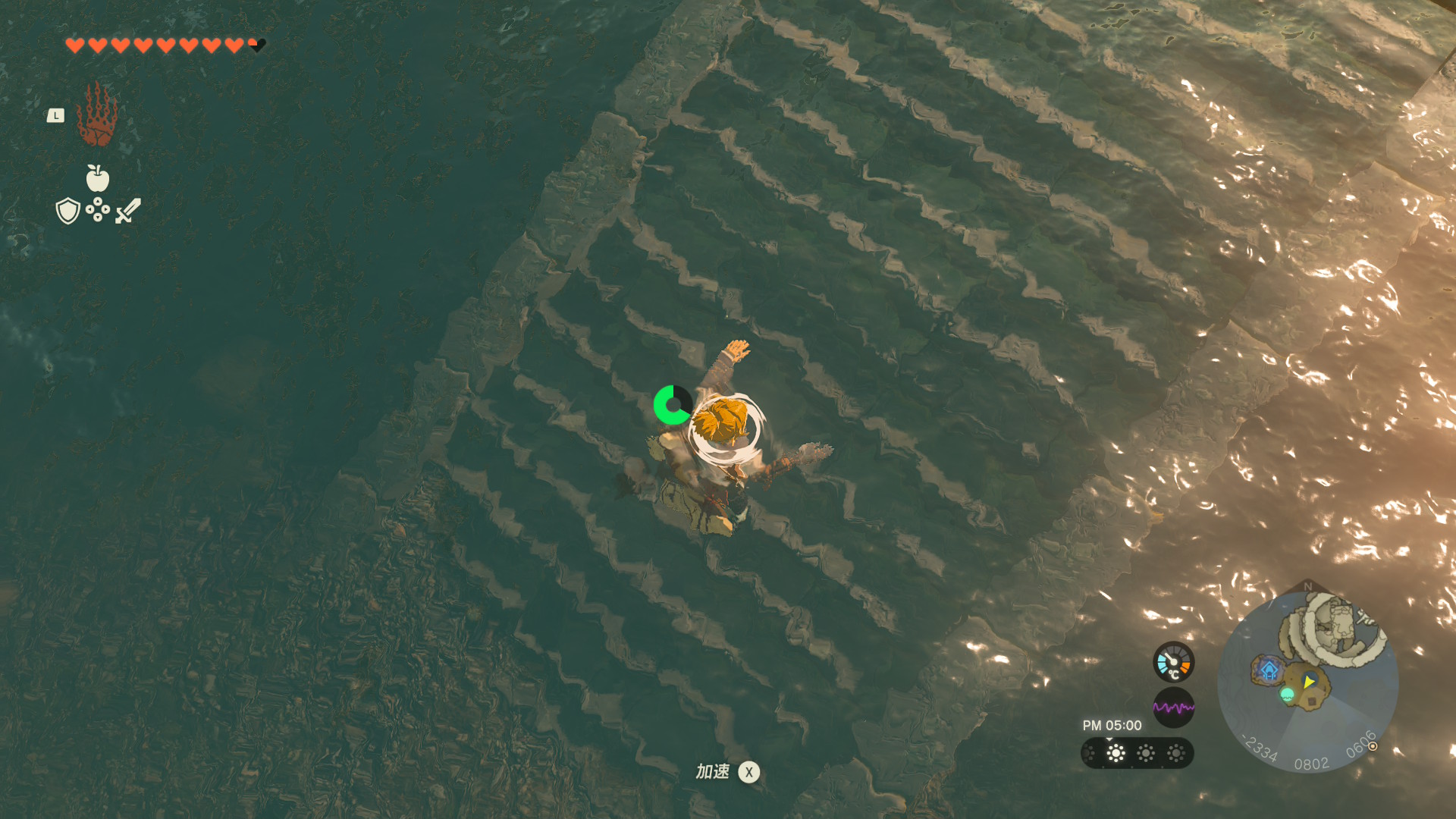
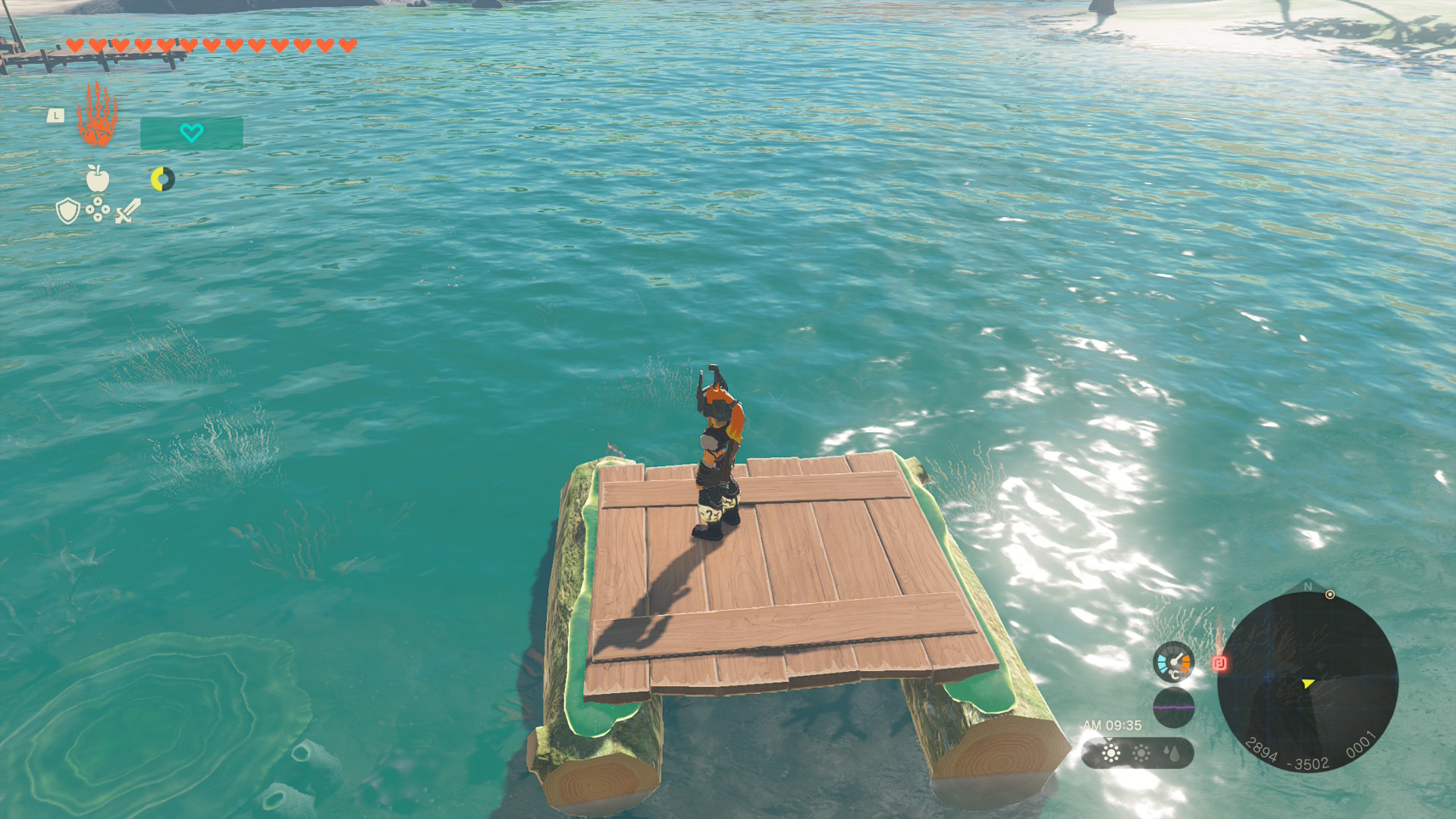
I want to create an ocean shader for Zelda on Switch, but I’m having trouble implementing the following parts.
What I’ve Implemented So Far
Fade-out based on depth values using a depth buffer
Shifting vertex Y coordinates using noise
What I Want to Know
1.How do I calculate the values needed to create the white, light-reflecting effect shown in Image
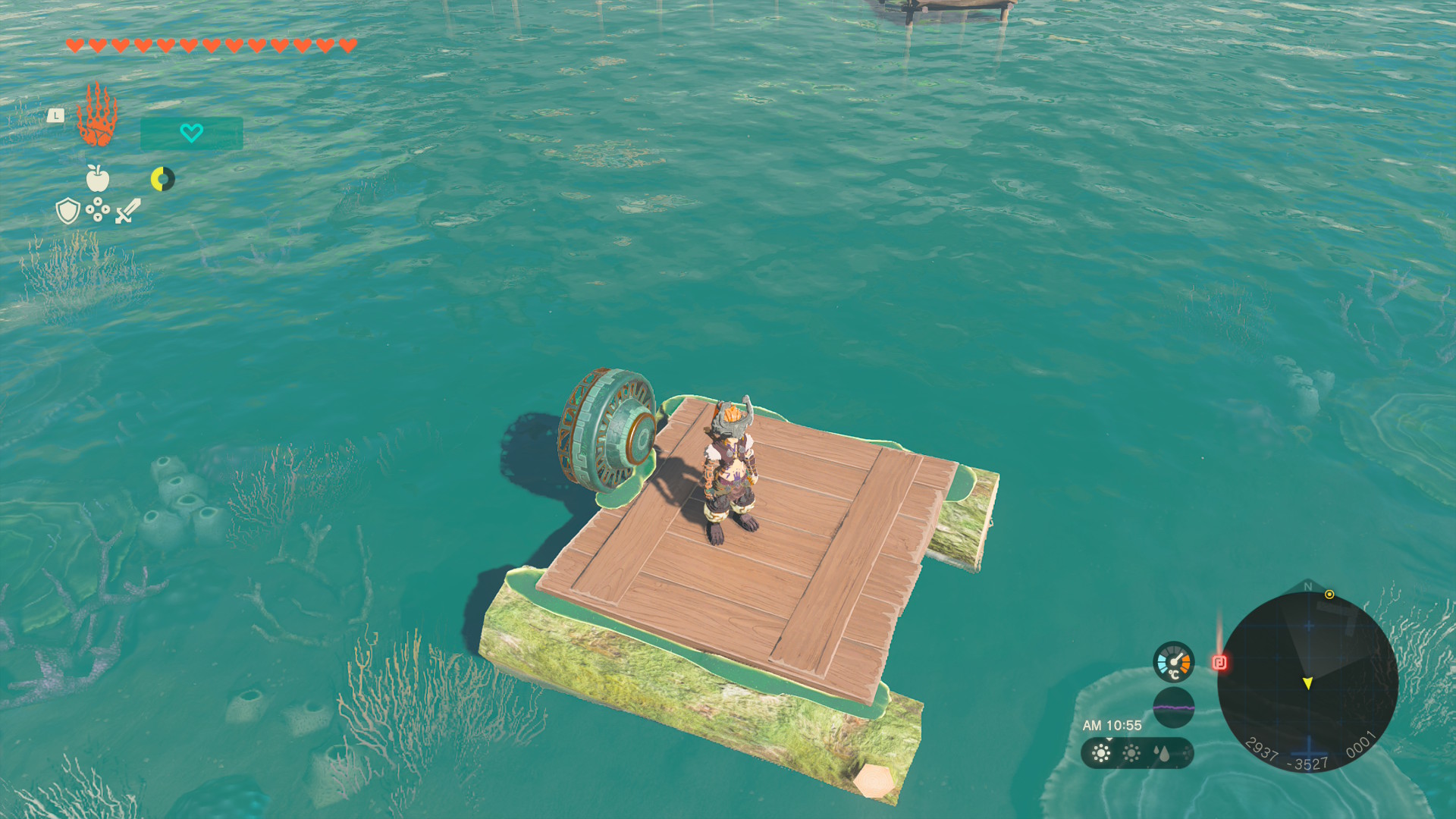
- How do I calculate the vertex Y offset to create the small, rippling effect shown in the second image?
What I Want to Create
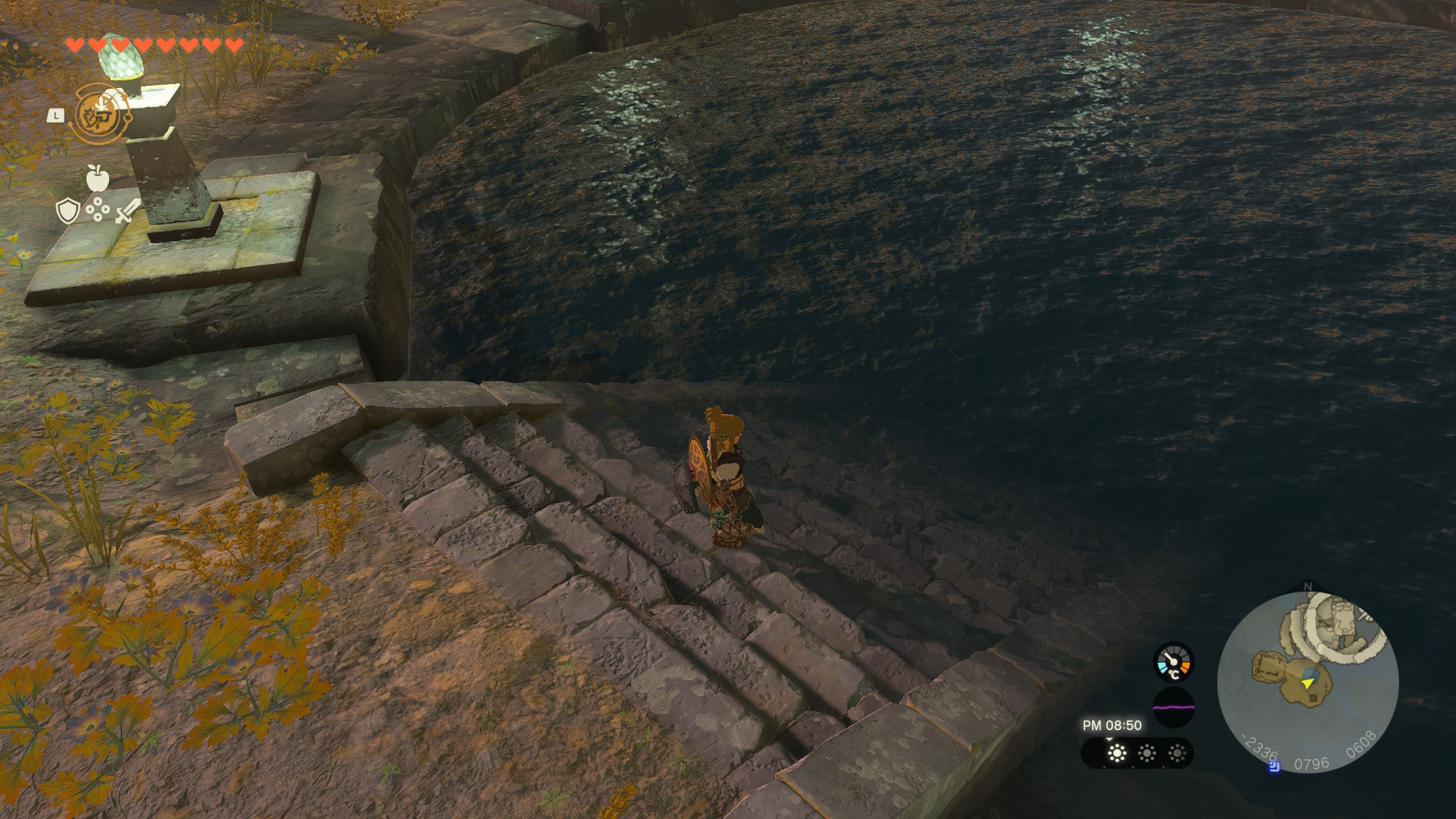
I want to create an ocean similar to the one in the Switch version of Zelda.
I want to implement transparency, the fading out of submerged objects based on depth values, ripples, and light reflections.
*Of course, I’m aiming for something that’s just similar.
What I’ve Tried
Regarding point 1, the bottom three lines of the shader code are relevant.
However, no matter which one I tweak, it doesn’t look quite right.
Regarding point 2, I implemented a method using a noise texture—taking the areas with higher values to move the vertices upward—but it doesn’t look as smooth as in the image. It just feels like wave-shaped objects moving around; it lacks sharpness.
I pasted the code into AI tools like Gemini to analyze it,
but the explanations varied, and there are countless ways to achieve the same result, so ultimately, I couldn’t implement it.
Environment
Godot: 4.6 .Net
OS: Windows 10
result
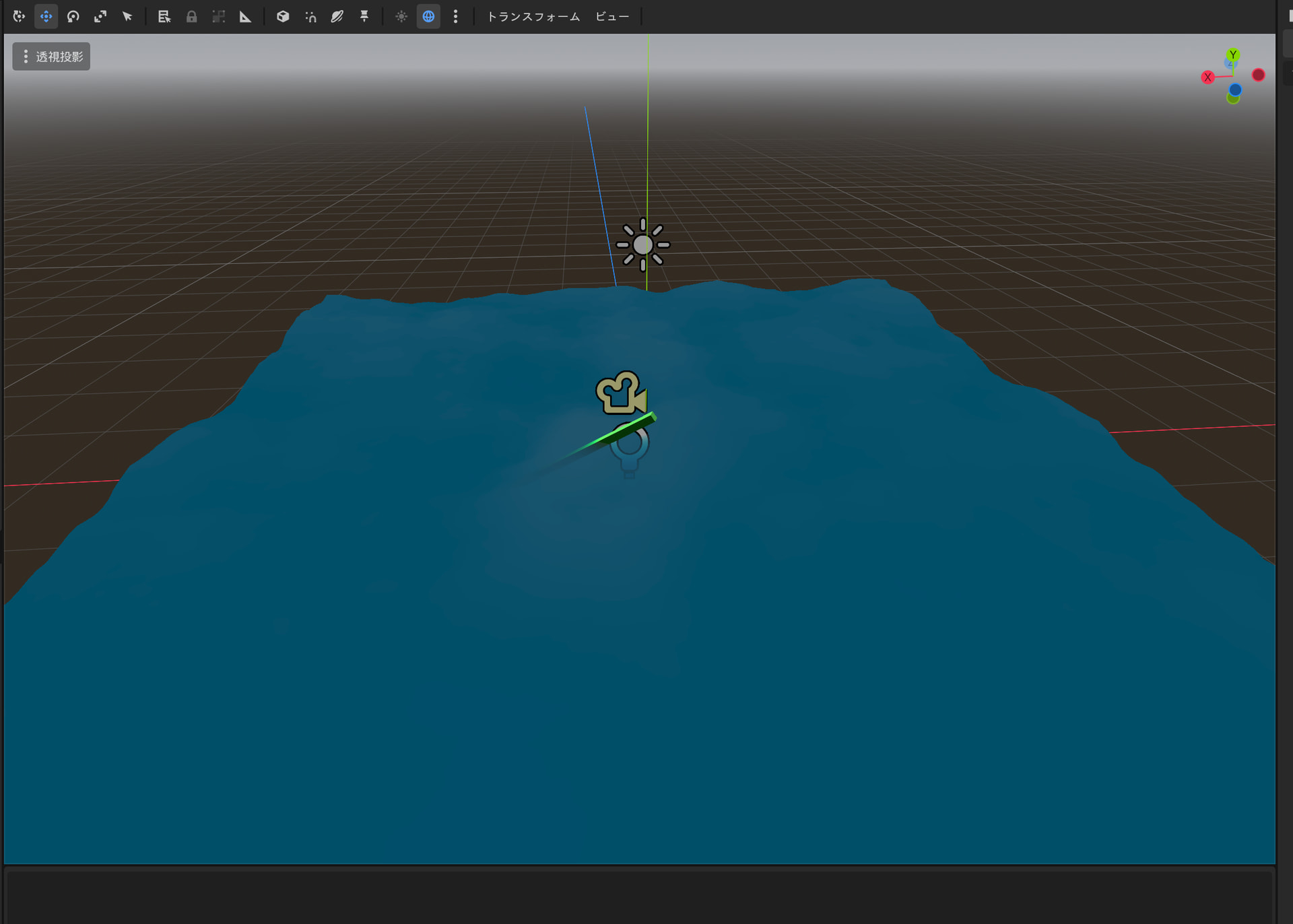
zelda
Shader file
shader_type spatial;
render_mode blend_mix, depth_draw_always, cull_back;

uniform sampler2D noise_tex; // noise_texture

uniform float scrollSpeed : hint_range(0.0, 1.0) = 0.1f;        // uv scroll speed
uniform float waveHeight : hint_range(0.0,30.0) = 0.5;          // wave height


// fragment
uniform sampler2D screen_texture : hint_screen_texture, repeat_disable, filter_linear_mipmap;
uniform sampler2D depth_texture  : hint_depth_texture,  repeat_disable, filter_nearest;

uniform vec3 absorption = vec3(0.45, 0.06, 0.02);                   // absorption
uniform vec3 scatter_color : source_color = vec3(0.0, 0.25, 0.35);  // color
uniform float scatter_density = 0.08;                               // diffusion

// face
uniform float roughness : hint_range(0.0, 1.0) = 0.1;
uniform float specular : hint_range(0.0, 1.0) = 0.8;
uniform float metallic : hint_range(0.0, 1.0) = 0.0;

void vertex()
{
    float noise_value = texture(noise_tex,UV + TIME * scrollSpeed).r;
    VERTEX.y = VERTEX.y + noise_value * waveHeight;
}


void fragment()
{
    float noise_value = texture(noise_tex,UV + TIME * scrollSpeed).r;   // noise texture

    float depth = texture(depth_texture,SCREEN_UV).r;                   // depth_texture
    vec3 ndc = vec3(SCREEN_UV * 2.0 - 1.0,depth);                       // NDC space
    vec4 view_pos = INV_PROJECTION_MATRIX * vec4(ndc,1.0);              // view space
    view_pos.xyz /= view_pos.w;                                         // homogeneous coordinates

    // distance the view and vertex
    float dz = (-view_pos.z) - (-VERTEX.z);
    vec3 vdir = normalize(VERTEX);
    float d = max(dz, 0.0) / max(abs(vdir.z), 0.05);

    // beer-lambert
    vec3 T = exp(-absorption * d);
    float T_scatter = exp(-scatter_density * d);
    vec3 scene = textureLod(screen_texture, SCREEN_UV, 0.0).rgb;

    vec3 under = scene * T * T_scatter + scatter_color * (1.0 - T_scatter); // emisson color

    ALBEDO = vec3(0.0);
    EMISSION = under;
    ALPHA = 1.0;

    // face
    ROUGHNESS = roughness * noise_value;
    SPECULAR = specular  * noise_value;
    METALLIC = metallic  * noise_value;
}

void light()
{
//	// Called for every pixel for every light affecting the material.
//	// Uncomment to replace the default light processing function with this one.

}