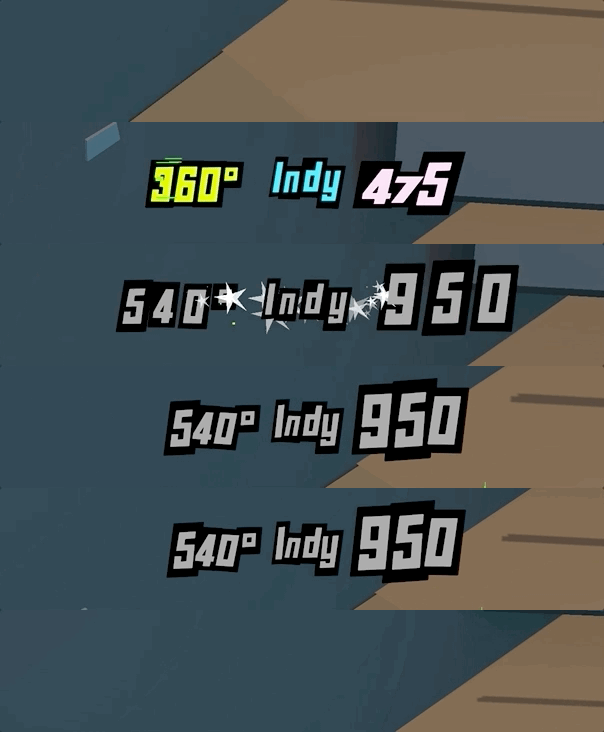
Is there a way to transform label3D mesh characters? I haven’t been able to find anything so I thought I’d check here. It looks like each character is applied to a little quad but I can’t seem to get to that mesh.
I did see you could create a mesh with generate_triangle_mesh() but that seems like it would be pretty heavy every frame.
You can apply transforms to the Label3D like any other Node3D, the Label3D will be largely a quad mesh.
generate_triangle_mesh(), specifically it’s return type TriangleMesh sounds like it’s mostly for queries, not drawing which is strange. Oddly specific type that TriangleMesh never seen it before
I was hoping to animate individual characters rather than the whole nodes. It looks like the Label 3d is made up of multiple quads so it might be possible ( I could be totally wrong about that).
For my last project, I managed to build some nice 3d text effects by animating points from the text quad mesh (in Unity). I was trying to get something similar working in Godot.
Afaik it’s not possible with Label3D as you can’t plug a custom shader into its rendering. You could do it with 2D labels. Scaling letter quads from the vertex shader probably won’t fly because you cannot get the quad centers but you can scale the uv coordinates as each letter’s center can be calculated via REGION_RECT built in. If you need the letters in 3D space you can render a 2D label into a subviewport and map it on a 3D quad.
Couldn’t find a way to fully isolate the characters, resulting in some deformation, but depending on the effect, you can get something useful out of it. Full isolation can be done with a monospaced font when the number of characters is always the same (padded with spaces), so there’s a fixed implicit grid. Since it happens in fragment shader the limitation is that you can only scale down.
Ok, got it working properly form the vertex shader, although it’s still on a 2D label. If you need it in 3D just render to a subviewport.
Turns out Label2D has a neat function get_character_bounds() that can retrieve local space rect of each glyph. Centers of those rects for all glyphs are sent to the shader via an uniform array. The shader then picks up the nearest center for a vertex. This leaves you with a pivot and a glyph index in the shader. From there you can transform and sequence any way you like. There’s now no interference between glyphs and no limits on what you can do with a glyph as you have its quad under control.
Label’s update() function needs to be called only when the text changes, but I here call it every frame so it “automatically” updates in the editor.
There’s a hardcoded limit to 64 glyphs, but you can go higher than this. The example works only for a single line of text but could be upgraded for multiline too.
@tool
extends Label

func _process(delta: float) -> void:
	update()

func update() -> void:
	var glyph_centers := PackedVector2Array()
	glyph_centers.resize(64)
	glyph_centers.fill(Vector2(10000.0, 10000.0))
	for i in get_total_character_count():
		glyph_centers[i] = get_character_bounds(i).get_center()
	material.set_shader_parameter("glyph_centers", glyph_centers)
	material.set_shader_parameter("glyph_count", get_total_character_count())
shader_type canvas_item;

uniform vec2 glyph_centers[64];
uniform int glyph_count;

void vertex() {
	// get glyph's index and pivot
	int index = 0;
	for (; glyph_centers[index].x < VERTEX.x && index++ <= glyph_count;);
	if (VERTEX_ID > 1) --index;
	vec2 pivot = glyph_centers[index];

	// to pivot space
	VERTEX -= pivot;
	// rotate
	float angle = sin(TIME * 6.0 + float(index) * 1.0) * 0.5;
	VERTEX = vec2(VERTEX.x * cos(angle) - VERTEX.y * sin(angle), VERTEX.x * sin(angle) + VERTEX.y * cos(angle));
	// scale
	VERTEX *= (sin(TIME * 6.0 + float(index) * 0.4) * 0.3 + 0.9) * 1.7;
	// translate
	VERTEX.y += sin(TIME * 7.0 + float(index) * 1.2) * 30.0;
	// back from pivot space
	VERTEX += pivot;
}