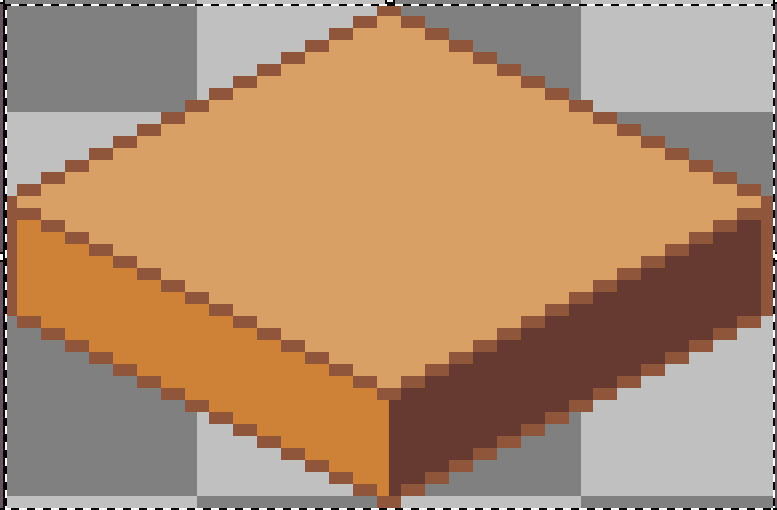
I have a 64x42 tile that I made for an isometric game. I don’t know how to change the tile map so that the tiling is at the aspect ratio of the top of the tile.
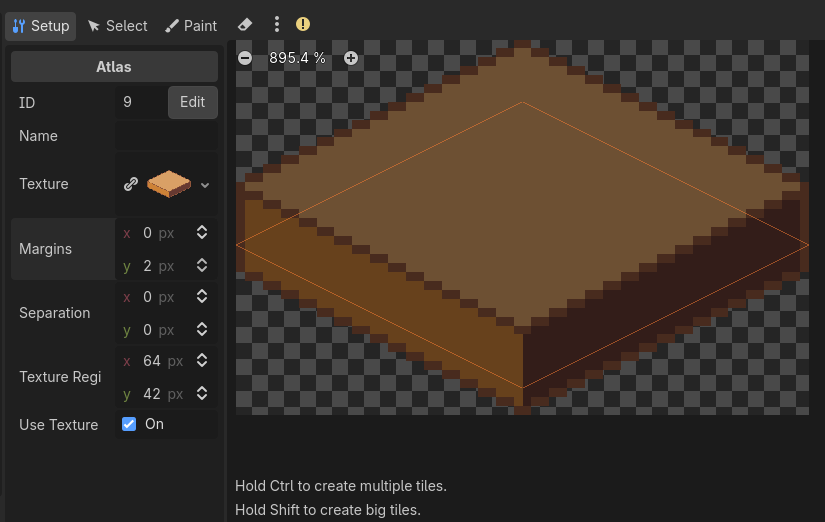
When I put it in Godots tile_set, the orange area is lower than the top of the tile. I set the y margin to 2 to show the contrast, it seems like that value is supposed to be negative but I can’t have it go below 0:
Am I missing something? What should I do here? Should I change the size of my tile sprite to something other than 64x42? I don’t really know what it should be.
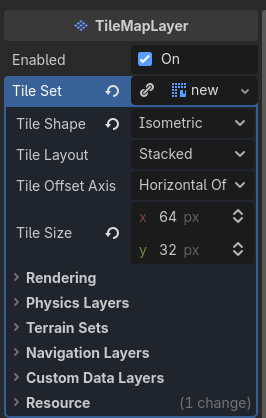
Margin and separation in the atlas settings only describe empty space inside your PNG, so they won’t fix this. Keep the TileSet’s Tile Size at 64x32, since that’s the footprint of the diamond top, and set the atlas source’s Texture Region Size to 64x42 so Godot treats the whole sprite as one tile. Then, in the TileSet editor’s Select tab, pick the tile, open Rendering and change Texture Origin Y until the diamond top lines up with the orange cell outline. A taller sprite like yours is normal in isometric tilesets, since the extra height just draws above the cell. If the taller tiles overlap strangely, set the TileMapLayer’s Y Sort Enabled option as well.