This small AI-assisted source fixture makes two first-person control decisions easy to inspect: holding sprint through exhaustion, and losing window focus while the mouse is captured. It contains a CharacterBody3D, capsule, Camera3D and primitive room, with walking, grounded sprint/stamina, mouse look, wall collision and pause controls.
Free source: download page → Download demo → NebulaKit-First-Person-Movement-Proof-20261012.zip (8,153 bytes). No purchase is needed. The backdrop browser preview and paid art kit on that page are separate. Import project.godot in Godot 4.5, use Compatibility, press F5 and click Begin / recapture. The original code and primitive fixture use MIT.
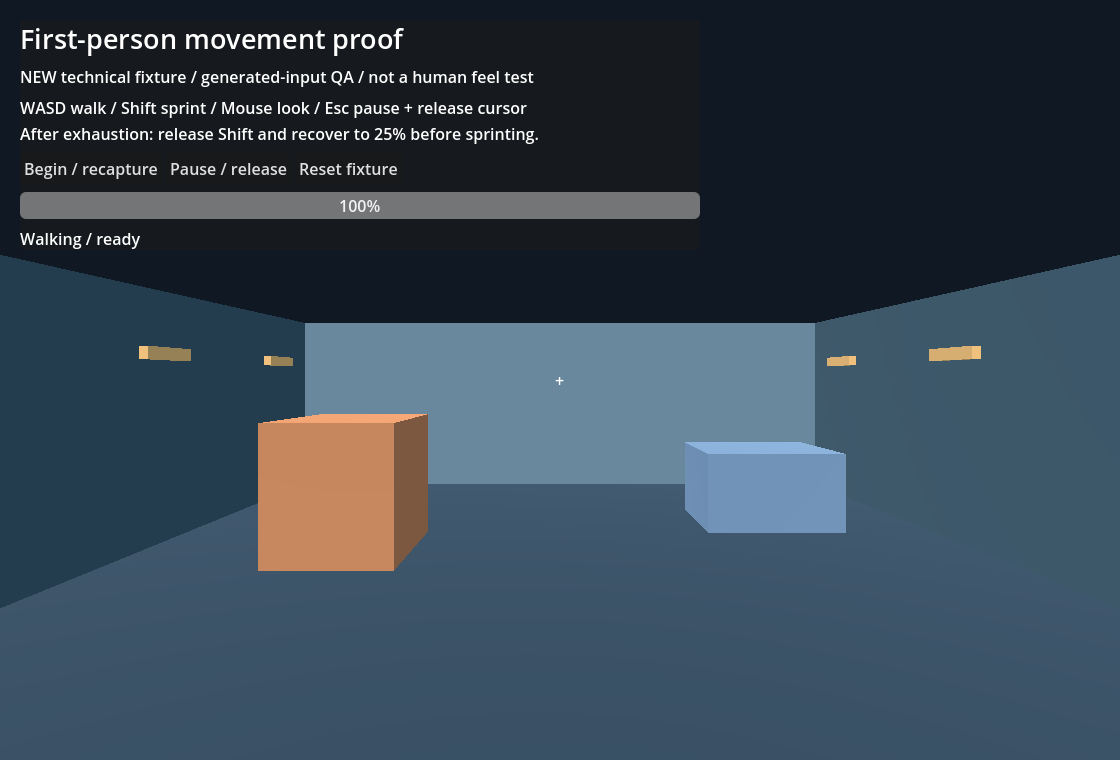
1. Drain only while moving on the floor
The controller passes both movement and floor contact into its stamina update:
step_stamina(delta, input.length_squared() > 0.0001 and is_on_floor(), held)
Stationary or airborne input does not drain sprint stamina. Default walk speed is 3.2 m/s and sprint speed 5.4 m/s. This fixture has no jump action.
2. Require release after exhaustion
When stamina reaches zero, sprint is latched off. It clears only after Shift is released and stamina reaches at least 25%:
if exhaustion_latched and not held and stamina >= stamina_max * restart_fraction:
    exhaustion_latched = false
Waiting through a full recharge while still holding Shift does not restart sprint. Drain (28/s), recovery (22/s), delay (0.85 s) and restart fraction are exported so the behavior can be adjusted deliberately.
Reproduce: hold W + Shift until exhausted. Keep Shift down while stamina recovers; movement stays at walk speed. Release Shift after 25% recovery, then press it again while moving to restart sprint.
3. Keep pause/capture wiring in the host
In demo.gd, the host connects focus loss to its pause callback:
get_window().focus_exited.connect(pause)
The callback pauses the scene tree and releases the mouse. The controller uses PROCESS_MODE_PAUSABLE; the UI host uses PROCESS_MODE_ALWAYS, so Begin / recapture can explicitly resume and capture again. Escape also toggles pause/release. Reset fixture restores position, camera and stamina and leaves the cursor visible.
Try manually: capture the mouse, walk, switch away from the window and return. The fixture should be paused with the cursor visible; click Begin / recapture to resume. That physical focus/comfort check is useful feedback—the automated check generated the focus-exited signal.
For an existing scene, attach controller.gd to a CharacterBody3D with a CollisionShape3D and a direct child named Camera3D. Review floor placement, collision layers and existing input actions. Existing fp_* actions are retained. Pause and mouse-capture behavior need host wiring; attaching the controller alone does not add the demo UI.
Testing limits: 30 distinct technical assertions were validated across native and targeted Windows/Godot 4.5/Compatibility checks, with exact archive and fresh extraction verification. Those checks used generated or method-driven input. They do not establish human comfort, performance, other versions/renderers/OS or successful integration into your project. Jump/crouch, audio, interactions/items, enemy AI, saves, gamepad and mobile are outside this example. Code, text and QA harness used Codex assistance; this is newly made example work.
If you try it, a useful report is your Godot version, renderer and target platform, plus whether the exhaustion and focus behaviors work or the first failing step. For a separately scoped project repair/integration fit check, the existing service scope is here; scope, quote, delivery date and payment arrangements need confirmation before any job is accepted.