Hi, I’m trying to generate a mesh along a Path3D node using a child CSGPolygon. However, I’ve encountered an issue that I’m not sure how to fix.
I want the mesh’s rotation to behave the same way that the PathFollow3D node’s Rotation Oriented mode behaves, which is defined in the documentation as, “Uses the up vector information in a Curve3D to enforce orientation. This rotation mode requires the Path3D’s Curve3D.up_vector_enabled property to be set to true.”
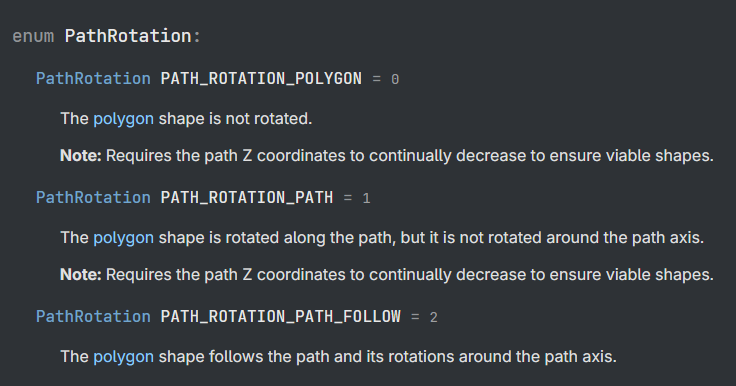
The issue is that I can’t find this rotation mode in CSGPolygon3D’s rotation options:
Is there a way to set the rotation of a CSGPolygon3D to behave in the same way that PathFollow3D’s Rotation Oriented mode does? If not, is there an alternative way to accomplish what I’m trying to do with a different node from CSGPolygon3D? Thank you for reading.
So first of all, you should not be using a CSGPolygon3D. You should be using a MeshInstance3D. CSG Nodes have horrible performance, and should only be used to generate MeshInstance3D nodes when you need something complex. So if you’re generating a sphere for instance, just use a MeshInstance3D with a SphereShape3D. Same for any other primitive.
Second, how do you expect this orientation mode to work exactly? Are you trying to bake normals? Or orient the whole polygon in a specific way? Telling us why you want to do this might help us tell you how.
The project that I am working on is a minimalist roller coaster designing game. The player positions a series of “coasterpath” points (the black ones in the video) and then rotates corresponding “bankpath” points (the red ones) to determine the tilt value of every point on the coasterpath Path3D.
As you can see in the clip, it almost works. The PathFollow3D coaster trains move along the track as intended using the oriented rotation mode, showing that the tilt values on the coasterpath were set properly, but you can see how near the end of the track, the CSGPolygon3D track mesh is rotated to the side in an unintended way.
It varies in how extreme the unintended rotation is in the CSGPolygon, or at what parts of the track it is, but it seems to be a consistent problem and I believe it is due to the lack of a rotation oriented mode for the CSGPolygon3D.
Also, yeah, the performance isn’t great and I’m absolutely open to alternative methods, but I’m relatively new to Godot and this is the only method that I know for extruding a shape along a Path3D.
So after creation of the CSG nodes, just get the meshes, create MeshInstance3D objects from them, and queue_free() the CSGnodes. This documentation might help with that.
As for the up vector, your problem doesn’t seem to be the vector the car is facing, but that its center is attached to the right rail. If you centered the coaster on the two rails, it should look fine I believe.
How many times will I have to correct this misconception? In terms of performance, CSG Nodes will behave exactly as MeshInstance3D at runtime, if you don’t change any of their properties that trigger rebuilding. If you just maintain them as static geometry, there will be no performance penalties whatsoever.
Thanks for the feedback, but the rails are purely visual, there is only one path for the CSGPolygon to be created on and it is between the two rails, so I’m pretty sure the issue is actually related to the up vector.
I just checked and it was already set to PathFollow.
I also tried Path and that does seem to use the up vector to enforce orientation in the way that I expected, but the only issues is that it does not use the tilt value on the Path3D, so it is always rotated straight up.
I can’t really spot the problem in your video. Adjust path_interval to make it more smooth (if nothing else for more pleasant appearance), enable path_rotation_accurate, make sure all of your curve tangents are smooth.
You have never said that to me before. If you had I would have remembered. So as long as you don’t translate them, there is no performance penalty? Including with detecting collisions?
There’s a number of things that’ll trigger the rebuild, but as long as you don’t touch them at runtime, they’ll just keep quiet and maintain their existing (previously built) mesh and collider resources on the respective servers. Any other behavior really wouldn’t make much sense. We can walk through the source code in csg_shape.cpp to verify this.
I tried both of those and neither seemed to fix it.
I don’t really know how to explain the problem on a technical level beyond just “it isn’t tilting the intended way consistently,” but I do think the whatever the solution is must involve using the up vector to enforce orientation of the CSGPolygon3D because I had the same issue for the PathFollow3D trains previously and the oriented rotation mode fixed that. I just don’t know if such options exist.
Also, to clarify in case you don’t even know what I mean by the “intended way,” I mean that it should be rotated exactly the value of the tilt variable for each point on the Path3D (0.0 is straight up). This tilt is represented by the red banking points in the video. So basically I want the track to tilt precisely towards the red points more consistently.
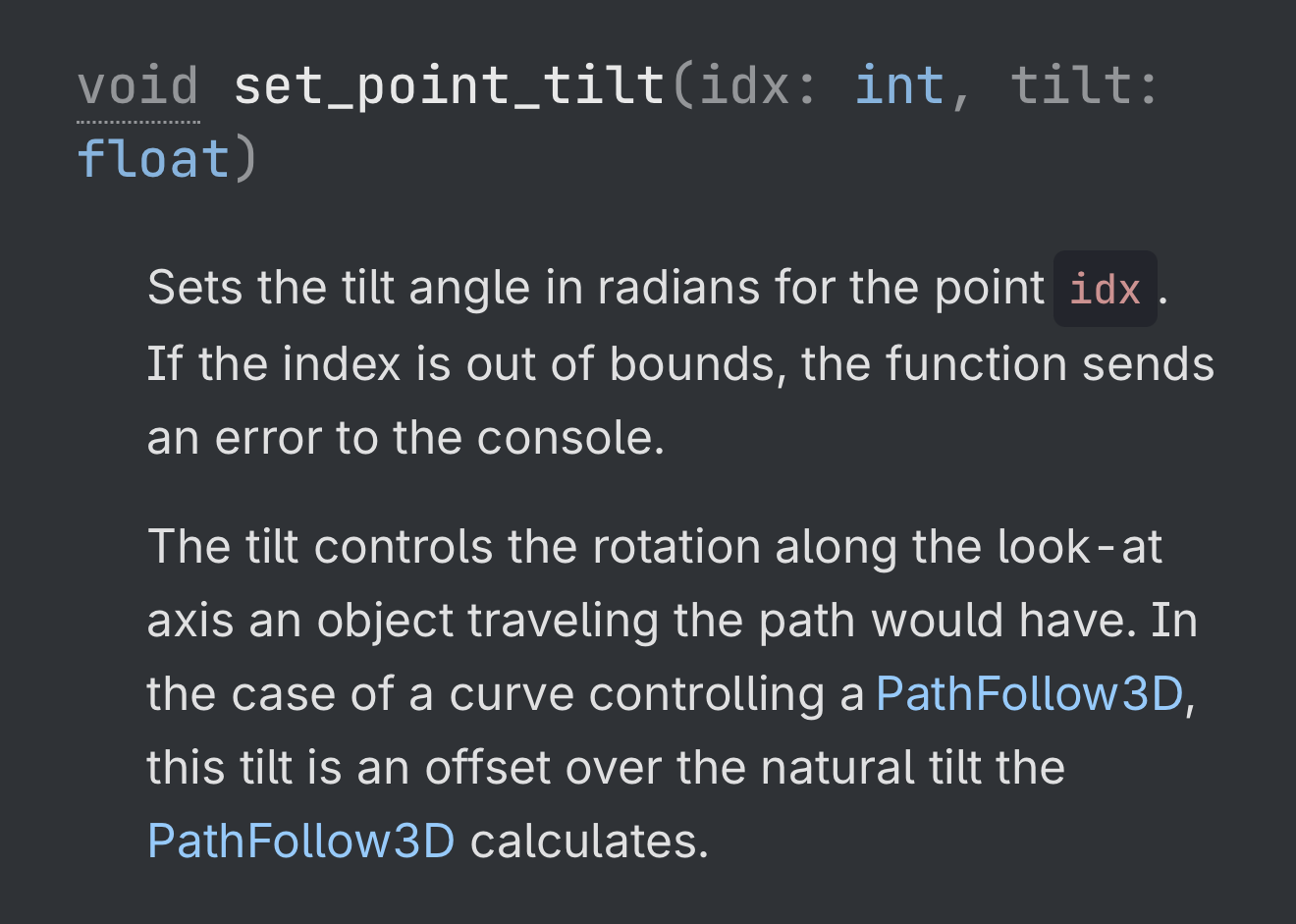
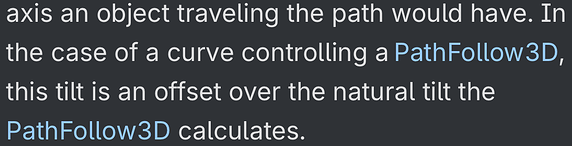
The documentation says that it is an offset to the naturally calculated tilt for PathFollow3D, and if PathFollow3D is oriented, thus using the up vector to enforce orientation, 0.0 tilt offset means that it is naturally oriented upwards.
Maybe my vocabulary in saying “straight up” was off, but I think the idea is the same.
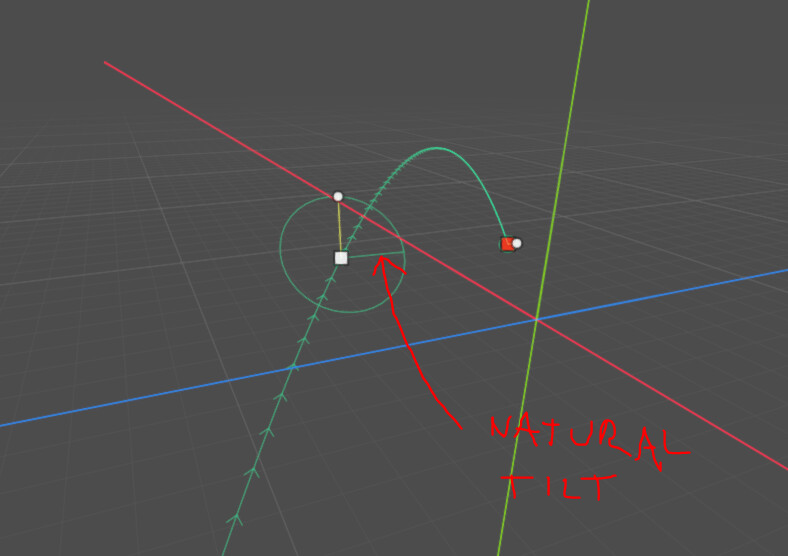
No, you can see what is “naturally calculated” in point’s tilt gizmos. The other radius line (one you cannot move) represents the “zero” tilt. You’ll notice it generally won’t be aligned with world or local up vector.