Godot Version
4.7.2
Question
Hello,
I’m learning to use Godot’s Create CollisionPolygon2D Sibling feature to make hitboxes and it does a pretty good job getting a “curved” surface smooth enough to roll on.
The problem I’m trying to solve is all these extra vertices it seems to be adding.
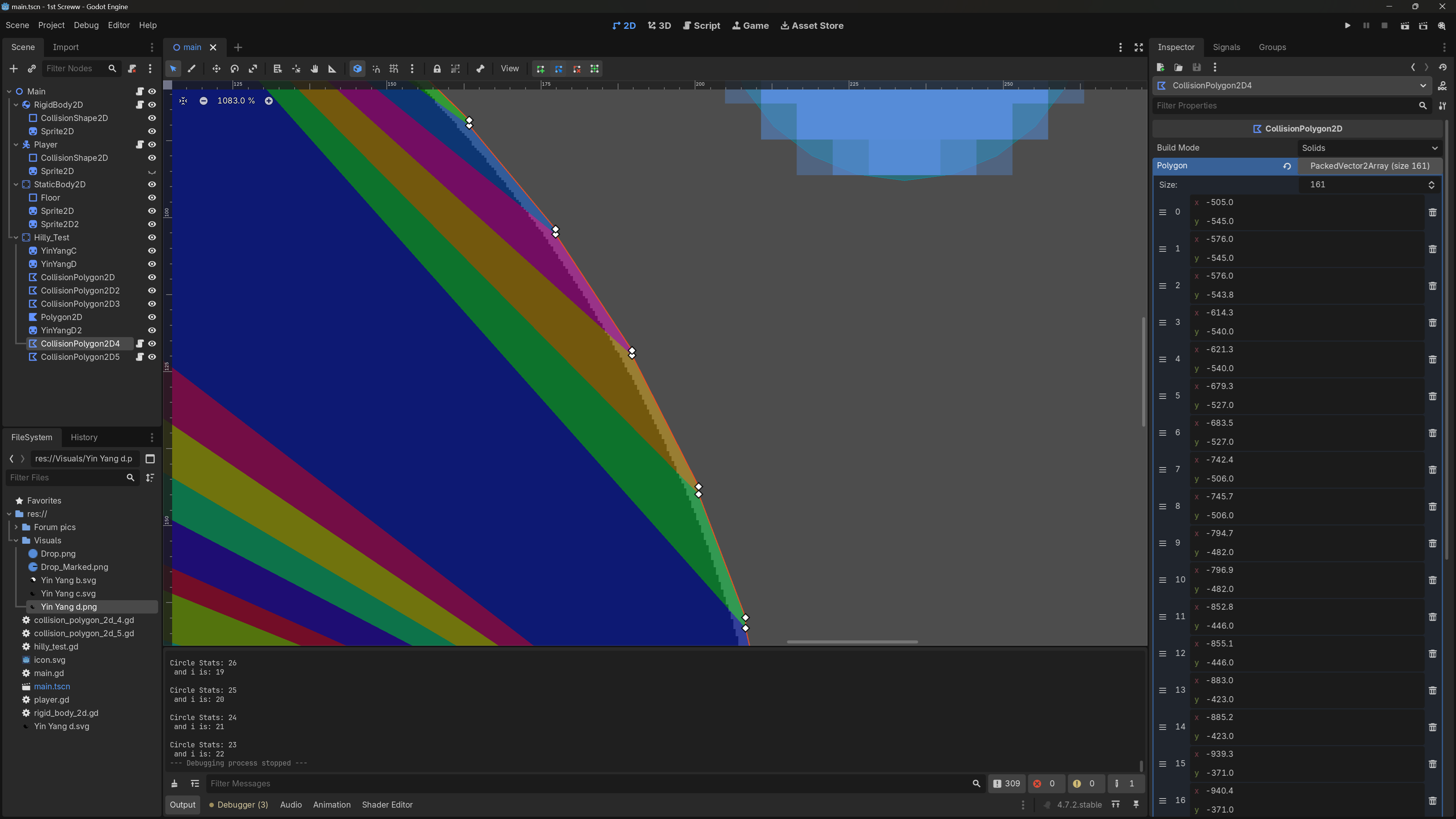
As you can see, it likes to create an extra vertex really close to it’s neighbor for pretty much every vertex: essentially doubling the amount of vertices over what’s needed.
My main concern is performance. These extra vertices like to form concavities, thusly greatly increasing the number of polygons that make up a given hitbox.
I tried messing with the settings as I was using the tool, but this seems to be a thing regardless of the Simplification value specified.
I’m trying to develop an efficient workflow for level building, so the tool seems like a great option, but not so much if I have to manually delete half the vertices for every collision shape.
Does anyone have a better approach?
My first idea was to automate deleting every other vertex. So I wrote this perhaps somewhat janky script to do it at runtime and it does a decent job of simplifying the hitbox:
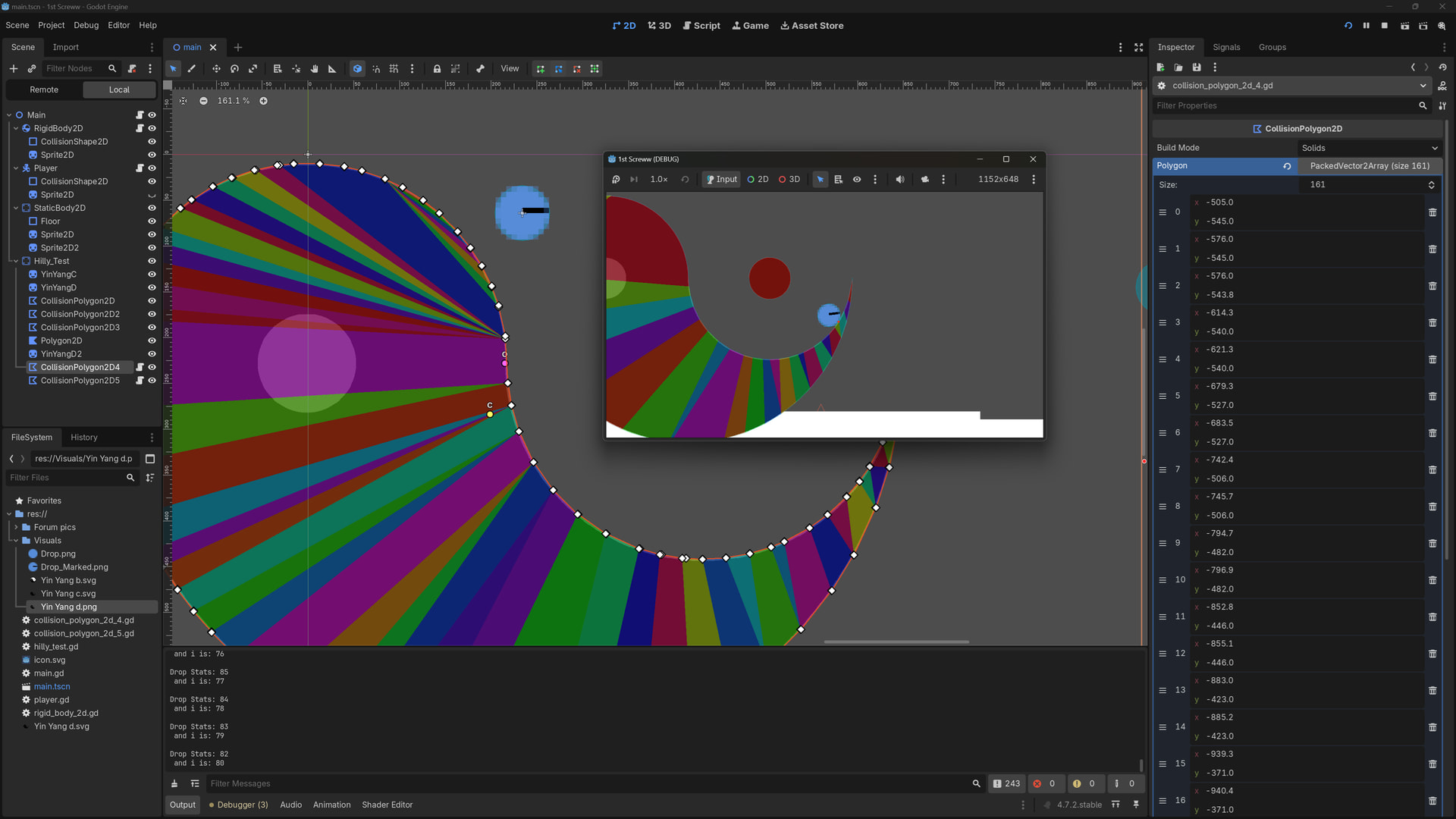
But doing it this way means I don’t have the control I want to be able to do any judicious tweaking in the Open 2D Workspace.
Is there a way to have this script run on the hitbox’s array outside of run-time? Or is this an over/under-engineered solution?
Thanks!
extends CollisionPolygon2D

var collision_points = polygon


# Called when the node enters the scene tree for the first time.
func _ready() -> void:
	delete_every_other_point()
	polygon = collision_points


func delete_every_other_point():
	#starting at 1 to skip over the first value in the array
	var i = 1
	while collision_points.size() != i - 1 and collision_points.size() != i:
		collision_points.remove_at(i)
		i += 1