Godot Version
4.6.2
Context
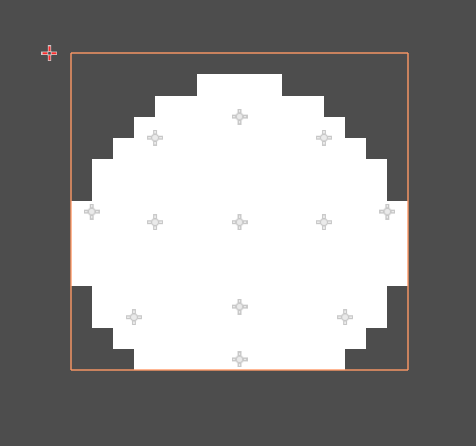
I have a very simple oval shaped sprite. Selecting a display stretch mode of viewport paired with a filter mode of nearest creates pixel perfect art:
However, the rotation of this art creates jagged edges like this:

I have a simple shader algorithm that will smooth out and trim some of this jaggedness. Simply running this shader over the texture does not work - the texture the shader receives is the unrotated initial sprite. As a test, I have attempted rotating the texture’s UV directly via the shader (instead of the node’s Transform2D) and then using that rotated UV as the algorithm’s input. This seemingly doesn’t work (but it could be a bug in my code).
Question
What is the proper way to sample the post-transform2D rotated texture from within a shader?
Here is the shader code:
shader_type canvas_item;

uniform float thickness = 1.0;
uniform vec2 pivot = vec2(0.5);

const vec2[8] DIRECTIONS = {
	vec2(1.0, 0.0),
	vec2(0.0, 1.0),
	vec2(-1.0, 0.0),
	vec2(0.0, -1.0),
	vec2(1.0, 1.0),
	vec2(-1.0, 1.0),
	vec2(-1.0, -1.0),
	vec2(1.0, -1.0)
};

vec2 rotate_uv(vec2 uv, vec2 p, float angle) {
    mat2 rot = mat2(
        vec2(cos(angle), -sin(angle)),
        vec2(sin(angle),  cos(angle))
    );
    return rot * (uv - p) + p;
}

bool is_outside_uv(vec2 input) { return any(lessThan(input, vec2(0.0))) || any(greaterThan(input, vec2(1.0))); }

float check(sampler2D tex, vec2 from, vec2 size) {
	float result = 0.0;

    for (int i = 0; i < 8; i++) {
        vec2 point_to_check = from + DIRECTIONS[i] * size * thickness;
        if (!is_outside_uv(point_to_check)) {
            result += texture(tex, from + DIRECTIONS[i] * size * thickness).a;
        }
    }

	return result;
}

void fragment() {
    vec2 rotated_uv = rotate_uv(UV, pivot, 1);
    if(check(TEXTURE, rotated_uv, TEXTURE_PIXEL_SIZE) < 4.0) {
        discard;
    }
}