Godot Version
Godot 4.7.2
My snapped Rigidbody object keeps falling off when I pick up another Rigidbody object.
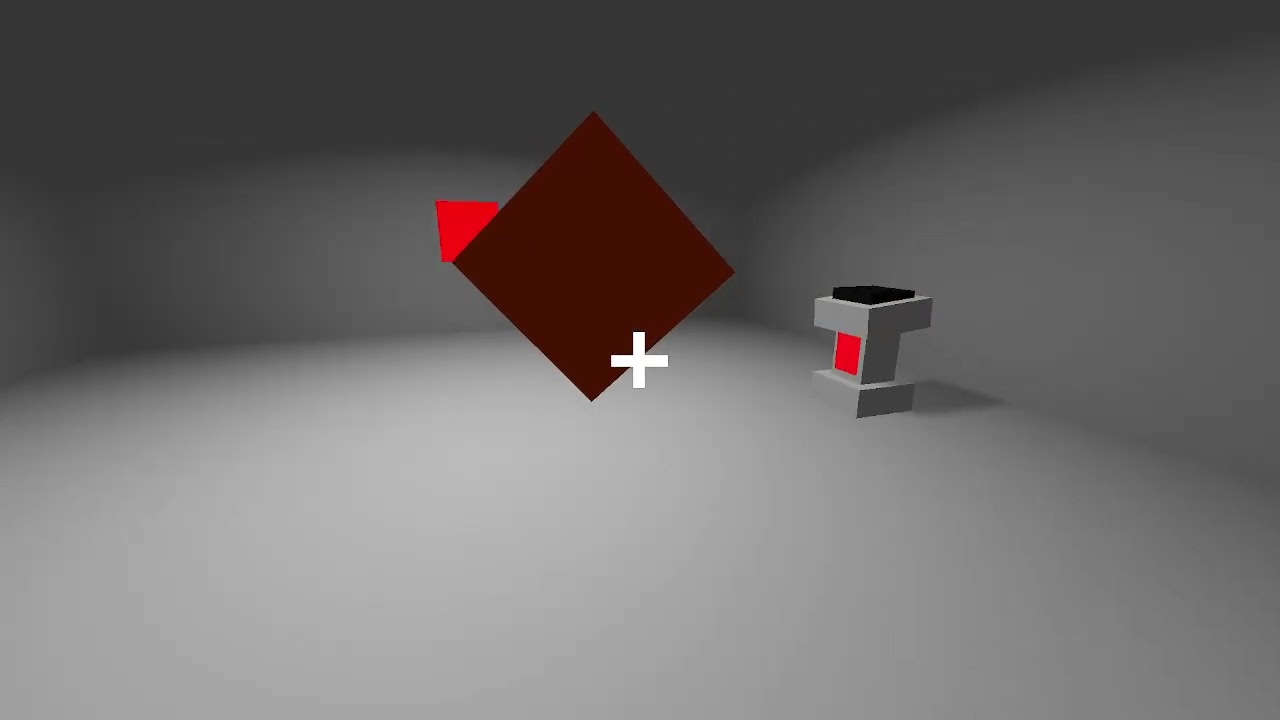
We have no idea.
Please check Posting guidelines in #Help channel
Give us more context, show us relevant code and explain how your system works, otherwise we cannot read your mind.
Ok, here are the scripts for both the panels, cubes, and pickup function.
Panels (to make the cube snap onto them)
extends Node3D
@onready var placemant_area_3d: Area3D = $Placemant_Area3D
@onready var placement_marker_3d: Marker3D = $Placemant_Area3D/Placement_Marker3D

var occupied_body: Rigid_object = null
var is_occupied: bool = false

@onready var colormesh: MeshInstance3D = $StaticBody3D/Colormesh
@onready var turn_green = false
@export var greenlight_mat: StandardMaterial3D
@export var redlight_mat: StandardMaterial3D


func _ready() -> void:
	placemant_area_3d.body_entered.connect(_on_placemant_area_3d_body_entered)
	if !turn_green:
		colormesh.material_override = redlight_mat
	if turn_green:
		colormesh.material_override = greenlight_mat

func _on_placemant_area_3d_body_entered(body: RigidBody3D) -> void:
	if body is Rigid_object and not is_occupied:
		occupied_body = body
		colormesh.material_override = greenlight_mat
		print(body.name, " successfully placed on the surface.")

func _on_placemant_area_3d_body_exited(body: RigidBody3D) -> void:
	if body == occupied_body and not is_occupied:
		occupied_body = null
		colormesh.material_override = redlight_mat
		print(body.name, " successfully removed from the surface.")

func _process(_delta: float) -> void:
	if Input.is_action_just_pressed("Interact"):
		if is_occupied:
			obj_removed()
		elif occupied_body != null:
			place_obj()

func place_obj():
	is_occupied = true
	occupied_body.global_transform = placement_marker_3d.global_transform
	occupied_body.linear_velocity = Vector3.ZERO
	occupied_body.angular_velocity = Vector3.ZERO
	occupied_body.freeze_mode = RigidBody3D.FREEZE_MODE_KINEMATIC
	occupied_body.freeze = true

func obj_removed():
	is_occupied = false
	occupied_body.freeze = false
	occupied_body.apply_central_impulse(Vector3.UP * 2.0)
Cube
The class name is for any rigidbody object with this script that can be picked up.
extends RigidBody3D
class_name Rigid_object
A script for the player to pick up a rigid object that I place on the head node.
extends Node3D

var mouse_sens = 0.01
@onready var head: Camera3D = $PlayerHead
@onready var grab_marker: Marker3D = $Grab_SpringArm/Grab_Marker
@onready var grab_shape_cast: ShapeCast3D = $Grab_ShapeCast


var grab_obj:RigidBody3D = null


func _ready():
	Input.set_mouse_mode(Input.MOUSE_MODE_CAPTURED)

func _physics_process(delta: float):
	if grab_obj:
		var target_pos:Vector3 = grab_marker.global_position
		var current_pos:Vector3 = grab_obj.global_position
		var direction = target_pos - current_pos
		var required_velocity = direction / delta
		@warning_ignore("unused_variable")
		var velocity_correction = required_velocity - grab_obj.linear_velocity
		grab_obj.linear_velocity = required_velocity
		grab_obj.angular_velocity *= 0.1

func _input(event: InputEvent) -> void:
	if event is InputEventMouseMotion:
		# Rotate the parent node horizontally
		get_parent().rotate_y(-event.relative.x * mouse_sens)
		# Rotate this node vertically (pitch)
		rotate_x(-event.relative.y * mouse_sens)
		# Clamp the pitch rotation to avoid flipping
		rotation.x = clampf(rotation.x, deg_to_rad(-70), deg_to_rad(70))

	elif event is InputEventMouseButton:
		if Input.is_action_just_pressed("Interact"):
			if grab_obj:
				grab_obj = null
			elif grab_shape_cast.is_colliding():
				var collided = grab_shape_cast.get_collision_result()[0]["collider"]
				if collided is Rigid_object:
					if !grab_obj:
						try_grabbing(collided)

		elif Input.is_action_just_pressed("Interact2"):
			if grab_obj:
				throw_object()

func try_grabbing(collided:RigidBody3D):
	grab_obj = collided

func throw_object():
	grab_obj.apply_impulse(Vector3(-head.global_basis.z * 5.0) + Vector3(0.0, 5.0, 0.0))
	grab_obj = null
Hi!
You use
Input.is_action_just_pressed(“Interact”):
to pick your object up and to release the object in your panel.
@ieishi is correct, to give more info this set of conditions does nothing to clarify if the player is looking at the block, only that it has a block and the button is pressed. Maybe you should extend your player’s try_grabbing function to call a function on the collided object, such as obj_removed before the block is fully “grabbed”
I removed the Input function, but the cube will flicker and fly off the panel when I place it, and the panel remains green after I place the cube.
func _process(_delta: float) -> void:
	if is_occupied:
		obj_removed()
	if occupied_body != null:
		place_obj()

func _on_placemant_area_3d_body_entered(body: RigidBody3D) -> void:
	if body is Rigid_object and not is_occupied:
		occupied_body = body
		colormesh.material_override = greenlight_mat
		print(body.name, " successfully placed on the surface.")
func _on_placemant_area_3d_body_exited(body: RigidBody3D) -> void:
	if body == occupied_body and not is_occupied:
		occupied_body = null
		colormesh.material_override = redlight_mat
		print(body.name, " successfully removed from the surface.")

func place_obj():

	is_occupied = true
	occupied_body.global_transform = placement_marker_3d.global_transform
	occupied_body.linear_velocity = Vector3.ZERO
	occupied_body.angular_velocity = Vector3.ZERO
	occupied_body.freeze_mode = RigidBody3D.FREEZE_MODE_KINEMATIC
	occupied_body.freeze = true

func obj_removed():

	is_occupied = false
	occupied_body.freeze = false
	occupied_body.apply_central_impulse(Vector3.UP * 2.0)
	occupied_body = null
Any suggestions? I have been stuck on it for an hour, trying to figure out how to fix it without adding the input key to the script.
Well, now it checks every frame and removes the object. it still doesn’t clarify if the player is looking at the block, now it doesn’t clarify if they press the button either.