Using GetCellSourceId and GetCellAtlasCoords always returns -1 & (-1,-1) respectively regardless of whether the cell is actually empty

Godot Version

Godot Mono 4.7

Question

I have a TileMapLayer grid with tiles, some empty & some not. I’m trying to check whether neighbouring cells of a particular co-ordinate contain tiles or not. I’ve tried the below options yet they both return (-1,-1) & -1 respectively (checked using GD.Print(…))

for(int k=0; k < surroundingCells.Length; k++)
{

    if(GetCellSourceId((Vector2I)surroundingCells.GetValue(k)) != -1)
    {
            neighbours.SetValue(surroundingCells.GetValue(k), k); //add to neighbours
            neighbourCount++;
    }
    if(GetCellAtlasCoords((Vector2I)surroundingCells.GetValue(k)) != new Vector2I(-1,-1))
    {
            neighbours.SetValue(surroundingCells.GetValue(k), k); //add to neighbours
            neighbourCount++;
    }

}

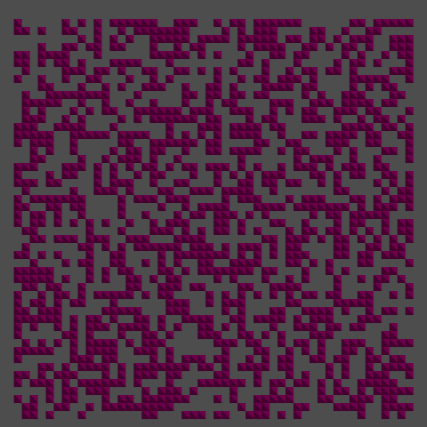
I am fully certain that the tiles being accessed aren’t empty - to clarify, this for loop runs for each cell in my tilemap and my tilemap gets randomly generated at runtime, so in-game it usually looks like this:
Yet GD.Print("at cell " + (Vector2I)surroundingCells.GetValue(k) + ": " + GetCellSourceId((Vector2I)surroundingCells.GetValue(k))); gives
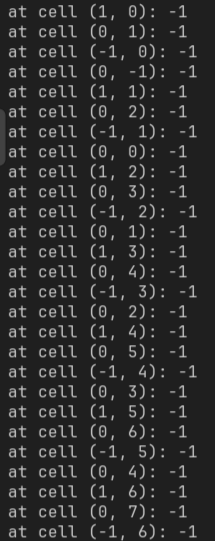
…and so on.

I’m really stuck on this and have exhausted my attempts at troubleshooting this so I’d be very thankful for any/all responses :slight_smile:

This is just a straight lookup on whichever layer the script runs on, so -1 for every cell usually means one of three things. First, GetCellSourceId expects map (tile) coordinates, not pixel positions, so if surroundingCells were built from a Position or GlobalPosition, convert them first with LocalToMap(ToLocal(globalPos)). Second, make sure this script is on the same TileMapLayer node that actually holds the generated tiles, because calling it on a different layer (or a second layer in the scene) returns -1 everywhere. Third, check the order of events, since if the neighbour scan runs before your random generation has finished calling SetCell (for example in _Ready), the cells really are empty at that moment. A quick sanity check is to print GetUsedCells().Count on the same node right before the loop, which tells you right away whether you’re querying the layer you think you are.

When are you doing the checks? If it’s immediately after filling the tilemap you may need to call TileMapLayer.update_internals() before accessing information as modifications to the tilemap data are batched and delayed to the end of the frame.

Thanks for the advice, I checked the order of events and realised that I was calling SetPattern() after trying to access cell source ids & atlas coords. It all works fine now :slight_smile: