Godot Version
Godot 4.5
Question
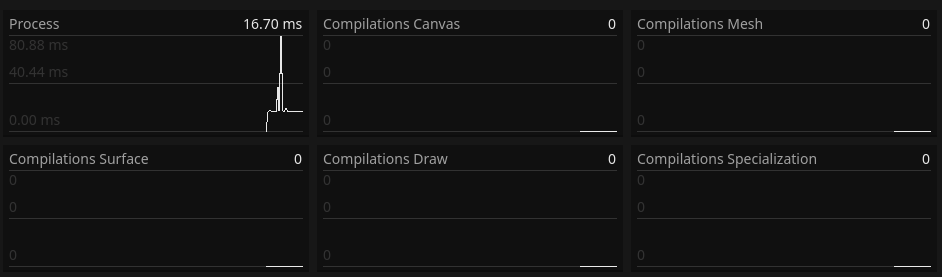
I’ve set up a customizable system to switch scenes but for some reason it is really slow for the size of scenes I’m passing to it. I’ve manged to mitigate it a little using threaded loading, but it’s still slow. One thing I’ve noticed is that RAM usage doesn’t go up until the scene is actually added to the tree, which tells me it’s not actually being loaded into memory until then. And I know this is true because exiting out of the scene (which removes it from the tree) RAM usage stays high, and loading it again is much more snappy.
Here’s my scene switching code:
extends Button
#A bit complicated but makes switching scenes easy and trouble-free

@export_file("*.tscn") var nextScenePath
@export var triggerLoadingScreen : bool = false

@export_group("Extra options...")

## Wether or not to automatically connect the changeScene function to a button's pressed signal.
## This serves to make it quicker to program buttons that change scenes
@export var autoconnectButtonPress : bool = true

var transitionScreen = preload("res://Scenes/Menu/TransitionScreen.tscn")
var nextScene : PackedScene

func _ready():
	#Connect pressed signal (if enabled)
	if autoconnectButtonPress:
		if self is Button:
			pressed.connect(changeScene)

	#Ensure the next scene path is valid (otherwise reset to default one)
	if nextScenePath==null:
		printerr("You forgot to select a target scene, dumbass.	-",self)
		nextScenePath = "res://Scenes/Menu/MainMenu.tscn"
	else:
		ResourceLoader.load_threaded_request(nextScenePath,"",true,ResourceLoader.CACHE_MODE_REUSE)

func changeScene():

	print(ResourceLoader.load_threaded_get_status(nextScenePath))
	var nextSceneInstance: Node = ResourceLoader.load_threaded_get(nextScenePath).instantiate()
	#Instantiate transition screen and wait for it to cover the screen (if enabled).
	var currentScene = get_tree().get_current_scene()
	var transitionScreenInstance = transitionScreen.instantiate()
	if triggerLoadingScreen:
		get_tree().get_root().add_child(transitionScreenInstance)
		await transitionScreenInstance.screenCovered

	#var nextSceneInstance: Node = nextScene.instantiate()
	#Load the next scene and set it as current scene so things like restarting work
	if triggerLoadingScreen:
		nextSceneInstance.ready.connect(transitionScreenInstance.clear)
	get_tree().get_root().add_child(nextSceneInstance)
	get_tree().set_current_scene(nextSceneInstance)

	# Delete the previous scene
	print("Deleting scene ", currentScene)
	currentScene.queue_free()
	var ownerScene := get_owner()
	while not (ownerScene.get_parent() is Window):
		ownerScene=ownerScene.get_owner()

	# Also delete the root owner in case it's loaded somewhere else
	if not ownerScene.is_queued_for_deletion():
		print("Also deleting ", ownerScene," for good measure.")
		ownerScene.queue_free()

func reloadNextScene():
	#This is more of a utility function, for when the nextScenePath changes, if you do that for some reason
	#(eg, if the next scene is determined at runtime)
	#I probably should have built this into a "setTargetScene(string)" function but oh well, it works
	if nextScenePath==null || nextScenePath.right(5)!=".tscn":
		printerr("You forgot to select a target scene, dumbass.	-",self)
		nextScenePath = "res://Scenes/Menu/MainMenu.tscn"
	else:
		nextScene = load(nextScenePath)

# This next part is for debugging
func _process(_delta):
	if ResourceLoader.load_threaded_get_status(nextScenePath) != 3:
		var status = []
		ResourceLoader.load_threaded_get_status(nextScenePath,status)
		print(status)
If you’re curious, the scene I’m using to test this weighs 18kb