Glow edge-bleeding or some sort of screen space artifact?

Hello, it’s my first time on this forum. It’s nice to meet you all.

I have checked Environment and post-processing — Godot Engine (stable) documentation in English and looked up some “Glow” and “Emissive” threads here, but in case I end up making a post that was already made, I apologize.

Godot Version

4.6.3.

OpenGL API 3.3.0 NVIDIA 582.41 - Compatibility - Using Device: NVIDIA - Quadro P3200

Issue

First of all, I am working in Compatibility Mode because I want it to run as efficiently as possible on lower-end devices.

My issue is that when I apply Glow to an object, it bleeds at the edge of the window. I thought that might just be Godot’s default way of handling emissiveness, but as I looked around on the internet, the images I saw did not seem to exhibit the same issue that I saw.

Compatibility Mode:

Now, I did try playing around with the settings and decreasing Intensity and so on, but it’s the small bits are the edges that bother me.

Just to make sure it wasn’t a quirk of the rendering mode, I changed it to Forward+ just to see what would happen, and it still shows, and I think the issue is more clear here.
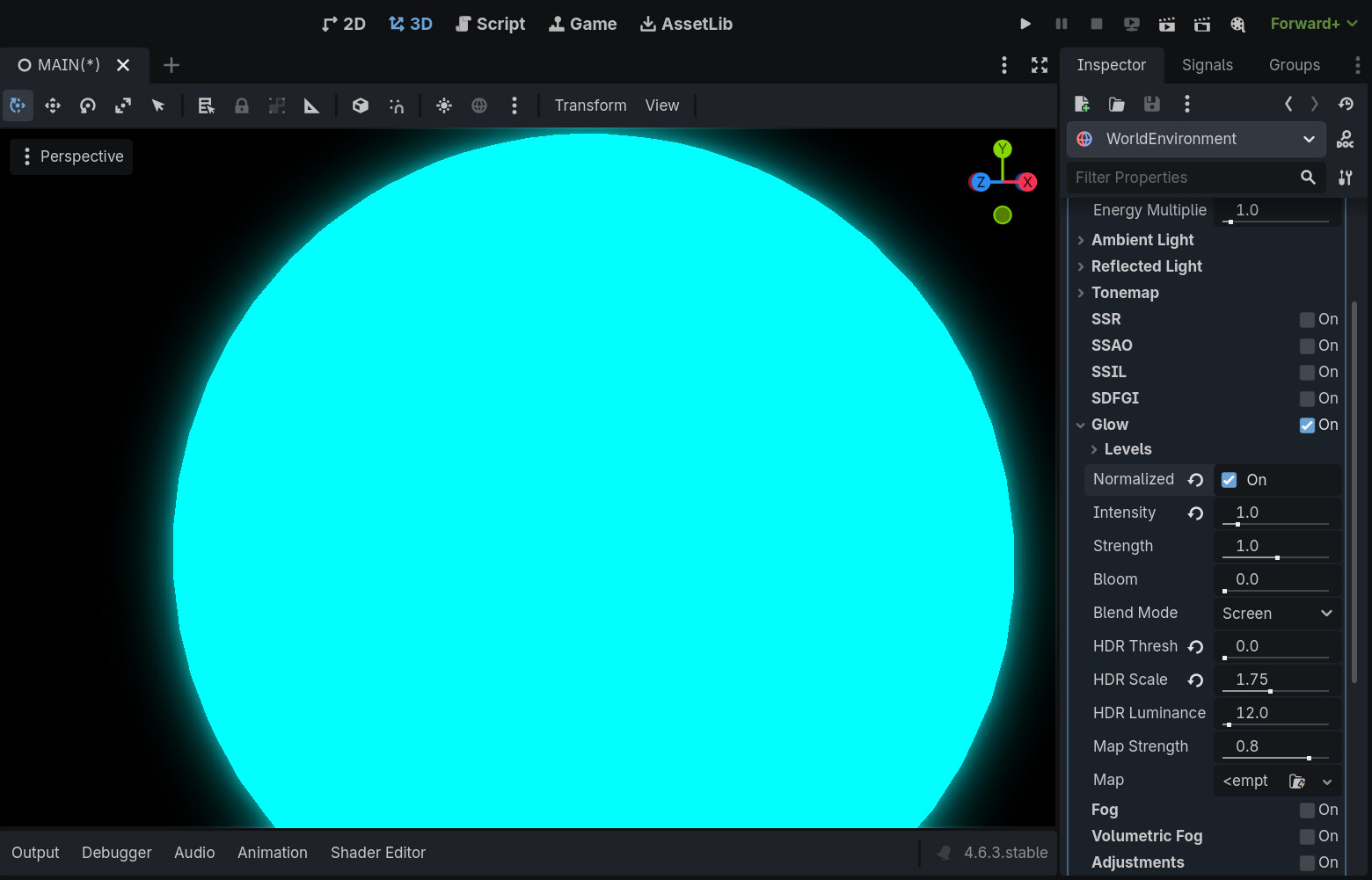

ZoomedIn

I am not sure what is causing it, or if it just is something that is supposed to be there.

It reminds me of some sort of reflective screen space edge as soon as the edge of the glow hits the edge of the screen, or more visually described, two glowing objects are about to collide.

As for my scene, it’s basically just an empty scene with a sphere with the standard material with Glow added onto it, and then a World Environment with Glow checked.

The issue isn’t apparent when the glowing object isn’t touching any edges, and that’s fine, but it’s just when it nears an edge, it ends up doing that, which isn’t very appealing to me.

Thank you very much for reading and I hope that someone can help a little.

I spoke too soon, I saw the same thing happening in a video just now, which was just to show off a recreation of Unity’s glowing in Godot.

I apologize for that, I will just chalk it up to it being the way it’s supposed to work in Godot.

Well, checking glow on world environment node does cause that halo around shining things. That is the whole point of glow post processing. If you just want an emissive material you just disable glow in world environment, it will still be emissive so not affected by lighting depending on strength of emission.

Thank you for your reply, and for taking your time to read my post.

I am not sure, however, what you mean. I am a slow learner, so I need things to be explained more elaborately before it makes proper sense to me.

I am reading your message as if you think I am surprised that the object is glowing after checking “Glow” in World Environment, which is not what I eluded to, at all. Therefore, I am probably just misunderstanding your reply, and don’t want to cast judgment upon you.

Perhaps you meant something like: “This is the way Post Processing works in Godot, and the fact that the glow is being reflected on the edge of the window, is a byproduct of how Godot renders this effect”, to which, I would say that is the same conclusion I came to.

And in case you are thinking I want just the unlit full emissive material without the soft glowly bloom, then that was not my intention and apologize for not being clear in my original post.

Once again, thank you so much for reading my post and this reply, 64jcl.

I hope you have a good day!

Once again, thank you very much to user 64jcl. I have updated my post to be more explicit about the issue where it might’ve come off as vague. I hope to improve and become better at making posts in the future.

Ah wow I did not see that the edges of the window was the issue here - I totally missed that part and I was looking at my phone when I wrote my reply so I did not see that at all in the image.

Yes that is odd - now I need to test that myself to see if I have the same issue.