I’d like to open up a discussion about Blender’s Geometry Nodes concept and how we can achieve similar workflows within Godot.
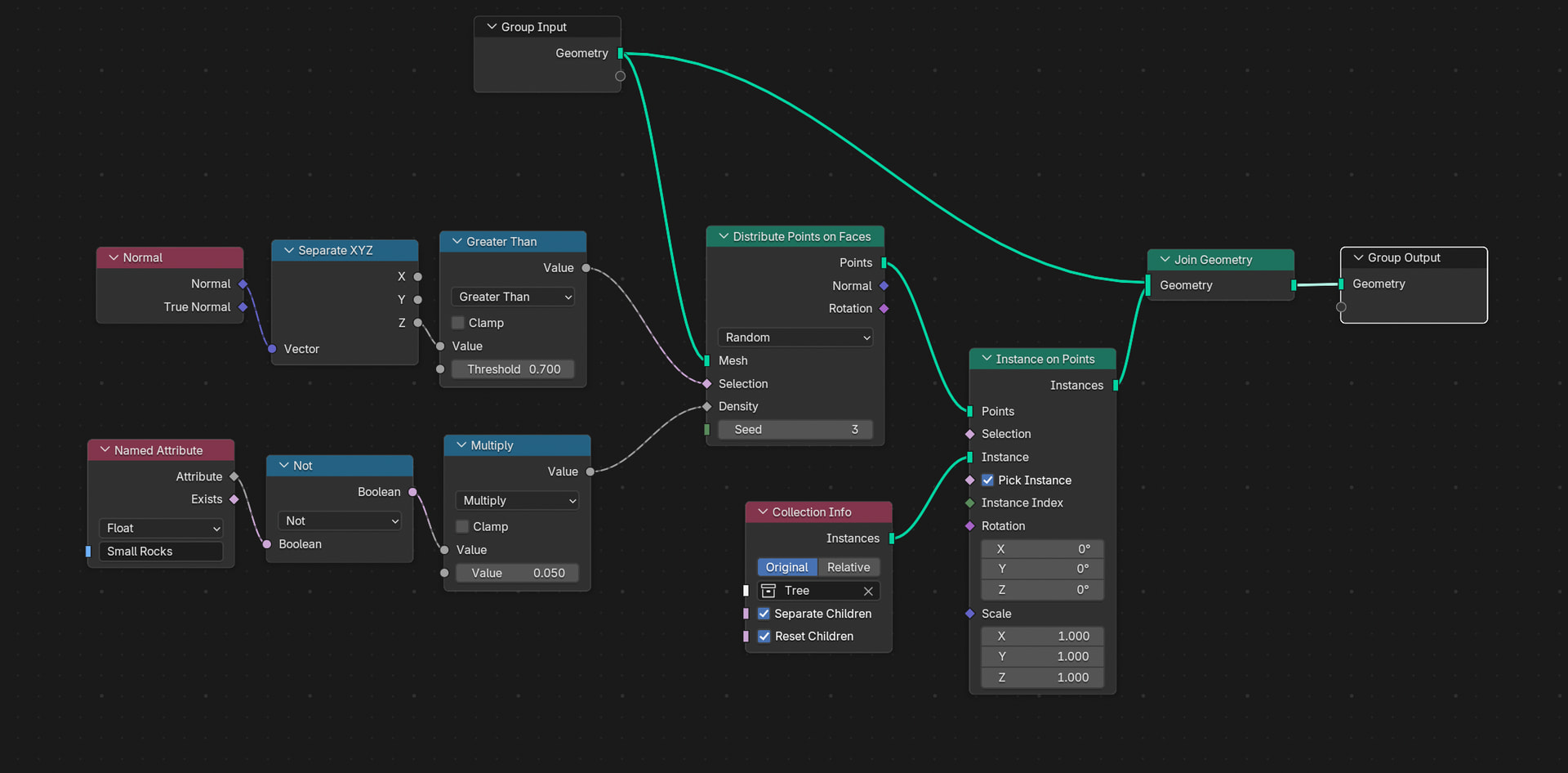
The attached image demonstrates how to take a collection of meshes and distribute individual objects across a selected target mesh.
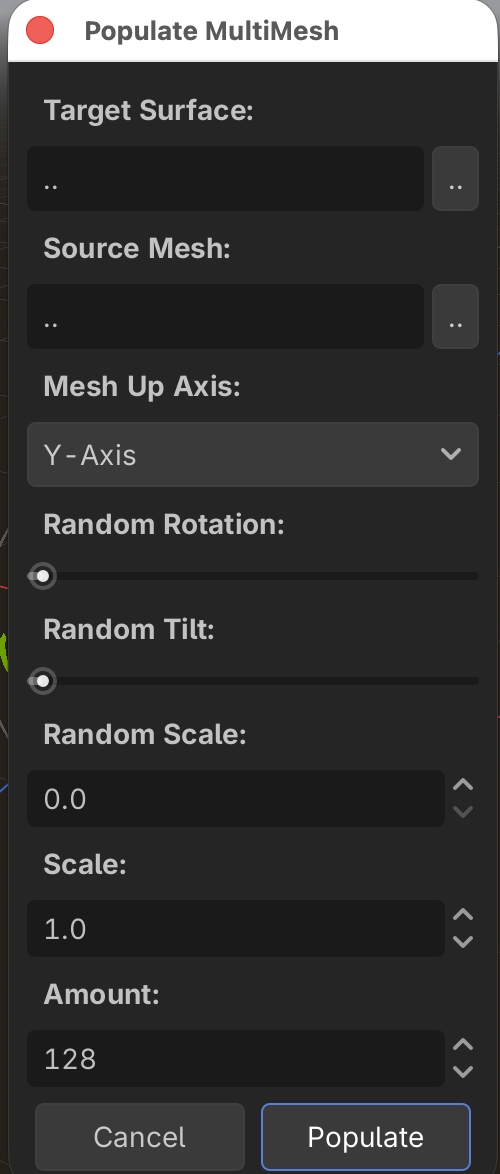
While this might remind you of Godot’s MultiMesh3D (specifically the “Populate Surface” option), there are a few key differences in this node-based approach:
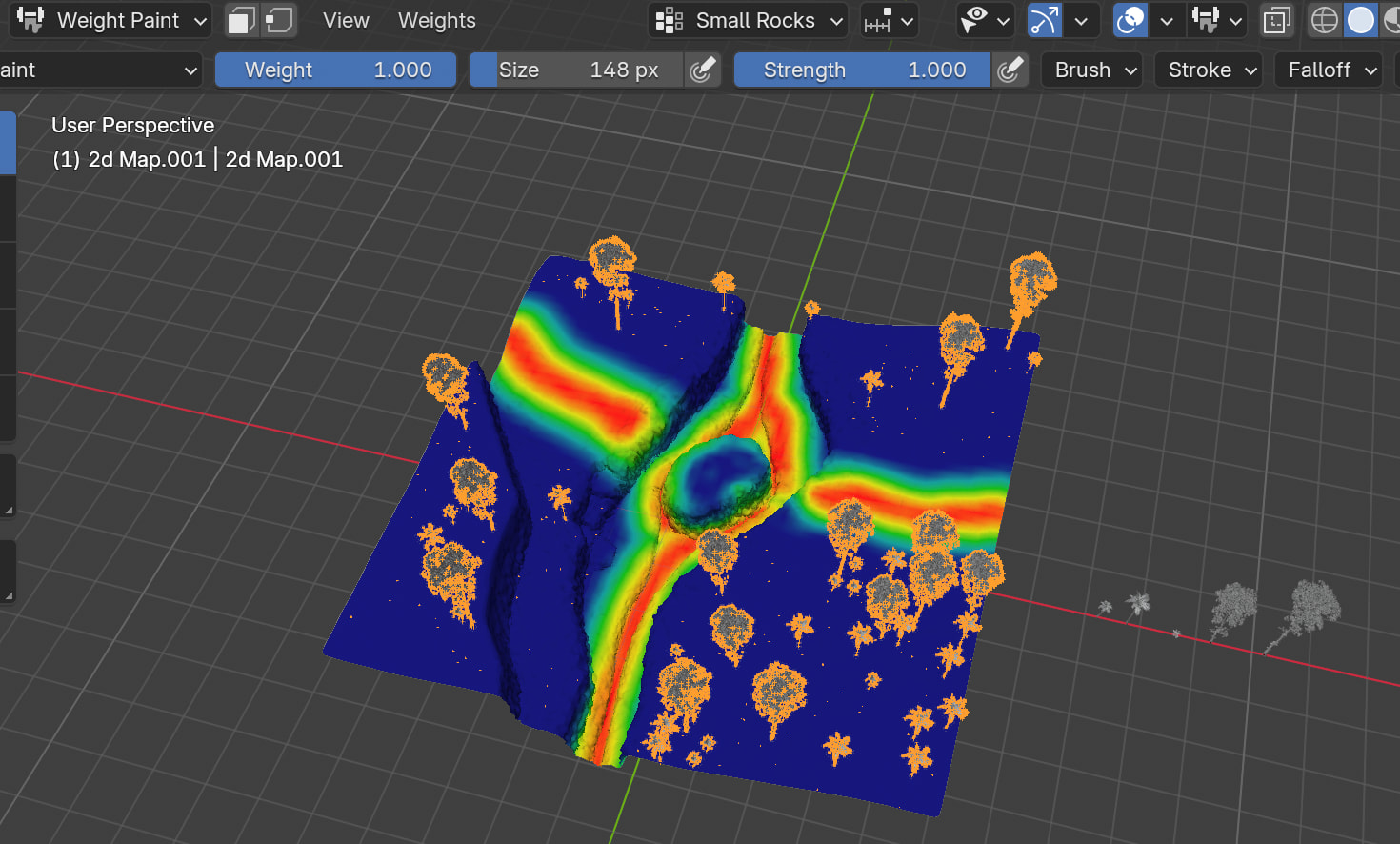
Attribute Masking (e.g., Weight Painting): In the screenshot, a weight map called “Small Rock” (the red paths on the terrain) is used to exclude assets from being distributed in those areas. Currently, MultiMesh3D doesn’t natively support this kind of attribute passing.
Normal and Axis Filtering: The node setup mixes points and filters the selection based on vertex normals and a specific threshold on the Y-axis (Blender’s Z-axis). This prevents issues like trees floating sideways on steep cliffs.
I am still chasing the idea of seamless Data Streaming, but as I constantly run into limitations with proxies and occlusion culling, I am searching for alternative ways to efficiently scatter assets while maintaining collision.
1 Like
Put it all on 2D textures. Have an “asset scatterer” node parse those textures into an array of (object ID, transform3D) entries, just often enough (~3fps) for you to get a rough preview of what the final environment will look like. Have a bake button generate a full fine-grained placement array.
Check out what Scatter, TerraBrush and other scattering plugins are doing under the hood for inspiration or as a counter-example.
1 Like
Not sure where the problem is. Any kind of parametrized scattering is relatively easy to script.
Geometry nodes are cool but are ultimately inferior to scripting.
1 Like
I did, though not all the way. It was mostly lacking clear options to enable or disable collision on the culling distance passed from Terrain3D. I might take another look to pull some pieces out and update it for the latest features. Currently, I’m digging into Terrain3D again to see if I can simplify the shader for particles and find a way to enable collision for meshes while keeping them under Terrain3D’s LOD management.
So, would I need to use the get_vertex and get_vertex_normal functions on the target mesh to find the “spots,” and then use global_transform * vertex_pos and global_transform.basis * vertex_normal to return the transforms of those spots?
The tricky part for me is how to make a mask layer to avoid paths.
What are some options for this?
Sample the heightmap instead of the mesh.
Create a mask/density texture and sample that to eliminate positions. You can also calculate the normal from heightmap samples and use that to reduce or eliminate samples on slopes.
1 Like