 |
Attention | Topic was automatically imported from the old Question2Answer platform. |
 |
Asked By | YellowAfterlife |
Suppose you’re doing something Quake I inspired - low-poly models, pixelated textures. Perhaps you’d also like pixelated baked lightmaps (LightmapGI) to match? But the matter is complicated.
For my own samplers I can do
uniform sampler2D my_texture : filter_nearest;
but for built-ins the matter is complicated - I can’t even find what the lightmap sampler is named in the GLSL source code, let alone whether I can modify it from the Godot’s shader language. It’s not even influenced by the light() function, it just does its own thing somewhere. And I can’t view the generated GLSL (?) so I can’t tell what it’s doing and how.
I can somewhat match the effect by converting the EXR (which is a sampler2D-incompatible (?) Texture2DArray) to a PNG and writing a shader that mimics the lightmap_uv_rect transform,
shader_type spatial;
render_mode unshaded;
uniform sampler2D SHADOW_ATLAS : filter_nearest;
uniform vec4 lightmap_uv_rect;
void fragment() {
	ALBEDO = texture(SHADOW_ATLAS, UV2*lightmap_uv_rect.zw).xyz;
}
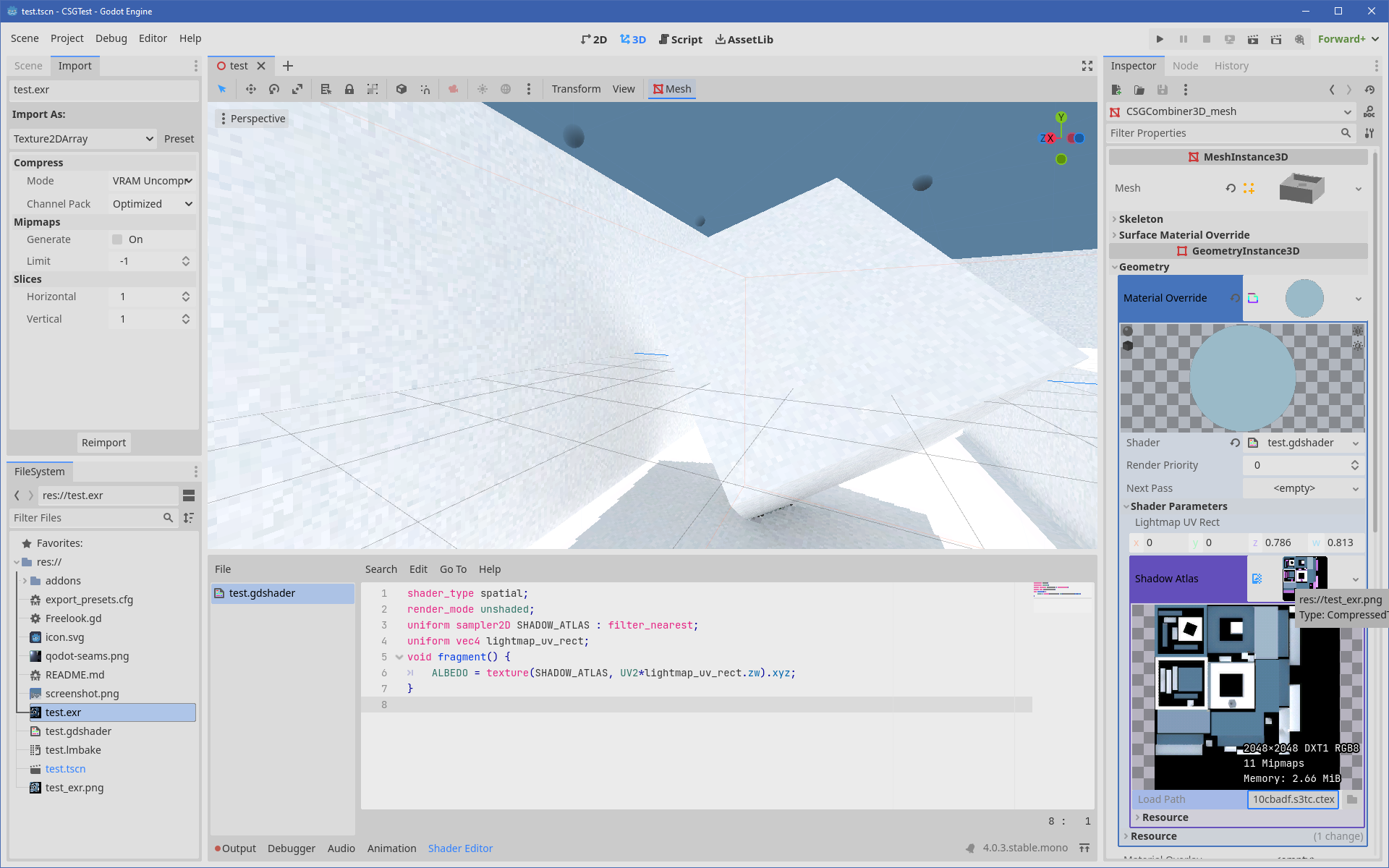
But this introduces no less than a few issues:
- The build now contains a duplicate texture (and these are pretty big even for small scenes)
- The texture has to be updated separately after baking (which will require an extra user interaction).
- The texture extents also have to be updated separately.
- Whatever material math has to be re-created from scratch - it’s not even just that EXR is stored in HDR, something’s missing
- Since we’re setting the albedo color, this affects subsequent baking - the shader has to be disabled before doing so
- Probably even more wonderful things I’m yet to notice.
For now I have settled on just not going for this visual style as result, but it’d be nice to know for future reference.