Crashline Game Progress: Where Racers Meet Aliens

ahaha, you are right… guilty as charged! :sweat_smile:

But honestly, tinkering with effects and messing around with the “How does it look when i do this”, is like playing with LEGO for me. Can’t help it.

Your remark actually sparked an idea though:

What if the camera was switchable? Side, back, maybe even a top-ish view, so depending on the track or the situation you can pick your angle.

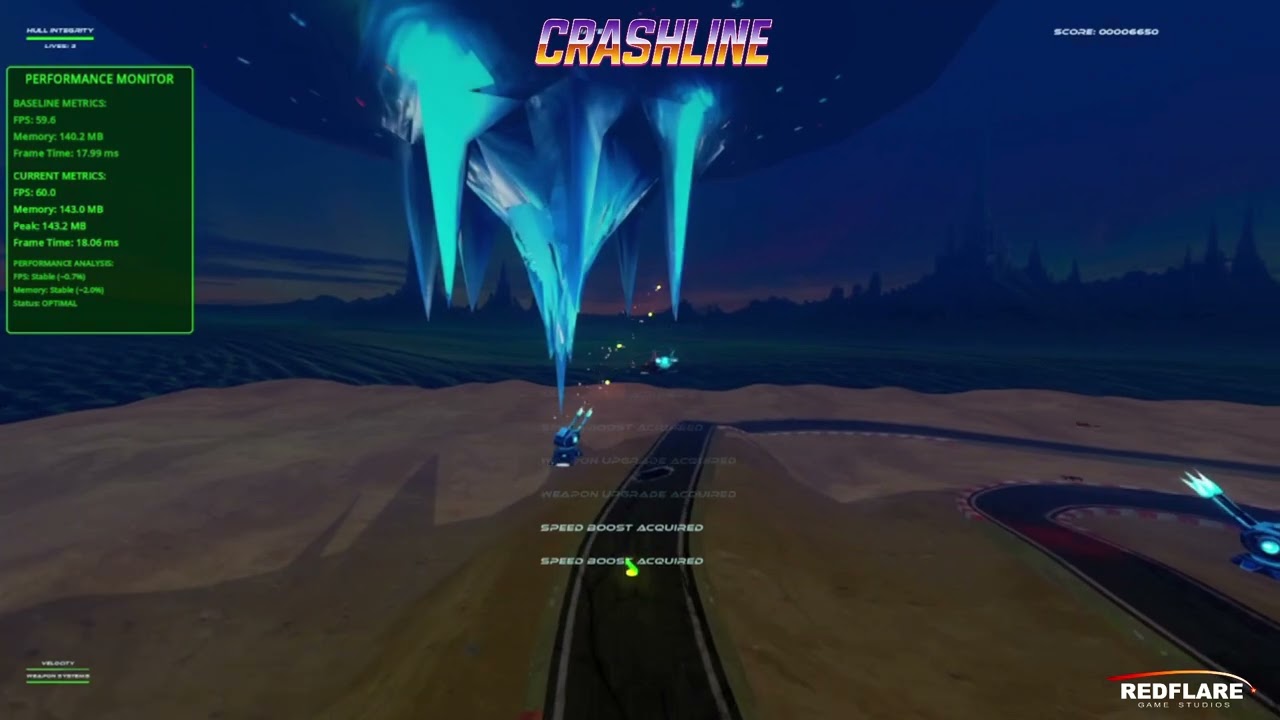
This one has steep corners and heavy banking, so a side cam really shows the slope. But if you look at something like Melbourne (street circuit) or even Daytona (oval), that demands a totally different perspective.

Still experimenting, but camera flexibility is definitely on my radar now!!

Thanks for planting that seed! :rocket:

2 Likes

I second a variety of cameras :saluting_face:.
You could have one like in F Zero, or even closer.
I would tweak the angles for each camera too! (If possible)

Edit: Have a play around with binding a reverse-camera to a button. That way you can have a quick glimpse at everyone behind you eating dust

2 Likes

:rocket: CrashLine Devlog #3 – September 17, 2025

Cameras, leaks, guilty pleasures - and an executable you can try!.

Download Crashline.exe - Devlog #3 here

:video_game: Controls & Camera

Big news: I nuked the old controls and camera system and rebuilt everything from scratch.
Feels better, plays better, looks better — but hey, you decide.

Right now it’s controller-only:

  • Right trigger = forward
  • Left trigger = instant 180 spin (because who doesn’t love panic turns?)
  • A = pew-pew (shoot)
  • Left stick up/down = vertical movement
  • Left stick left/right = lateral strafing

Basically: flying in a 3D world while pretending it’s still a side-shooter.
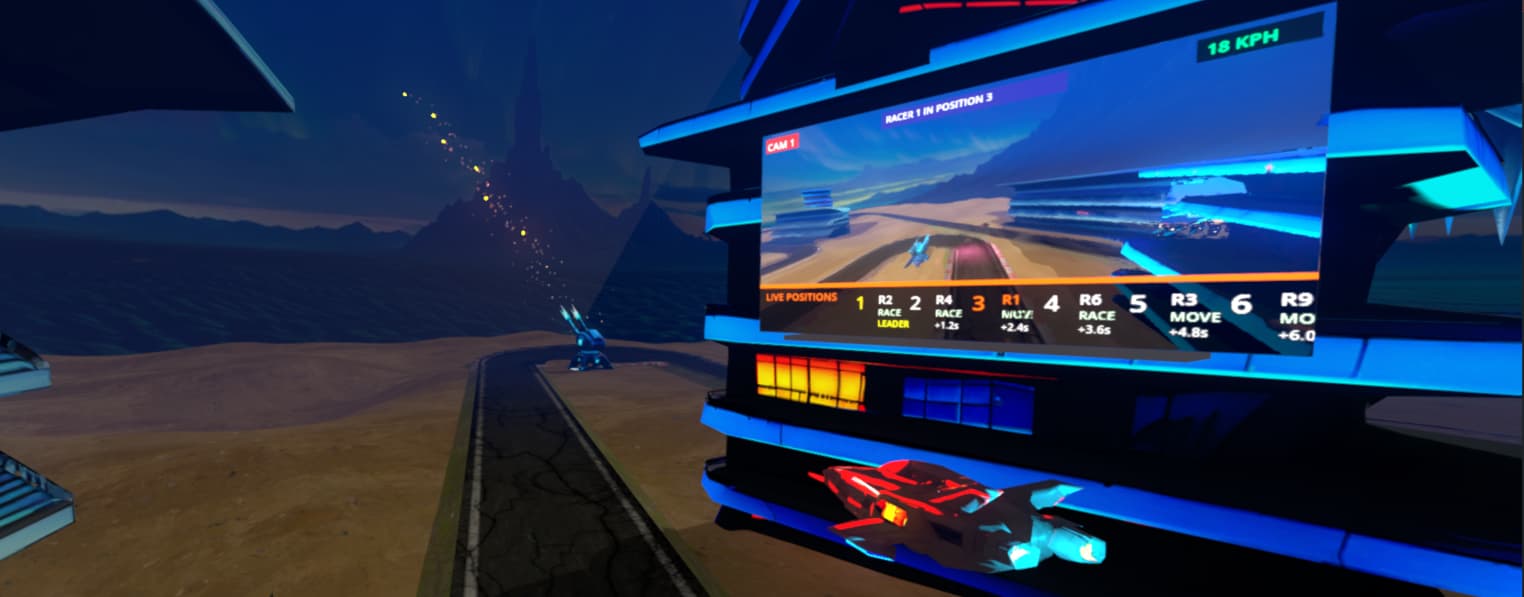
:television: Trackside / Viewport Adventures

So I was just working on the camera… and somehow ended up building an entire racetrack big-screen system. You know, the ones that follow racers with dramatic close-ups? Yeah, those.

And then it escalated: neon overlays, startup sequences, live HUD elements, racing tickers, racer numbers, multiple cams… The whole TV production crew moved in. Viewport textures in Godot? Let’s call it an adventure. Painful, enlightening, and slightly addictive. But learned a lot here.
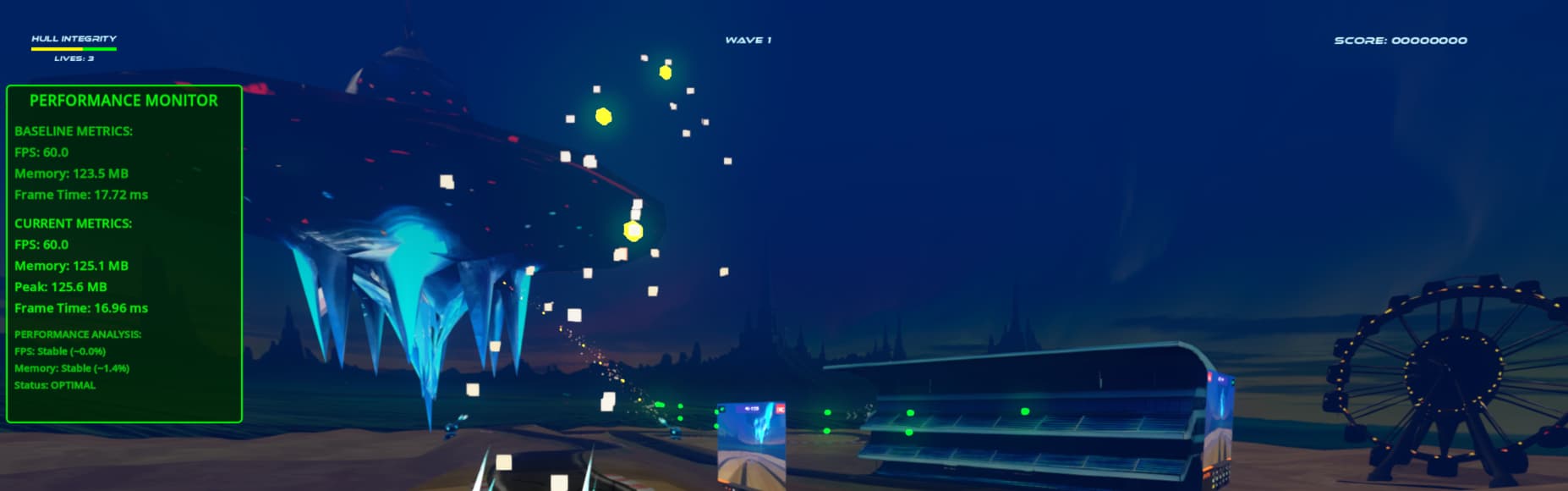
:cat_face: Engine Health & Props

There was a memory leak lurking around, so I built a GamePerformanceMonitor to hunt it down. Found the culprit, squashed it, and left the monitor running — now the engine purrs like a cat (if cats purred in binary).

Oh, and I tossed in some props. No, they’re not to scale. No, they don’t make sense. Yes, they make the world feel more 3D, so they stay.

:backhand_index_pointing_right: That’s it for this devlog. at the top you’ll find a “playable” build.

Please: focus on handling and camera — that’s where the magic (and chaos) lives right now.
And again: Any comment is welcome..
-Robert

4 Likes

Always have some backup,cuz I was nuked when I tried to nuke and recreate something
—Wise guy

1 Like

Downloaded. Have you considered making an itch.io page to share this? You can keep it private and post the link. Makes it easier to upload changes and download.

Score 2250. The Power powerup could not be collected. Personally I’d prefer if each trigger took you in one direction on the track and you got to do a 180 by just switching directions. I thought I killed all the aliens, but a few were showing up chasing the racers in your very cool big screen camera thing, and yet I couldn’t find them.

1 Like

It looks fun ,hope you will find some Publisher to Xbox , Mac :smiley:

1 Like

Thanks for trying it out, and for the detailed feedback, really appreciate it :folded_hands:
This “release” was purely to see if the controller and camera actually behave, so yeah, powerups etc are still on strike.

The idea of having the triggers move you clockwise or anticlockwise instead of the panic-flip is an interesting one, I’ll definitely give that a spin and see how it feels. Worst case, I get dizzy, best case, it feels awesome.

And yep, itch.io, let’s say that’s on the roadmap for Devlog #4, along with world domination and maybe working powerups :wink:

1 Like

For the lazy, the curious, or those whose PCs mysteriously self-destruct when launching executables… here’s the video version:

:wink:

5 Likes

Tbh,You literally know my gpu is from stone age!
Thanks Looks fun and juicy!

1 Like

That looks awesome! :sign_of_the_horns:t2::sign_of_the_horns:t2:

1 Like

CrashLine Devlog #4 — 2025-09-25 — The HUD (CRT, curve & camera-warp)

:rocket: General

This one kind of just… happened. I had working on this billboard system and thought, “hey, what if the HUD lived on a bent plane in front of the camera?” A couple of hours later, I had a retro-style CRT display floating in 3D space, complete with curvature, scanlines, and a bit of camera-following lag.

What it does:

  • Curved mesh HUD: dynamically generated, so it actually bends away from the center like a tiny glass screen.
  • Camera lag/warp: the HUD is a little lazy, it doesn’t snap to the camera, it eases in. Adds that analog vibe.
  • CRT flavor: scanline shader, green glow, emission, always-on-top rendering. Your UI is now cosplaying as an ’80s sci-fi movie prop.
  • SubViewport setup: all elements (grid, score, crosshairs) are drawn in a viewport and slapped onto the mesh. Easy to extend later.

I’ve got a short video showing a moving sample grid bending and following the camera, like flying inside a calculator that secretly wants to be in Tron.

Next step: swap the debug grid for actual HUD elements (score, warnings, maybe some “you’re totally doomed” messages). And yes, more CRT jank is on the list.

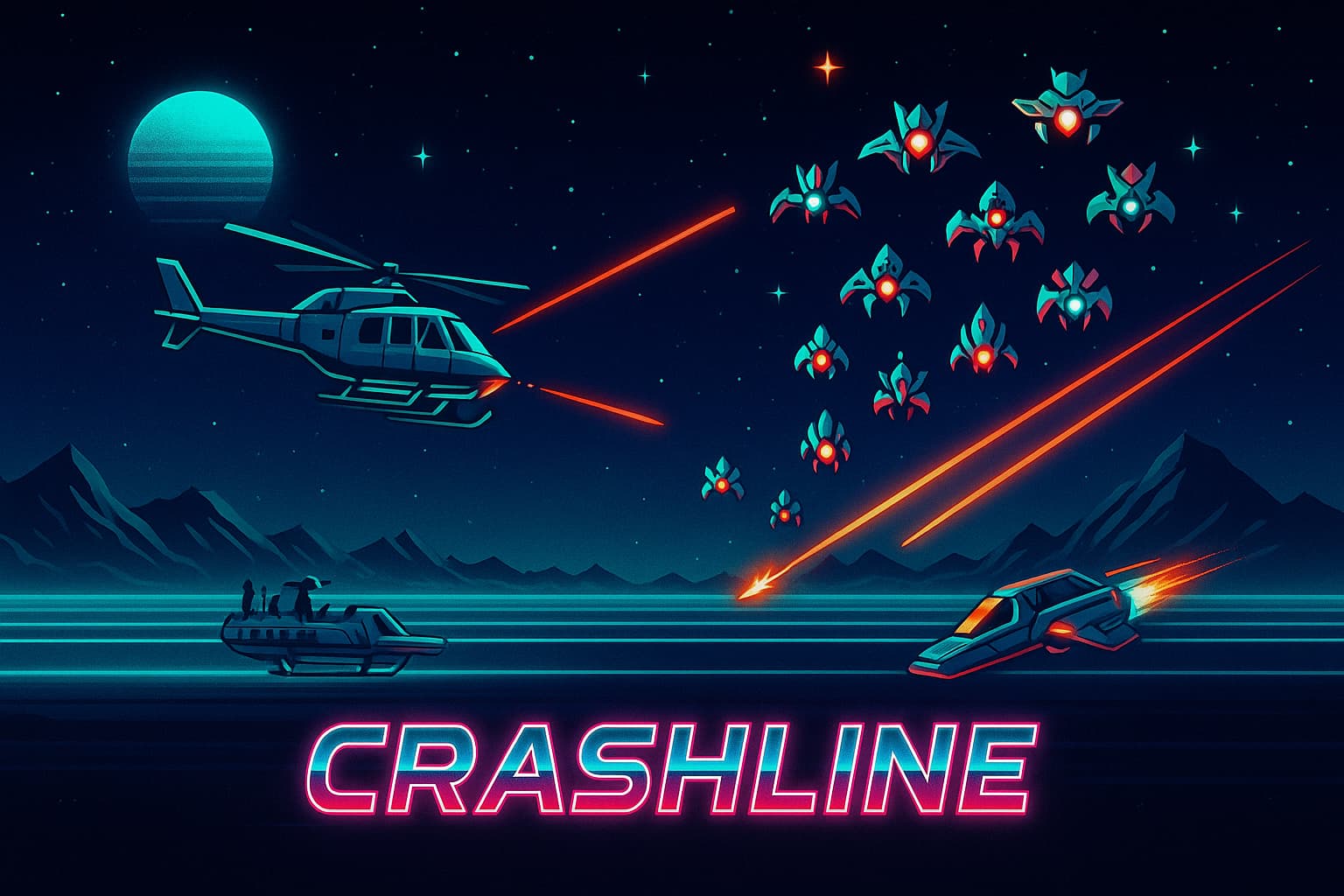
The future isn’t flat, it’s curved :wink: Oh, and some samples of the style i am currently going for. which also explains the music beneith the video.

1 Like

S tier music :wink:
Also the HUD idea is brilliant!

It’s inspiring to see the progress you have been able to make in 20 days. Are you working on this alone?

As mentioned by @Frozen_Fried, great music for the type of game, very fitting. The only thing that stood out to me (But perhaps this is already on your to-do also) is the green grid from the hud might be a bit too present.

What’s still on your to-do list, and what are your goals for this game? I’m eager to follow it’s development!

Edit: I just finished reading the post and your message about the grid. Ignore what I said about the grid :speak_no_evil_monkey:

2 Likes

This is such a magnificent leap forward. I love the shader building the car around the player. Very, very cool. It’s feeling very epic.

1 Like

Yeah, I’m doing this solo! Kinda… me and ClaudeAI for the shaders. Using AI gives you more of a “conductor” role, telling it how you’d like things instead of spending nights tinkering with 30 lines of code.

Building Bob’s Crystals taught me a lot, mostly that shaders and style are key. The feedback I got on that project was clear: make the core loop more obvious, let the character’s personality shine through, and keep the visuals consistent.

So my wife said: “why don’t you just make a simple shooter?” And that’s basically what CrashLine is at its core, a Commodore 64 side-shooter, think Defender meets Choplifter, but mapped onto a 3D plane.

Under the hood it’s just a 2D grid ( 1200 * 80 ) wrapped around the track.

Where’s it heading? I’m adding a touch of Galaga, some flashy visuals, and then straight to Steam for 2 bucks :wink:.

It’s basically a little Dev Jam project for myself: no deadlines, just experimenting with mechanics, shaders and style until it feels right.

3 Likes

Thanks! :grinning_face_with_smiling_eyes: That car shader was one of those “let’s see if this even works” experiments, and I’m glad it actually turned out pretty epic. Still lots to polish, but it’s fun pushing the style forward. If you’d like to take a look at the shader code, just send me a PM.

1 Like

Hey folks :waving_hand:

You know that iconic Wing Commander launch sequence?

:backhand_index_pointing_right: https://www.youtube.com/watch?v=rocwNg05FL4

While tinkering around that vibe, I started experimenting with a Godot editor plugin that works a bit like a mini video editor, but for in-game sequences.

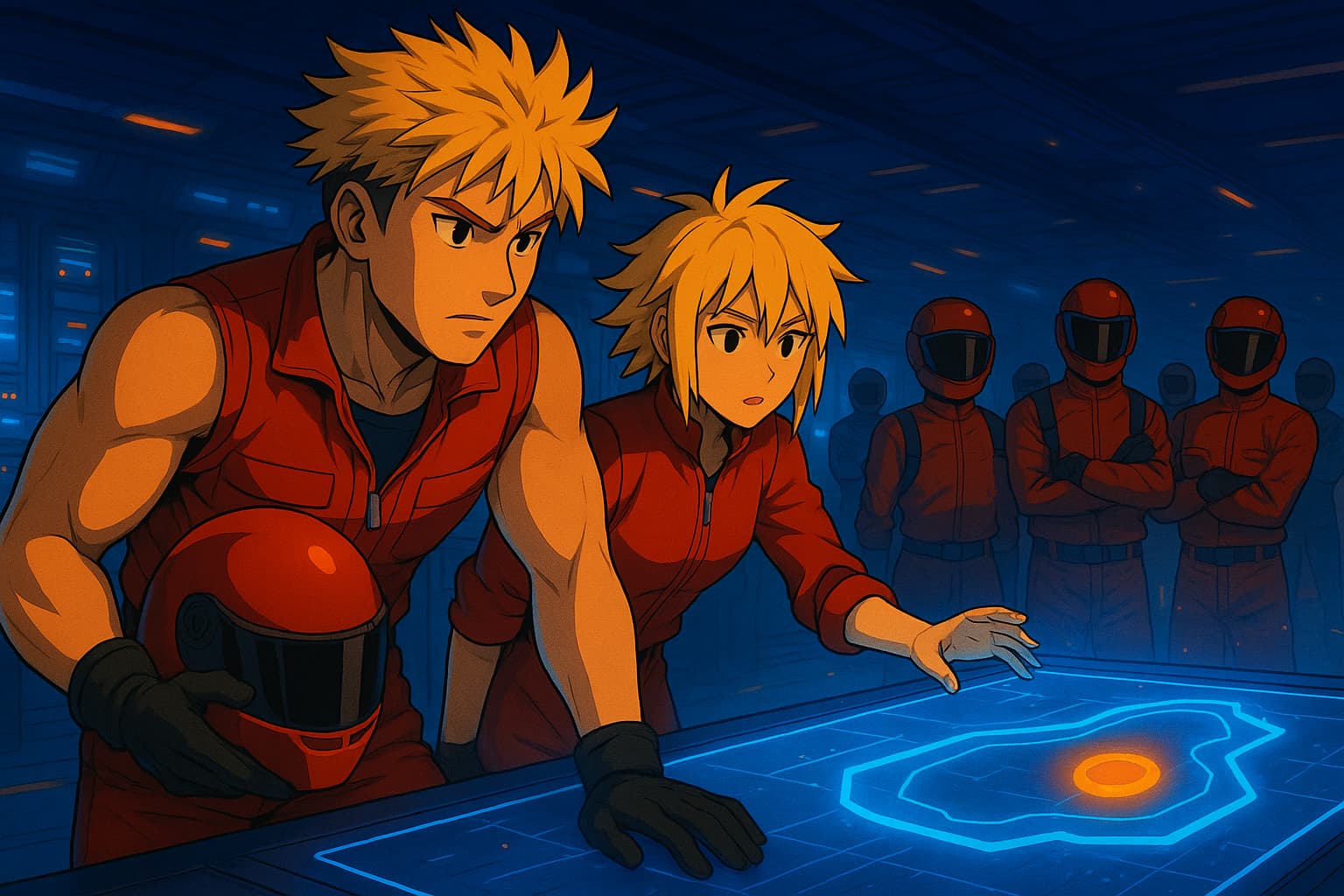
(concept art for the launch video like the Wing commander sequence)


Think: drag & drop .tscn scenes, audio and overlays onto a timeline, add fades or dissolves, and play them back in engine, no prerendered video needed.

The idea: make it easy to build intros, interludes, mission launches, or any cinematic bit using your actual game assets.

Current status:

Working editor panel inside Godot (SequenceForge ← my working name, any ideas are welcome :wink: )
Add tracks (Video / Overlay / Audio)
Drag & drop audio files to create clips
Save current sequence as JSON (still just logs it — playhead/preview is next)
Code’s small for now (~185 lines) but growing fast.

Why not just use AnimationPlayer?

AnimationPlayer is great for node-bound animations, but I wanted something that feels more like editing clips, modular .tscn chunks you can arrange, swap, and reuse.

Curious what you think:

  • Useful idea or overkill?
  • What would you expect from such a “sequence editor”?
  • Would you prefer the data saved as .json or .tres?
  • Anything already out there covering this solution ?

All thoughts, critiques, or suggestions (good or bad) are welcome — I’d love to hear your take before I push it further.

3 Likes

It’s an interesting idea. I’m curious how it would be easier to use than an AnimationPlayer. However it sounds intriguing.

You’d have to sell me on ease of use.

.tres so that when the game is exported, it becomes an binary file.

Not that I know of. I’ve worked on the idea of a cinematic plugin of some sort, but I’ve yet to get to designing something that’s easier to use than using an AnimationPlayer and works for 2D and 3D games.

2 Likes