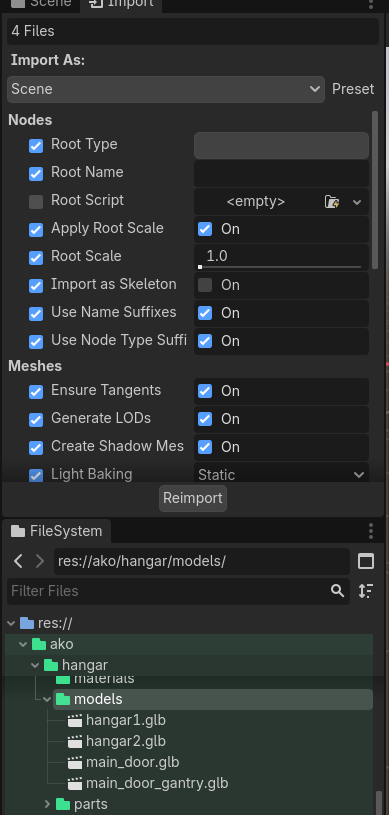
When structuring projects, it is quite common to group assets with similar purposes by folders. A recent example I came accross is the animation tutorial by KayKit where glb files are configured to store their materials and textures when imported.
I find it quite cumbersome to go through all the import settings every time I add a new asset to the folder, where all of them have been imported the same way.
I was wondering if thus is an issue more people face or if there is a handy workaround. Alternaitvely I could prototype some way of defining default import settings per folder, so that every new item gets properly set up by default.
One thing I stumbled upon recently… if all of the files in your asset folder have the same file extension (eg .glb) then the Import dock spots this and allows you to set the import options at the folder level, including the optional post import scripts, rather than having to visit every individual file.
If you have more than 1 file extension in that folder then it no longer offers this batch route so if you extracted your materials and textures etc. you would need to put those in a different folder.