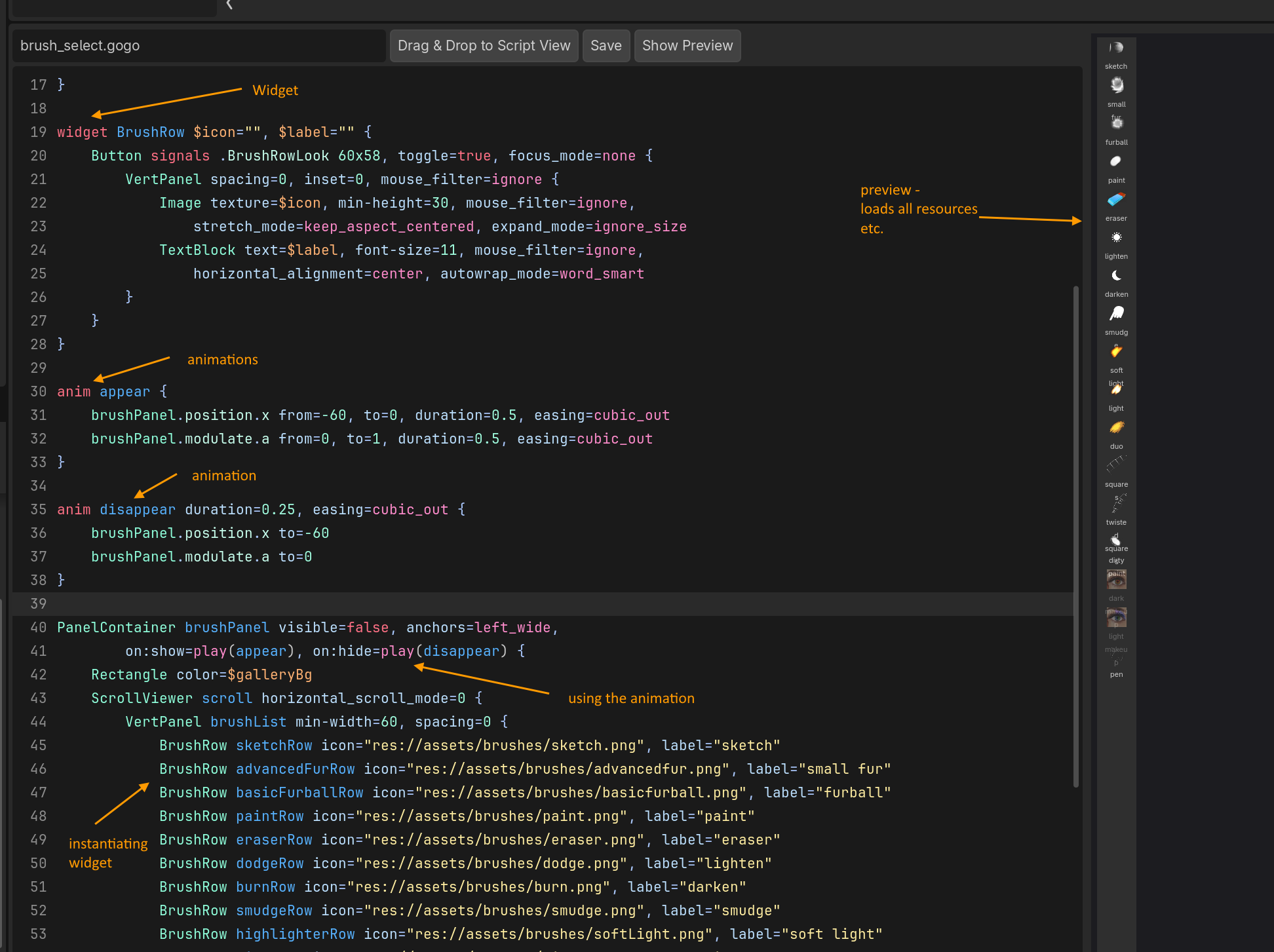
This is week 2 update of Gogo - the declarative UI framework I’m making for Godot. My goal is to port my painting app from Unity to Godot. It’s quite UI heavy, and I’m very particular for pixel alignments just how I want them, animations and such. I also care a lot about ergonomics - easy to use, easy to understand, easy to maintain.
Under the hood Gogo uses the existing Godot controls, which are directly accessible from code for custom, effects, etc.
I’m super happy how it turned out so far - I can make complex animations using just a few lines of code.
In the last week I added:
-
Grid, Gradient, Flow, choice (radio) and couple other controls.
-
Cleaned up a lot of the language
-
Added ergonomic error messages (Rust-style - point to where the error is and use it as teaching moment)
-
Added a bunch of improvements to the in-editor tools - better preview, color pickers
-
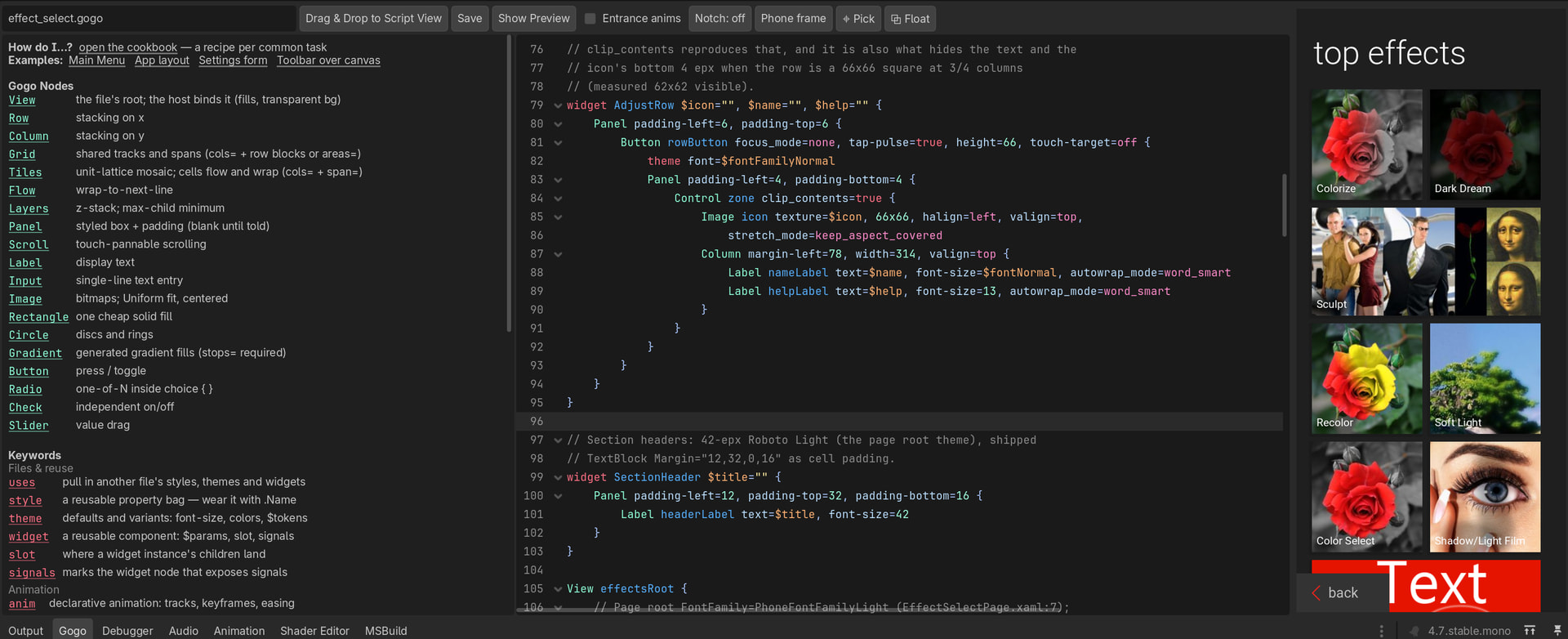
Added contextual help - as you scroll around a file, the left pane will show what’s under the cursor, with example.
Some of the things that landed - a nice documentation on the side that updates live. e.g. if I’m over anim property, I get example animations, and so on.
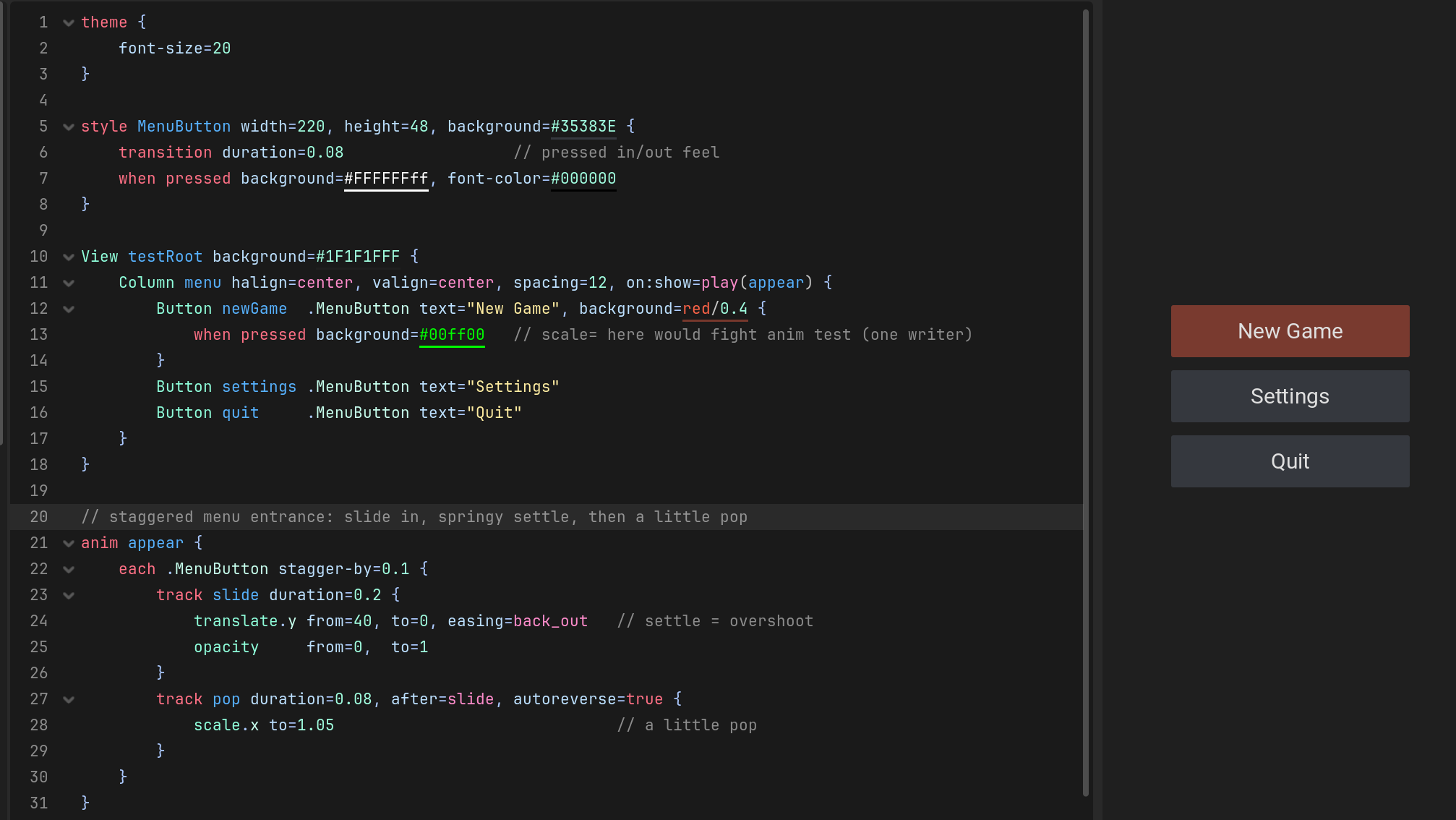
One of my favorite things is the stagger animation at the bottom on line 21. It basically says “get the 3 buttons, animate each of them 0.1 seconds apart” and it has nice bouncy feel. This used to be super tedious for me to do before, and now I like experimenting with it.
I’m planning to release it under MIT license once I port my app. I’m right in the middle of it and still finding some random issues that I fix every day.
Working with Godot is also such a breath of fresh air.
Open to feedback and initial impressions. I can’t attach a video yet (new user), just screenshots from inside Godot Editor for now.
I posted this on Reddit and got absolutely crushed because it’s made with AI. Hopefully folks appreciate it here.