You cannot generate a realistic river system “on the fly” using purely localized noise functions. Local noise has no global awareness; a river needs to know where the mountain peak is and where the sea level sits so it can chart a continuous, logical path downward along the gradient of gravity. If you generate things completely dynamically around the player, your rivers will look like broken, disjointed segments that frequently defy physics.
This exact constraint is why I completely abandoned the idea of a fully runtime-generated, boundless world and chose the pre-baked regional chunk setup instead.
Your solution generating a large template first according to the rules of terraforming and then refining it is exactly the industry standard.
2 Likes
The idea is excellent, but alas — .NET (C#), much to my regret.
1 Like
Voxels with marching cubes are great, I have used that tool too.
You can also probably use a mesh … I did some experiments in Blender starting with a 4k heightmap displacing a high res mesh, then decimated from about 8m polys to about 500k.
The result is that the decimation preserved the ridges and optimized out the jaggy edges.
Then its an easy to task to divide into chunks, if needed. Textures from Ambient CG.
(also the FPS in the second pic is lower because I am using physical sky, fog, voxelGI and a highly unoptimized attempt at a parallax bump splatmap shader).


1 Like
It’s disappointing that the rivers aren’t visible in the screenshots.
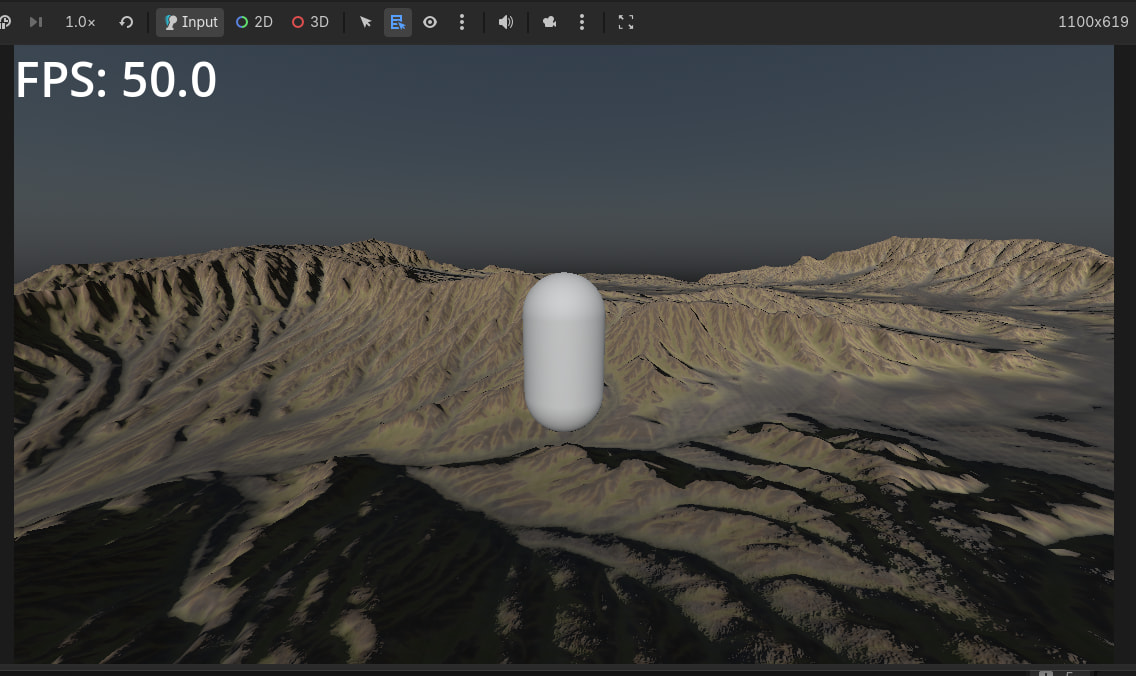
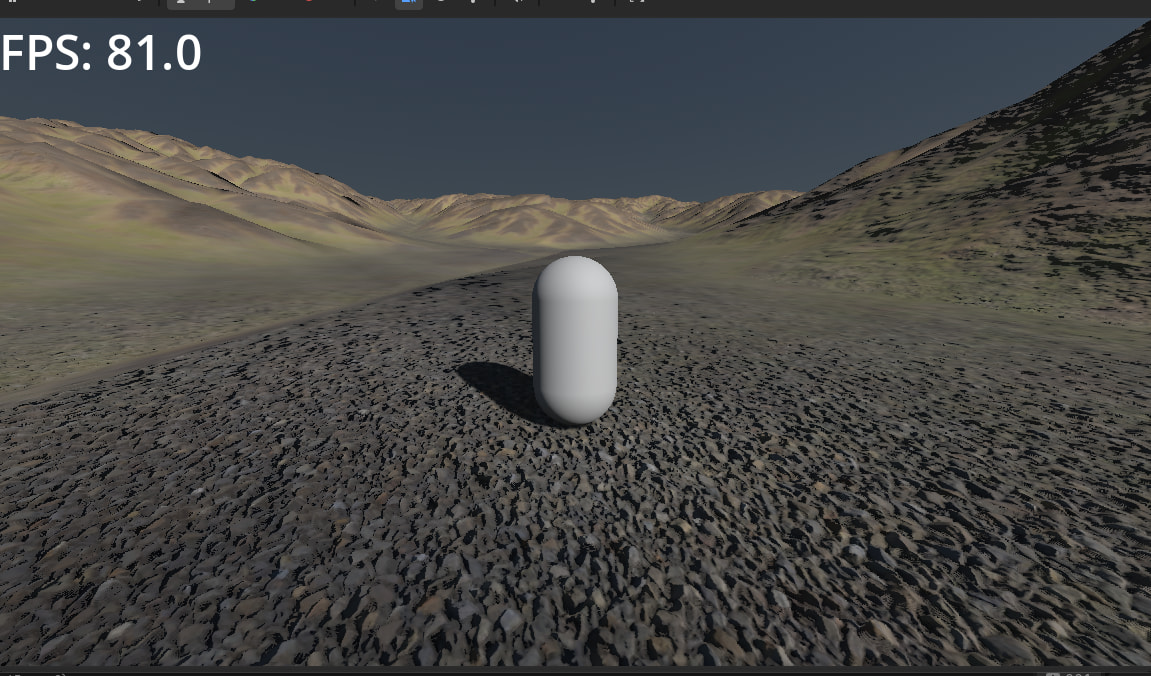
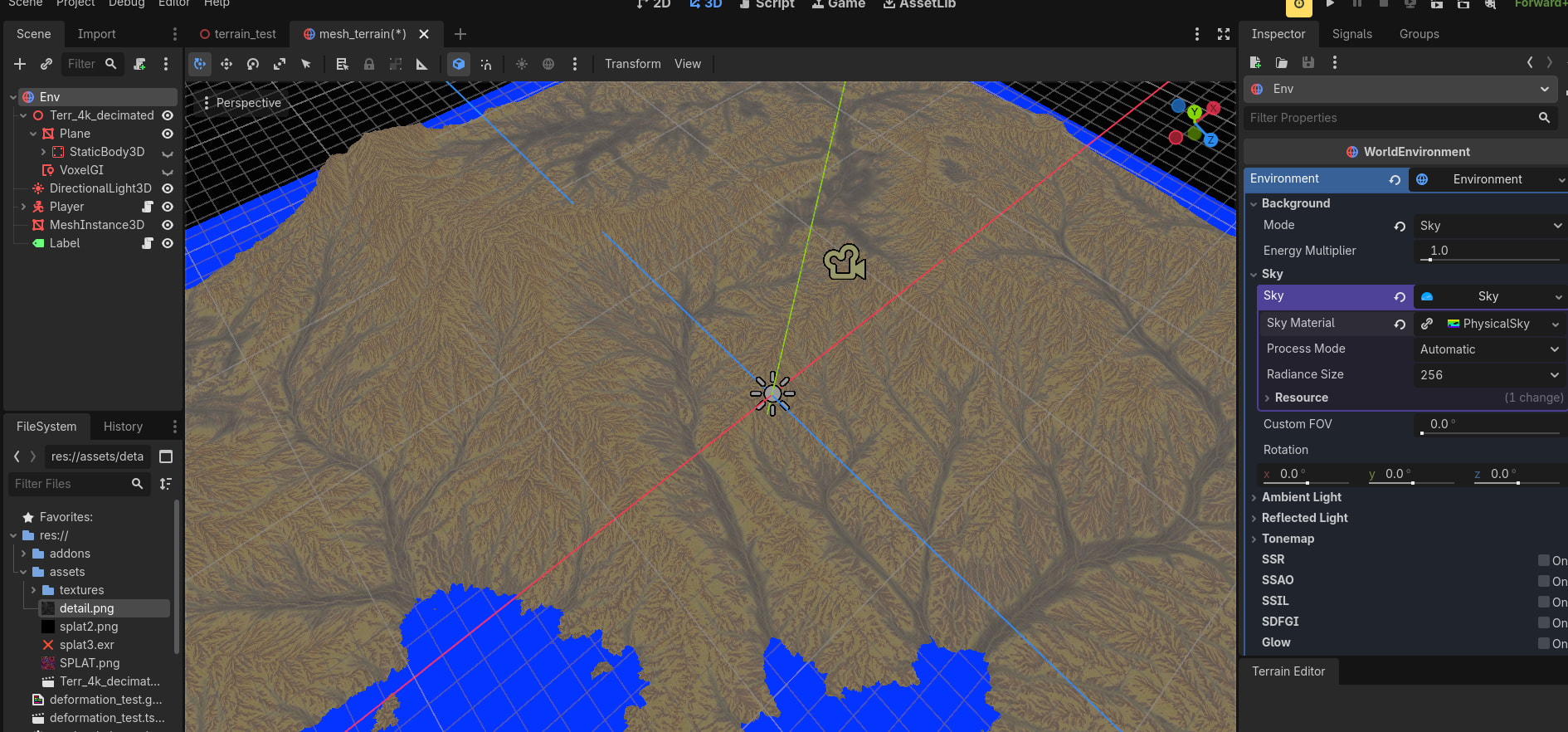
I got the extra maps that come with the height map and put 3 of them in one texture using RGB channels. The write to the alpha channel failed and blender emitted a 256 Mb .exr file so I decided to just use another splat channel for the detail texture. I didn’t use the color map. The grass / rocks etc are channel packed with albedo having height in the alpha, and normal has roughness in the alpha.
Anyway heres the shader I used, I haven’t seen a terrain shader that implements parallax so I tried to roll my own, the way the offset coordinates are computed is the problem.
// NOTE: Shader automatically converted from Godot Engine 4.6.2.stable's StandardMaterial3D.

shader_type spatial;
render_mode blend_mix, depth_draw_opaque, cull_back, diffuse_burley, specular_schlick_ggx;

uniform vec4 albedo : source_color;
uniform sampler2D texture_albedo : source_color, filter_linear_mipmap, repeat_enable;
uniform ivec2 albedo_texture_size;
uniform float point_size : hint_range(0.1, 128.0, 0.1);
uniform float roughness : hint_range(0.0, 1.0);
uniform float specular : hint_range(0.0, 1.0, 0.01);

uniform sampler2D texture_normal : hint_roughness_normal, filter_linear_mipmap, repeat_enable;
uniform float normal_scale : hint_range(-16.0, 16.0);

uniform float heightmap_scale : hint_range(-16.0, 16.0, 0.001);
uniform int heightmap_min_layers : hint_range(1, 64);
uniform int heightmap_max_layers : hint_range(1, 64);
uniform vec2 heightmap_flip;


uniform vec4 albedo2 : source_color;
uniform sampler2D texture_albedo2 : source_color, filter_linear_mipmap, repeat_enable;
uniform ivec2 albedo_texture_size2;
uniform float point_size2 : hint_range(0.1, 128.0, 0.1);

uniform float roughness2 : hint_range(0.0, 1.0);
uniform float specular2 : hint_range(0.0, 1.0, 0.01);


uniform sampler2D texture_normal2 : hint_roughness_normal, filter_linear_mipmap, repeat_enable;
uniform float normal_scale2 : hint_range(-16.0, 16.0);

uniform float heightmap_scale2 : hint_range(-16.0, 16.0, 0.001);
uniform int heightmap_min_layers2 : hint_range(1, 64);
uniform int heightmap_max_layers2 : hint_range(1, 64);
uniform vec2 heightmap_flip2;


uniform vec4 albedo3 : source_color;
uniform sampler2D texture_albedo3 : source_color, filter_linear_mipmap, repeat_enable;
uniform ivec2 albedo_texture_size3;
uniform float point_size3 : hint_range(0.1, 128.0, 0.1);

uniform float roughness3 : hint_range(0.0, 1.0);


uniform float specular3 : hint_range(0.0, 1.0, 0.01);


uniform sampler2D texture_normal3 : hint_roughness_normal, filter_linear_mipmap, repeat_enable;
uniform float normal_scale3 : hint_range(-16.0, 16.0);

uniform float heightmap_scale3 : hint_range(-16.0, 16.0, 0.001);
uniform int heightmap_min_layers3 : hint_range(1, 64);
uniform int heightmap_max_layers3 : hint_range(1, 64);
uniform vec2 heightmap_flip3;


uniform vec4 albedo4 : source_color;
uniform sampler2D texture_albedo4 : source_color, filter_linear_mipmap, repeat_enable;
uniform ivec2 albedo_texture_size4;
uniform float point_size4 : hint_range(0.1, 128.0, 0.1);

uniform float roughness4 : hint_range(0.0, 1.0);
uniform float specular4 : hint_range(0.0, 1.0, 0.01);


uniform sampler2D texture_normal4 : hint_roughness_normal, filter_linear_mipmap, repeat_enable;
uniform float normal_scale4 : hint_range(-16.0, 16.0);

uniform float heightmap_scale4 : hint_range(-16.0, 16.0, 0.001);
uniform int heightmap_min_layers4 : hint_range(1, 64);
uniform int heightmap_max_layers4 : hint_range(1, 64);
uniform vec2 heightmap_flip4;


uniform sampler2D splat : source_color;
uniform sampler2D splat2 : source_color;
uniform vec3 uv1_scale;
uniform vec3 uv1_offset;
uniform vec3 uv2_scale;
uniform vec3 uv2_offset;

void vertex() {
	UV2 = UV;
	UV = UV * uv1_scale.xy + uv1_offset.xy;
}

void fragment() {
	vec2 base_uv = UV;
	vec2 splat_uv = base_uv /400.0;
	vec4 splatv = texture(splat, splat_uv);
	splatv.r *=2.0;
	splatv.g *= 5.0;
	splatv.b *= 4.0;
	splatv.a = 14.0*texture(splat2, splat_uv).r;
	splatv = normalize(splatv);

	float swap = splatv.b;
	splatv.b = splatv.r;
	splatv.r = swap;

	{
		// Height: Enabled
		vec3 view_dir = normalize(normalize(-VERTEX + EYE_OFFSET) * mat3(TANGENT * heightmap_flip.x, -BINORMAL * heightmap_flip.y, NORMAL));

		// Height Deep Parallax: Enabled
		float num_layers = mix(float(heightmap_max_layers), float(heightmap_min_layers), abs(dot(vec3(0.0, 0.0, 1.0), view_dir)));
		float layer_depth = 1.0 / num_layers;
		float current_layer_depth = 0.0;
		vec2 p = view_dir.xy * heightmap_scale * 0.01;
		vec2 delta = p / num_layers;
		vec2 ofs = base_uv;
		float depth = 1.0;
		if( splatv.r > splatv.g && splatv.r > splatv.b && splatv.r > splatv.a)
		{
			depth = 1.0 - (texture(texture_albedo, ofs).a  );
			float current_depth = 0.0;
			while (current_depth < depth) {
				ofs -= delta;
				depth = 1.0 -  texture(texture_albedo, ofs).a ;

				current_depth += layer_depth;
			}


			vec2 prev_ofs = ofs + delta;
			float after_depth = depth - current_depth;
			float before_depth = (1.0 - texture(texture_albedo, ofs).a ) - current_depth + layer_depth;

			float weight = after_depth / (after_depth - before_depth);
			ofs = mix(ofs, prev_ofs, weight);
			base_uv = ofs;
		}
		if( splatv.g > splatv.r && splatv.g > splatv.b && splatv.g > splatv.a)
		{
			depth = 1.0 - (texture(texture_albedo2, ofs).a  );
			float current_depth = 0.0;
			while (current_depth < depth) {
				ofs -= delta;
				depth = 1.0 -  texture(texture_albedo2, ofs).a ;

				current_depth += layer_depth;
			}


			vec2 prev_ofs = ofs + delta;
			float after_depth = depth - current_depth;
			float before_depth = (1.0 - texture(texture_albedo2, ofs).a ) - current_depth + layer_depth;

			float weight = after_depth / (after_depth - before_depth);
			ofs = mix(ofs, prev_ofs, weight);
			base_uv = ofs;
		}
		if( splatv.b > splatv.r && splatv.b > splatv.g && splatv.b > splatv.a)
		{
			depth = 1.0 - (texture(texture_albedo3, ofs).a  );
			float current_depth = 0.0;
			while (current_depth < depth) {
				ofs -= delta;
				depth = 1.0 -  texture(texture_albedo3, ofs).a ;

				current_depth += layer_depth;
			}


			vec2 prev_ofs = ofs + delta;
			float after_depth = depth - current_depth;
			float before_depth = (1.0 - texture(texture_albedo3, ofs).a ) - current_depth + layer_depth;

			float weight = after_depth / (after_depth - before_depth);
			ofs = mix(ofs, prev_ofs, weight);
			base_uv = ofs;
		}
		if( splatv.a > splatv.r && splatv.a > splatv.g && splatv.a > splatv.b)
		{
			depth = 1.0 - (texture(texture_albedo4, ofs).a  );
			float current_depth = 0.0;
			while (current_depth < depth) {
				ofs -= delta;
				depth = 1.0 -  texture(texture_albedo4, ofs).a ;

				current_depth += layer_depth;
			}


			vec2 prev_ofs = ofs + delta;
			float after_depth = depth - current_depth;
			float before_depth = (1.0 - texture(texture_albedo4, ofs).a ) - current_depth + layer_depth;

			float weight = after_depth / (after_depth - before_depth);
			ofs = mix(ofs, prev_ofs, weight);
			base_uv = ofs;
		}

	}

	vec4 albedo_tex = texture(texture_albedo, base_uv) * splatv.r;
	vec4 albedo_tex2 = texture(texture_albedo2, base_uv)* splatv.g;
	vec4 albedo_tex3 = texture(texture_albedo3, base_uv)* splatv.b;
	vec4 albedo_tex4 = texture(texture_albedo4, base_uv)* splatv.a;
	vec4 alb = (albedo_tex + albedo_tex2+albedo_tex3+albedo_tex4)*0.5;
	//float metallic_tex = dot(texture(texture_metallic, base_uv), metallic_texture_channel);
	vec4 roughness_texture_channel = vec4(0.0, 0.0, 0.0, 1.0);
	float roughness_tex = dot(texture(texture_normal, base_uv), roughness_texture_channel);
	vec3 norm= texture(texture_normal, base_uv).rgb* splatv.r;
	vec3 norm2= texture(texture_normal2, base_uv).rgb* splatv.g;
	vec3 norm3= texture(texture_normal3, base_uv).rgb* splatv.b;
	vec3 norm4= texture(texture_normal4, base_uv).rgb* splatv.a;
	norm = (norm + norm2 + norm3 + norm4);//*0.25;
	norm = normalize(norm);


	ALBEDO =  alb.rgb;
//	METALLIC = metallic_tex * metallic;
	SPECULAR = specular;
	ROUGHNESS = roughness_tex * roughness;

	// Normal Map: Enabled
	NORMAL_MAP = norm;
	NORMAL_MAP_DEPTH = normal_scale;
}
3 Likes
This person is also creating large worlds, but it looks like they’re doing it in Unity. I don’t know if there’s anything useful here.
1 Like
https://godotengine.org/asset-library/asset/2097
This addon has some useful features, unfortunately it appears that the author cannot keep updating.
The addon is written mostly in C++ and features an Octree and an enormous Chunk LOD terrain. There is a grass instancer and a bunch of tools like HLOD for meshes (so City models become individual houses as you get closer), a road carving system that uses curves to smooth the mesh.
I have used the addon and ive only managed to get the instancer running, in an older version of Godot. The shader is also raw / not mature and users are expected to write their own.
I realized earlier that Octrees are great for terrain occlusion (think about it) and convenient because drawing raw terrain meshes into the occlusion buffer isnt worth it. You might need to try unloading and loading occlusion chunks. A precomputed vis set might also be a good idea.
Anyway it would be great if someone could fix or fork the addon. I had a look at the C++ and its quite an advanced code.
2 Likes
Unfortunately, it seems that advanced landscape generation rightly requires advanced code.
Our project’s development concept calls for a progression from simple to complex. In other words, we are still at the beginning of our journey and are currently content with very limited locations. In the future, as we develop, we will need tools to create increasingly larger and more diverse areas. That is why I am following this thread with practical interest.
2 Likes
Fixing or forking MTerrain’s unmaintained shaders and older codebase isn’t worth the headache, but lifting its core logic for Octree paging and curve-based road carving while letting a mature tool like Terrain3D handle the base clipmap rendering is absolutely the ultimate sweet spot. Thanks for highlighting this repo—it’s a phenomenal blueprint!
3 Likes
Just start exploring on your own. You probably won’t be able to replicate the AAA open world feel without having the resources of those massive teams.
1 Like
You are completely right that a single developer can’t magically match the sheer asset volume, manual world-dressing, and raw content output of a 250-person AAA studio. Attempting to build an entire The Witcher 3 scale world of high-fidelity quests and fully voice-acted cities by yourself is an absolute recipe for burning out.
However, there is a massive difference between replicating a massive team’s content pipeline and replicating their engine’s underlying engineering.
My goal isn’t to build a studio’s worth of custom art assets or write a 50-hour epic RPG story; my goal is to build the pipeline itself.
Studios write proprietary technical frameworks because they need systems that can handle mass data ingestion smoothly. Replicating a 9-level streaming grid, an asynchronous Octree culling loop, and custom GDExtension server handovers is entirely an engineering challenge. It relies on smart architectural patterns rather than throwing millions of dollars at a problem.
I updated the shaders, this time its just bump without parallax but much more accurate.
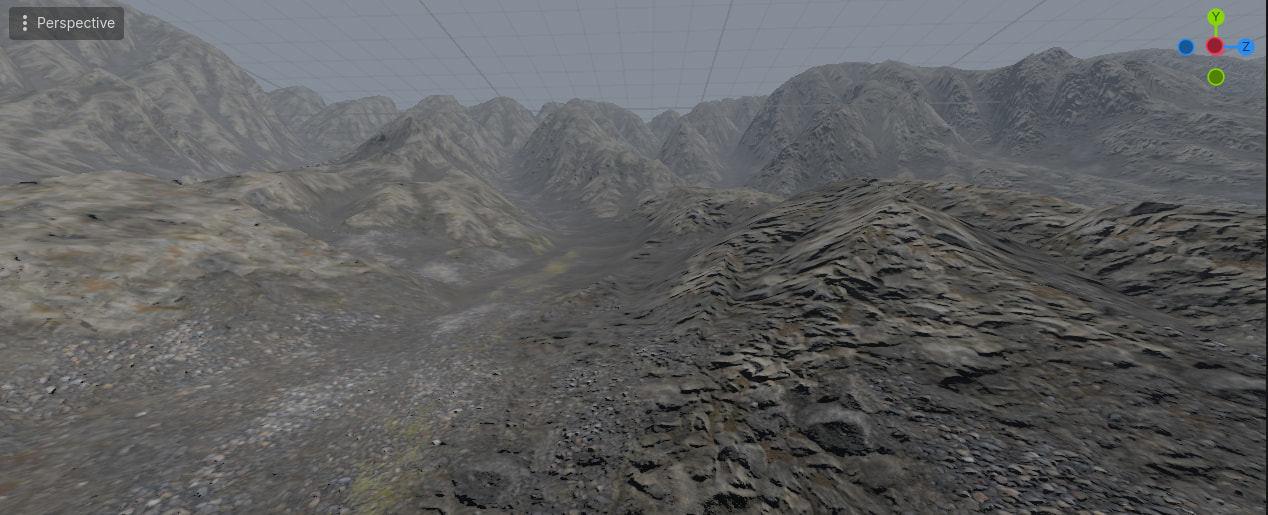
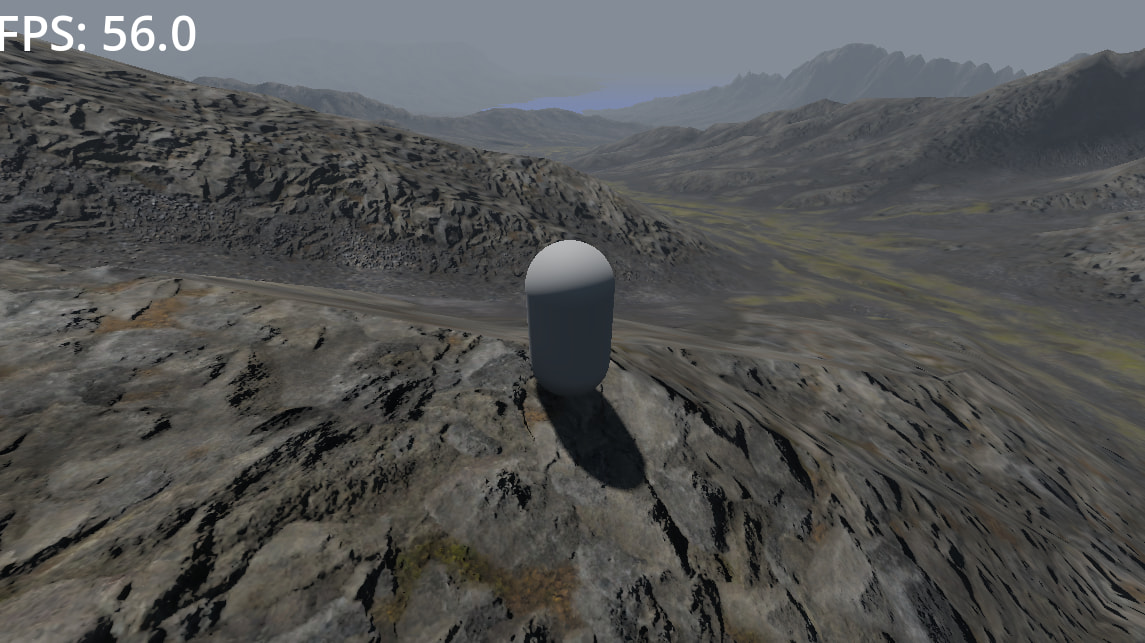
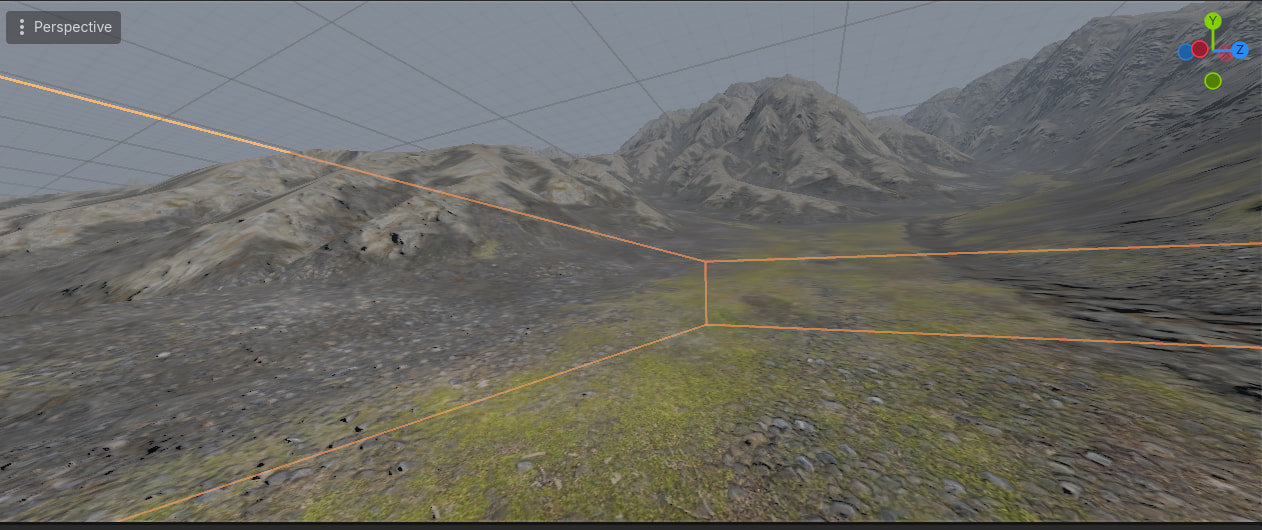
// NOTE: Shader automatically converted from Godot Engine 4.6.2.stable's StandardMaterial3D.

shader_type spatial;
render_mode blend_mix, depth_draw_opaque, cull_back, diffuse_burley, specular_schlick_ggx;

uniform vec4 albedo : source_color;

uniform sampler2D texture_albedo : source_color, filter_linear_mipmap, repeat_enable;
uniform sampler2D texture_albedo2 : source_color, filter_linear_mipmap, repeat_enable;
uniform sampler2D texture_albedo3 : source_color, filter_linear_mipmap, repeat_enable;
uniform sampler2D texture_albedo4 : source_color, filter_linear_mipmap, repeat_enable;
uniform ivec2 albedo_texture_size;
uniform float point_size : hint_range(0.1, 128.0, 0.1);

uniform float roughness : hint_range(0.0, 1.0);

uniform vec4 metallic_texture_channel;

uniform float specular : hint_range(0.0, 1.0, 0.01);
uniform float metallic : hint_range(0.0, 1.0, 0.01);

uniform sampler2D texture_normal : hint_roughness_normal, filter_linear_mipmap, repeat_enable;
uniform sampler2D texture_normal2 : hint_roughness_normal, filter_linear_mipmap, repeat_enable;
uniform sampler2D texture_normal3 : hint_roughness_normal, filter_linear_mipmap, repeat_enable;
uniform sampler2D texture_normal4 : hint_roughness_normal, filter_linear_mipmap, repeat_enable;
uniform float normal_scale : hint_range(-16.0, 16.0);


uniform float heightmap_scale : hint_range(-16.0, 16.0, 0.001);
uniform int heightmap_min_layers : hint_range(1, 64);
uniform int heightmap_max_layers : hint_range(1, 64);
uniform vec2 heightmap_flip;

uniform vec3 uv1_scale;
uniform vec3 uv1_offset;
uniform vec3 uv2_scale;
uniform vec3 uv2_offset;

uniform sampler2D texture_splat : source_color, repeat_enable;
uniform sampler2D texture_splat2 : source_color, repeat_enable;

//---------------------------------------------
// taken from the hterrain godot addon
vec4 get_depth_blended_weights(vec4 splat, vec4 bumps) {
	float dh = 0.2;

	vec4 h = bumps + splat;

	// TODO Keep improving multilayer blending, there are still some edge cases...
	// Mitigation: nullify layers with near-zero splat
	h *= smoothstep(0, 0.05, splat);

	vec4 d = h + dh;
	d.r -= max(h.g, max(h.b, h.a));
	d.g -= max(h.r, max(h.b, h.a));
	d.b -= max(h.g, max(h.r, h.a));
	d.a -= max(h.g, max(h.b, h.r));

	return clamp(d, 0, 1);
}
//---------------------------------------------


void vertex() {
	UV = UV * uv1_scale.xy + uv1_offset.xy;
}

void fragment() {
	vec2 base_uv = UV;
	vec2 splat_uv = UV / 400.0;//   (GROUND UV SCALE)
	vec4 splat = texture(texture_splat,splat_uv);
	float splat2 = texture(texture_splat2,splat_uv).r;

	// tweaked the numbers to control the amount of each texture
	splat.b *= 4.0;
	splat.b *= 4.0;
	splat.g *= 2.0;
	splat.a = splat2*8.0;
	float temp = splat.r;
	splat.r = splat.a;
	splat.a = temp;
	splat.g*=4.0;


	splat = normalize(splat); // optional apparently

	// first sample all the bummps
	float b1=texture(texture_albedo, base_uv).a;
	float b2=texture(texture_albedo2, base_uv).a;
	float b3=texture(texture_albedo3, base_uv).a;
	float b4=texture(texture_albedo4, base_uv).a;
	vec4 bumps = vec4(b1, b2,b3,b4);

	vec4 w = get_depth_blended_weights(splat,bumps);
	float w_sum = w.r + w.b + w.g + w.a;
	float bump_tex = (b1 *w.r + b2 *w.g + b3 *w.b + b4 *w.a);
	{
		// Height: Enabled
		vec3 view_dir = normalize(normalize(-VERTEX + EYE_OFFSET) * mat3(TANGENT * heightmap_flip.x, -BINORMAL * heightmap_flip.y, NORMAL));
		float depth = 1.0 - bump_tex/w_sum;
		vec2 ofs = base_uv - view_dir.xy * depth * heightmap_scale * 0.01;
		base_uv = ofs;
	}

	// now sample the textures with the offset coordinates
	vec4 albedo1=texture(texture_albedo, base_uv);
	vec4 albedo2=texture(texture_albedo2, base_uv);
	vec4 albedo3=texture(texture_albedo3, base_uv);
	vec4 albedo4=texture(texture_albedo4, base_uv);

	// not dividing by w_sym
	vec4 albedo_tex = (albedo1 *w.r + albedo2 *w.g + albedo3 *w.b + albedo4 *w.a);

	vec4 norm1 = texture(texture_normal, base_uv);
	vec4 norm2 = texture(texture_normal2, base_uv);
	vec4 norm3 = texture(texture_normal3, base_uv);
	vec4 norm4 = texture(texture_normal4, base_uv);

	vec4 norm = (norm1 * w.r + norm2 * w.g + norm3 * w.b + norm4 * w.a) /w_sum;

	ALBEDO =  albedo_tex.rgb;
	SPECULAR = specular;

	vec4 roughness_texture_channel = vec4(0.0, 0.0, 0.0, 1.0);
	float roughness_tex = texture(texture_normal, base_uv).a;
	ROUGHNESS = norm.a * roughness;

	// Normal Map: Enabled
	NORMAL_MAP = normalize(norm.rgb);
	NORMAL_MAP_DEPTH = normal_scale;
}
2 Likes
If we want this multi-layered height-blending approach to scale over a massive world grid without melting the GPU’s texture bandwidth, upgrading the data pipeline to use KTX textures, an augmented buffer structure, and dropping straight down to C++ GDExtensions is the ultimate endgame.
Apple specifically highlights Argument Buffers to reduce CPU overhead. Instead of forcing the CPU to continuously bind individual textures and change rendering states frame-by-frame in the critical render loop—which destroys frame times—you group and pack related resources into unified memory buffers ahead of time. This shifts the expensive tracking and allocation commands entirely out of the critical rendering loop and into the initial setup phase. The CPU sets the buffer once, and the GPU handles individual resource index access instantly.
Yeah thats hardly the problem, the textures are all bound before the shader is run and they stay loaded on GPU for the duration of the program so no worries there.
The witcher 3 was probably just normal mapping without the offset, which reduces the texture fetches. And of course, since its using the clipmap, the screen would have bilinear upscaling (if any), as FSR or TAA post effects can cause artifacts with clipmapping because they operate on the same set of motion vectors.
A lot of texture lookups is a problem but thats a cost of terrain shading, it can also be potentially improved with a texture atlas and offset coords but you are still doing multuple texture fetches. I actually use 8 or 16 materials and multiple splatmaps elsewhere.
1 Like
So, I’ve gone completely down the rabbit hole of lower-level programming. Right now, I’m experimenting with native terrain generation using C and Swift on my Mac. The game plan is to iron out the math, memory management, and data structures here first, and then translate all of it into a custom C++ GDExtension for Godot down the road.
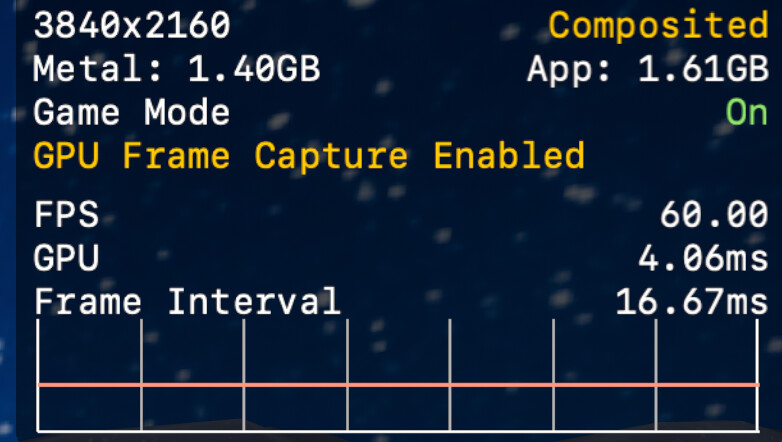
I’ve been messing around with real-time terrain deformation and procedural placement to see how much performance I can squeeze out of a native backend. I uploaded a couple of quick clips of what it looks like in action so far:
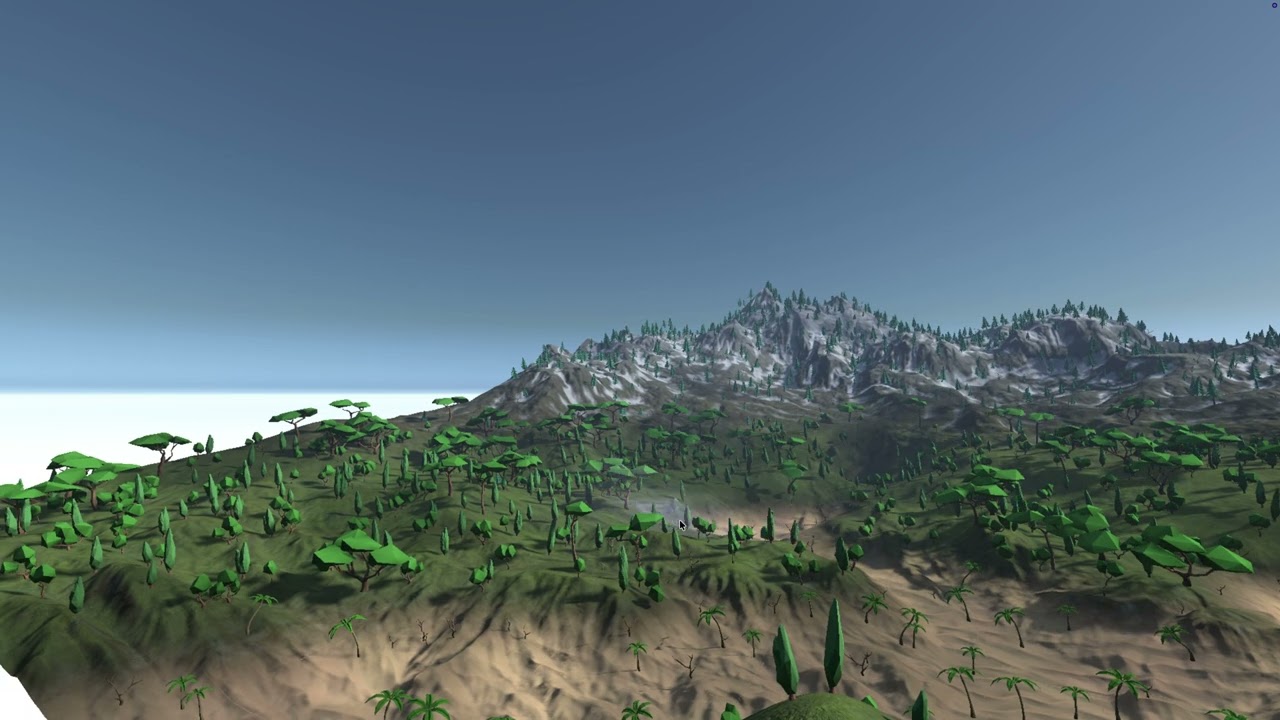
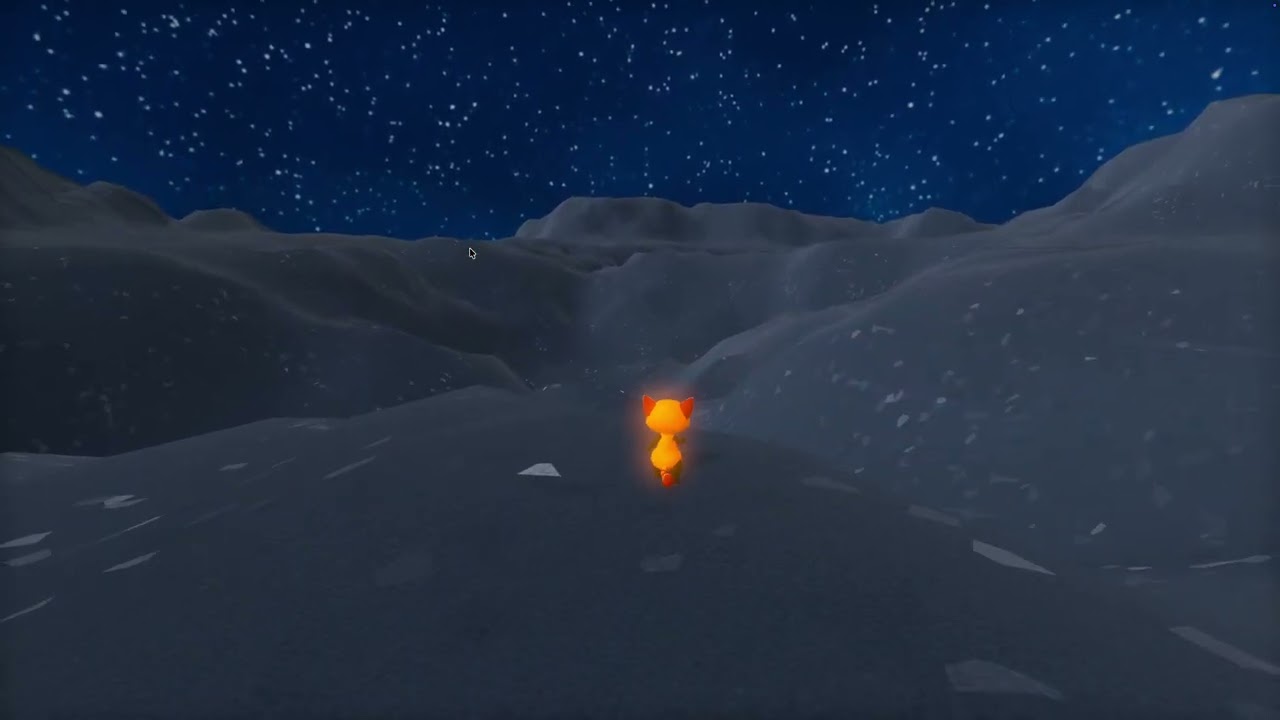
What I’m focusing on right now:
The Swift/C to C++ pipeline: Prototyping on macOS using Swift paired with C has been awesome for iterating quickly on generation formulas. Swift is nice to write, and C gives me raw speed. The real trick will be porting this data structures cleanly into C++ so Godot can talk to it directly without any GDScript performance bottlenecks.
Streaming and Chunking: To get that seamless, loading-screen-free map, I’m realizing I can’t just throw things at a pre-made manager and hope for the best. Building it at this level forces me to actually figure out how to thread heightmaps and scattering arrays, and how to stream them into memory without causing a single frame drop.

5 Likes
Quick update on the terrain prototype. I’ve been digging into how Apple handles mesh data storage under the hood, specifically looking at their AAPLObjLoader implementation using Objective-C++ and Metal SIMD types.
I noticed they are pushing simd::float3 arrays for color data directly into the vertex layout alongside positions and normals:
@implementation AAPLObjLoader
{
    // Indexed positions, normals, uvs from ObjFile; to be collated into ObjVertices during face read
    std::vector<simd::float3>                   _positions;
    std::vector<simd::float3>                   _normals;
    std::vector<simd::float3>                   _colors;
    float                                       _boundingSphereRadius;

    // Map that holds all generated vertices to de-duplicate
    std::unordered_map<AAPLObjVertex, uint32_t> _vertexMap;

    id <MTLDevice>                               _device;
    std::vector<AAPLObjVertex>                  _vertices;
    std::vector<uint16_t>                       _indices;
}

Can Godot handle storing terrain data the same way by default, or will I need to add this feature?
Additionally, I was looking into TerraBrush, which stores terrain data in the Red channel using an RGFloat format. This makes me wonder: are there better texture formats available for holding terrain values?

2 Likes
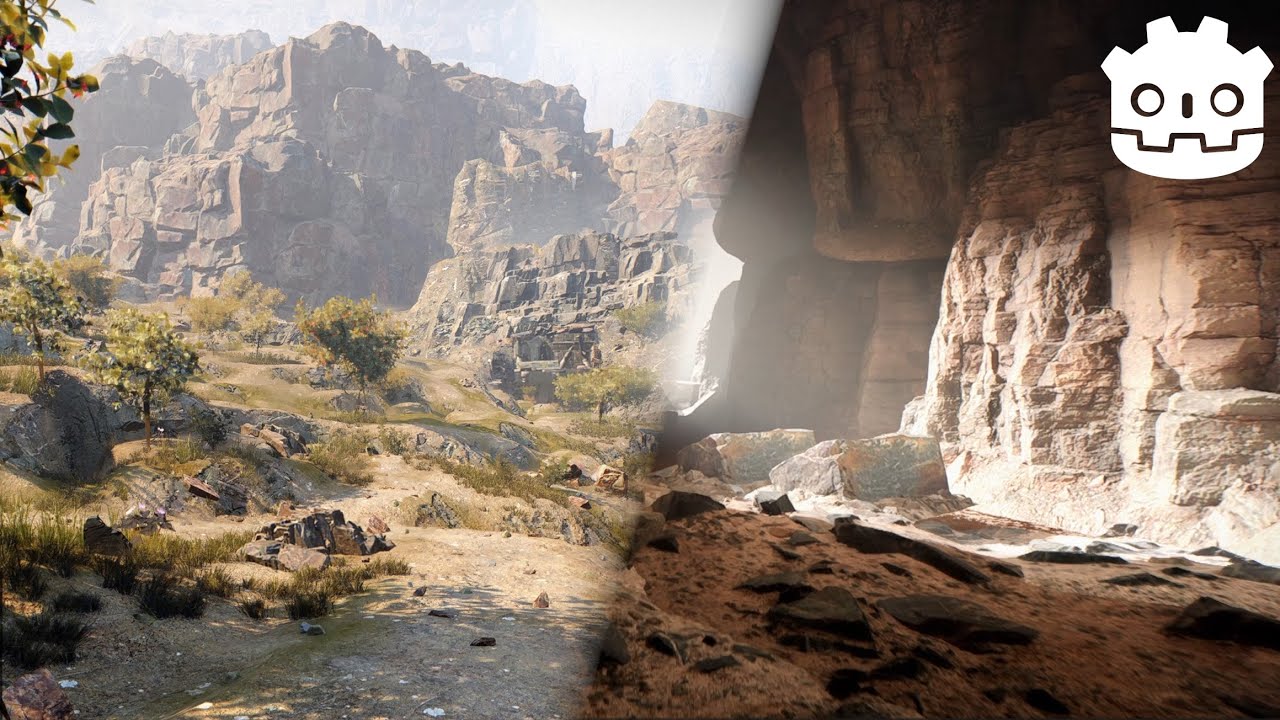
I keep coming back to this video and still wonder now: if this wasn’t optimized, what would optimization look like, and could it perform without a hitch in a cave?
2 Likes
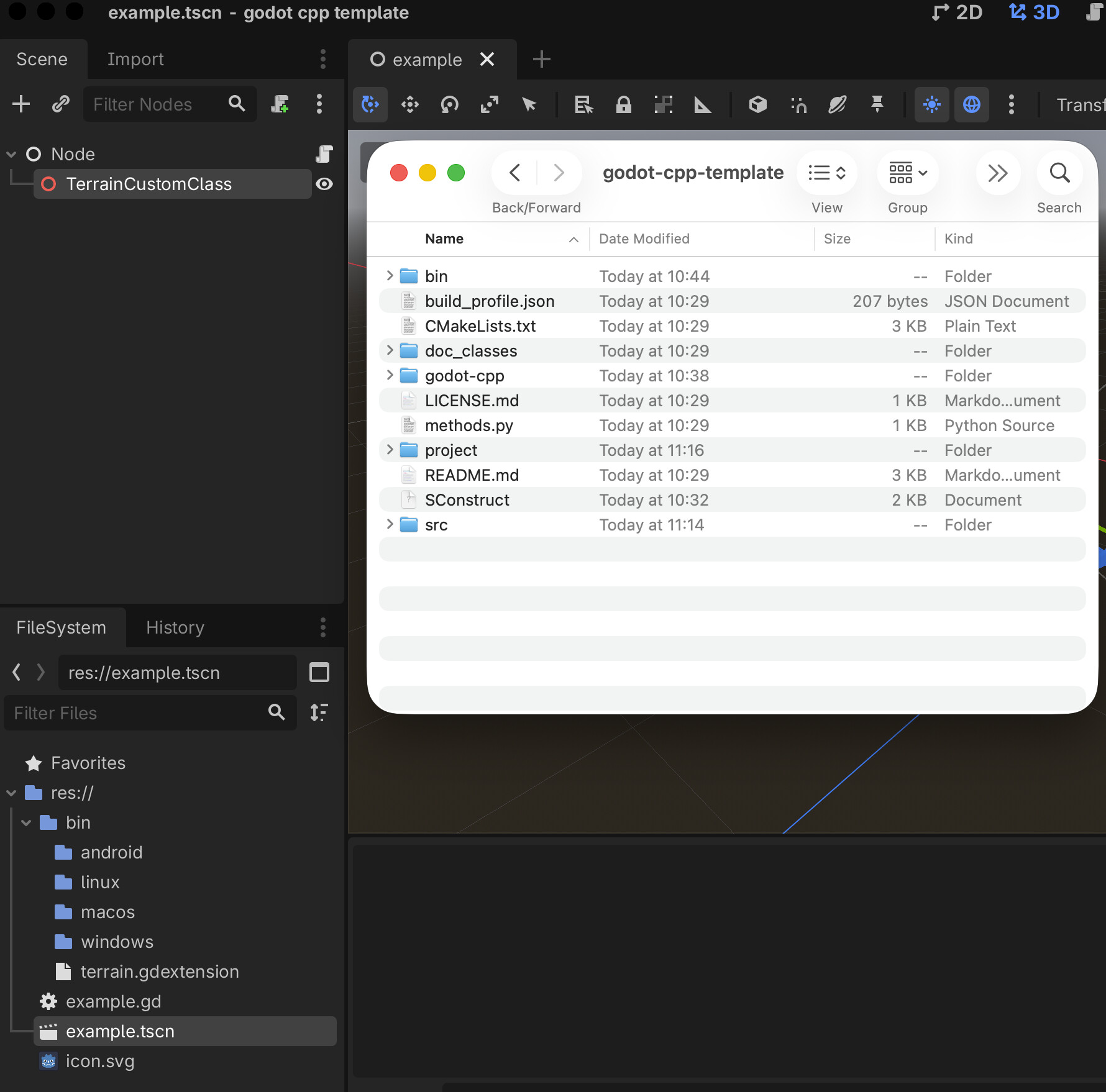
I’ve started writing a Godot plugin. It seems fairly simple so far, but we’ll see how it goes down the road when dealing with the rendering server. The main inspirations for this project are Terrain3D, Apple’s libraries, and the Blender Scatter plugin.
3 Likes
I tried using a custom GDExtension in Godot to generate a MeshInstance from a heightmap. This allowed me to scale the vertices and height, loading a bare terrain without any instances or textures. Surprisingly, the performance far exceeded that of my native Apple Objective-C project, even though both projects used the exact same heightmap.
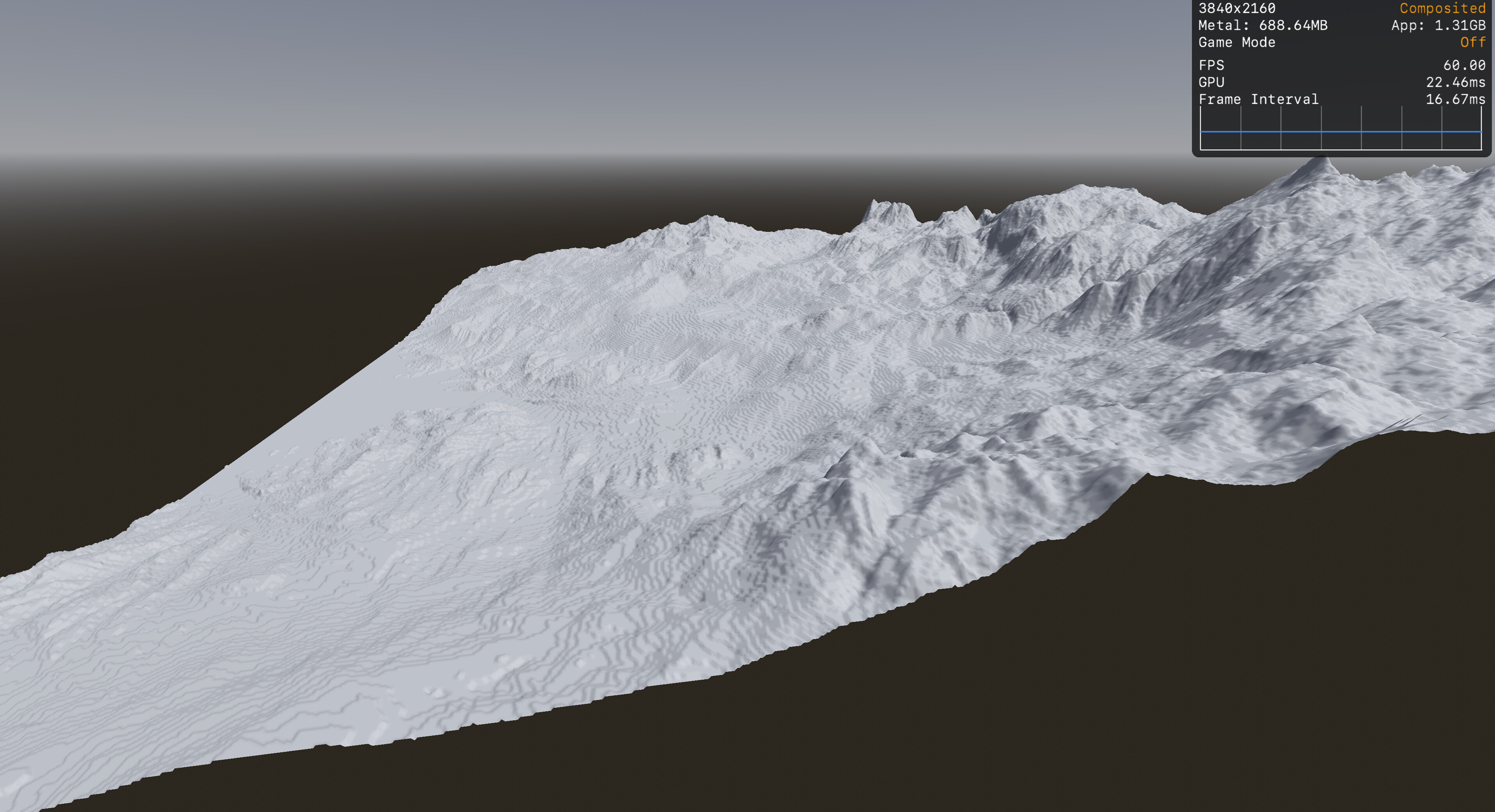
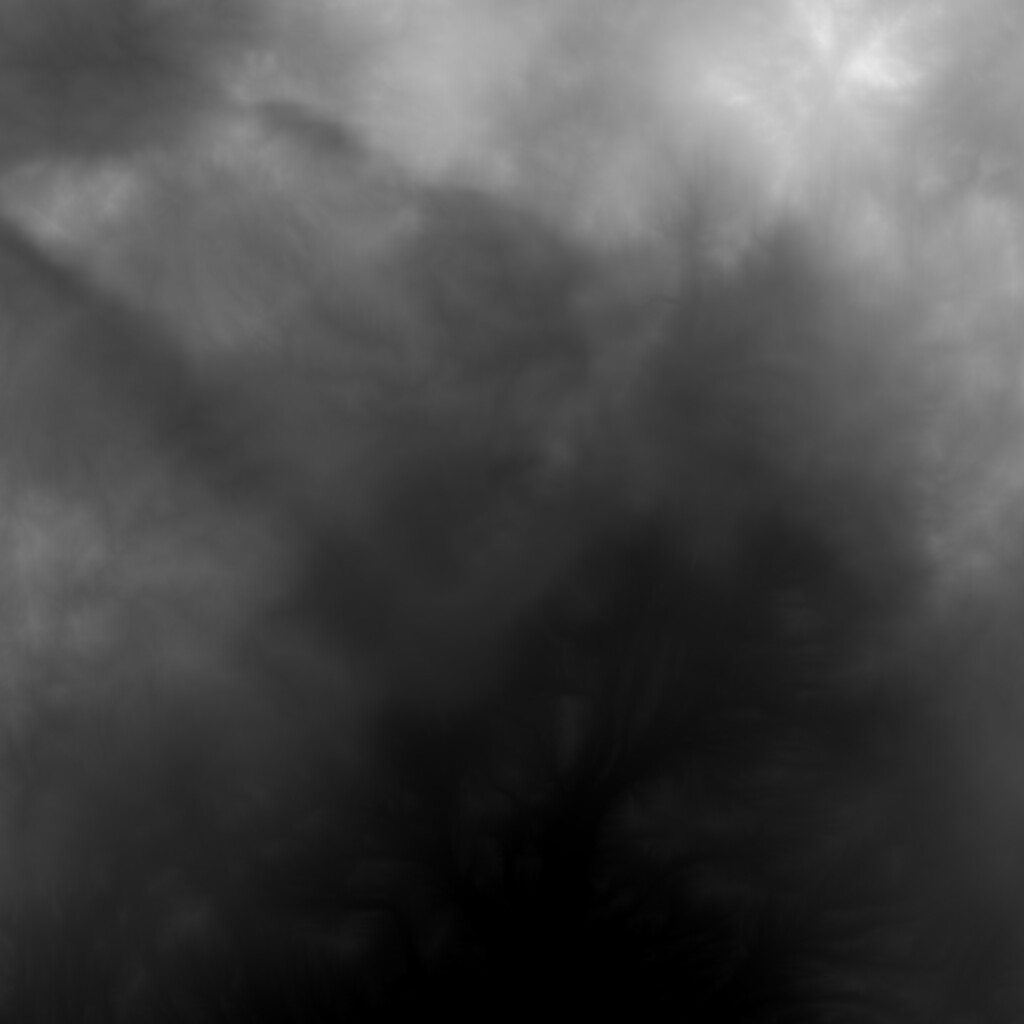
TerrainHeightMap from : Rendering terrain dynamically with argument buffers | Apple Developer Documentation
2 Likes