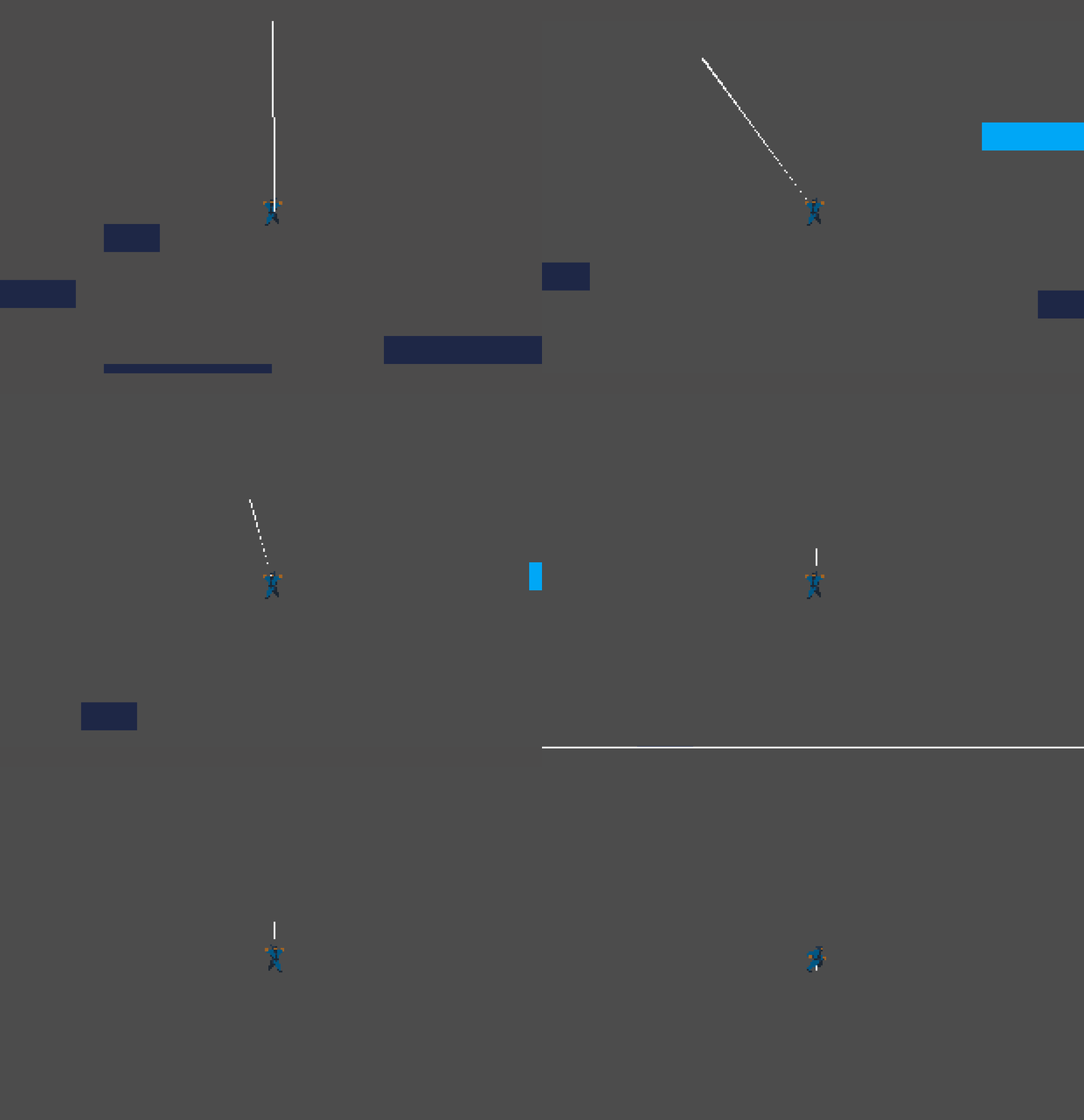
How Can I render/draw whatever you say a 1px width of line? Without it being a 1px line.My window size is 640x360 and I want it for ik.
I have seen a lot of topics in forum and searched everyware,nothing seem to be work…
Thanks!
If I understood your question correctly this is what you need to draw a line with a width of one pixel.
var start_point = Vector2(0, 0)
var end_point = Vector2(100, 0)
var line_color = Color(255, 255, 255)
var line_width = 1.0

# draw function is only called once (on ready) by the godot engine
func _draw():
	draw_line (start_point, end_point, line_color, line_width)

# to redraw it (e.g. if there are chnages you want to update) you need
# to call the update() function
func _redraw_line():
	# queues the canvas item to redraw (calling the _draw function)
	update()
Yeah but I have already tried this. What I want is to get a line maybe a line2d that looks like 1px in width and can be seen in high res.1px is possible but can’t be seen in high res.I want it for a ik animation and the line would move so I want that 1px jittery effect while it’s in high res.
Like this
But in high res.