I have good news to report. I had a Linux export template made with GodotBuilder and it’s system. The system is very easy to use. It’s basically select a Godot version (more on this). Select a PCK encryption key (can autogen) if desired. Select the target (Windows, Linux, etc) for your export template build. Build! This will build a ‘default’ Godot template with all version supported features included. Payments is made to start the build ($6.00 per target).
The system presents a page with the build status and details. Keeping this page open you can watch the build progress. When its done it updates this page with a download link to a compressed template file as well as other log data. The system also notifies you via email when the build is done which is nice. Just click and download the template and then open your Godot editor and go the manage exports templates option. The cool thing here is that they include everything you need to just ‘file’ import the compressed template file. It’s important not to rename it. You may have to remove previous templates, I am not sure here as I used a fresh Godot install.
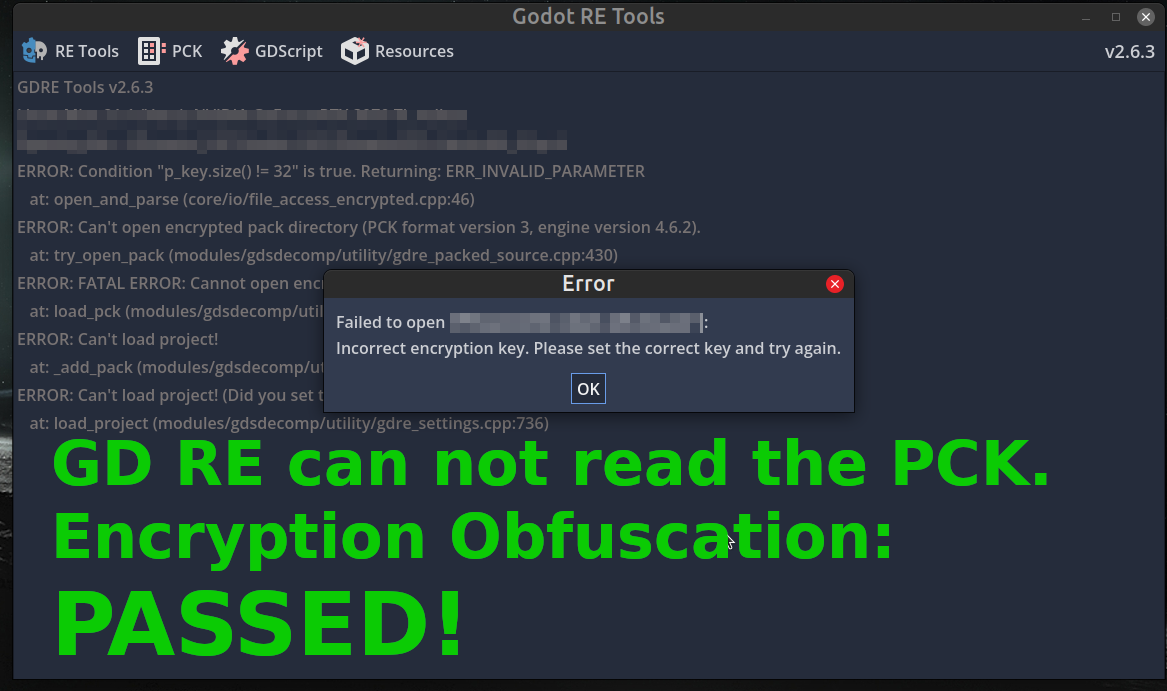
My GodotBuilder encrypted Linux export templates functioned flawlessly. Building a version of my client using the new templates and connecting to the server showed everything functioning normally. I also used Godot RE tools to test the PCK file for encryption. It passed with Godot RE tools unable to open the PCK file due to no key.
It took about one hour to build an export template order. This actually is not bad. The experience reminds me of W4 Build. The interface is easy to use straight forward and the cost is more than fair. They have done a good job and the results so far are great. Very happy to have this option.
On Godot versions. It seemed to have an option for Godot versions other than 4.6.2, but I could not select any other. This maybe in the more advance option area using the Godot engine configuration file for custom export template builds. I will ask about it. It might make sense for a smaller operation to support one version, but I will check and let you know.
Overall, I can totally recommend GodotBuilder. It’s easy to use and the results so far are excellent. I will update you on the Windows export templates build coming up next using the Godot configuration file option and on multiple Godot version support.
If you need PCK encryption and or custom export templates this an excellent low hassle way to go and worth considering. I’ll keep using it.
More soon…
Godot RE tools shows encrypted PCK support!