My old man eyes have gotten to the point where I’m starting to see a bit of halowing around light letters on a dark background. So after years of being a dark mode enjoyer, I thought I’d give light mode a whirl in small doses over the weekend in Blender and Godot. It’s SO much easier to focus on text.
But I wonder if this will be worse long term for eye strain after long sessions. Are there any light mode folks (past or present) out there that can confirm whether it’s better/worse/same in this regard?
I know one downside is that the extra blue light will do no favors for my rampant insomnia. And I’m not a fan of blue light filters on my computer because I always forget to turn the damn thing off when working with color.
I work on a laptop, and I’ve never tried using the light theme. But whenever I accidentally turn it on, my room lights up! I wonder if people who use the light theme on ultra-wide monitors even need a lighting system at night.
I turn my computer completely off every night. The freaking LED lights on my motherboard cannot be turned off anymore. sigh
But I’ve found I sleep better.
I use dark mode in Godot, but light mode in my browser. Never noticed a problem either way. But I do have bifocals so I just might be used to using my reading lenses when I need to.
Yeah I turn mine off as well, but it’s in an office room separate from my bed anyway. I say that as if it matters, since I fall asleep with my reading lamp on, book in hand almost every night.
What I’m talking about is the “blue light” that LCD screens put out that supposedly affects your serotonin.
My understanding is that as long as you stop blue light exposure an hour or two before bed there are no side-effects. Also, it’s actually helpful for waking up in the morning and can even improve your mood.
I have an overhead light in my room that has no blue light. I just read before bed (on good nights) and then turn the light off when I’m tired.
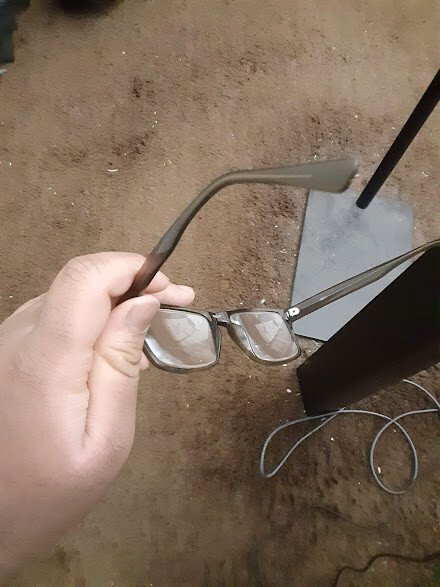
I would have believed you without the picture, but I appreciate the commitment.
Light mode is better in the morning and afternoon. If your room is very bright but your screen is dark, the sun’s reflection is going to affect your eyes and make it harder for you to read. It would be good if we could schedule light & dark mode based on sunlight, like you can do on Android.
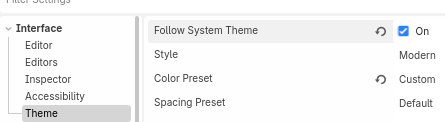
EDIT: I just found out you can actually check the “Follow System Theme” option
and if your Windows is in light mode, then Godot will also switch to light mode. (with Windows PowerToys you can schedule systemwide light & dark mode)
The only issue for me is that Godot’s light mode is way too bright, and there’s barely any contrast between the elements; a better light mode could be designed honestly.
I used to code all day long before dark mode was a thing. I never had any issues with eye-strain. Do whatever feels most comfortable to work on.
One thing for sure is that you will feel less sleepy when staring at a white screen compared to a black one. Best method for sure is to turn off your computer 1-2 hours before going to bed.
Or switch to dark mode in the evening. But personally I find it hard to code when switching colors. My brain is used to certain colors when looking at code. Changing this is disorienting.

 .
.