If you’ve grabbed a character from Mixamo plus a bunch of animations downloaded “without skin”, you’ve probably hit this: the character imports fine, but the extra clips either end up as separate scenes, throw import errors, or leave the character in a T-pose. The usual fix is a trip through Blender’s NLA editor, and some of those tutorials no longer match Blender 5.
We made a small tool for exactly this step, OneGLB. You drop the character and its animation files, it gives you one .glb with every clip on the character, named after its file (Run.fbx → “Run”). Mixamo’s centimetres become metres, and you can tick “in place” per clip and add Godot’s “-loop” suffix so those clips loop on import.
In Godot it’s then just: drop the .glb into your project, open it, and the AnimationPlayer has all the clips. We check every release by importing the result in Godot 4.7 (the normal editor import) and comparing every joint on every frame with Godot’s own import of the original Mixamo files; it also plays the same in Blender 5.2 and three.js.
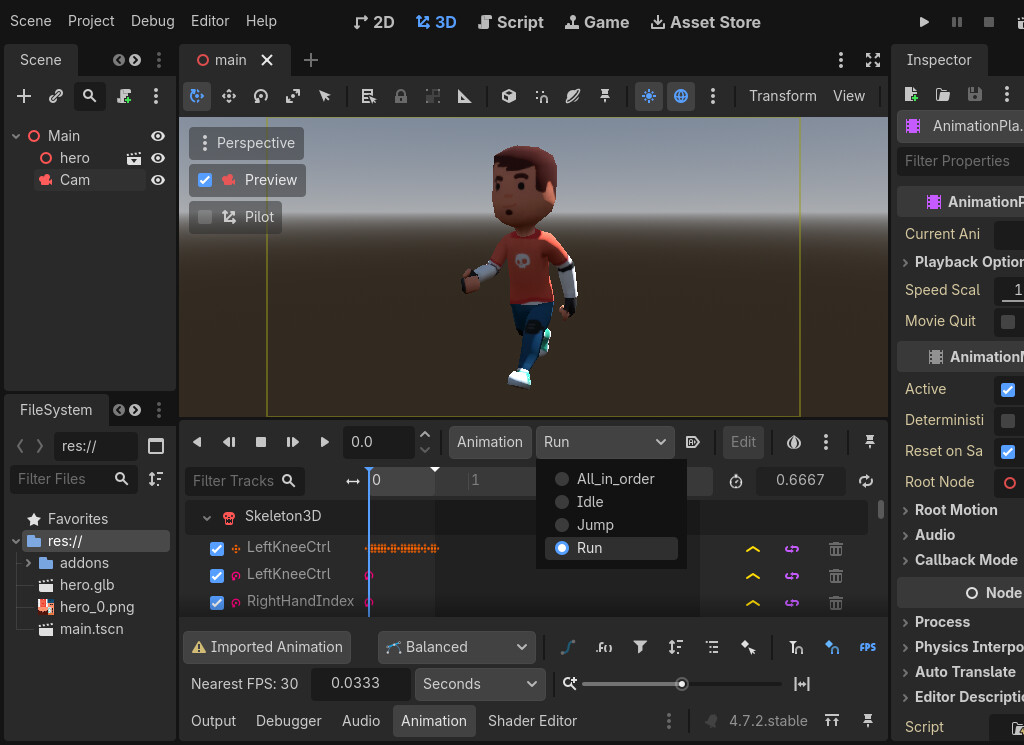
Free try in the browser (up to 3 clips per file): OneGLB free try: combine Mixamo animations into one GLB online by kestrelworks
Full version, every clip, offline: OneGLB: combine Mixamo animations into one GLB, no Blender by kestrelworks
It only handles clips made for the same skeleton as the character (the normal Mixamo case), not retargeting between different rigs. Happy to hear what breaks.