It looks like “Read the Docs” just pushed a new update to how their search system works and the results are… bad…
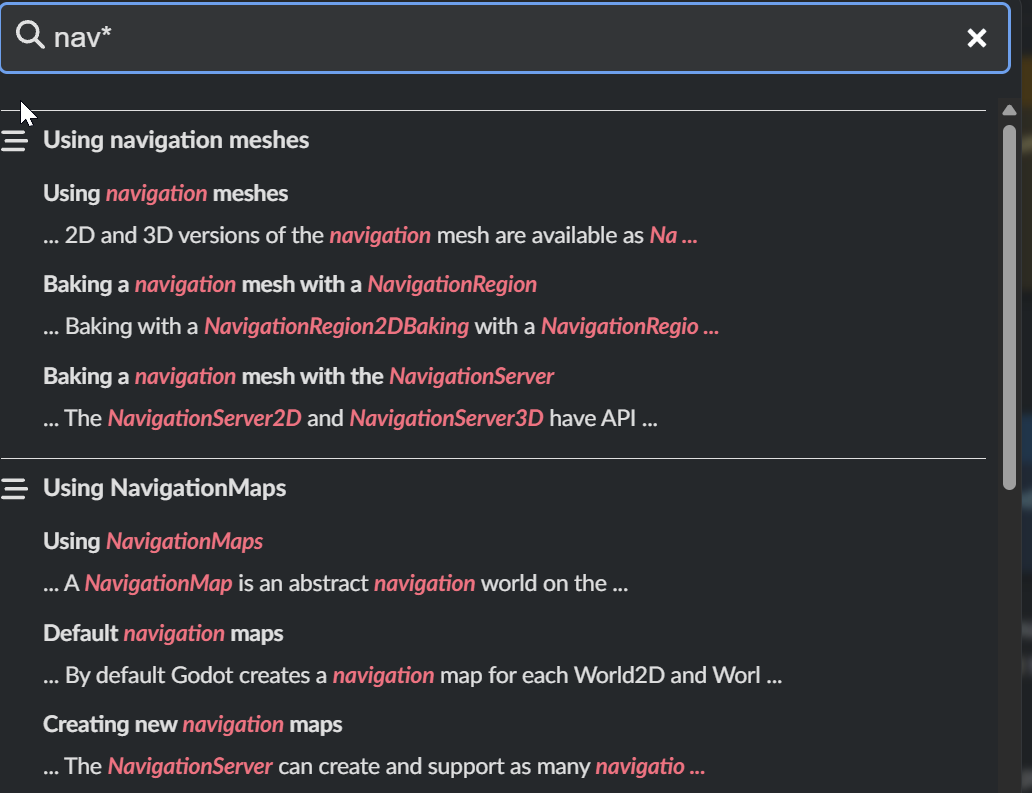
As an example, if I want to bring up the page for MeshInstance3D. If I type in “meshinstance” into the search I get only four results, NONE of which are the MeshInstance3D page. If I type in “MeshInstance3D”, the SECOND result is the MeshInstance3D page.
More damning though: I was loading up the search to pull up details on the Resource.duplicate() function. I typed “duplicate” into the search field. I get 15 results, NONE of which link to the Resource page.
If you know EXACTLY, character for character, the base class name of something you want information of, you can still pull it up in the search, but ANYTHING ELSE and chances are high you will not get relevant results. The prior search system in place only a day or two ago worked far better. Whoever has the power to get on Read the Docs’ case about this needs to let them know; I’ll try to do the same but I don’t have any special contacts with them nor do I know anything about how that entire system is deployed, functions, etc.
I’ve always preferred opening up Godot and using F1 to search the docs; the in-editor fuzzy search is just so much better and faster. Of course for speed it’s hard to compare web app to desktop, but the fact that Godot boots up so fast is impressive and allows me to reasonably crack open the editor just to peruse the docs.
The online docs really should be improved. Sadly I think it’s just that server software, other “read the docs” pages are similarly hard to navigate.
The online doc search has always sucked. I use Google. “Godot 4 docs <thing I’m searching for>” if I’m looking for something to link in a post.
Otherwise if I’m in the editor, so I’m using the Godot docs in the editor because they are WAY better for searching as @gertkeno said. A lot of times, I just type in the class name in my code, and then Right-click to bring up the docs. Then delete the reference.
I cannot believe this is still ugly AF. I strongly prefer to use web docs instead of in-engine docs and this search monstrosity is killing my desire to use Godot
Because it replaces the script you are working on with the help page.
And then you must close it or it remains in your script list; and I end up with 20 unclosed helps.
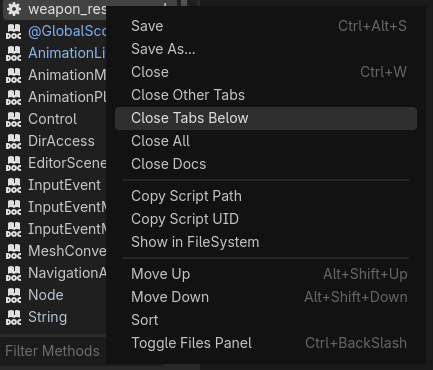
Godot, realizing this, added a ‘close docs’ command to the right click menu.
I just hit the back button on my mouse and continue editing the script. Never have to leave the editor.
When I want to clean up, there are options for Close Tabs Below and the docs or always at the bottom. Or literally Close Docs as you mentioned, which you don’t even have to be able to see them to close them.
I guess I’m not sure how this is more frustrating than being directed out of your IDE to the browser and having to close tabs there. Same click, different day.
They literally pull from the same source of truth so they’re exactly the same. If you click on a link in Online Tutorials in a doc page, it takes you to the docs in your browser.
Also, the search feature is MUCH better in the IDE. It works for one.
Hmm, I might be confusing two things, but what I mean is this vs this. Quite topically, I actually had to find the formal documentation through the Godot editor, since searching “@export” online only shows the tutorial page in the search results. I only now guessed that was a tutorial because of your comment, and the fact that it has “tutorial” in the URL
Exactly. And instead jumping between editor and online docs, I prefer to stay in the online docs once I ended up there. And than you have to use that search.
I think you are. I get the first one in the IDE if I click on @GDScript at the top of help. If I search for GDScript, I get a little page that has a link to this: GDScript — Godot Engine (stable) documentation in English The third link down being your second link.
I may have been misleading about the same source of truth though. The code documentation is the same. But there are tutorials and additional information pages that are only in the web version. The former are generated directly from the code, and so are the same on both platforms.
I see. For me it’s the opposite. Google gives me too many results that I wasn’t looking for, but the docs did usually gave me what I was looking for. But now you have to type your search differently to find what you want.
Another thing, why was the search window yesterday dark-gray and today it is white again?
EDIT:
Setting docs to latest gives dark search:
Additionally, it is much easier to go side by side code and docs using browser help.
F1 (or ctrl click) replaces the script window with help.
I suppose a guy could launch a second Godot window for side by side doc + script.
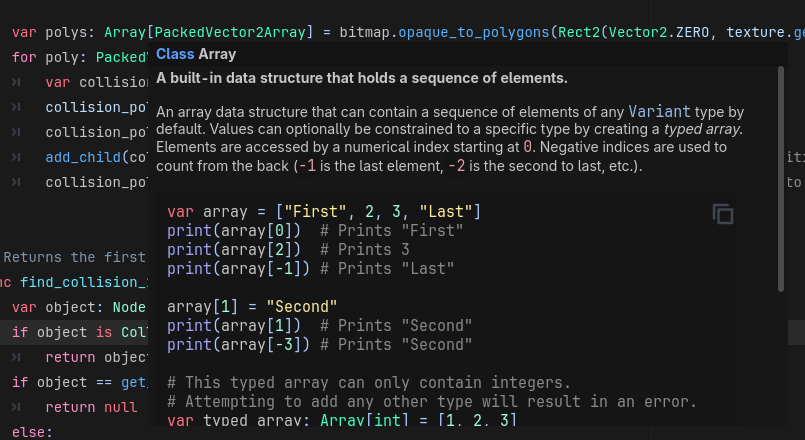
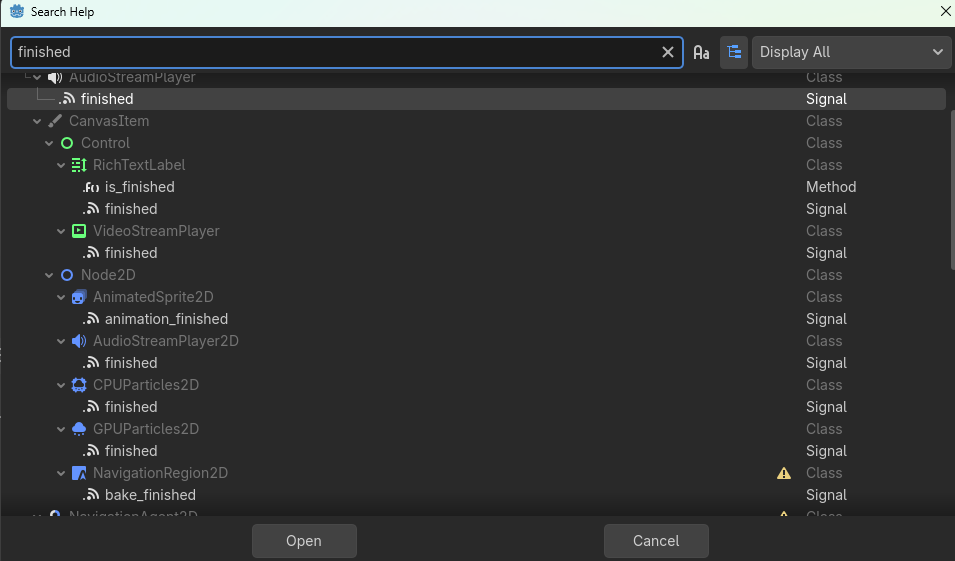
Usually I’m looking for the signature. The rollover gives me what I need. Otherwise, I’m usually trying to remember where something is, or what a class is named, and the IDE search is much better. It gives me everything in a hierarchical view.
Like if I want to know what things have a finished signal, and what that signal is called:
Searching formeshins* does the trick but you could also download the latest doc every week. Those have a different search function which will return what you are expecting. I have a cronjob for that on my workstation for downloading & unzipping it because I’m really lazy….
Links to the offline documentation can be found here: Godot Docs – 4.6 branch — Godot Engine (stable) documentation in English




 Google gives me too many results that I wasn’t looking for, but the docs did usually gave me what I was looking for. But now you have to type your search differently to find what you want.