The subject line pretty much sums it up. I’ve been working with Godot almost daily for nearly a year on an app that makes heavy use of audio. After upgrading to 4.5, I no longer have audio. At all. It not only doesn’t play in my app, it won’t play in the Editor, like when I’m just loading a sound for preview. My audio buses look fine. The master is not muted. I can see that the file is playing by watching the meters. I’m getting no errors at all, but no sound.
Sound works fine in the browser, in Apple Music, In Settings, in fact, everywhere I’ve tried it except Godot. Installed the latest version of the OS (Sequoia 15.7), but no change. Rebooted multiple times. I have a Mac Mini (2016). Processor is 3 GHz 6-Core Intel Core i5 with 8 gigs of RAM.
I just discovered that if I open a new project under 4.5 on my Mac, the audio is fine. Any ideas on how I can debug what’s going on with my upgraded app?
Is there a way to copy those lines? I can’t select them. They must go to a log file somewhere but I don’t know where it is. Anyway, here they are expanded.
right_click - Copy Error
then add it in preformatted text cmd + e
example
W 0:00:00:345   GDScript::reload: The function parameter "max" has the same name as a built-in function.
  <GDScript Error>SHADOWED_GLOBAL_IDENTIFIER
  <GDScript Source>character_stats.gd:12 @ GDScript::reload()
by the way I have tested it on TPS Demo using 4.5 and Audio works on Mac OS 15.6.1
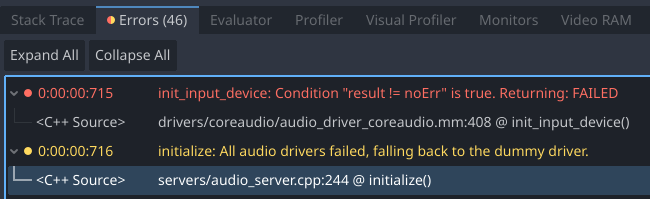
OK, thanks for your help, iOSxcOder. Here’s the text version.
E 0:00:00:715 init_input_device: Condition “result != noErr” is true. Returning: FAILED
<C++ Source> drivers/coreaudio/audio_driver_coreaudio.mm:408 @ init_input_device()
W 0:00:00:716 initialize: All audio drivers failed, falling back to the dummy driver.
<C++ Source> servers/audio_server.cpp:244 @ initialize()
Yeah, I’ve been over the other errors – they are the usual, “This var is never used” and “This var shadows another var somewhere”, etc. I’ve actually now got it down to just those two audio errors in a minimal use case. It seems it’s related to AudioStreamPlayer.
Try this on a Mac running Godot 4.5. New project > new scene > new script. Turn on Enable input under Project Settings/Audio/Driver. (Save and restart)
Put this in the script:
extends Node
var input : AudioStreamPlayer
Save and run. Check the errors. Do you see anything?
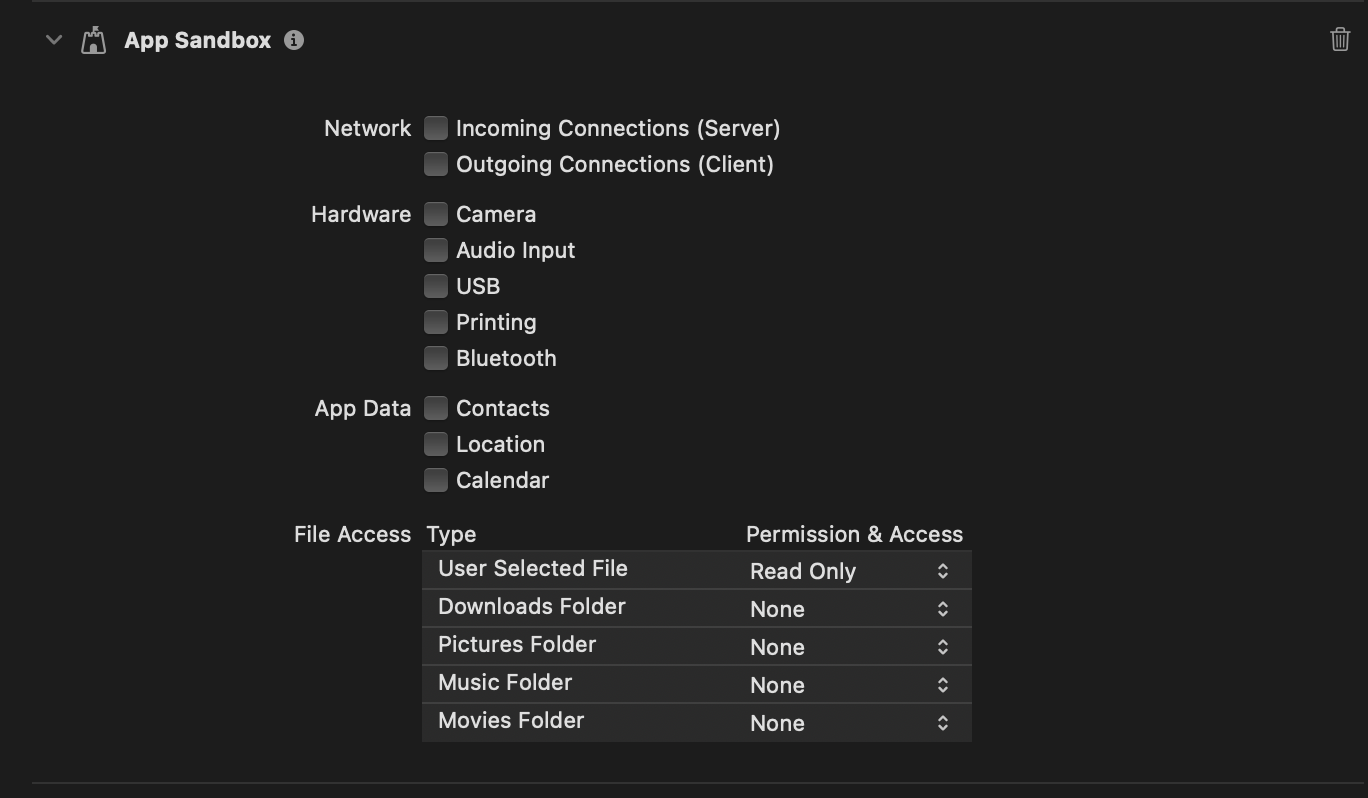
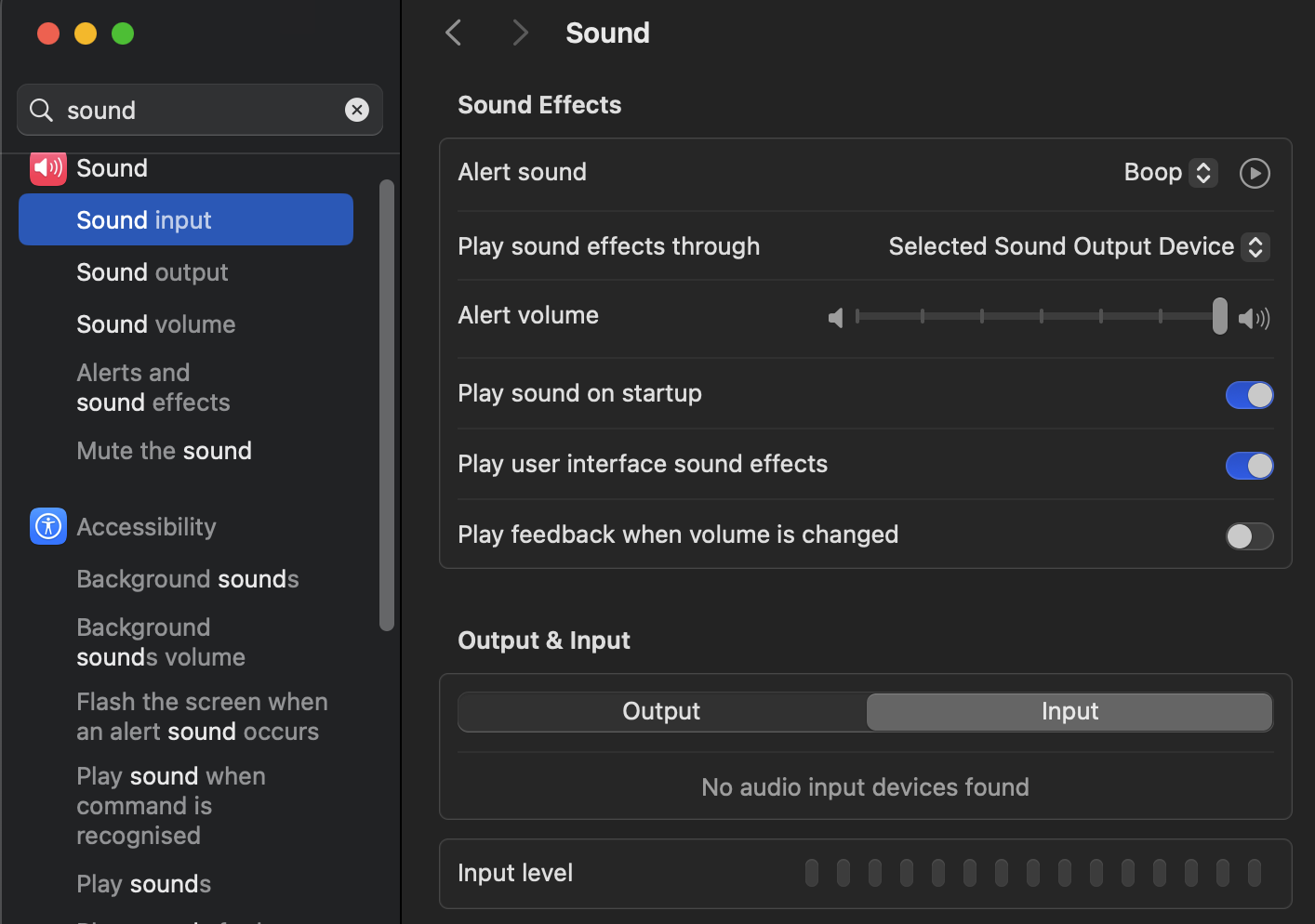
Also trouble can be on Mac Studio I don’t have microphone by default , but also it didn’t request permission in Privacy Settings so if you want to listen to microphone you need to find way in Godot it will need to add this bit there
Thanks for confirming the error, iOSxcOder. I really appreciate the sanity check. I’ve been developing the same app (an educational app) for almost a year and it has always used microphone access, which has never been a problem until now. Through multiple versions of Godot and MacOS, it has just worked. i’ve never needed to sandbox it or do anything special. Unfortunately, this is worse than just not having microphone input – this error breaks the whole sound system, even in the editor.
I also hit the problem and luckily the fix has been applied around October with Godot 4.6. Just tested 4.6-dev6 and i’m now able to record audio again.