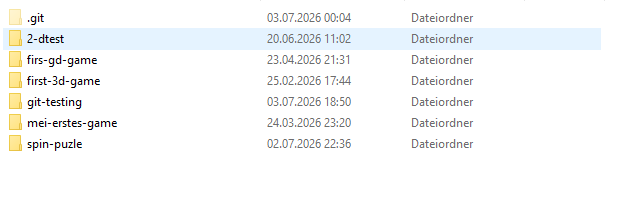
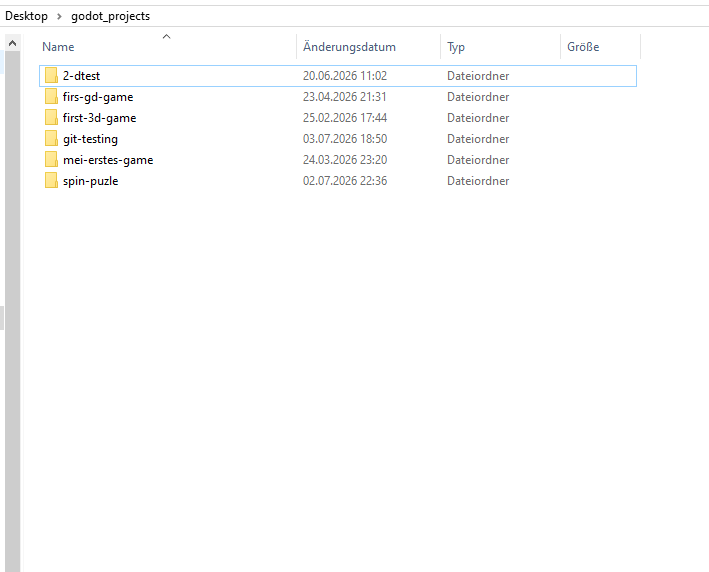
i cant find git-testing in windows 10 terminal
with thw command but i am not familiar with it
i cant find git-testing in windows 10 terminal
with thw command but i am not familiar with it
it’s not the best idea to name something with a “-” I would always use “_”.
Add “” around the directory- or filename.
i am using it with 1 project called git testing. this is my godot project for testing git

show the content (dir) for that directory. The project is setup correct in Godot?
how to show it?
the project is setup like all my project jut created it to test and manipulated the window setting and added some folders iside the project. then i hited strg S to save it and clossed it for git
do all in the terminal. No Filemanager etc.
you are in the directory, just type dir there.
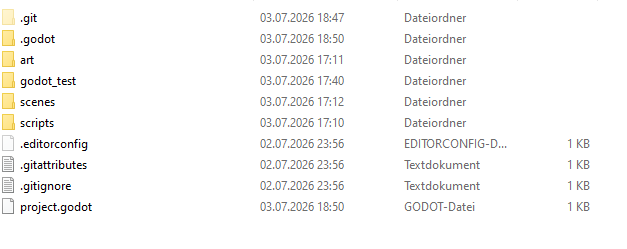
Sorry @tibaverus it wasn’t my intention to take over your help. I just saw that the .git seems to be located in the wrong directory.
in the git terminal?

Ok, it looks like we don’t see the hidden files. I’m on Linux. Is it dir /a:h on Windows to see the hidden files/dirs?
i am resarching how to see them on windows.
Not in the explorer. Please stay in the terminal in the CMD Shell/Terminal/Console.
Remove the .git directory there first. That one is surely wrong. In the end you want a .git in every of these project folders.
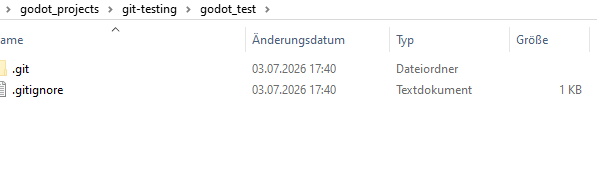
ok, there is a .git, that is correct in the project folder. What is the content in the godot_test?
her is the project. why is godot_test in git-test?
The main commands are cd (change Directory) mv (move), cp (copy), dir (for directory listing), tree (for a tree view). I’m not that firm with windows commands.
I don’t know why there is a “godot_test”. Remove the godot_test folder with it’s content.
Now in the Terminal in the git-testing type git status.
i renamed git-testing to git_testing and deleated godot_test
Thank you soo much! it finaly works as expacted i learned so much from you!!