Topic was automatically imported from the old Question2Answer platform.
Asked By
Lemoneese
I was following the 2D tutorial in the docs, when I came across the start method in $Player.start() and wondered what it does.
I searched in the Area2D and its inherited classes documentation for the start method, but I couldn’t find anything about it. I also used Alt + F1 and found that start is a method of the player.gd class. But I the help menu didn’t give me any useful information. Any help would be appreciated, thanks!
Basically, that function sets the position of the player when the game starts.
func start(pos):
    position = pos
    show()
    $CollisionShape2D.disabled = false
I hope it helps you!
Oh, I see. Is there a way to get the built-in script editor to autocomplete methods from classes, so I can avoid little accidents like these?
Lemoneese | 2023-06-10 11:43
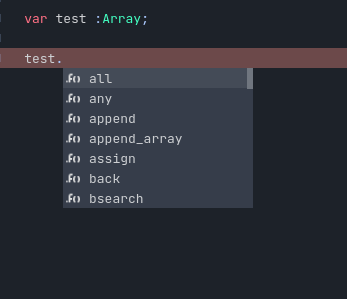
Yes, in Godot itself you will get autocomplete methods if you declare the variable’s type. For example:
In the image, I declare “test” as an array. So, when I use “test.” in Godot, the program itself will autocomplete the available functions and variables of that class. This is because Godot knows the type of data I’m using.
crossbito | 2023-06-10 18:13
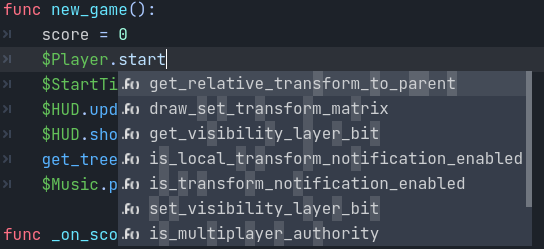
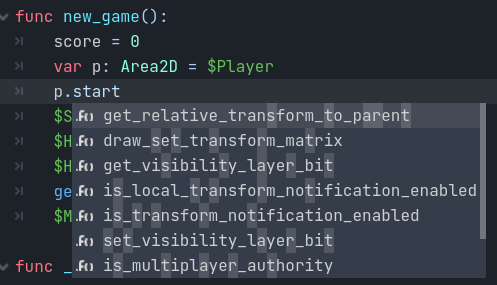
How about for custom methods like the start method in the Player node, or custom attributes like speed? I looked through the autocomplete and couldn’t find either of them (images below only looked for start).
I also tried declaring the type of the Player node, which I don’t think should do anything (seems like Godot already knows it’s an Area2D object).
Lemoneese | 2023-06-11 01:37
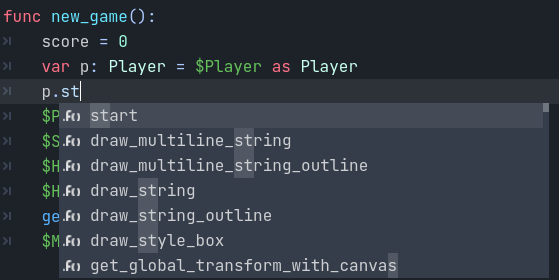
I got it working. Insert class_name Player (after the extends Area2D line) into the player.gd script. In the main.gd script, cast $Player to Player using the as keyword. You can also cast inline as well: ($Player as Player).start() works, for example.