So, I don’t know much about Godot and it’s packaging, but I can shed some light on all the names. Perhaps that will be useful. You’ve mentioned a whole bunch of different things, so I’ll make a quick list before we go through them all:
- x86, x64, ARM - CPU architectures
- Win32, Win64 - Windows versions that support these architectures
- OpenGL, DirectX 11, DirectX 12, Metal - Graphic APIs
So let’s start with the CPU architectures. When CPUs run programs, they don’t run high level languages like GDScript or C#, or even C or C++. CPUs only understand “machine code” which looks like complete gibberish to human eyes. You can, in principle, understand them - just look at each byte in your program, compare them with thick manuals that explain which bytes mean what, and you’ll figure out what the program does. In a year or ten. So instead we use “regular” programming languages and then special programs called “compilers” which generate these machine codes from our much more human-legible code.
The thing is, different CPU architectures have different machine codes. The same bytes that on one CPU might mean “add these two numbers together”, on another might mean “compare these two numbers”, or something else yet. So a program that was generated for one type of CPU will not run on another - simply because the machine codes are too different. This is not about the operating system at all, it’s about the hardware itself.
Before we go on to look at some specific ones, a quick note about the “bits” of a CPU. If you really get into the weeds, the definition of an “X-bit CPU” becomes pretty murky, but in general when people talk about “8-bit CPU” and “16-bit CPU” and “32-bit CPU” the main difference that matters is how much memory the programs on that CPU can access. So 32-bit programs have 32-bits with which to specify which byte in memory they want to read/write, and that gives them the ability to access around 4GB of memory. 64-bit programs have 64 bits, so they can access many, many, many terabytes of memory.
Also, each “bitness” of a program is kind of like a separate instruction set. A “16-bit” program will use different machine codes than a “32-bit” program. Even if a single CPU is capable of running both kinds of programs, it will present itself as different kinds of a CPU to each program.
So let’s look at some specific CPU architectures ones:
- x86 - this is the “classical 32-bit PC CPU”. Actually, it’s a bit of a backronym. There’s a long ancestry of historical CPUs from Intel, starting with an 8-bit 8008, and running up to todays most modern Core i9 CPUs. And they’re all backwards compatible to the very beginning! Well, in theory, anyway. I don’t know how much luck you would have trying to run a program from the 1970’s on todays CPUs, but on paper it should work. The nickname “x86” was adopted because for a while the CPU model numbers ended in “86” (there’s 8086, 80286, 80386, etc). Today this largely means the 32-bit version of the architecture.
- x64 - the successor to x86. A 64-bit variant of the same instructions, but with many other improvements along the way. Because of backwards compatibility, all x64 CPUs can also run x86 programs. The operating system needs to support that though.
- ARM - a completely alternative world. Current Apple computers use it, though in the past they also used x86 and x64 CPUs from Intel, and before that - PowerPC from IBM (which is again something different yet). ARM is also used by basically every cell phone ever, smart watches, and many other devices. ARM CPUs come in many shapes, sizes and speeds.
Now, about Windows - “Win32” could mean one of several things. In this context, it probably means “a 32-bit version of Windows”, but it’s also the name of their core System API, that most other things are built on top of. “Win64” normally means “a 64-bit version of Windows”.
If we’re talking about the x86/x64 world, then 64-bit Windows can also run 32-bit programs, because 64-bit CPUs can run 32-bit programs in a backwards-compatibility mode. But modern Windows also runs on ARM CPUs, and in the past there’s a laundry list of more exotic (now defunct) architectures that Windows used to run on.
Mind you, even if a 32-bit program is running on Windows 64, it will still be able to use only up to 4GB of RAM, because that’s how big it’s internal memory variables are, and that’s how much memory the 32-bit CPU instructions can access. There are ways how a 32-bit program could use more than 4GB of RAM, but they are very awkward (you need to select which part of the memory you see; never all of it at the same time) and it’s rarely used. Today there’s no good reason to make 32-bit programs anymore. 32-bit CPUs and 32-bit Windows versions are practically dead.
Finally, the Graphics APIs - those are the low-level commands that a program can use to tell the operating system what it wants to draw on the screen. Basically. The options are:
- DirectX 11 and DirectX 12 - Microsoft API, works only on Windows. 12 is the latest version which you should probably target.
- Metal - Apple’s API, works only on Apple computers
- OpenGL - a cross-platform standard that works on all CPUs/OSes, but a bit outdated today
- Vulkan - the modern cross-platform API. Very powerful, but also tedious to work with.

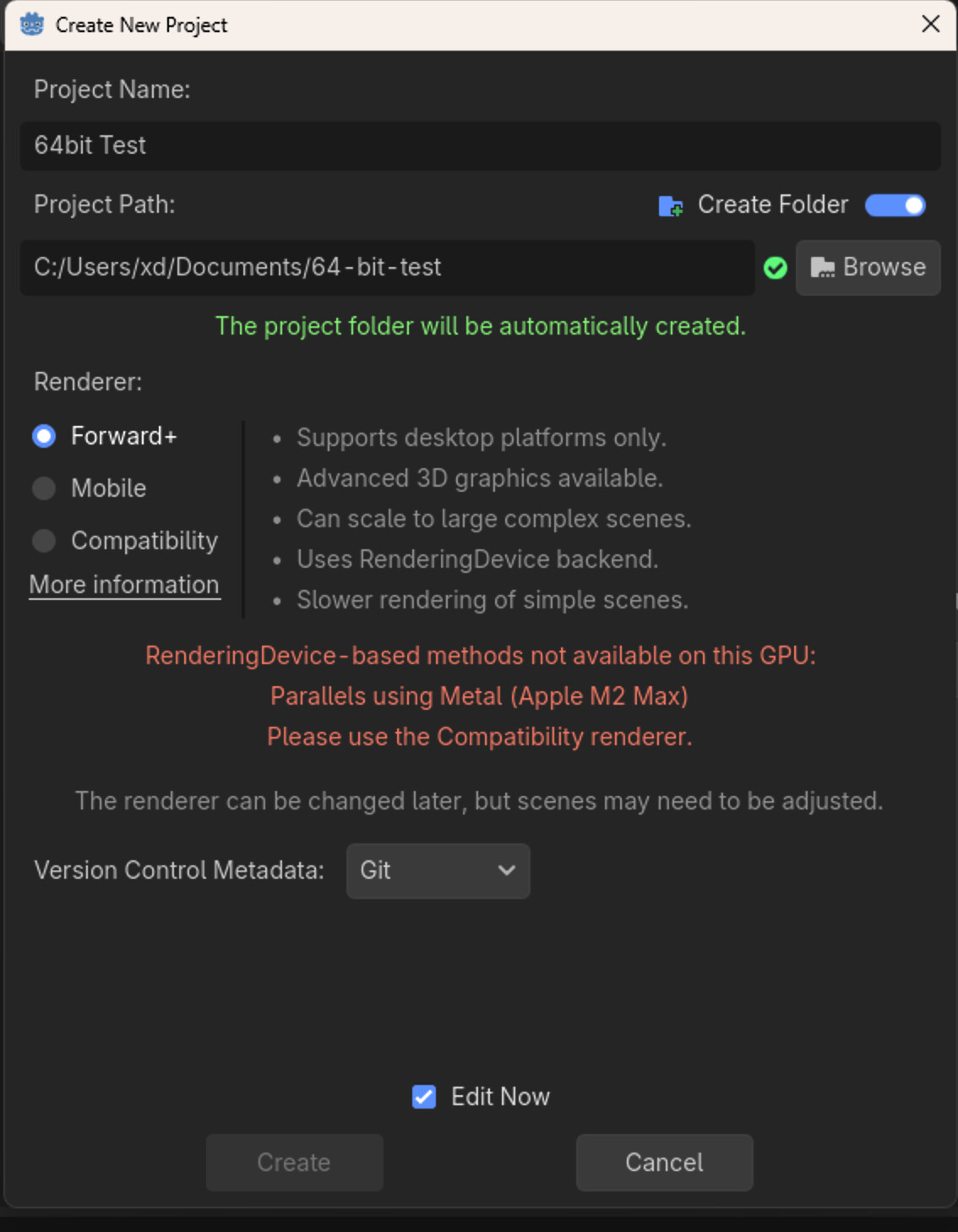
 using VM.