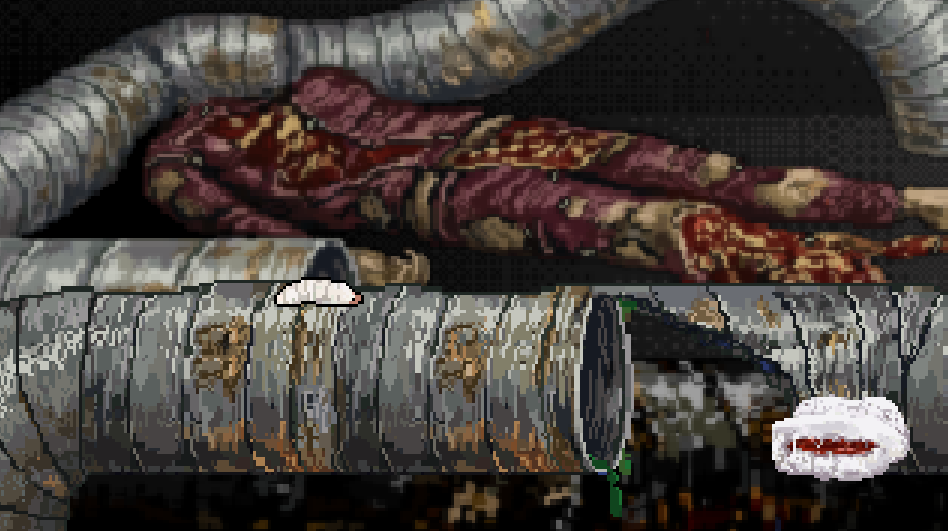
I was a filmmaker many years ago. The one and only movie I made is “Attack Of The Tromaggot”
It is a slimy monster trash movie about a monster maggot. It got even a US DVD Release by Troma (old American Independent Filmcompany) - and two DVD Releases in Germany/Austria.
It has always been a big dream of mine to have an old-school 16-bit video game to go along with my film. That would be amazing. But it was never going to happen. Actually, that’s not true at all. Thanks to AI and Godot, the chances of it happening are actually pretty good.
I am a very beginner in Godot. I hope to find some support here.
my very first question: is it possible to develop a classic 16-bit fighting game—using a directional pad (up, down, left, right) and two buttons (jump and bite)—that is playable on both Android and iPhone? Specifically, there would need to be a virtual joystick for the thumb on the left and two touch buttons on the right. The same game should also be exportable as a desktop game; in that case, the virtual joystick and buttons wouldn’t be needed, since a keyboard or gamepad would be used instead. Or do I need to prepare myself to set up two separate Godot projects—one for the smartphone version and another for the desktop version? I want to have the Game für desktop and smartphone
In my opinion, making films is perhaps the toughest medium to work with, so hopefully you’ll find video game development comparatively simple. In game development, you can make your own weather, build your own extras, and have 10 cameras on set for free
What direction do you intend to go, in terms of genre, mechanics and so on? I’m a big fan of B films, and the 16-bit era, so it sounds like a fine combination to me.
Personally, I’ve never liked the virtual joystick solution, except for simple games that don’t require precise input. However making a mobile game without it, at least as a fallback, is probably not feasible either.
It shouldn’t be hard to integrate both controller, keyboard and touch input in the same build / project - as long as the inputs correspond to the same functions, you can set it up easily in project settings → input map.
My Inputs are a simple oldschool joystick (up,down,left,right,fire)
no inputs - idle
left/right - crawl
left/right + fire - run open mouth
down - duck
down + left/right - ducky slower crawl
down + fire - block - no moving
up - vertical jump
up + left/right - diagonal jump
up + fire - vertical jump with open mouth
up + left/right + fire with diagonal jump
stop pressing fire - mouth close (attack state for the fighting)
I realized I need a kind of state machine.
How do I create a 2D character in Godot 4 that ducks when the “down” input is pressed? If the “fire” button is pressed simultaneously while ducking, the character should guard (blocking), preventing them from moving left or right. If only “down” is pressed (without “fire”), the character ducks; adding “left” or “right” input allows the character to crawl in that direction. Pressing “up” makes the character jump; if “up” is pressed without a directional key, they jump straight up, whereas adding a direction makes them jump in that direction. Pressing “fire” during a jump causes the character to open their mouth; releasing the “fire” button closes it again. Pressing “left” or “right” makes the character walk normally. Pressing “fire” while walking makes the character run and open their mouth; the mouth closes as soon as the “fire” button is released. Pressing “fire” while moving “up,” “right,” or “left” opens the mouth, and it stays open until the button is released. The “fire” button only triggers a block when the “down” input is active.
flip_h doesn’t seem to be mentioned in the script you provided, so it’s really not possible to say. It’s a null error, which means that whatever you’re referencing (ie this_node.flip_h) doesn’t exist. It could be you’ve referenced it incorrectly (ie @onready var this_node = $SomethingIsWrongHere), or you’re creating it in code, and it’s not getting created.
By the way, when posting code, always post it as text, with the slightly confusingly-named code block ‘preformatted text’, like this:
var some_code:bool = true
It’s more readable, and others can search, select and copy the code
extends CharacterBody2D

@export var speed: float = 100.0
@export var jump_velocity: float = -200.0
@export var gravity: float = 980.0

func _physics_process(delta: float) -> void:
	# Schwerkraft anwenden, wenn Spieler nicht am Boden ist
	if not is_on_floor():
		velocity.y += gravity * delta

	# Springen
	if Input.is_action_just_pressed("up") and is_on_floor():
		velocity.y = jump_velocity

	# Links/Rechts Bewegung
	var direction := Input.get_axis("left", "right")
	if direction != 0:
		$WhiteLittleMaggot.flip_h = direction < 0
		velocity.x = direction * speed
	else:
		velocity.x = move_toward(velocity.x, 0, speed)

	move_and_slide()

	update_animation(direction)


func update_animation(direction: float) -> void:
	# Sprite mirror for the direction
	if direction != 0:
		$WhiteLittleMaggot.flip_h = direction < 0

	# Animation
    # + + + + + ++ + + + + + + + + + + ++ + + + +
    # Claude wrote animated_sprite.play("jump") and Important: The Node must called AnimatedSprite2D
    # I tried $WhiteLittleMaggot, maggot, AnimatedSprite2D
    # I changed the Node-Names
    # nothing works - What Name do I have to use for this animation case?
	if not is_on_floor():
		$AnimatedSprite2D.play("jump")
	elif direction != 0:
		$AnimatedSprite2D..play("run")
	else:
		$WhiteLittleMaggot.play("idle")
And I am very confused about all the gdscript. Which script does the engine use when I put the “Test”-Button (Play-Button). only the script game.tscn? How can I switch the scripts?
I think that belongs in the help section… I do see that you’ve got two .'s in $AnimatedSprite2D..play(“run”), which is an error
When running the game (equivalent to pressing F5), you run the main scene (which you’ve selected, and can change in project settings), and any scripts in it. If you have singletons, their scripts run as well, and any scene you load will run its scripts too.
The .tscn file you mention is a scene, not a script - a scene can have any number of scripts, attached to any number of nodes. You can also instantiate more scenes within a scene, and those scenes’ scripts will also run. I hope that clears something up
Fun fact: Every time you update this thread I have to listen to “Maggot brain”. This time the version by George Clinton & the P-Funk All-Stars. (original Funkadelic version is the best one).
I’m completely stuck now. I manually created all the sprites for my worm using Pixellab.ai. When I re-imported them into Godot, all my animations were gone. Claude AI told me that won’t work—I have to fully animate the sprites within Pixellab itself. But I can’t create animations in Pixellab. Now I’m at a dead end.
I hat to set the sprite set on unique , because without this configuration it was not possible to create a new animation.
I was into programming over 2 decades ago and I had to take some JavaScript and Python classes recently, so I understand programming logic but certain components of GDScript I have to keep looking up how to use and honestly math that is above my head I look to working examples from other developers who share it in forums.
At the start, I tried asking AI for help, and I’m not knocking on it but wow. AI has gotten so over-confident giving me the full, final, error-free, perfectly running script for something I am trying to workout. Then, it led me down countless run-around rabbit holes of errors until I get a script that halfway works and is unrecognizable. When it is unrecognizable how am I supposed to organize it all? So that led me here. I will stop asking AI for help and have joined the human community today.
Sorry to reply to an old post but I was just reading interesting posts, and saw you mentioned using Claude and I had to at least give you my experience with it. (not specifically Claude, but a version of GPT)
thanks for your advise. But my only chance is to create a video game of my monster trash movie by using AI. Without AI I am not able to create a video game. Maybe I will get lost in a rabbit hole. But there are only two option: create with AI or not create it
And nobody want to lives in a world without a 16 bit fighting game of the unknows trash movie “attack of the Tromaggot” - believe me! NOONE!!!
nevermind: I got a solution of my problem from claude (booooooo! AI! boooooo!)
Solution: Download that plugin for godot godot-4-importality
thats pretty cool. I can change my pxo-file with pixelorama and godot got the changes without lost everything. Nice Nice.
so Then I’ll carry on. see ya until my next wehhhlll-crying-I-am-stuck-mimimimi problem