A new tool for bitmap fonts (.fnt)

Hi! I hope this is the right place for this.

I’d like to introduce a tool I just released: FNTbyMemeorites. It works with bitmap font texture atlases (PNG) - you define glyph regions, set up kerning pairs, and export a .fnt file in AngelCode BMFont format that can be used in Godot straight away. There are plenty of other features too: .fnt import, live preview with background image support, and “bilateral kerning” - a character-centric view where you can define spacing adjustments for both sides of a character at once.

It’s free, runs entirely in the browser, requires no registration or login, and doesn’t store anything outside your own computer. Feel free to give it a try - feedback is very welcome.
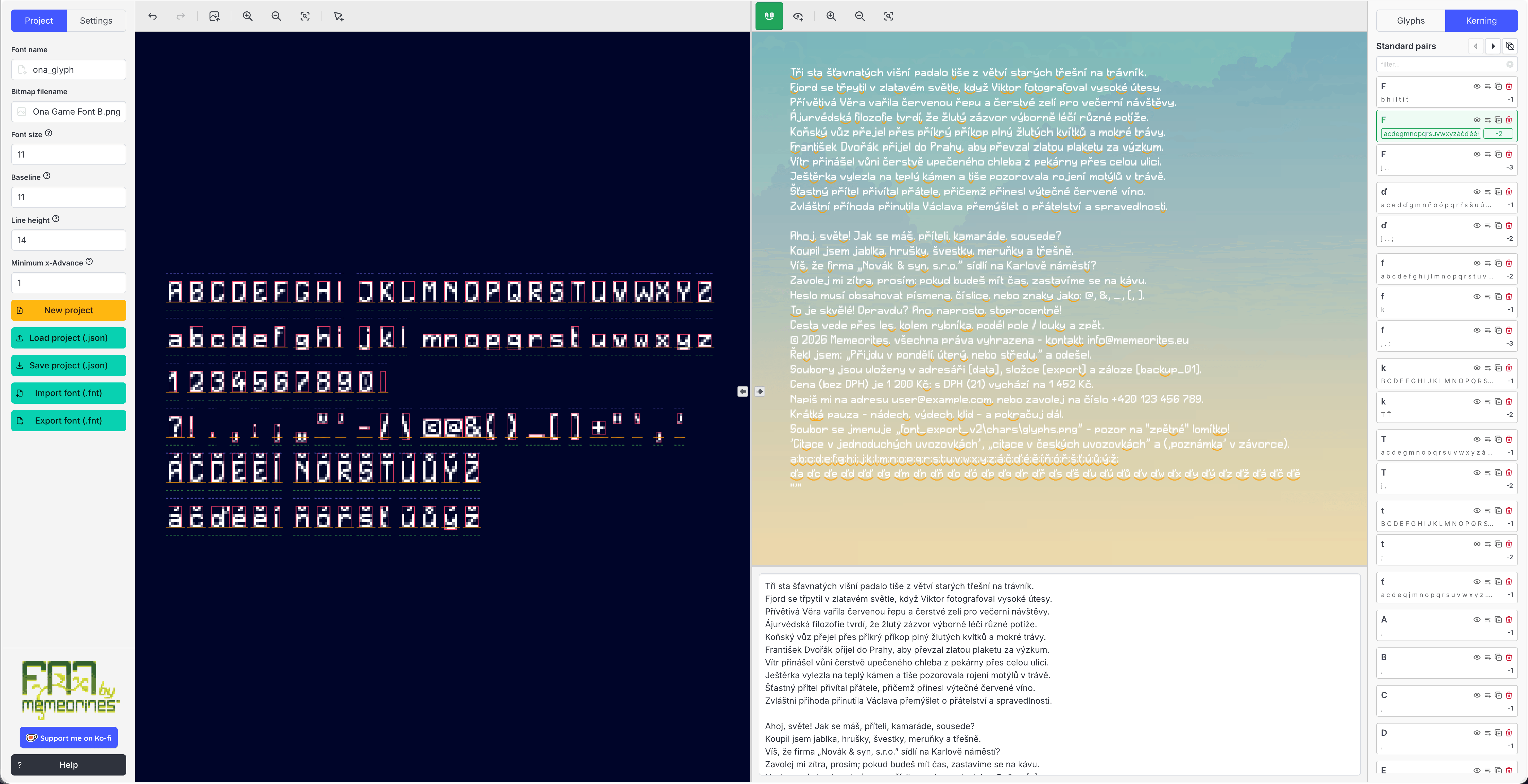
Why did I build it? I’m solo-developing a 2D pixel art platformer in Godot with custom bitmap fonts, and I wanted proper control over how they look. FontCutter felt too limited for that - defining kerning pairs and previewing the result was cumbersome - so I decided to build my own tool. Hopefully it’s useful to other developers and designers out there :slight_smile:

4 Likes

Great tool — FNTbyMemeorites looks really useful for working with existing textures and fine-tuning kerning.

I ran into the same BMFont workflow problem from a different angle: our designer was generating visual styles with AI but couldn’t get them into Godot’s importer. Ended up building something to handle that case (generating the glyph sheet from a style reference image, outputting font.png + font.fnt). The two approaches cover genuinely different needs, so it’s good to see more tools in this space.

2 Likes

Hey @joongix! Thanks for your kind words. I’m glad you’ve tried FNTbyMemeorites and found it useful :slight_smile: That’s what makes it all worthwhile :wink:

1 Like

Happy to support! Both tools solve genuinely different problems — yours for the precision layout and kerning side, CopyPxl for generating the glyph set from a style reference. I can see them being used together in a workflow: generate the characters with CopyPxl, then fine-tune kerning pairs in FNTbyMemeorites before exporting. Good luck with your platformer, sounds like a fun project!

1 Like