About to give up on my year long project

Godot Version

4.3

Question

Hi Everyone, (sorry about the melodramatic title!)

I’ve been struggling with an issue with Godot for the past 3-4 weeks and I have exhausted everthing I can think of doing in my limited 1 year of experience…

Basically, I went to export my game to post on itch last month and for some reason the enemies in my game were no longer being loaded in.

I have no idea why the game would be working fine in the inspector, but just the enemy is not working in the exported version… i.e:

What is should look like:

I’ve been wracking my brain trying to resolve this, but nothing has worked.

I ended up asking ai to debug, and the main fix it suggested was the mismatched casing, and that everything should be snake_case. I should have waited and tackled this later, as the game was working before I did anything about this, but I’ve heard this could cause issues and decided to start to work on it anyway, but this turned into a waking nightmare so late in development!

I’ve finally resolved all these issues (as far as I can tell), I think it took a couple of weeks after I used a batch script to do it and all of the links in my project broke - i had to manually rename everything back, then reconnect everything in the inspector. Do not recommend. Definitely never making that mistake again.
I’m really hoping theres someone here with more experience than me that might be able to spot what the issue is, so far I seem to be blind to it.

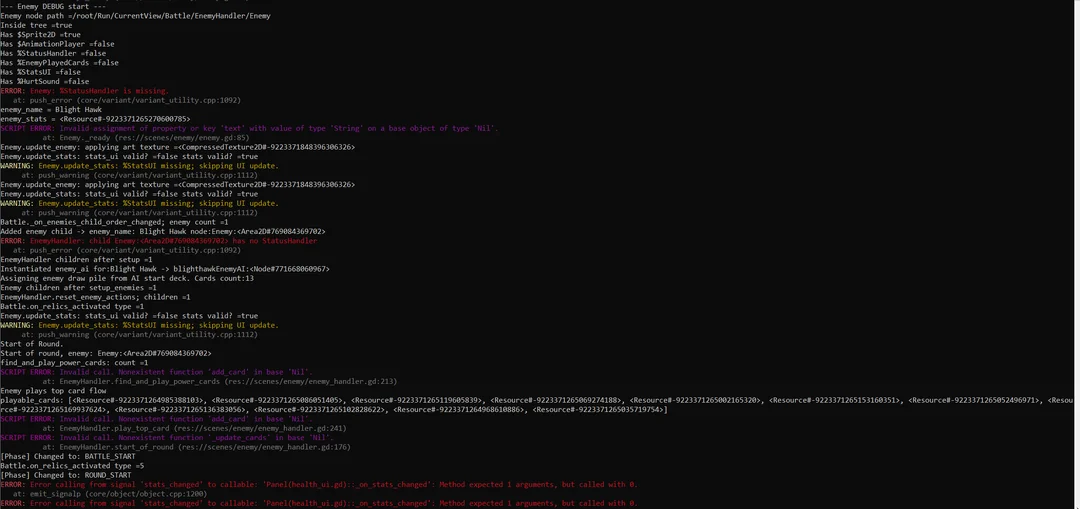
Here is the console output from the exported game:

There are issues here with the card_visuals, which both the enemy and player cards use, but the player cards seem to be completely fine.
There seems to be an issue with the enemy_card_ui, im not sure if this would be enough to crash the entire enemy set up? I’ve taken a look at the scenes and scripts that use the enemy_card_ui but nothing jumps out to me as an issue, particularly because it seems to be fine running from the inspector.
The enemies are being set by the map script as they should be, but the enemy handler is not spawning the enemies in the battle scene from the enemy battle resource as expected.
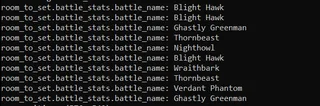
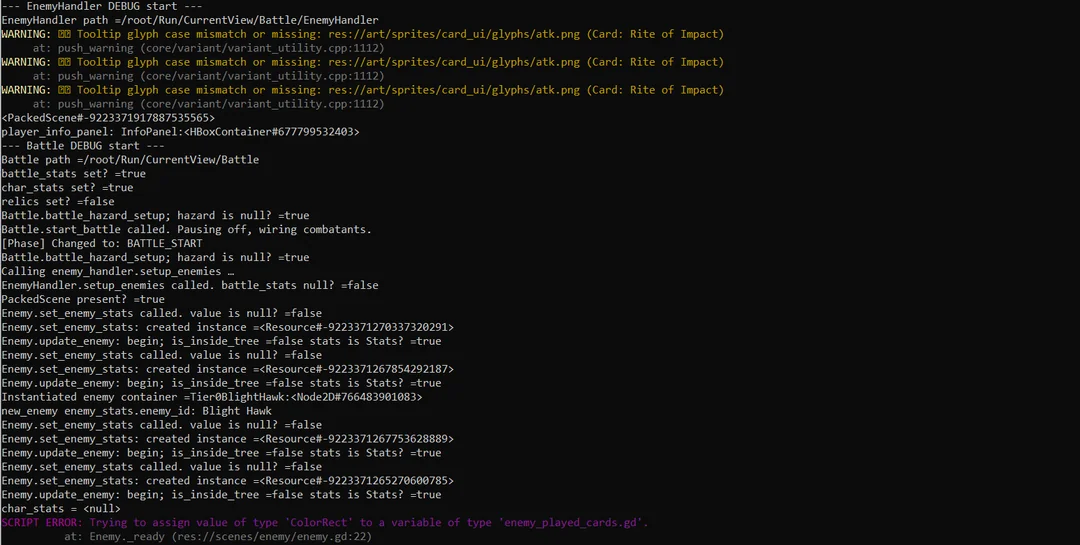
Weirdest thing is, that as far as I can see going back through my git commits, I don’t think I’ve changed anything that would cause the enemies to no longer load in.
I even tried to revert the branch back to 2 months ago when the issue did not exist, and it still didn’t work! Probably unlikely, but could this be a Godot error?
I’m hoping this is enough information to go on, but I’m more than happy to share more if it resolves this.
Big thanks in advance to anyone that read this far!
Dan

Bisect until you find the exact commit.

Hi normalized,
I’ve gone way past any possible problem commit and it still has the same issue - not sure why this might be.

Well the idea is to find the latest commit that doesn’t show the problem. If the problem is still there then you didn’t go way past it.

Have you tried the simplest thing: deleting the .godot folder?

Btw your screenshots are too small/blurry to read the error messages, at least with my eyesight.

This is a long shot, and I can’t read your screenshots very clearly, but I recently dealt with a problem where my app worked in testing but not after export. I eventually figured out that I was relying on a .tres resource file, with settings data, that was not being properly exported even though I set “Export Mode” to “Export all resources in the project.” Godot was not exporting it because it thought there were no references to it. If you have a resource that is not referenced anywhere, Godot will not export the resource despite the “export all resources” setting because it thinks the resource is unused and unnecessary. Now, why did Godot think there were no references to the resource? Because the only time I used the resource in my code was through ResourceLoader.load("string to resource location") and Godot did not recognize that—the string reference—as a proper reference. Since Godot did not recognize it as a proper reference, it did not export it. And so my app did not completely work.

I hope it’s something so simple for you. Good luck!

Your resources were exported but if you had “convert to binary” enabled in project settings they likely were remapped on export. Godot leaves your_file.remap files in the original paths. Those are textual config files inside whom there’s an information where the actual remapped file is.

ResourceLoader keeps track of it but, as you noted, if you’re loading “manually” using FileAccess, you’ll have to look inside those remap files and fetch the remapped file.

1 Like

Okay, interesting! I’m working with Android, so I couldn’t look into the actual exported files and thought I solved the problem by using preload, which would be recognized as a reference on compile. I apparently drew the wrong conclusions about what was happening.

Preload definitely solves it as it goes through ResourceLoader

Many of those errors may well be because of missing files in the export however there is at least one error that will for sure exist even when run in the editor.
SCRIPT ERROR: Trying to assign value of 'ColorRect' to a variable of type "enemy_played_cards.gd"
This should be showing up in your editor runs.
Maybe try running the editor from the command line to see it.
This one error is not likely to be the culprit, but it should be taken care of.

Thank you everyone that commented with suggestions, massive help! I went through and checked them all, but it turned out to be something frustratingly simple…
Basically, I had at some point in the last month or so set the export for card_visuals card var in the inspector to the “rite_of_impact” card (a basic card for one of my characters), it looks like because the exported game couldn’t complete the set_card func, the entire enemy set up collapsed.
No idea why I set this as an export, but i’ve changed it back to a standar var now and there doesnt seem to be any issues!

6 Likes

For future reference about snake_case in resource names. The LLM was giving you good advice for another problem. It was just bad advice for your problem. The problem only exists when you export a Windows executable build. Any resource names that have upper-case letters in them cause Windows problems because it is case-insensitive. So, for your sanity, ALWAYS use snake_case names for folders and resources. That way you’ll never have this problem.

Secondly, if you rename a file in the editor, none of those broken resource link problems will happen. If you really need to write a script to rename files, do so with a GDSCript @tool script. Also make sure that you reload all the resources in the script. You cannot write a script like that outside the editor without breaking every reference to the file.

2 Likes

Unfortunately I learned this the hard way! Very painful fix. Good to know about using a tool script though! I’ll try and remember that for next time, thanks for the help.

3 Likes