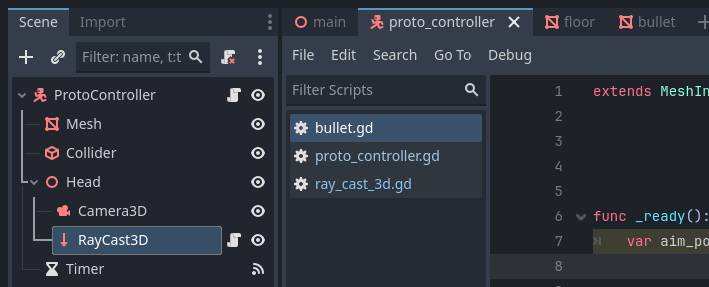
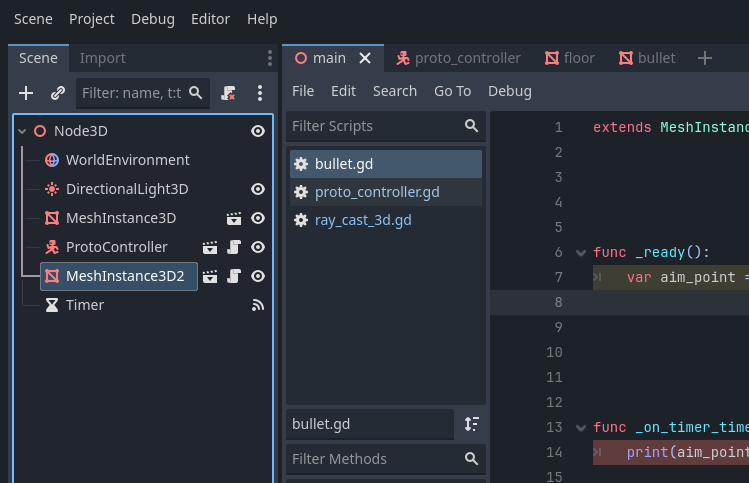
how do i get a variable from one node to use it in another? i have a variable called aim_position in a raycast3D node in my player scene, i need the variable in my main scene
func _ready() -> void:
    print("help me pretty please")
Get a reference to the node using get_node(node_path) or $node_path and then use the dot syntax to access its property/variable.
You’ll need to supply the valid path from the node that’s running the script to the target node. Node paths use pretty much the same logic and syntax as file/folder paths on your hard drive. More about node paths: NodePath — Godot Engine (4.5) documentation in English
for shooting a bullet, the raycast takes the coords and the bullet goes to them. thats my best idea on how to make a bullet, im not that good at godot so i dont know anything better =/. if you have a better ideal tell me.
The bullet shouldn’t be in the scene from the start. Instead the player controller should instantiate the bullet when fire is pressed.
You don’t really need a raycast for this.
I’d suggest stepping back from this for a moment and going through introductory tutorials in Godot’s docs to familiarize yourself with basics of how Godot works: