Animation Tree: Bones Won't Animate

Godot Version

4.6.3

Question

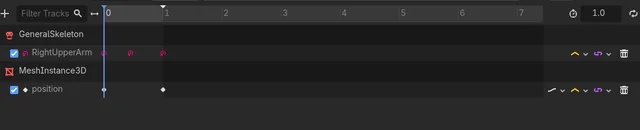
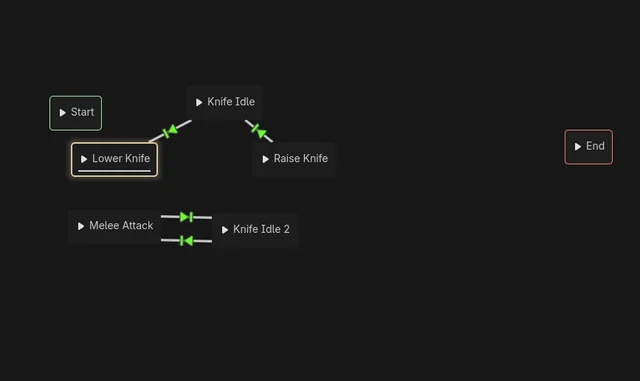
The animation for “knife idle” plays when I use it…

However, while the random MeshInstance3D I added for testing is moved, the skeleton is not.

When I disable the animation tree and test the animation on its own, it works.

Does anyone know what could be causing this problem?

I previously had it with the “lower knife” node as well until I changed it to just being “raise knife” in reverse.

Thank you in advance for any help.

You haven’t given us enough information to help you. Take a look at this post:

Then tell us:

  1. What’s your code look like?
  2. Have you tried it in the editor using the AnimationTreeStateMachine manually? What happens?

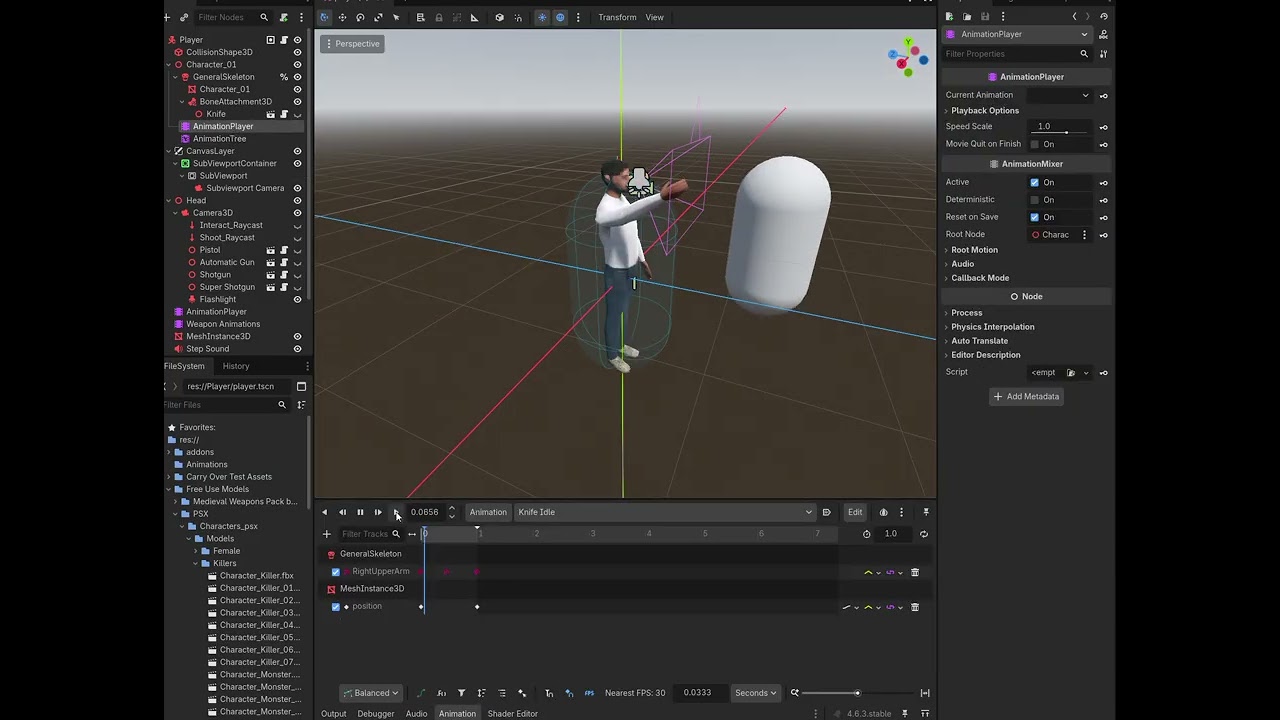
Sorry for the late reply and insufficient information. Here’s a video of me testing the tree manually (this is how I’ve been testing it)

The code isn’t being used so I didn’t think it was necessary, but the relevant code is this:

Defines State Machines In Code:

# Animations
@onready var base_state_machine = $Character_01/AnimationTree.get("parameters/BaseStateMachine/playback")
@onready var weapon_state_machine = $Character_01/AnimationTree.get("parameters/WeaponStateMachine/playback")

Called every frame based on var@rpcables “falling” and “movin@rpc”

@rpc("any_peer", "call_local", "reliable")
func _sync_switch_state(falling: bool, moving: bool):
	if falling:
		base_state_machine.travel("Fall")
	elif moving:
		base_state_machine.travel("Walk")
	else:
		base_state_machine.travel("Idle")
# Add the gravity and assign animations
var moving: bool = (Vector3i(velocity) != Vector3i.ZERO)
var falling: bool = not is_on_floor()

Animations That Are Played When @rpceapons are Equipped or Unequipped:

@rpc("any_pee@rpceapons", "call_local", "reliable")
func _sync_unequip_anim(weapon_index: int):
	match weapon_index:
		0: 
			weapon_state_machine.travel("Lower Knife")
			#$Character_01/AnimationPlayer.play("Lower Knife")
		1: 
			$"Weapon Animations".play("Lower Pistol")
		2: 
			$"Weapon Animations".play("Lower Automatic Gun")
		3: 
			$"Weapon Animations".play("Lower Shotgun")
		4: 
			$"Weapon Animations".play("Lower Super Shotgun")

@rpc("any_peer", "call_local", "reliable")
func _sync_equip_anim(weapon_index: int):
	match weapon_index:
		0: 
			weapon_state_machine.travel("Raise Knife")
			#$Character_01/AnimationPlayer.play_backwards("Lower Knife")
		1: 
			$"Weapon Animations".play_backwards("Lower Pistol")
		2: 
			$"Weapon Animations".play_backwards("Lower Automatic Gun")
		3: 
			$"Weapon Animations".play_backwards("Lower Shotgun")
		4: 
			$"Weapon Animations".play_backwards("Lower Super Shotgun")
	

Sorry again and thank you for any help.

Ok, so in that post I linked they tell you how to format your code. You formatted your code incorrectly and it is unreadable. But you are right, that’s not the problem.

But your video is very informative. So first off, you are trying to run animations from your AnimationPlayer when it is hooked up to your AnimationTree. You cannot do that. For whatever reason, when you AnimationPlayer is assigned to an AnimationTree, the only way to see the animations play is using the AnimationTree. (AnimationTree)

Part of the problem you are having is that you are transitioning immediately between animations. Try adding an xfade amount of like 0.2. You can do that by selecting the lines (the transitions) between animations and setting it there. The other is that your knife idle animation does not seem to be playing. I would delete it and re-add the animation and see what happens.

Sorry for the bad formatting, I thought I remember copying and pasting tabs to format. Anyways, the first part with how the player and tree was hooked up was just me being clumsy (sorry).

With the second part, I tried doing that and it didn’t solve the issue (I’ll keep the Xfades though). Then I tried not just deleting it but creating an entirely new tree. It was only when I turned off the deterministic property that it actually played. For that property for the player, Google said that it would lead to the untracked bone properties defaulting to resetting explaining it, except I am turning it off for the tree, not the animation player.

I think this means I may need to animate more tracks for the idle animation? I’ll keep playing with it.

Again, this is all being tested in the editor, but I’ll reformat the code real quick.

Edit:

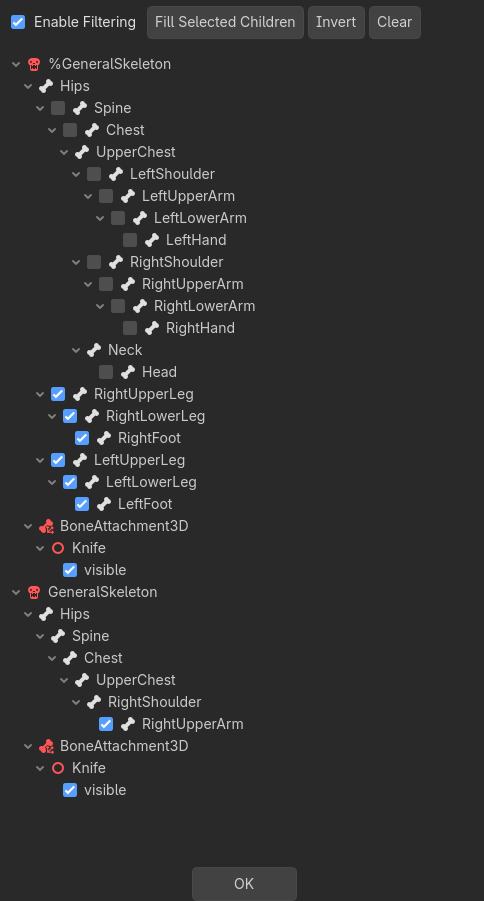
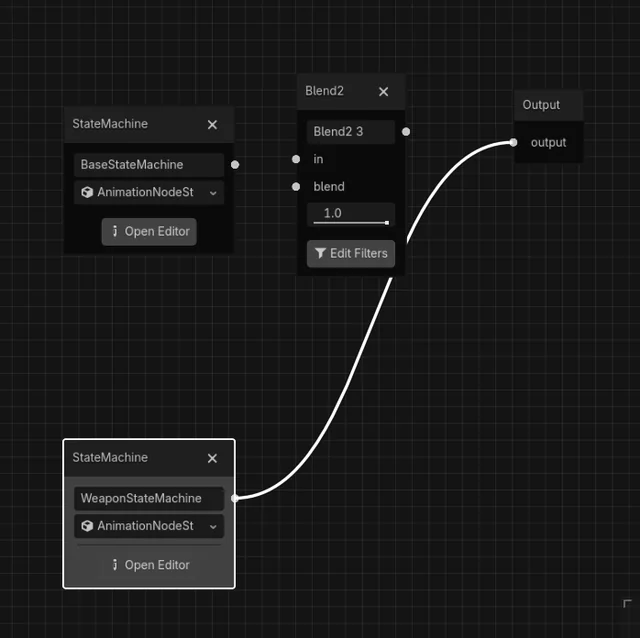
In the filters there is an entirely other skeleton listed that has JUST the right upper arm. I suspect that this may be causing the problem. I have the base state machine and weapon state machine hooked into the blend 2 3 which is hooked into output now btw.

Edit 2:

I am very confident this has something to do with it. All of the animations except for raise knife reference the unique skeleton.

Edit 3:

After making it so everything references the skeleton as a unique node, the issue has been fixed. While I can still see the knife visibility under general skeleton in the filter, I’ll track down the references and remove them.

Thank you for the help. I won’t immediately flag this as solved in case something else comes up, but it now works while keeping “deterministic” on.
See the instructions you need to use the correct tool to format code, instead of using quote blocks you need to use code blocks