I come from the web development world, and there are a lot of project structure/architecture paradigms, such as SCREAMING architecture.
I’ve tried adapting some of them + my own preferences to Godot, but none have been fully satisfactory, and I was wondering if there are any “official” ones or maybe some tested-out approaches. The docs only give some really basic guidelines.
I’m also curious about what you guys use and your opinions on this matter. Basically I’m looking to start a discussion.
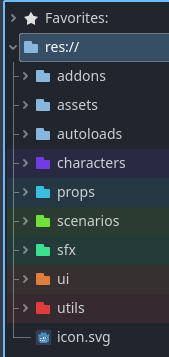
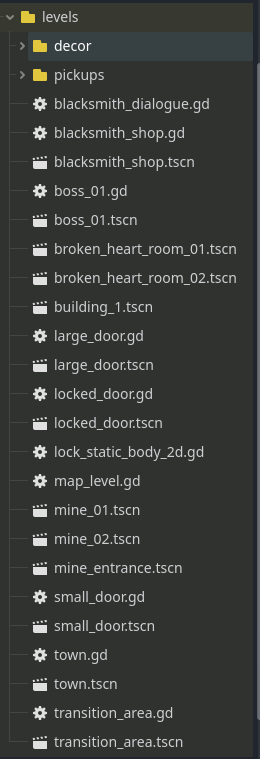
For reference my current structure is more or less like this:
Turns out I like the screaming style, I’ve been promoting it on my teams didn’t realize it had a name. Making folders based on function rather than tech i.e. a folder for “Player” with scripts and assets pertaining to the player rather than separate folders for “Scripts”, “Assets”, “Resources” each holding essentially a file extension.
Yeah, although not strictly I really like to enforce the general idea behind screaming architecture at work.
The thing is with godot it works better than, dividing directories by file type (scripts, scenes, etc), but there are areas like sprites or “prefabs” that I’m a little unclear about.
For example, imagine you have a Enemy Directory shaped like this.
enemy
abstract_enemy
abstract_enemy.tscn
abstract_enemy.gd
mage_enemy
mage_enemy.tscn (inherits from abstract_enemy)
mage_enemy.gd (inherits from abstract_enemy)
It makes sense from a “coding” standpoint for the mage enemy to be close to the script / scene it inherits from, but if I then add a strong_mage scene that just tweaks some params from the mage enemy, should it fo in the same dir? I feel like it should go into a “prefabs” or “level items” dir or something like that, but I’m not entirely sure about that either.
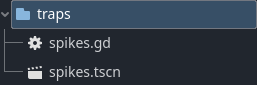
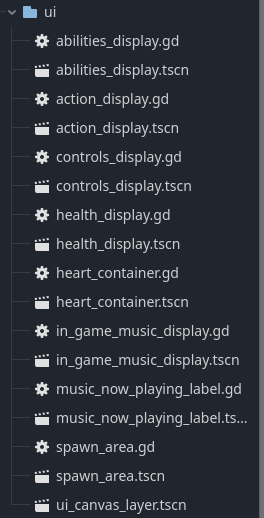
The sub-folders are arranged in a similar manner. Shared scripts go into a _scripts directory at the top level of each category.
My personal preference for handling a case like the strong_mage is to have it be in a separate folder. I am a fan of the single responsibility principle.
Nice, your inspector looks clean, i like how you apply the screaming principles but dont make any distintions between code, scenes arnd assets. Also I really dig the colors.
Just to clarify, would you do this?
src
enemy
abstract_enemy
abstract_enemy.tscn
abstract_enemy.gd
mage_enemy
mage_enemy.tscn
mage_enemy.gd
prefabs
enemies
strong_mage.tscn
Or would you ignore the src flag and just put everything under the enemy dir? I think it might be clearer the second way but I’m not a fan of putting together “abstract” things that are code with assets that barely have any code modifications; i just consider them separate types of assets
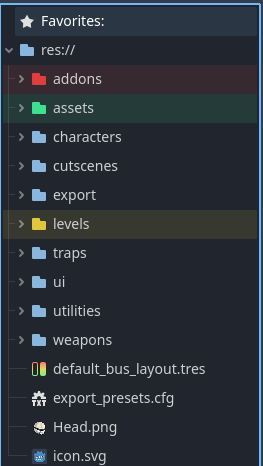
Yeah this is how I structure my games. I HATE following tutorials where they break thinks into scripts/scenes. However, I do think assets are better off in their own structure. So here’s an example of a game I made for a Metroidvania game jam.
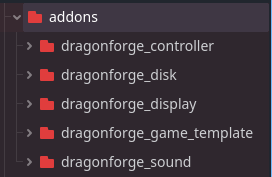
In my addons folder is actually most of the code for my game, because I split up functionality and created plugins that I can re-use from game to game. (They’re also all open source and on GitHub. See links below.)
Controller handles keyboard, mouse, and gamepad input. It handles remapping controls, and it handles displaying the correct icons for users given an action and the input the user last used.
Disk handles Save/Load functionality for both the game and all settings (except for controller settings for reasons.)
Display handles multiple monitors, full screen, changing resolution, etc.
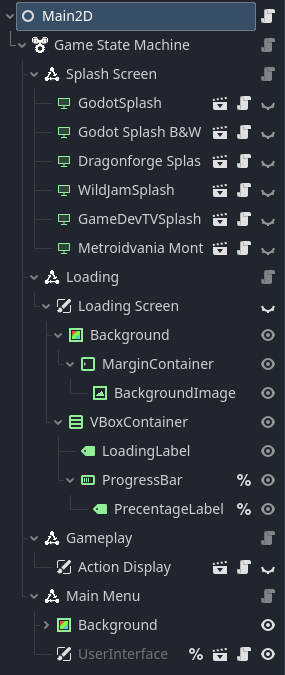
Game Template handles the UI for a default game, including a game state machine that handles splash screens, main menu, all the settings menus (linked to other libraries), loading a game level, creating a load screen with progress bar, and basically bringing all the libraries together. It also has example 2D and 3D games to build from.
Sound That handles volume levels, polyphonics, sound effects, dialogue, game music and pause menu music. Also handles fade in, out and cross-fade for music, music albums and other things.
Assets
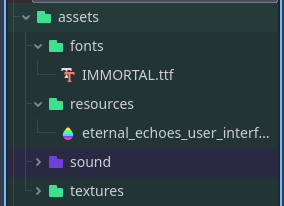
I consider assets anything made outside the game plus Resource objects (themes etc). This is a 2D game, so there would be a folder for models if this was a 3D game. My goal is to be able to find anything I need. I don’t store assets with the things that use them for the simple reason that sometimes multiple things use the same resource in very different parts of the game.
I have also found in practice that storing assets together makes it easier to delete things that are no longer in use.
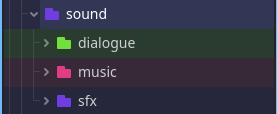
Here I have things split basically by audio bus. They are under a sound folder so that in projects with more assets, it’s easy to find all the sound files.
Here I have a temp folder for working on files called audacity_files. I used it for working inside of Audacity and outputting everything to one place that would automatically get imported. Then I could move them to the desired folders.
The folder intro_pan_and_scroll is the internal name I used for the introduction cutscene of the game. Underneath there are three folders for each speaker. Then the individual files used in the cutscene animation.
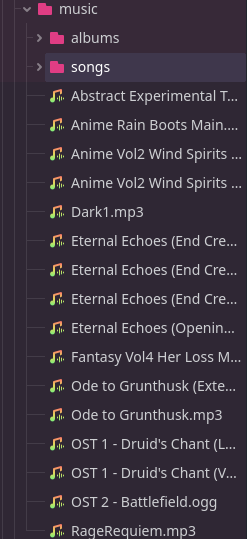
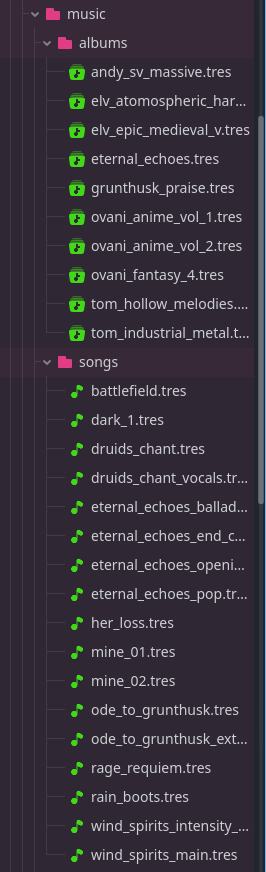
All the game music is in the music folder obviously. Inside the albums directory are the custom Album resources from the Sound plugin. They allow me to track (and display in game) information about the albums of music (who made it, a link to their site, etc.) Likewise in songs there are custom Song files that allow me to deal with fading information, as well as attach albums and human-readable song titles.
Every 2D texture in the game (whether 2D or 3D game) is here. Whether it’s the icon for the game, UI, splash screen, characters, or items, everything visual is in one easy place to find.
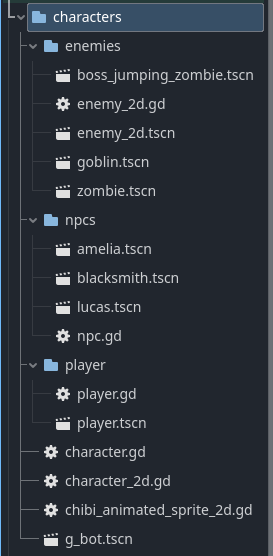
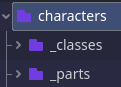
This folder holds all the scenes and scripts for characters. Players, NPCs and enemies. You’ll notice that there are some scripts in the root characters folder. They are classes that are either used or inherited by the more specific classes/scenes.
The export folder in other systems might be called the builds folder. I named it export because that’s what Godot calls it. The entire folder is added to the .gitignore and it is also automatically ignored by the export process itself.
What you expect is here. Looking at it now I would probably organize it more. But anything placed in a level, such as decor and pickups is also placed here.
Wow, such a thorough answer, thanks for replying!!
I really like the way you organize things, and I am really curious about your add-ons. It is something that I’ve been wanting to do for a while but I have never found the time.
As for the project structure, it follows more or less what I do, but I really like to separate abstract stuff (mostly code) from assets and from game items. I’m not sure this approach is taking me anywhere because I’m not entirely comfortable, but I’ll stick to it for a while, and if it does not work, I’ll try yours.
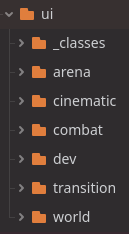
Another thing that bugs me is UI. because I don’t know if I should consider it its own category. For example, the inventory could go inside the player directory, but cases like this are not common, so it feels weird to keep only a few files outside of the UI directory, buuuut it also feels wrong to have them anywhere else.
I guess this will be a matter of making more guess and figuring what things work for me
I would put everything under the enemy dir, which I would put under the characters dir.
I have broken the building blocks I use for characters into two categories, classes and parts. The difference is that parts require the addition of a node to the character scene.
I am a fan of assets that have few code modifications. Ideally I want to only write code for that asset which is specific to that asset.
I really appreciate posts like this because i have consistently struggled with project organization. I found looking back on older projects that a lot of things were not as badly placed or disorganized as i feared. I usually separate assets imported from other software from the internal godot files. So i have:
Then sometimes scripts appear with the scene files.
But at least the .glb files are always in the assets/models directory and the scenes for characters are always easy to find.
Some of my other projects have a different structure, for example i experimented with voxel GI and lightmapping, there are navigation grids too, so the resources for them also go into directories.
Theres obvioisly an advantage to using SCREAMING for organization - but if you dump all the images or models into one directory it can be easier to find duplicates, like texture files that could be shared between models.
The point wanted to make, was that essentially it doesnt really matter how theyre organized as long as theres a structure that allows me to find what im looking for - with some guide to what i need to look for. I always use the same rules so the projects are maintainable.
Team projects should have a clearly defined directory structure.
Thank you. All my add-ons are open source, so feel free to use them. I split them out so that I only need to pull in what I use. If Godot was a little more library friendly, I’d probably separate them out even more. But I’ve been working on them for a year now. And TBH they are constantly behind whatever my latest project is - but they continue to get better. I need to totally re-vamp my Music plugin after the Godot 4.5 release.
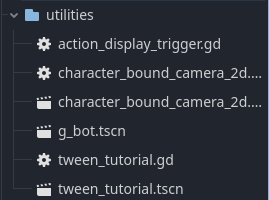
I guess that depends on what you view as abstract. What I view as abstract goes in utilities. Everything else I consider quite concrete and the scripts go where the scenes are. But it depends on your workflow. Right-click → Show in FileSystem is very useful.
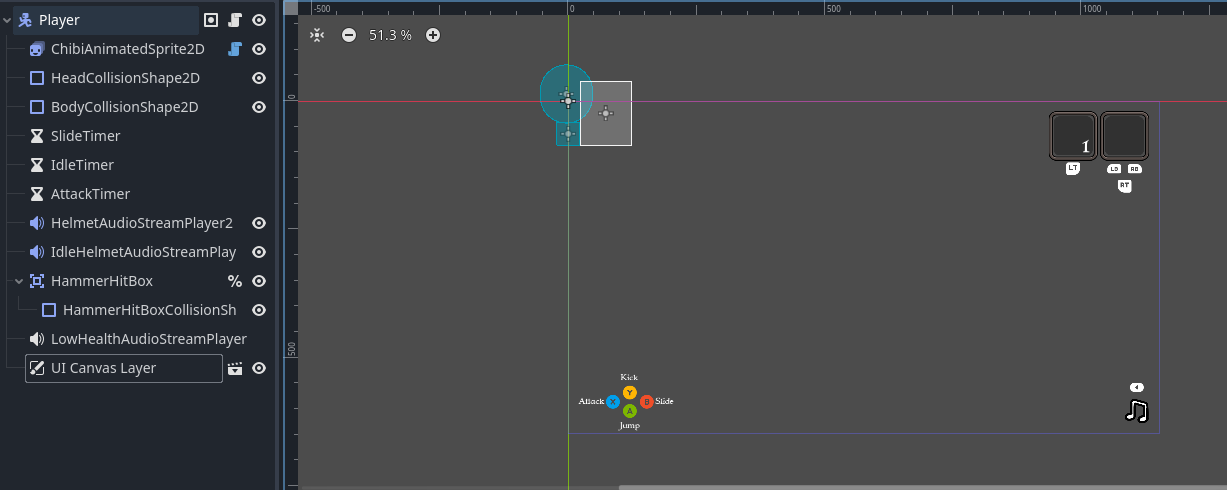
However, inventory and HUD I always do hanging off the player. Typically they require a lot of knowledge about the player and there are usually signals
For example this is the 2D view of my 3D player in my game Skele-Tom.
I’m not a fan of scripts and scenes being “categories,” but I really like your general take. Different projects and different stages require different organizations; the important thing (especially in team projects) is to settle on a organization and commit to it.
Also, I can totally relate, and I also think posts like this are important and these kinds of topics should be discussed more often. In web dev it is a thing (at least in the places I have worked at) and people are really opinionated
I dig your approach; Godot in general encourages composition over inheritance, and I think it’s becoming the mainstream in tech in general (always was, but…).
I think I’ll stick to my approach for now. Just to be clear, my strong_mage wouldn’t have any coding modifications; I just would treat it as an asset, whereas the mage falls more in the abstract category; it’s just a blueprint even though it is fully realized and functional. The way I think of it, I would want someone with no experience in programming to be able to build a level without seeing any script; that’s why I want to separate my “level items” from anything that has any code.
Anyway thanks for replying; it’s always nice to hear other people’s opinions
And then all the stuff for each NPC would be kept in their folders, except the imported assets.
There is a big change though - i recently stopped using a different scene for each character, so ‘guard’ can now be multiple character types. The animated model scene is loaded dynamically. (This has worked on export but it also should be tested on different platforms - i try to use continuous integration to keep the project in a working state).
The advantage of SCREAMING is obviously that there are rules to use that are repeatable and so the project is intuitive to work on. Theres probably a performance boost from not constantly hopping directories when loading scenes and their sub-scenes, especially if the load can be done as a contigious chunk - saves on string processing anyway.
Hadn’t really thought about performance, but you are probably right. Now I am curious about how noticeable it might be, although it probably wont be much and I think it might be difficult to measure
It’s unlikely that there’s a performance boost. Computers store things like file locations by address (on disk or in memory). So regardless of the location in the file structure, to the code there’s no difference. Also, once you export something, you are trusting that the creators of the engine are optimizing for you. Things packed into the .pck are packed for ease of access for the interpreter (or compiled binary in the case of C#) and do not necessarily have any relation to whatever organization you may have in the project.
Yeah that is interesting, so perhaps the .pck packer starts with the entry point and then reads until it finds a resource, then starts writing resources to the pack file in the order they are encountered.
I would have expected the memory structure of the uncompressed .pck to be quite similar to the directory structure … then when stuff got loaded i would hope that maybe the interpreter could cache a bunch of memory read instructions in case they could be loaded as one chunk … and apparently memory reading contigious chunks is faster than scattered reading, although i thought initially that was true about old style magnetic hard disks, it is apparently true with GPU memory and probably RAM.
I was thinking of using something like this, so each scene is separated into a “home” where all of its dependencies are kept. I’ve haven’t tested this on anything big however.
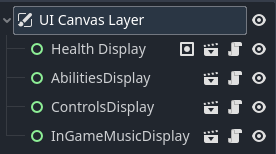
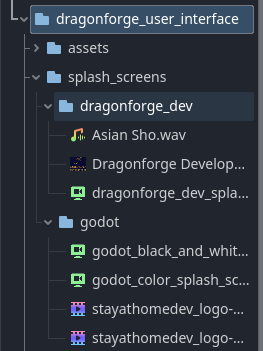
I was working on a new plugin, User Interface. I had a problem with my UI framework and I decided it was time to pull it out of Game Template and simplify it. So I put three default ones I use all the time into the addon itself. A color Godot animated logo, a black & white version, and my Dragonforge Development logo.
But then I also have a bunch of splash screens for game jams, and I might want to use them again.
So in the future, if I want to import a splash screen and modify it for a new game jam, it’s a lot easier to drag-and-drop one folder, instead of pulling things out of the textures, videos, fonts, and various music and sfx directories. If they’re all together, they’re portable.
And this really brings up my biggest use case - which is reusability. I like to be able to move things from game to game. So it’s got me thinking about my asset folder structure - but for now it’s staying the same.