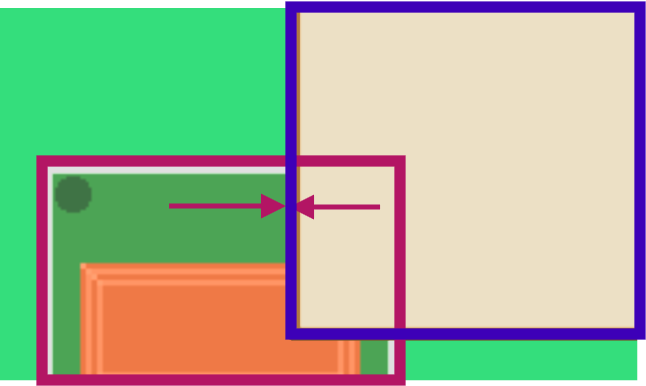
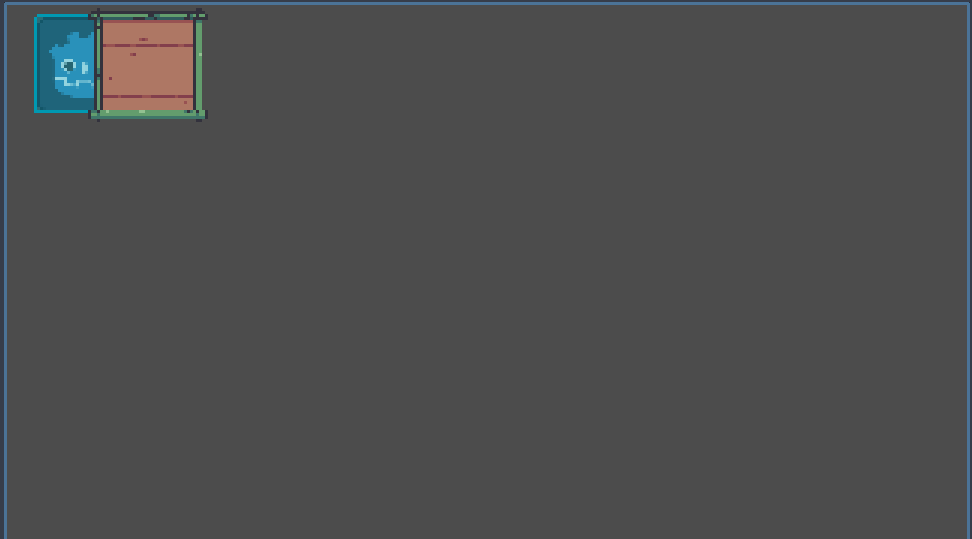
When I move the mouse from Area2D to NinePatchRect, (around where the arrow is) I expect that Area2D fires mouse_exited. And that’s it.
But sometimes Area2D emits first mouse_exited, and then mouse_entered. And that’s it. So my logic thinks that the mouse is still on the Area2D.
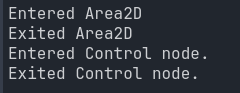
I added print just after each signal is emitted.
mouse entered Area2D
mouse exited Area2D
mouse entered NinePatchRect
mouse entered Area2D ==> this is the extra emit that I expect not to happen after mouse moves from Area2D to NinePatchRect
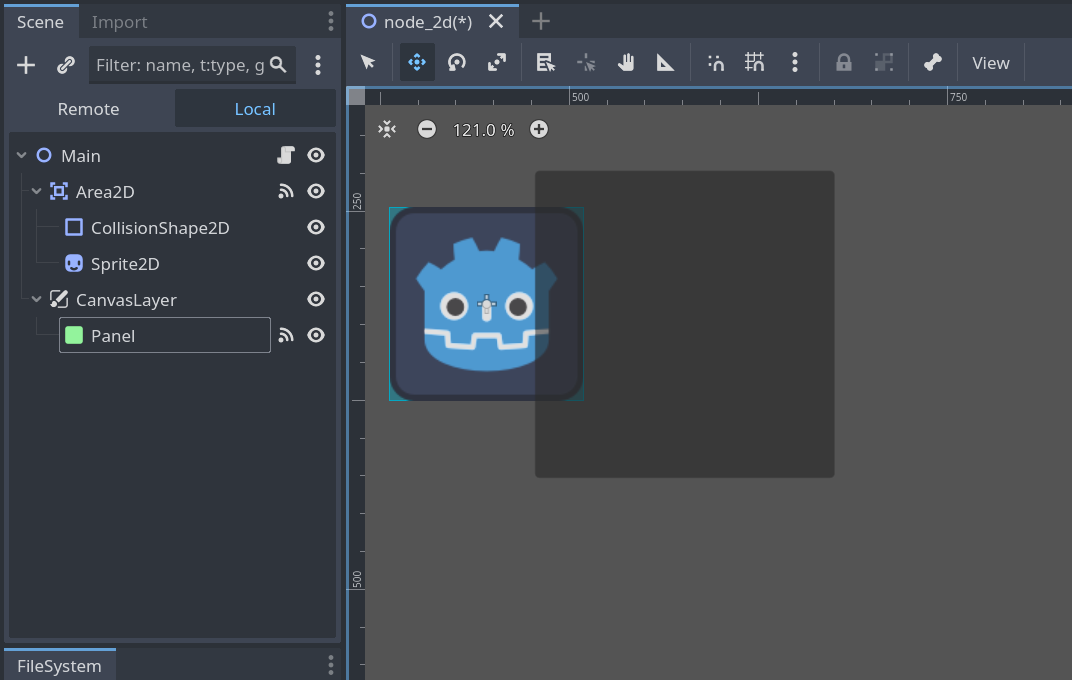
I don’t know if this helps, but with a simple test set up it appears I could replicate the issue exactly. But only if the mouse filter was set to PASS. It is strange when you see it happening, and I was not expecting it to behave that way. That is I was not expecting the additional ‘mouse entered area 2d’ to fire again.
area2d enetered
area2d exited
nine patch enetered
area2d enetered
That last area2d entered I was not expecting as I was already in the area2d.
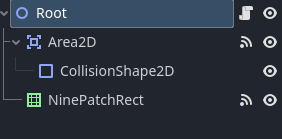
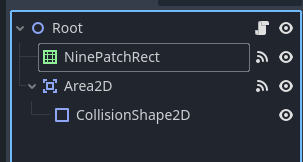
I suppose it depends on how your nodes are set up (children, siblings etc) but I found that I got the results you originally intended if I changed the mouse filter to stop on the nine patch rect (which you said you did but for me it now works).
Moving from area 2D over to patch:
area2d enetered
area2d exited
nine patch enetered
There are also a few older github mentions of problems around this very issue, so I cannot explain ‘why’ this happens, it seems to be just a characteristic of the overlapping and how the signals are handled (and it also seems to be a known behaviour).
It might not fit your requirements, but as I said, setting the filter to stop on the nine patch rect resulted in the behaviour you expected. Even when I swapped the order of the nodes around.
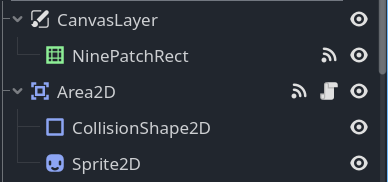
What is your node set up? Are they siblings and if so in what order? Are you sure your rect is set to Stop?
PS There is definitely something ‘odd’ though about how the rollover to the rect makes the area2d entered fire again, even though the mouse never left. Curious indeed.
PPS Perhaps using area2D for gui input like mouse detection is the source of the issue.
It’s the overlap I guess. The mouse is being calculated over screen pixels and since they are overlapping, Godot could mistake entering the other node an exit signal for the other one. Try changing their Z-axis, or add a line of code to ignore any mouse event on the Area2D if the mouse is on a control node. You can do this by using get_viewport().gui_get_drag_data() or get_viewport().gui_has_modal_stack().
Oops! My bad. get_viewport().gui_get_drag_data() is for checking drag and drop commands and get_viewport().gui_has_modal_stack() is for checking if a control is active on top of another. I guess what you could use is something like this:
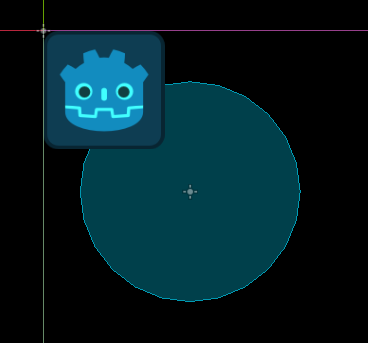
And with the Nine Patch set to mouse filter STOP, if I run the mouse from the bottom right of the circle, into the area2d, then into the NinePatch, then back out of the nine patch and out of the circle again I get exactly as you would expect (and I think as you wanted).
area2d enetered
area2d exited
nine patch enetered
nine patch exited
area2d enetered
area2d exited
(Just noticed the ‘enetered’ but ignoring that silly mispelling for now).
I did and I didn’t spot any issues, but to be fair it produced a lot of output that I only glanced at. It might have but I don’t think so. Certainly mouse speed made no difference but I could imagine it might.
I just noticed a note on the mouse exited that says this:
Note: If you want to check whether the mouse truly left the area, ignoring any top nodes, you can use code like this:
func _on_mouse_exited():
	if not Rect2(Vector2(), size).has_point(get_local_mouse_position()):
		# Not hovering over area.
So I think to prevent the erroneous mouse_exited and mouse_entered signals, you could use something like a flag on the node for “is_mouse_rolled_over”. So if the mouse entered signal fires but is_mouse_rolled_over = true, you don’t do again whatever it is you do when this happens.Then on exited, use the code above to check the mouse has ‘really’ exited, and if so set the is_mouse_rolled_over to false. (I hope that makes sense)
Anyway, that could be an approach to deal with the erroneous firing of the overlapping elements entered and exited signals.
I could not get any errors. However the order of your nodes is opposite to what you implied in your question. There was a strange behaviour that way in that the area2d was only highlighting when you were not on the rect, so the rect was getting the signal first.
But, if I swapped them around, all was fine again.
Can you tell me again what way around you wanted this to work? Is the nine patch ‘over’ the area2d, so the area is exited when the mouse is over the rect (like I thought in the original question) or the other way around?
You are right. I was trying different order of nodes and I forget to switch it back. But it didn’t matter for the first computer I tried. I always seen the issue. (please check my previous message)
Yep, tried it in mine and it was working fine. One thing to note, though, is that Control nodes take precedence over any node when it comes to input, whether it’s under or over the Area2D.
Oh, that is weird. I cannot imagine why this might be hardware dependent.
I have never raised a bug report either but I am sure it is quite straight forward.
However, it might be worth waiting to see if anyone else has an input on this issue first. Or as people don’t seem to join in on conversations that have quite a few replies, perhaps start a new post about the new issue of why a different computer might produce different results. I know windows 10 and 11 have changed the way a mouse input and focus work, but I am certainly no expert in this stuff, and no idea of how this might impact Godot.
What are the two systems you used and what are the specs of the one where the issue appears?
PS Did you see where I pointed out the notes in the docs about checking to see if the mouse had really left an area? Did you try doing something with that, so you double check the signals.