Godot Version
MacOS Liquid ‘ass | Godot 4.6.2
Question
I am trying to start learning about shaders but every tutorial and Godot docs show screenshots that are different to what I get when I follow these steps:
- New project, new
Node2Dscene - Create a
Sprite2Dand assign Godot logo - Inspector / Material / new ShaderMaterial / New Shader… / Select VisualShader, Canvas Item
- Add
ColorConstantand plug into Output’s Color
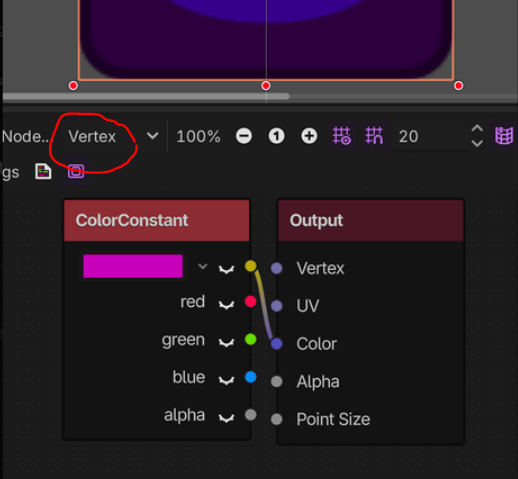
Firstly, my Output node doesn’t have the same inputs as I see elsewhere. Secondly, when I plug in the ColorConstant:Gold and change colour, it’s blending rather than replacing the pixels of the sprite. This isn’t the behaviour I expected from watching tutorials and under Inspector / Shader there’s no option for “replace” or amount to “Mix”.
This is what I get:
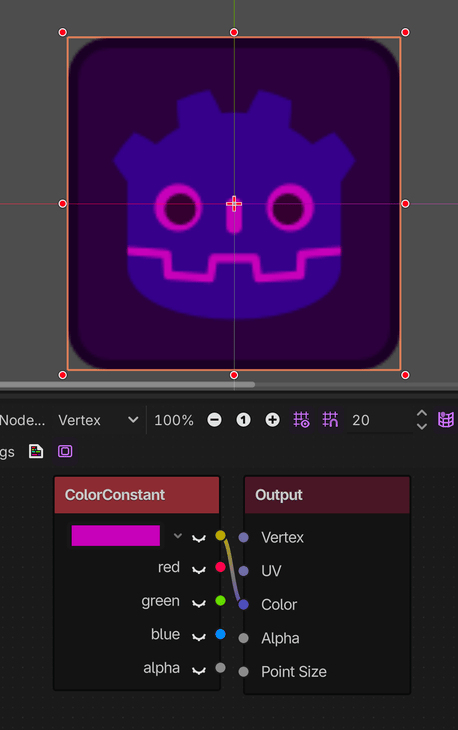
This is the Output node I expected when creating a VisualShader, Canvas Item:
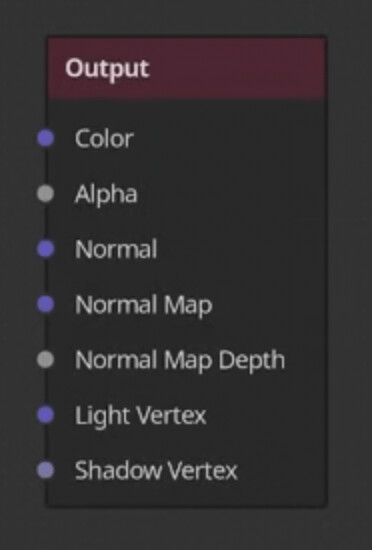
I assume I’m doing something wrong but I can’t figure out what.