Batching Problems: Expected 9 draw calls, got 100

Godot Version

4.3-stable

Question

Hi,

I have been chasing down an issue for hours involving the number of draw calls for a mesh that should have some degree of batching with the Forward+ renderer.

I’m rendering 524 trees, and there is a y-billboarded Quad mesh that fades in once the tree gets further than 10 m away from the camera - this all works well, but during optimization I was suprised by the number of drawcalls that were popping up for the Quad mesh.

All details are below, but basically, I have a bunch of QuadMeshes being used as a billboard (each on a MeshInstance3D). They are a part of a “tree” packed scene, and there are 9 different StandardMaterial3Ds that are used. I’m expecting 9 draw calls, and I’m getting 100.

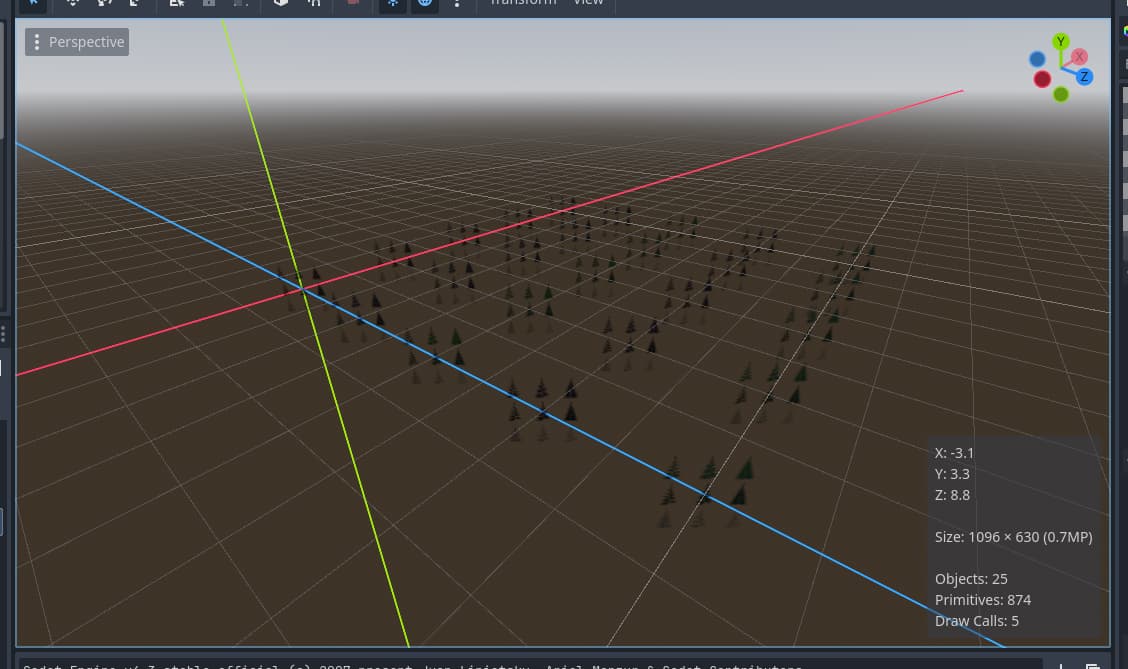
Here is the scene with virtually everything stripped out except the sky:

At this point, Godot is reporting 118 draw calls.

If I hide the billboard meshes, the scene becomes empty, and there’s just a single draw call. My “reference” scene has 1 draw call, 1 object, and 12692 primitives. With the billboards in I’m getting around 100 draw calls, 15486 primitives, and around 1400 objects.

The primitive count is in the ballpark for what’s expected for 524 quad meshes (the delta is about 3000 primitives). The drawcalls seem way off to me.

For the billboard quad meshes, there are 9 variant materials,

The mesh is the same every time, and I am careful that the mesh and material are not duplicated. They are set procedurally in code via a dictionary and a lookup key:


const BILLBOARD_MATS = {
	"0_0": preload("res://prefabs/tree/billboards/mats3/billboard_green_density0.tres"),
	"0_1": preload("res://prefabs/tree/billboards/mats3/billboard_green_density1.tres"),
... 7 more times

And then during the ready() function, this is called:

func load_billboard() -> void:
	var key := str(state)+"_"+str(density)
	branches_billboard.mesh = BILLBOARD_QUAD_MESH
	var mat: StandardMaterial3D = BILLBOARD_MATS[key]
	branches_billboard.set_surface_override_material(0, mat)

Branches billboard is just a multi-mesh instance3D.

The materials are all StandardMaterial3Ds, but here are the settings:

  • Transparency: Depth Pre-Pass
  • Cull Mode: Disabled
  • Shading Mode: Per-Vertex
  • Albedo Color: f2f2f2
  • Albedo Texture: (all use the same branch_billboard.png)
  • UV settings are unique for each material
  • Shadows: Disable Receive Shadows
  • Mode: Y-Billboard
  • Keep Scale: On

Some of the settings I’m just experimenting with. The texture looks like this:
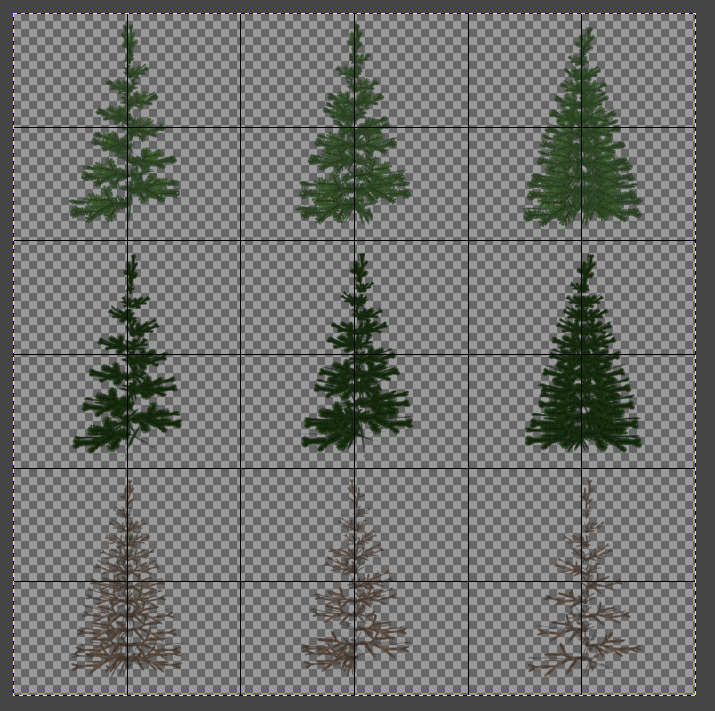
Basically just shift UV coords to get whatever tree is desired.

Am I severely misunderstanding how Forward+ batches draw calls? Is there some other limitations I am unaware of?

I know how to use MultiMeshInstance3D, but I’d rather them stay as individual MeshInstance3Ds in this case.

Hi.
I can’t tell you how this specific number of draw calls comes together … but …

Have you checked that every mesh and material is actual a instance and not a copy? ( you said UVs are unique for each material, so those are not instances)
If you are using a light, shadow rendering is a draw call for any scene object for every light that casts shadow.
If you are using directional light with PSSM shadows ( by default ) you can have multiple draw calls for every split.
Depth pre pass must be a separate draw call (i guess) but doesn’t seem to be counted by the debugger monitor, so are transparent objects (which are rendered in the transparency pass).

… and by the way. It’s very helpful that “most changes” in the editor are directly executed into the playing preview. Therefor you can switch things around and directly measure the difference in draw calls.

Thanks for responding. As per instance vs. a copy - I’m attaching the materials and meshes via GDscript, and I’m not using the duplicate() method, so presumably it’s just an instance of the underlying mesh/material.

Maybe I should say that I haven’t had issues batching things in the past.

I almost need to reach out to someone who works on rendering in the Godot engine to figure out if there’s any code that sorts the draw calls based (kind of like this article: Order your graphics draw calls around! – realtimecollisiondetection.net – the blog)

If not, then maybe the Forward+ can just do some intelligent batching when drawn objects happen to be next to each other in the scene tree.

In any case, I’m going to do some isolated testing in a new project and report back, in case it’s useful to anyone else.

And for context: I definitely need to optimize. I’m already at a million triangles with my terrain system and my tree system :slight_smile: It’s a core mechanic that the terrain is highly tessellated for snow deformation, and that each tree is unique and each branch is interactable… so it is a tall order.

First update:

The basic test passes, and works as expected. I’m generating a grid of 5x5 plane meshes, with the material set based on the x index. As expected, only 5 draw calls:

func _ready() -> void:
	
	for c in get_children(): c.free()
	
	var plane = PlaneMesh.new()
	plane.size = Vector2(1,1)
	
	var m1 := StandardMaterial3D.new()
	m1.albedo_color = Color.RED
	
	var m2 := StandardMaterial3D.new()
	m2.albedo_color = Color.BLUE
	
	var m3 := StandardMaterial3D.new()
	m3.albedo_color = Color.GREEN
	
	var m4 := StandardMaterial3D.new()
	m4.albedo_color = Color.PURPLE
	
	var m5 := StandardMaterial3D.new()
	m5.albedo_color = Color.CYAN
	
	var x_mat: Array[StandardMaterial3D] = [m1, m2, m3, m4, m5]
	
	for x in range(5):
		for y in range(5):
			var m := MeshInstance3D.new()
			m.name = "MeshInstance" + str(x) + str(y)
			add_child(m)
			m.mesh = plane
			m.set_surface_override_material(0, x_mat[x])
			m.owner = get_tree().edited_scene_root
			m.position = Vector3(x*2.0, 0, y*2.0)

Works with each mesh being a “SpecialMesh” packed scene as well. So at this point I have no idea why the batching is not happening in my game project.

SpecialMesh.gd:

@tool
class_name SpecialMesh
extends MeshInstance3D

const x_mat := [
	preload("res://mats/m1.tres"),
	preload("res://mats/m2.tres"),
	preload("res://mats/m3.tres"),
	preload("res://mats/m4.tres"),
	preload("res://mats/m5.tres")
]
const NEW_PLANE_MESH = preload("res://new_plane_mesh.tres")

@export var x_index := -1

func _ready() -> void:
	mesh = NEW_PLANE_MESH
	set_surface_override_material(0, x_mat[x_index])
	print(x_mat[x_index])

And the main script:

@tool
extends Node3D
const MESH_INSTANCE_00 = preload("res://mesh_instance_00.tscn")

func _ready() -> void:
	for c in get_children(): c.free()
	
	for x in range(5):
		for y in range(5):
			var m: SpecialMesh = MESH_INSTANCE_00.instantiate()
			m.name = "MeshInstance" + str(x) + str(y)
			m.position = Vector3(x*2.0, 0, y*2.0)
			m.x_index = x
			add_child(m)
			
			m.owner = get_tree().edited_scene_root

Same result with QuadMesh (as opposed to PlaneMesh). I’ll have to do some more digging in my own project:

Also switching the x and y indices so that the draw calls are not in the “correct” order in the scene tree doesn’t show the issue either - the renderer batches them properly

Updating again: I found this in the 3.5 docs (which may or may not be relevant anymore), on “item re-ordering”. Optimization using batching — Godot Engine (3.5) documentation in English

I think it’s possible since the QuadMesh is nested too deeply within its packed scene, the item re-ordering lookahead value is too small in my project.

I’m going to consider re-architecturing my packed scene first, and then tweak the project setting after. I’ll report back if I find anything.

The batching documentation in 3.x only applies to 2D rendering, not 3D. In Godot 3.x, there was no form of automatic batching (i.e. instancing) in 3D.

I believe you should do your testing using transparency as in your tree sprites.
Pretty sure you’ll find that’s where all those draw calls are getting added.
Cheers !

If you want to dive realy deep in the rendering process maybe this tool will help you

https://renderdoc.org/

With this you can capture the rendering process of a frame and go through it step by step

Thank you everyone for your replies.

@OleNic Just tried it. Unfortunately it still hasn’t isolated the issue I’m seeing. In my test project, I have the exact same settings on the StandardMaterial3D as for my tree billboards in my actual game (including transparency), and the draw call count is 5 in the editor, as expected:

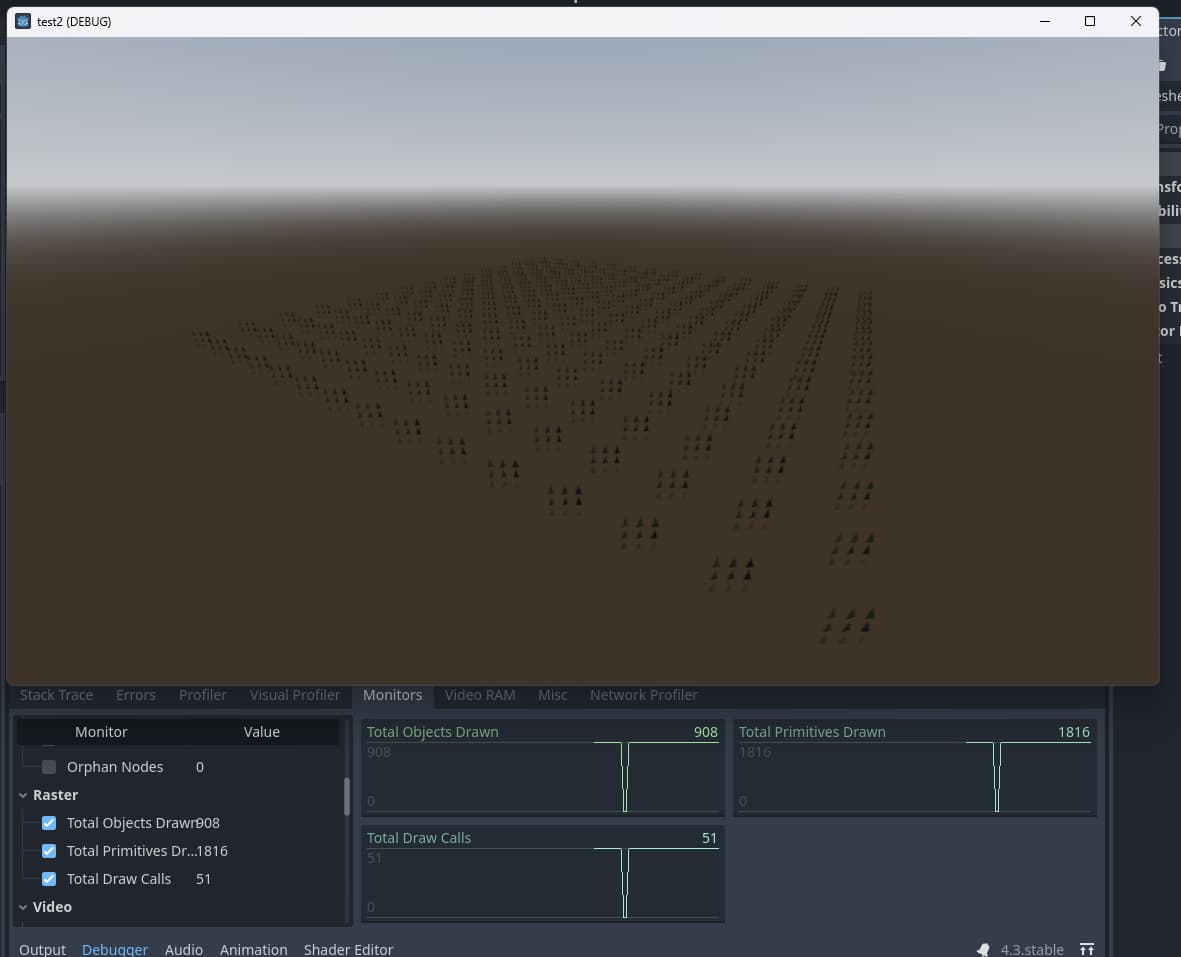
I think the editor is somehow lying about draw calls. The same scene, but not ran in the editor, reports 51 draw calls

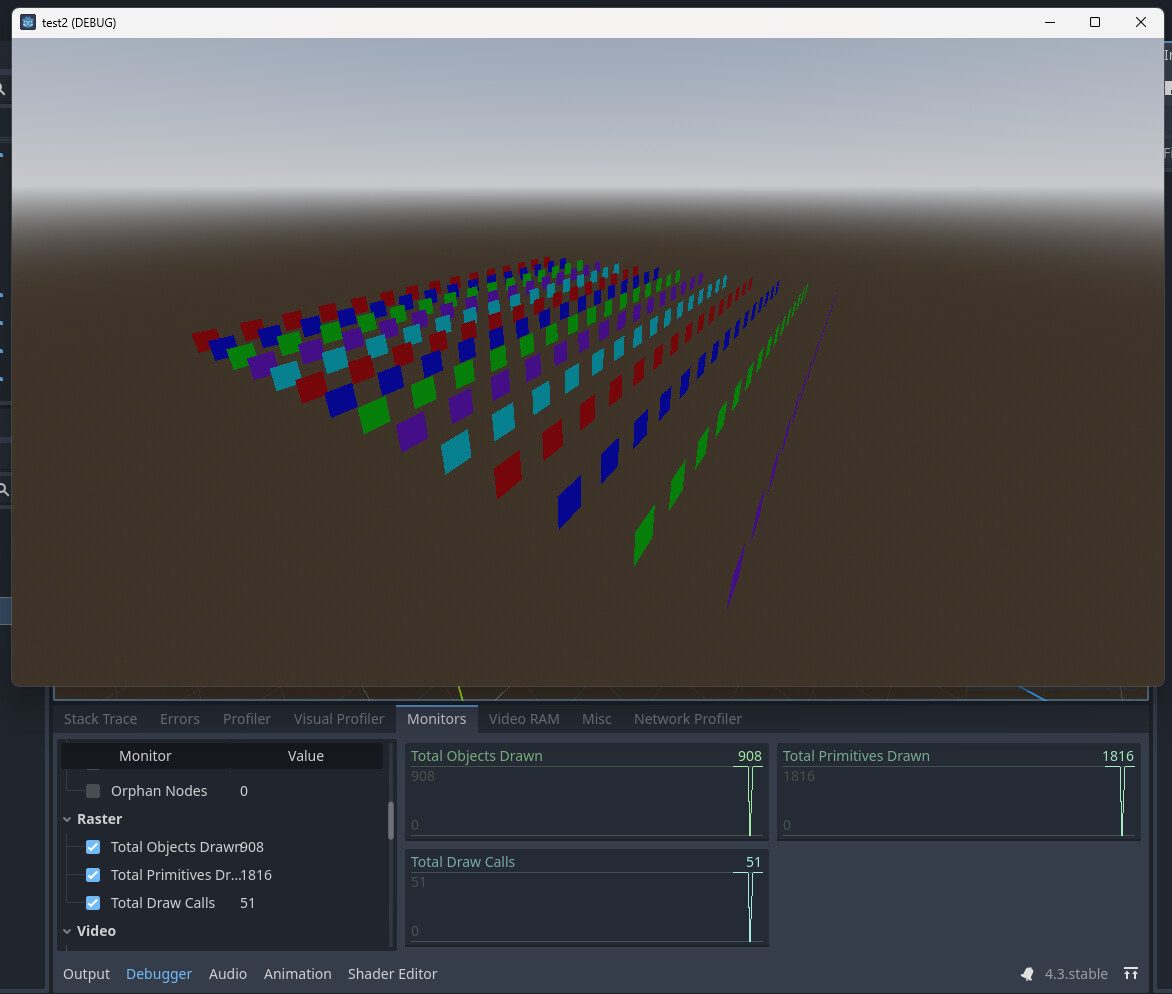
Transparency doesn’t seem to affect this. In fact, none of the StandardMaterial3D properties affect it. In this screenshot, it is literally just a StandardMaterial3D with a different background for the 5 materials.

In theory this should be 5 draw calls. But supposedly the engine is creating many more.

@klaas It’s funny, I’ve used RenderDoc when working on custom OpenGL stuff, but it did not occur for me to use it here… That’s where I need to go next. If the statistics are incorrect for draw calls either in the editor or at runtime, I need to get to the bottom of it.

Sorry for spamming this with messages - but @klaas, I think you were right regarding shadows. I think that’s the main source of the extra draw calls. I need to figure out how to optimize that, because my current scheme with shadows is costing me 4x the draw calls. There’s still something unaccounted for in my original problem (100 draw calls vs 9), but I think this helps me understanding where the bulk of the issue comes from. Thanks everyone.

Hi Jared,
Did you find any solutions? I’ve been dealing with the same problem too.

There was a bug in 4.3 where the Godot editor was not reporting draw calls correctly for transparent objects. It’s fixed in 4.4+ so now it reports accurately.

My actual issue was that batching can’t occur if you have 1000s of draw calls that swap between 2 or 3 different materials. If those 1000 objects use the exact same material, then objects sorted in the transparent pass work very well.
The transparent pass doesn’t sort and re-sort until it has a perfect batching of draw calls. To my knowledge it only applies a single sortation and then draws.

Thanks for the response.
I’m using Godot 4.5 right now, but I’m having an issue with a fixed number of draw calls.
I’m not sure if I fully understand how this works, but here’s what I did:
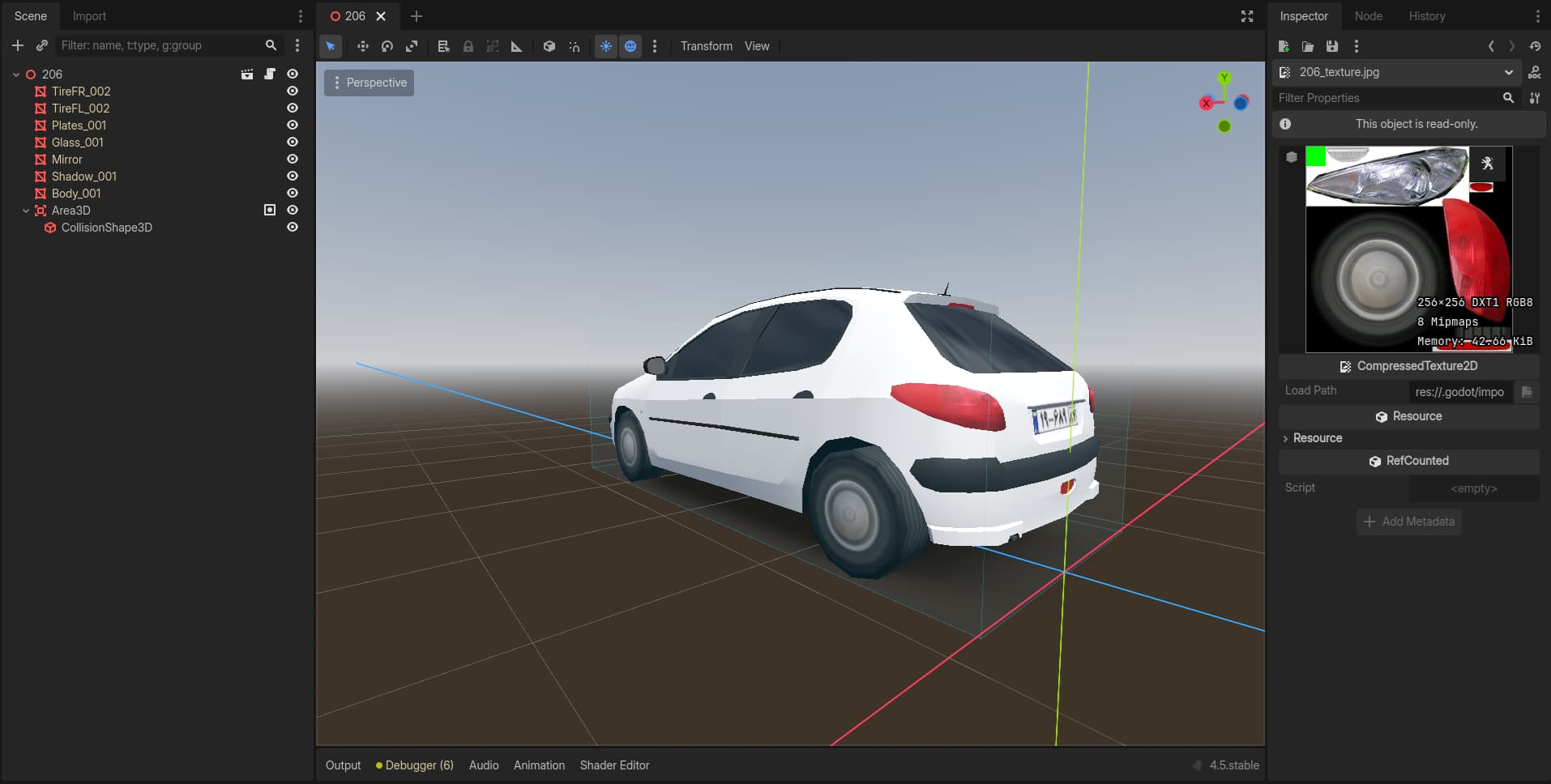
First, I instantiated my .glb car model as a new .tres scene.
Second, I assigned several shader materials to each Surface Material Override part of the car.
Then, in code, I instantiated 100 of these 3D objects for testing.
I made sure not to duplicate any materials in the code, but the draw call count is still high (above 300).

Draw calls depends on Mesh and Materials.
Having 100 instances of same mesh with 1 Material will be 100 draw calls
Having 100 instances of same mesh with 2 Material will be 200 draw calls
Having 50 instances of same mesh with 10 Material will be 500 draw calls

So, is there no difference between these two cases?

  1. having 100 instance of same mesh with one shared material.
  2. having 100 instance of same mesh, each with its own separate material.

A lot of difference, in one case you’re drawing the same mesh in GPU memory 100 times in the same state.
On the other hand, you’re rendering that same mesh, but doing a costly state change a hundred times (each material setting up the pipeline according to its needs)
HTH, cheers !

Thanks for the clarification!
So both methods can result in the same number of draw calls, but the processing cost in the first case is much lighter because the meshes are drawn in the same state, right?

Exact, unless GPUs have changed how they work