Hi everyone. I’m a newbie hopped from Unity half year ago.
Recently, due to my work, i constantly miss hidden dependencies (like a .png linked deep inside a .tres file) or accidentally include the massive .godot cache folder. Unity has the .unitypackage which just works. Does Godot have a reliable, standard plugin for this that I’m missing?
Hey thanks for your question. I will represent my situation. I have a project with so much files and folder. And i want to export the enemy scene to another project. The problem is, some shader, or material (mostly shared one), is forgotten (my bad, but i don’t want to remember where are all dependencies). Then i think that a tool that auto-track all depend files may be existed and open this thread
The Godot UI does a decent job keeping track of dependencies and updating them when files move. Same can’t be said for Godot scripts. While any class you define is accessible, references to assets like png files are hard coded and will break if the asset is moved.
Since I prefer to work in scripts, I have found it handy to have classes whose sole purpose is to serve as a reference to my assets. That way I only have to update one location when something changes and I don’t have to search my code for whatever may be using that asset.
For example:
class_name SoundAtlas


class GameSounds:
	const ADVANCE_GROUP := preload("path to mp3")
	const ADVANCE_PIECE := preload("path to mp3")
	const NOT_ALLOWED := preload("path to mp3")
There may be a plugin that does this, but if there is I am unaware of it.
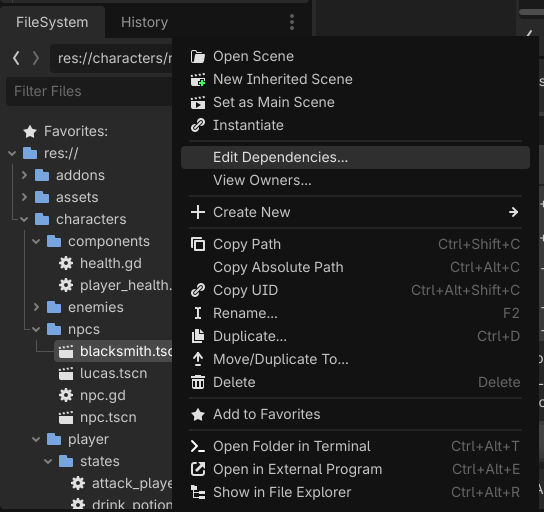
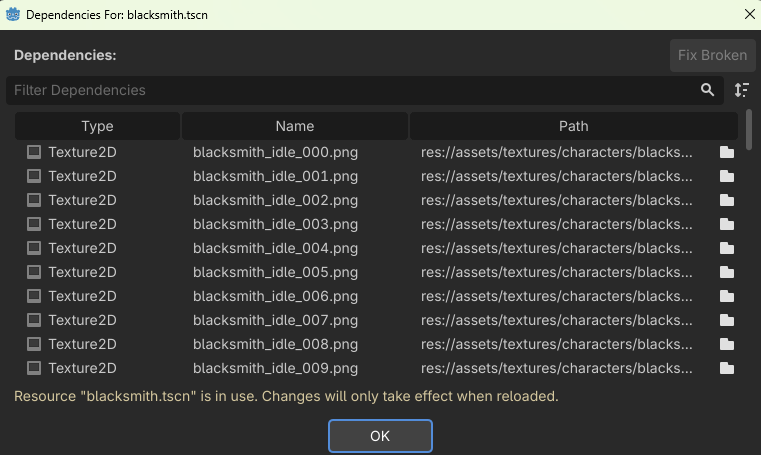
Oh, I actually use that ‘Edit Dependencies’ window a lot to check things! It’s really helpful to see what’s linked.
But my main struggle is the exporting/packing part itself. Once I see that list of 10-15 different dependencies scattered across my res:// folder, I still have to manually hunt each one down, copy them, and strictly recreate the exact same folder hierarchy before zipping, otherwise the paths will break for the person downloading it.
Is there a way to make Godot automatically take everything on that ‘Edit Dependencies’ list and just pack it into a clean .zip file for me? That’s the part I find super tedious right now.
That is a really clever workaround for managing paths in code! I’ll definitely keep that in mind for my own project architecture.
But honestly, this highlights exactly why packing assets manually to share/sell scares me. If my .gd scripts are loading several .png or .ogg files dynamically via code strings, those don’t always show up easily in the scene’s dependency list, right?
So if I want to zip this scene, I have to manually read through my own code, find every res:// path, hunt down those files in the file system, and copy them into the zip folder manually :v
You can do that with UIDs now. As long as the file is in your project, it moving around doesn’t matter. You can get the UID of anything by dragging and dropping it into the Script Editor and pressing Ctrl when you drop it.
If you’re trying to export this for others to use, then you’re probably better off storing things in a folder hierarchy that supports this TBH.
Otherwise you could probably make an export task for that if you wanted it to be automatic you’ll probably need to code it.
Sounds like a good recommendation for a feature though.
Good to know, but I am not sure it will help my particular case. I believe UIDs can change when the underlying file changes, and I tend to work with placeholder assets that get replaced with higher quality versions.
I suppose that depends on how you update your assets. If you give it the same name and put it in the same place that the old assets was, it shouldn’t change. They’re not md5 checks.