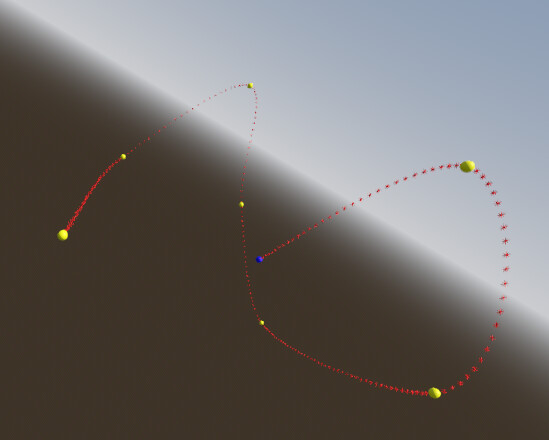
Godot Version
4.5.1.stable
Bezier curve through 3d space
Hello. I want to draw a curve using the following script:
func testSampleBaked() -> void:
	var curve: Curve3D = Curve3D.new()
	curve.bake_interval = 0.75
	for point in points:
		curve.add_point(point)
	print(str("get_baked_length --> "), str(curve.get_baked_length()))
	var min: float = 0.0
	var max: float = curve.get_baked_length()
	var actual: float = min
	while actual <= max:
		markIt(curve.sample_baked(actual, true))
		actual += STEP
where ‘points’ is an array of Vector3 (green and blue) and ‘markIt(…)‘ draws a 3d marker at the given position (red). I get this (only a direct connection between all of my points). This is very simple to do and i do not need a Curve3D or anything else like it to get it…
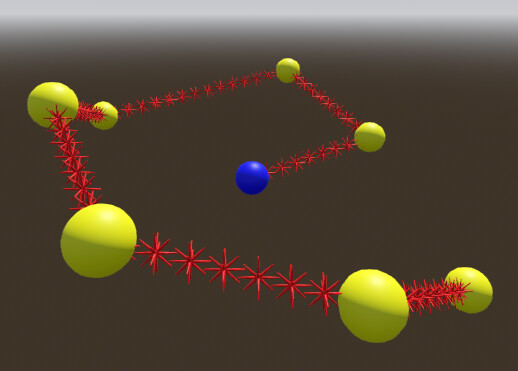
…but as i want to use this curve as a “smoothed“ flight path for an enemy in my game, i of course hoped to achieve something like this:
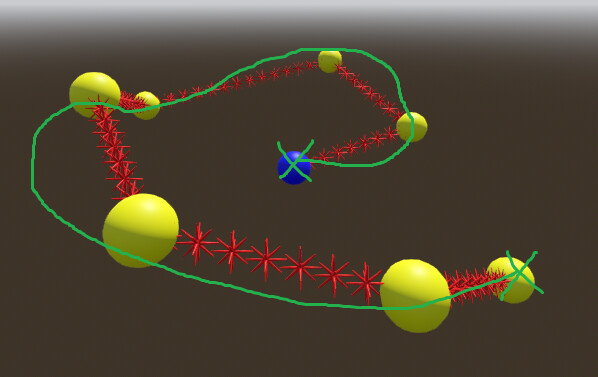
Can anyone help? Thank you:)