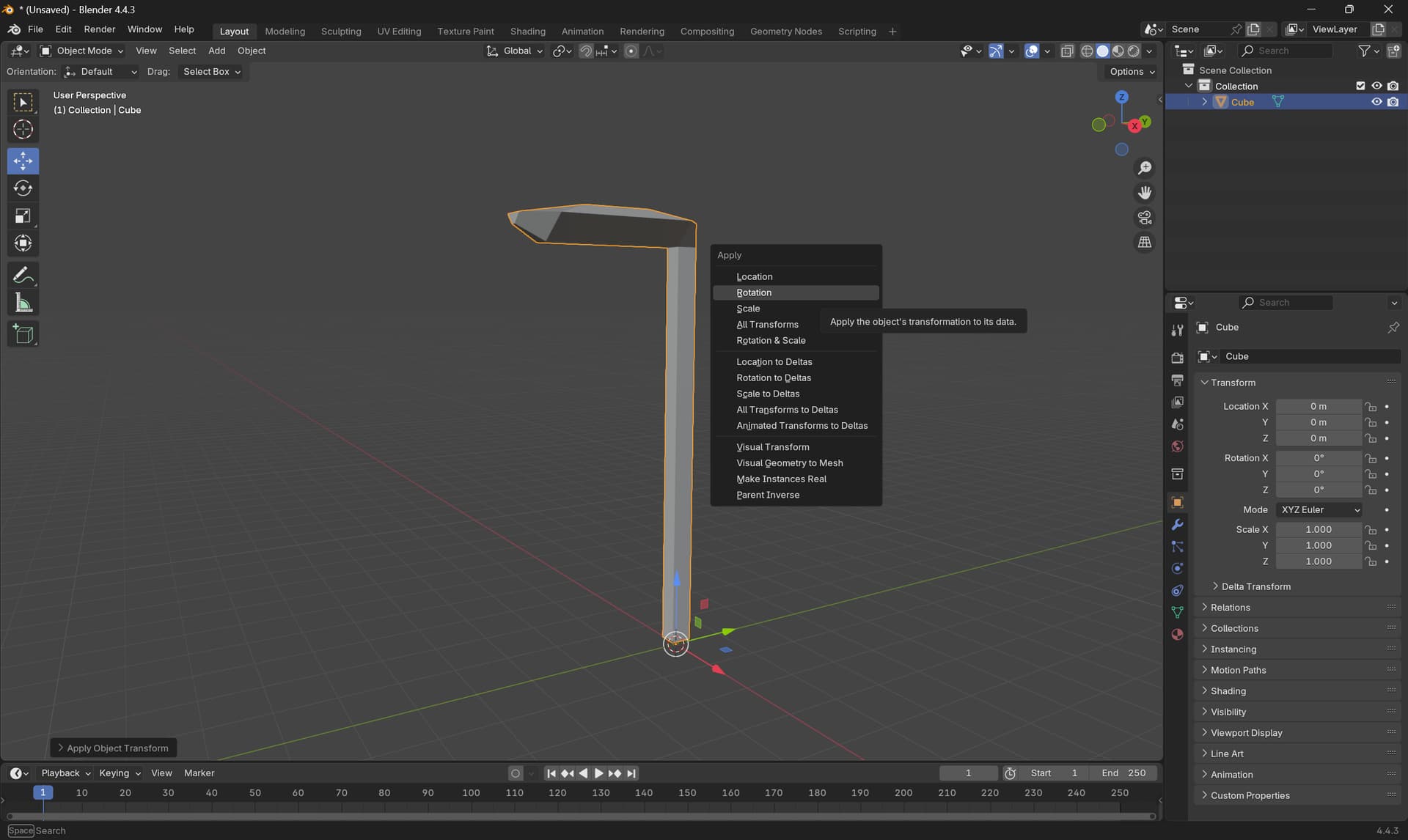
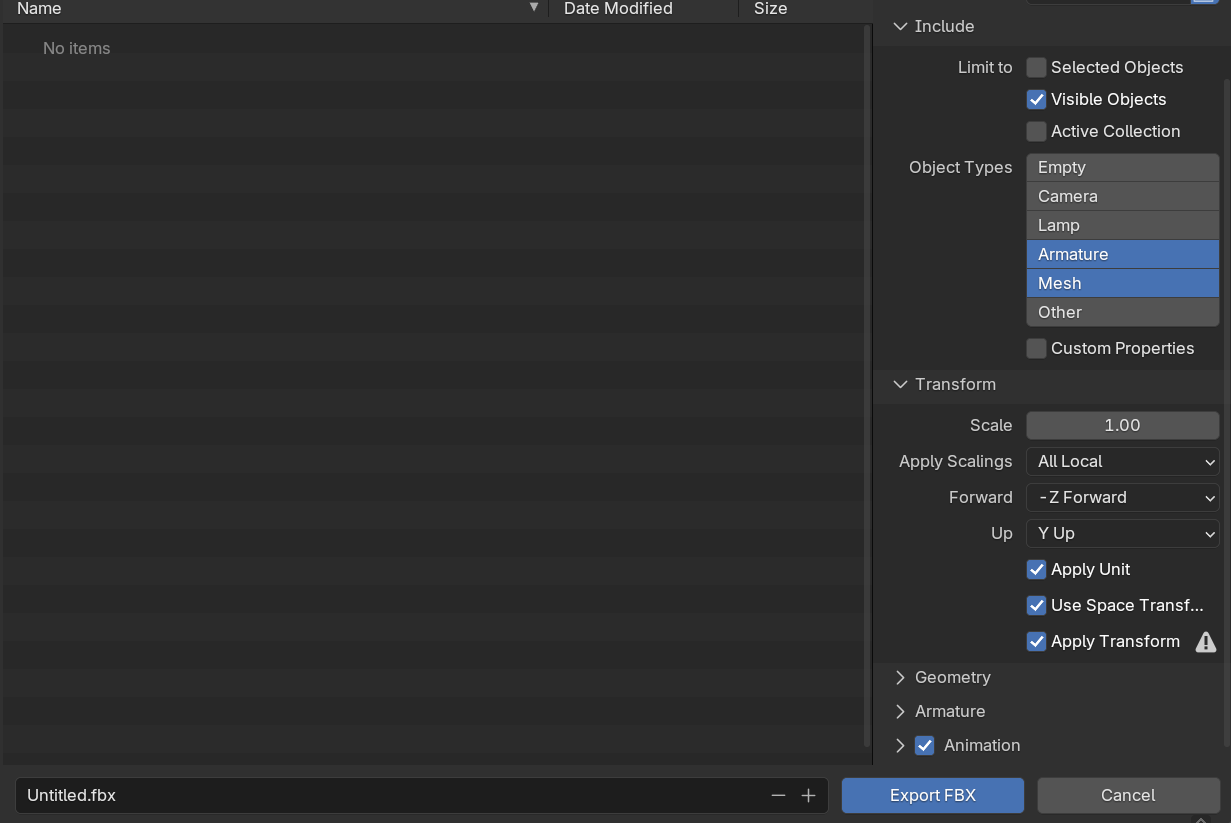
I’m getting this issue with every 3D model I try to import from Blender. My models are facing the -Y direction in blender. I’ve applied rotation, scale, transform on everything. I’ve tried exporting as fbx and as gltf, and it’s exported as -Z forward, +Y up, and apply transform. Every time I then import the model into godot, it is facing the +Z direction - meaning that rotation scripts like look_at are always making my models face the opposite direction. It’s becoming tedious and clunky to just rotate the mesh in godot, and I have some objects where I want to orient specific parts of the mesh to look at other objects, and it just doesn’t work.
I feel like there must be something I’m doing wrong, I can hardly find anyone experiencing this same issue. Is there a setting in blender or godot I can change to fix all my models?
Your models in Blender need to face down the -Y axis. When you import them into Godot, they will then be facing down the -Z axis. Just be sure you have applied all transforms within Blender before you export. The GLB exporter has an option to automatically apply transforms.
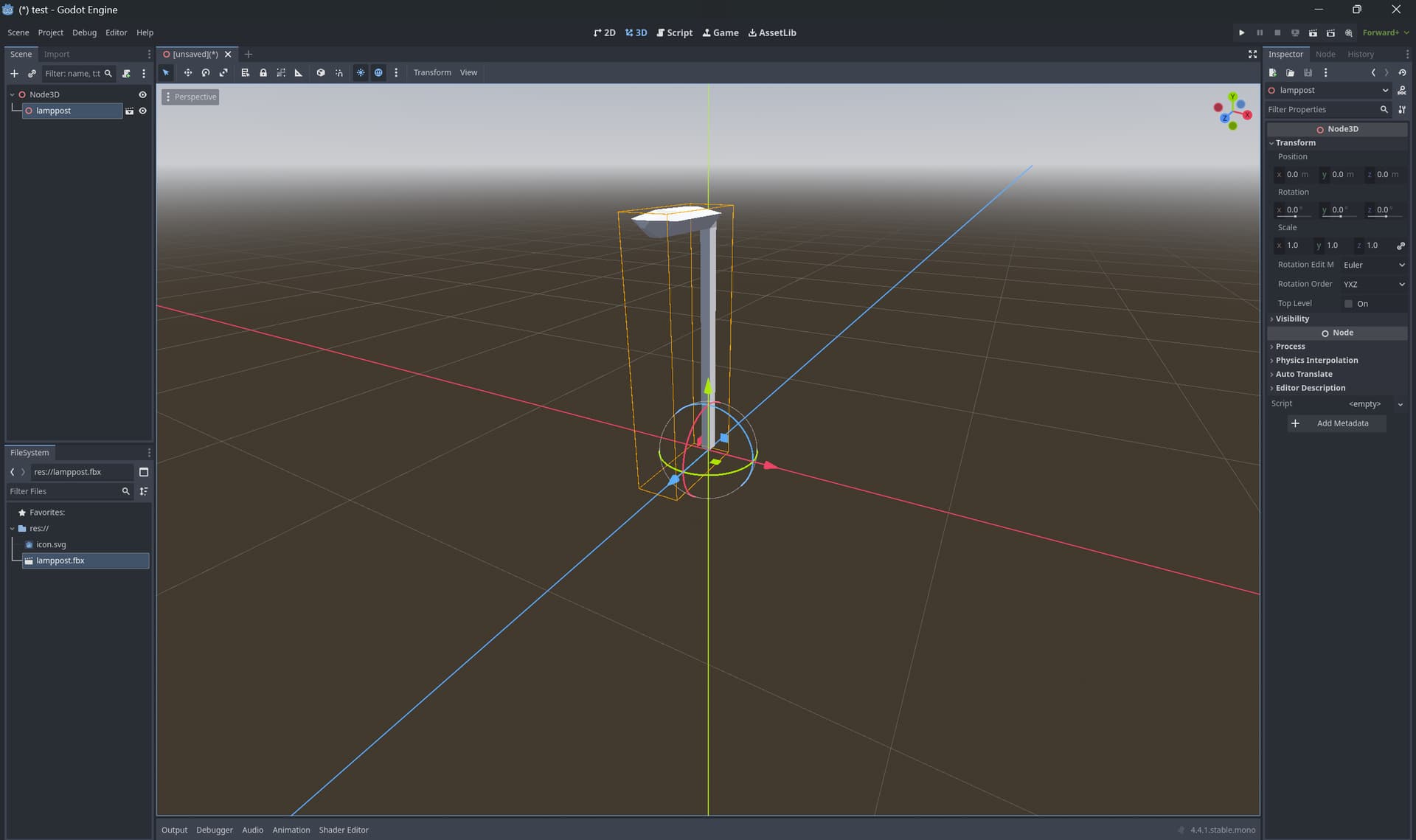
Here’s some screenshots of me creating a new example object in a new, empty godot project. I made this lamppost, facing the -Y direction, export with these settings, import into godot and it’s facing the +Z direction. What am I doing wrong…
That’s worked for me on this model! But I’ve definitely tried that before and confusingly it had no impact…
I guess I’m just trying to work out if I just need to use this as a workaround, or if there’s genuinely something set up wrong that’s making imports not behave as expected!
I’ve continued trying to work things out but no matter what export direction I put in blender, my character models with armatures always import to face the same, incorrect direction (+Z). The only workaround I have is to rotate the armature 180 on the Y axis in godot. Anyone know why changing the direction in export settings wouldn’t affect anything