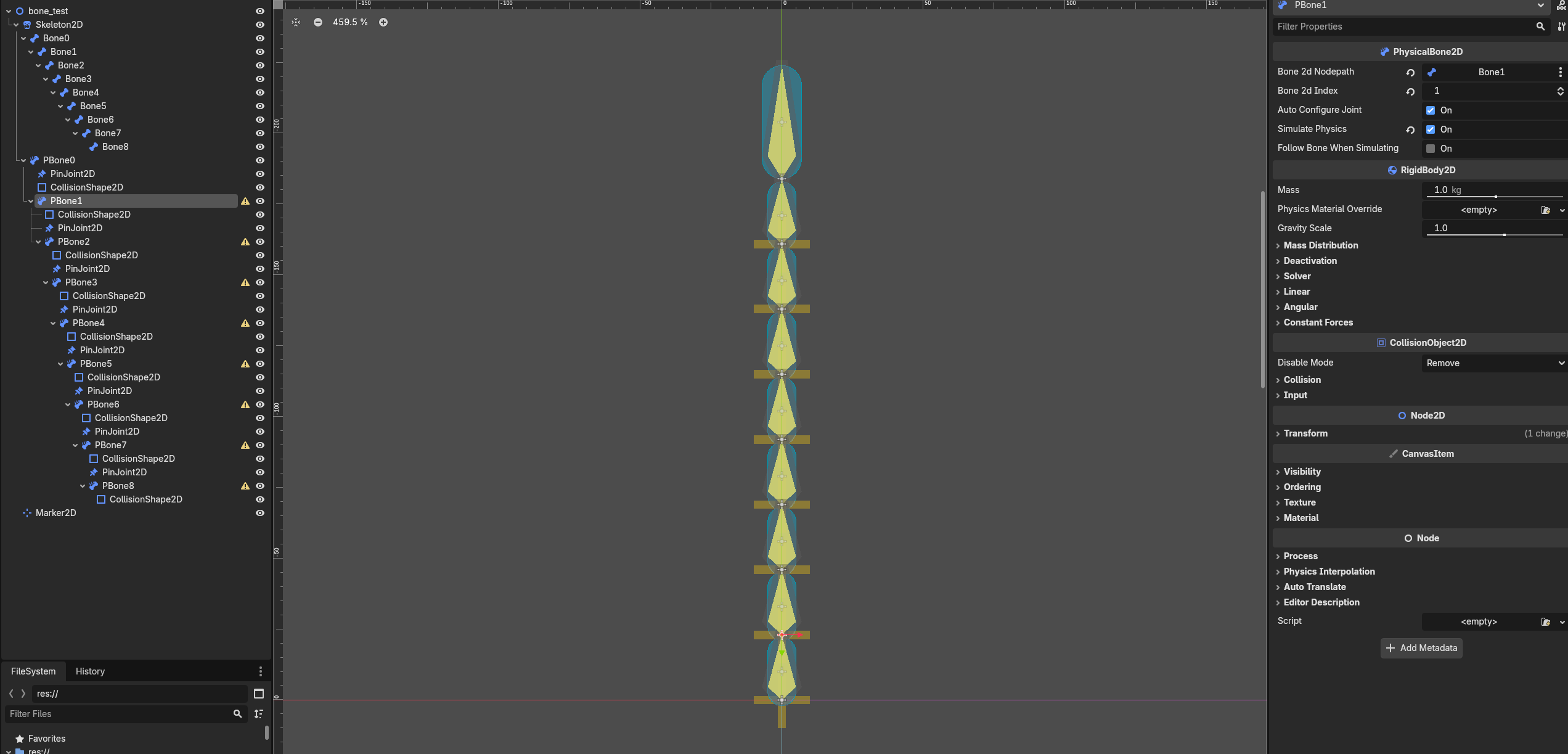
Hi, I’ve been trying to test out godots bone system. I’ve looked at what tutorials I could find on it including godot themselves’ in the documentation but I’ve been running into issues with it. Im trying to have an enemy that has segments and follows the player in a fixed area based on its size, I got the normal bones working using fabrik mostly but I didnt want the bones to intersect when a turn was made. I heard the best way to do that was using physical bones but for some reason they either aren’t working for me the way it says they should in the documentation or I’m setting it up wrong, just wanted to see if anyone had pointers on physical bones or if i missed some other approach that would be easier to implement.
The warnings are for not having a Joint2D as a child of the physical bones but I have one on every one of them. I might be missing something but I also have the auto configure joint setting ticked but it wasnt doing anything, I assume it is there to auto connect the joint between bones but I had to do every connection in that chain manually.
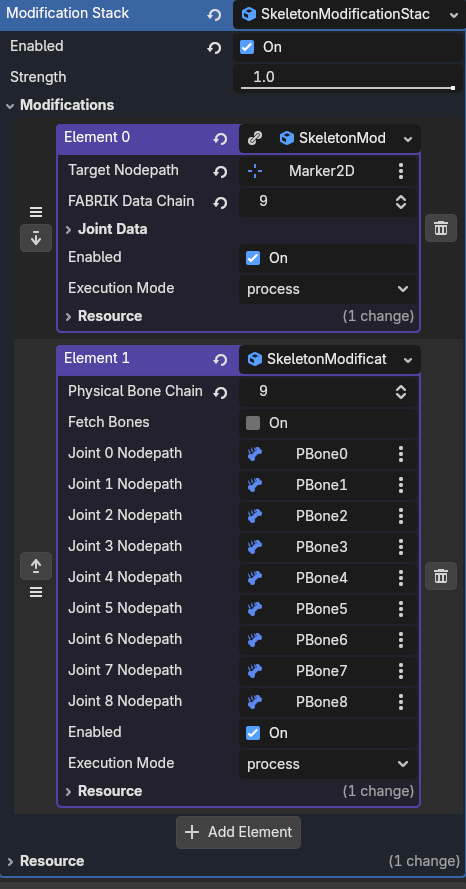
Here’s the modification stack Im using for the skeleton:
When I have the physical bones stack enabled the fabrik one currently doesn’t do anything, I assume that’s because the joints arent configured properly. Sorry if im missing something obvious this is my first time messing with godots bone system, I’d appreciate any and all help!
Auto Configure Joint does not create the joints. Each non-root PhysicalBone2D must be a child of the previous PhysicalBone2D and have a direct PinJoint2D child. That joint connects the current bone to its parent.
Your hierarchy looks close, but Godot 4.7 only searches for the joint when the PhysicalBone2D enters the scene tree. If you added the joints afterward, save and reopen the scene, then check whether Node A and Node B were filled automatically.
Also, your Physical Bones modifier runs after FABRIK, so it overwrites the FABRIK result. The two modifiers will not automatically combine into collision-aware FABRIK.
Ah ok I thought the joints were backwards and connected the parent to its child. Reopening didnt work but for some reason just deleting the bones and recreating them the same way did work.
For the Fabrik and physical bones combination, is it just an ordering issue and it would fix by reversing them or will I have to look into something else if I want the bone chain to follow a point and still be physical bones?
Reversing the modifiers will only change which result overwrites the other. It will not make FABRIK collision-aware.
If FABRIK runs last, the skeleton may visually reach the target, but the PhysicalBone2D bodies may no longer match it. If Physical Bones runs last, the physics result will overwrite FABRIK.
For a chain that follows a point while remaining physical, let the PhysicalBone2D chain control the skeleton and pull one end toward the target using physics. For example, connect that end to an AnimatableBody2D placed at the target with a PinJoint2D, or use a DampedSpringJoint2D for softer movement.
So you will probably need a slightly different setup rather than simply reversing the modifier order.