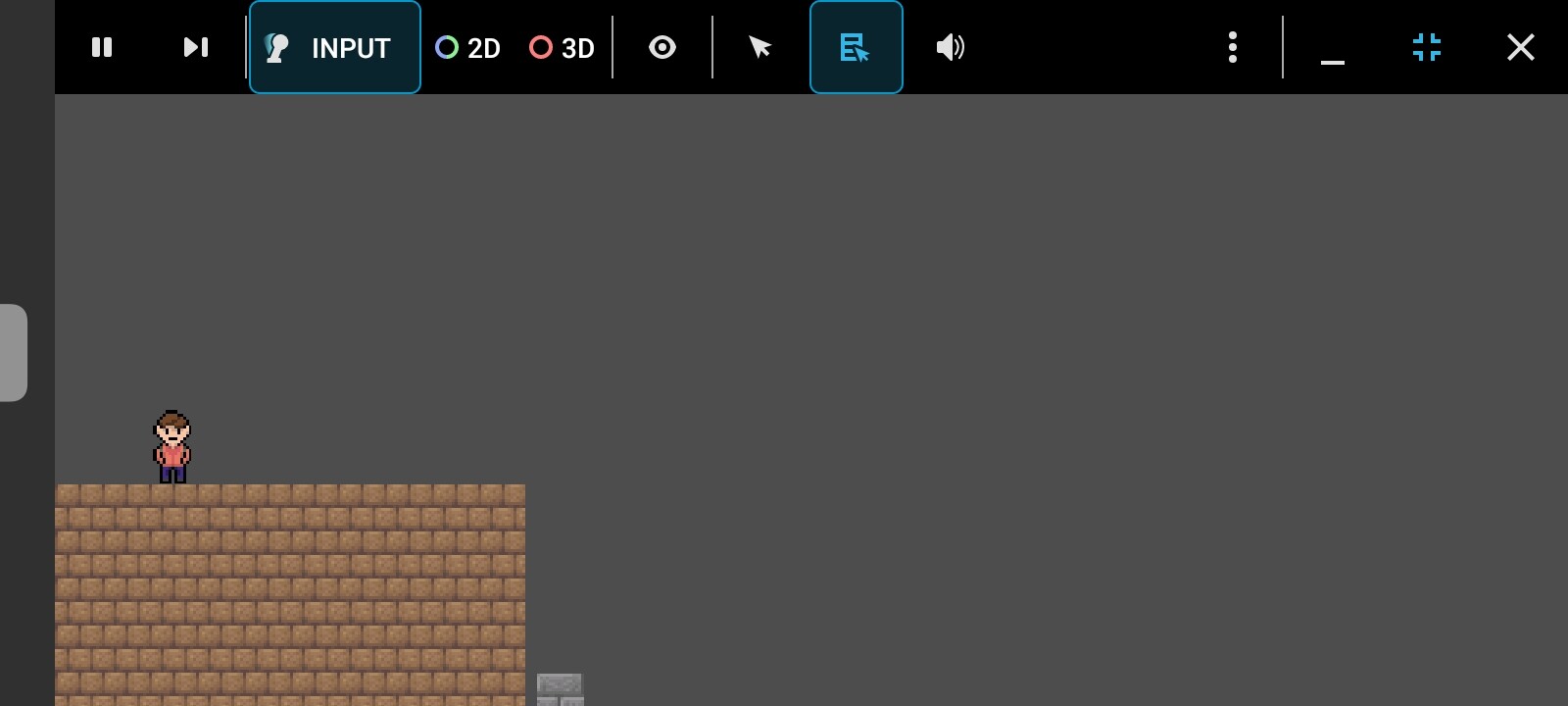
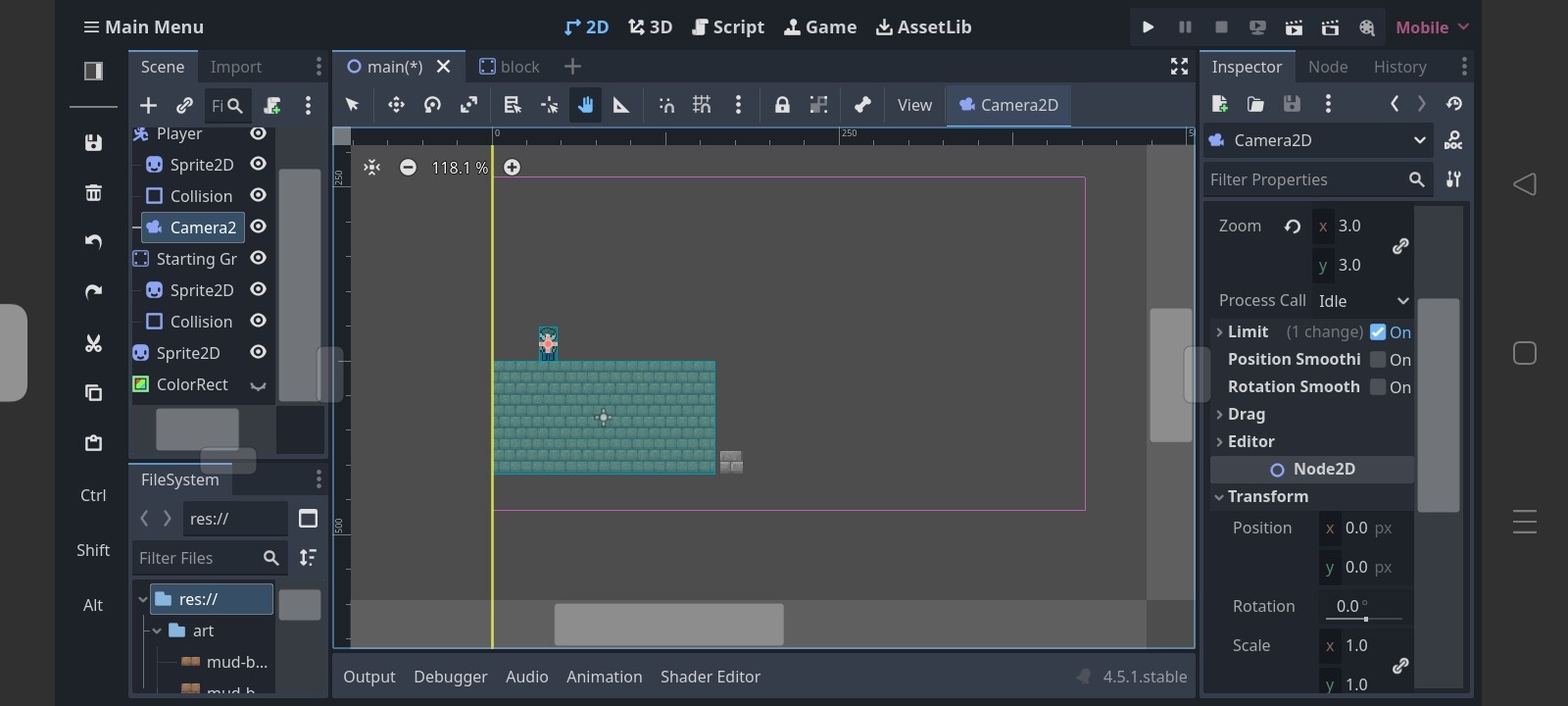
I’m having issues understanding and setting up camera for my 2D game. I have 3.0 zoom in both x and y for my camera and I see a pink boundary in the scene. I thought that’s how much I’ll see when playing. However, I see much lesser of the view when playing. See the screenshots: The pink boundary shows the range even more under the ground, but when playing, I can’t even see the whole ground, it is cut off. It doesn’t matter if I open the scene playing window in Fullscreen or keep it minimized as it stays by default, I still cannot see it properly. So how do I actually know how to set my camera properties so I can see as much as the bottom of the ground, no more and no less?
Someone please help!
Information that may be useful for this post: My phone screen resolution is 1600x720(20:9), the project’s base resolution is 1280x720(16:9).
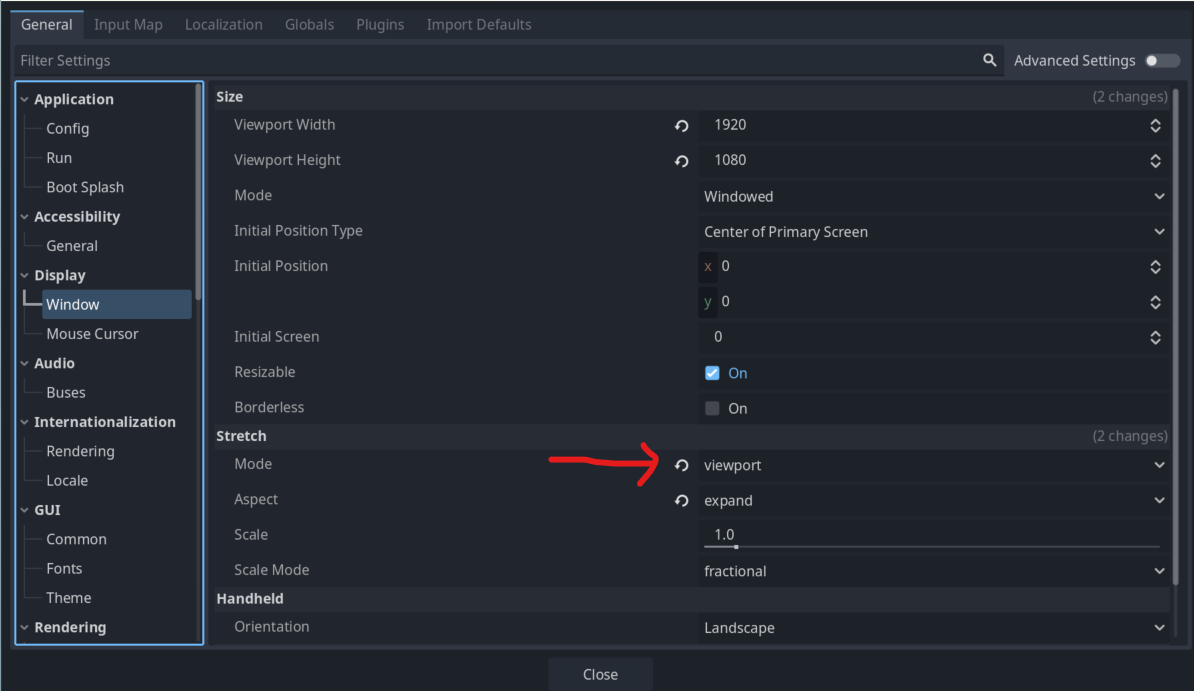
It may be related to the window stretch mode setting. I think if it’s disabled, your camera view will change with the screen size. So check and make it something else depending on your project.
You can open this window under Project → Project Settings
If by remote screen you mean another device, I don’t have another device.
Also the camera or its parent wouldn’t change scale or any properties in the runtime. Why would it? There’s no script attached that would automatically do that, I’m not doing it manually either.
ALSO One thing I realized is if I disable Stretch Mode(like keep it disabled instead of canvas_items or Viewport) then the game/runtime window shows exactly what the editor shows, like the view shows till the pink boundary which is intended. So it’s more like a scaling issue, I assume