Godot Version
4.5
Question
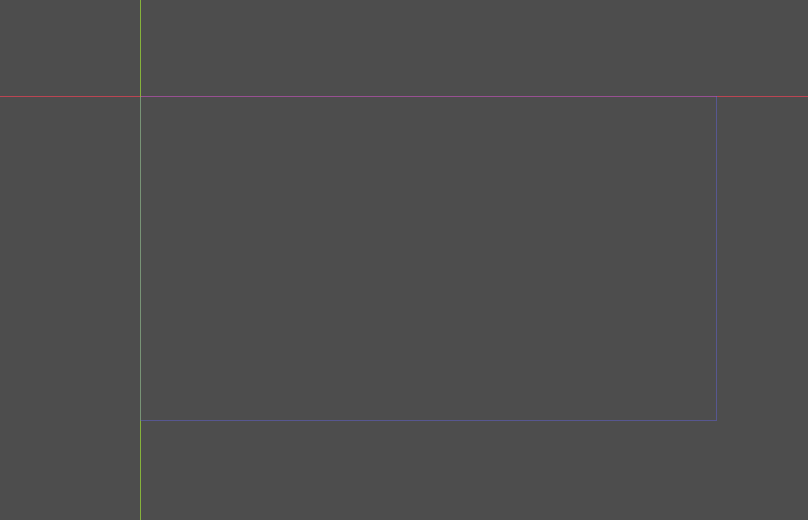
By default we see this:
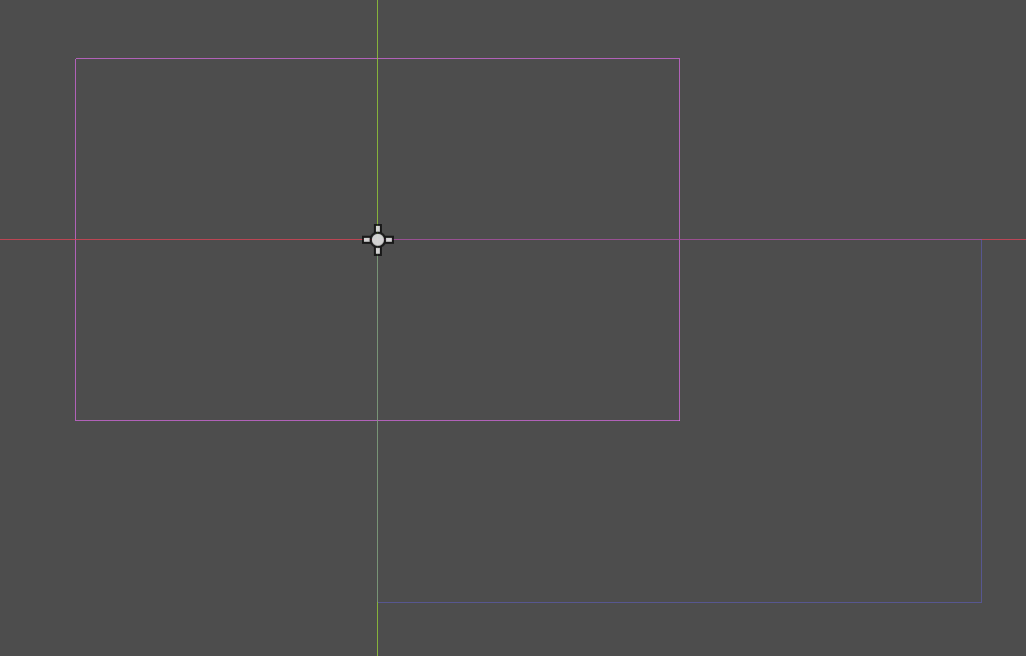
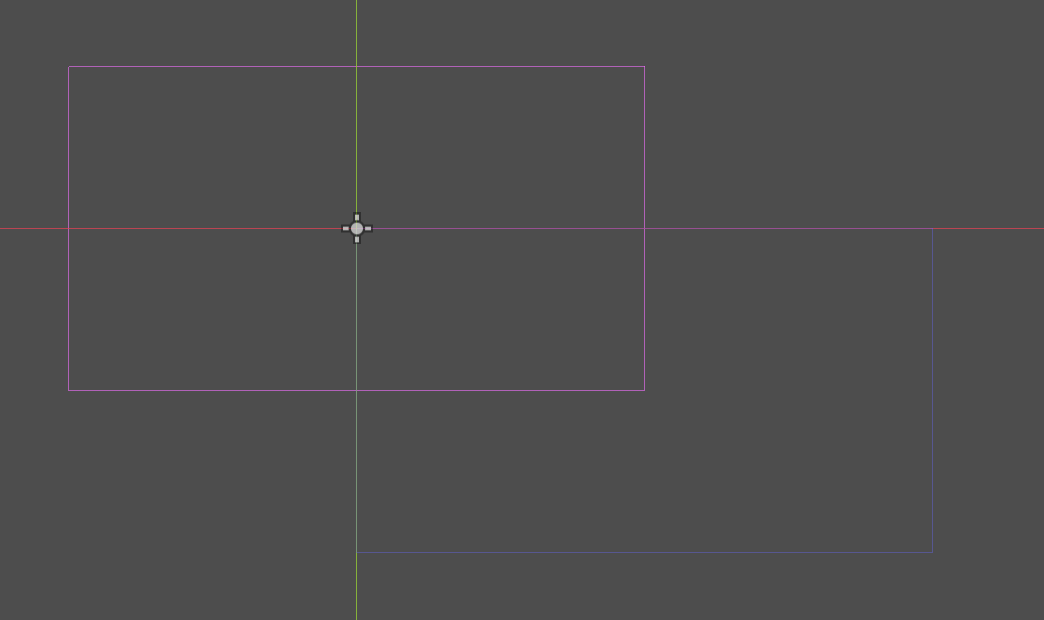
How come the viewport and camera aren’t aligned by default?
4.5
By default we see this:
How come the viewport and camera aren’t aligned by default?
Why would they need to be aligned? When camera node is created its origin is set to default (0,0)
Why introduce a affine transfomration for no reason?
But then again, I don’t even understand why viewports exist to begin with. What problem does it solve? Why have Camera AND viewport?
I mean the above will only display the lower right qwuadrant of whatever teh camera is recording, just sounds dumb to me.
Camera is viewport.
The default box you initially see in the editor is the default editor camera/viewport. When you create a camera node you get an additional one.
Is there a technical blog post that just explain all that stuff, preferably with some math background, so I actually understand the general map from world coordinate system to screen coordinate system including resolution and everything?
because I just don’t get it if I read the docs.
If viewport is a camera, why have it to begin with.
At runtime the active camera sets the final world to view transform of the viewport. The matrix is in Viewport::canvas_transform
In the editor, a camera is drawn as a box that encloses what will be seen in the viewport at runtime.
the article you linked leads to another article which leads to a graphic that seems very interesting but sadly, it’s broken.
We have a world coordinate system.
We have the screen coordiante system.
We need some transform between the two, I guess that’s what viewport does. The nwe also have a Camera2D, which apparently is just some helper thing. One should think of the camera output being projected onto the viewport - but that simply never happens. You need to add your own translation for it to align.
Like I wanna understand that stuff, what should I read?
As I said, you should think of camera and viewport as one thing. One doesn’t have much purpose without the other. That’s why I simplified it into “camera is viewport”.
Viewport::canvas_transform is the transform from world coordinate system to viewport coordinate system.
That happens without exception. How did you determine it never happens?
ok then I just got tangled up in what I do.
I use a compute shader to simulate my gaming world. I added a Sprite2D property to my project’s root node. I create a new Texture2DRD and attach it to the the texutre of the Sprite2D:
var texture = Texture2DRD.new()
mysprite2d.texture.texture_rd_rid = texture_rid
My compute shader now knows about the Sprite2D’s texture and attaches the image (of the world we simulate) to it.
The whole thing get’s confusing though because I don’t understand what’s going on exactly between all the coordinate systems (hence all the questions above). I get it working but I have to translate the thing by basically viewport_size / 2.
Note: Sprite2D has a centered property.
Furthermore, later on I might have a pixelated style or wanna support different resolutions and what not. The camera has a zoom etc, so I’d have to also implement that.
All that stuff makes me wanna understand it way better because atm, I’m way too uncomfortable with all of it.
Edit: To elaborate a bit in case it’s unclear. I thought of it like this: I have a big 2D world with a lot of particle effects going on. I have a Camera2D that captures it and displays it in the viewport. The particle effects are compute heavy and I wanna do things not possible otherwise (afaik), so I write a compute shader that simualtes these effects for the whole world (basically running a simulation). Now when camera is at position X, we go and ask the sahder “hey what do you see here?” and the shader renders that to the Sprite2D texture and we just overlay that over the rest of the world.
btw thanks for the help - already helped a lot by simply saying how wrong some assiumptiosn are.
Maybe you shouldn’t involve the compute shader just yet then.
The viewport is just a rectangular array of pixels into which things get rendered.
The box you see in the editor by default is not the viewport. It’s the default camera. So the image you posted in your first post shows 2 cameras. Both will render into the same viewport.
You shouldn’t think of viewport as something that exists at some position in the world.
If you want compute shader to play in sync with your camera node then it should indeed do world-to-viewport transforms. So send canvas_transform matrix to the shader, and multiplty all world coordinates with it. However the sprite that displays the texture will need to follow the camera.
ah it’s fine, somehow I have to learn. is it the best way? Probably not but it’s fun, so ^^
Why are the red and blue box not aligned then?
Thanks a lot! Will read more about it and play around with it!
Because each represents a camera with its origin at a different position. Why would they need to be aligned? They are just two independent cameras. The default camera has a fixed position in respect to world coordinate system, while your camera node can be moved. You can put it at whichever position you want.
Because I never moved anything. I mean if you make a new project, you see this:
So the blue thing is the default camera attached to my default viewport? If yes, why isn’t the blue box not centered aroudn the origin? I thought cameras’s origin is in the vertical/horizontal middle.
If we now add a Camera2D node as a child of our default Node2D we have, we see:
So now the Camera2D is actually centered around the origin, as assumed. If viewport has a default camera and we just added a second - why would they be at different positions?
Because Godot’s devs have decided that the default camera will always be fixed at such a position that its top-left corner coincides with the world origin.
This is convenient because then, for the default camera, the world coordinate system will coincide with the viewport coordinate system, i.e. canvas_transform matrix will be identity.
Btw you can change your camera node’s origin mode to “top-left” and then the boxes will be aligned when your camera is at its default (0,0) position.
ok, played around a bit with it. Everythings so much more clearer now. I can see why I was so utterly confused about everything now lol.
Thanks, wish you a nice Sunday!