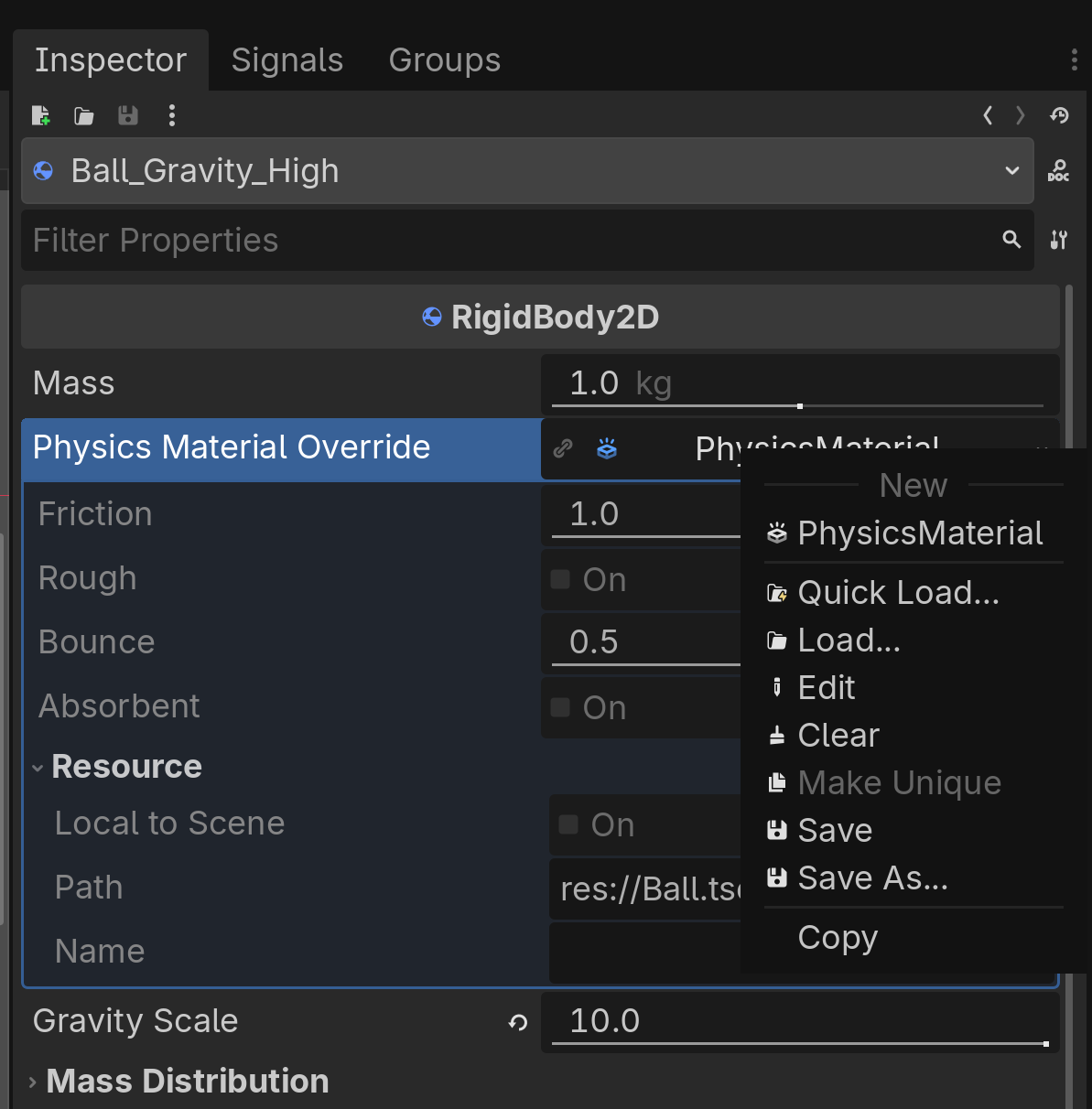
You may notice you are unable to change the values of the PhysicsMaterial of the ball. This is because PhysicsMaterial is a resource, and needs to be made unique before you can edit it in a scene that is linking to its original scene. To make a resource unique for one instance, right-click on the Physics Material property in the Inspector and click Make Unique in the context menu.
I’m trying to use Make Unique to test this out, but the option is grayed out in my UI. Am I missing a step?
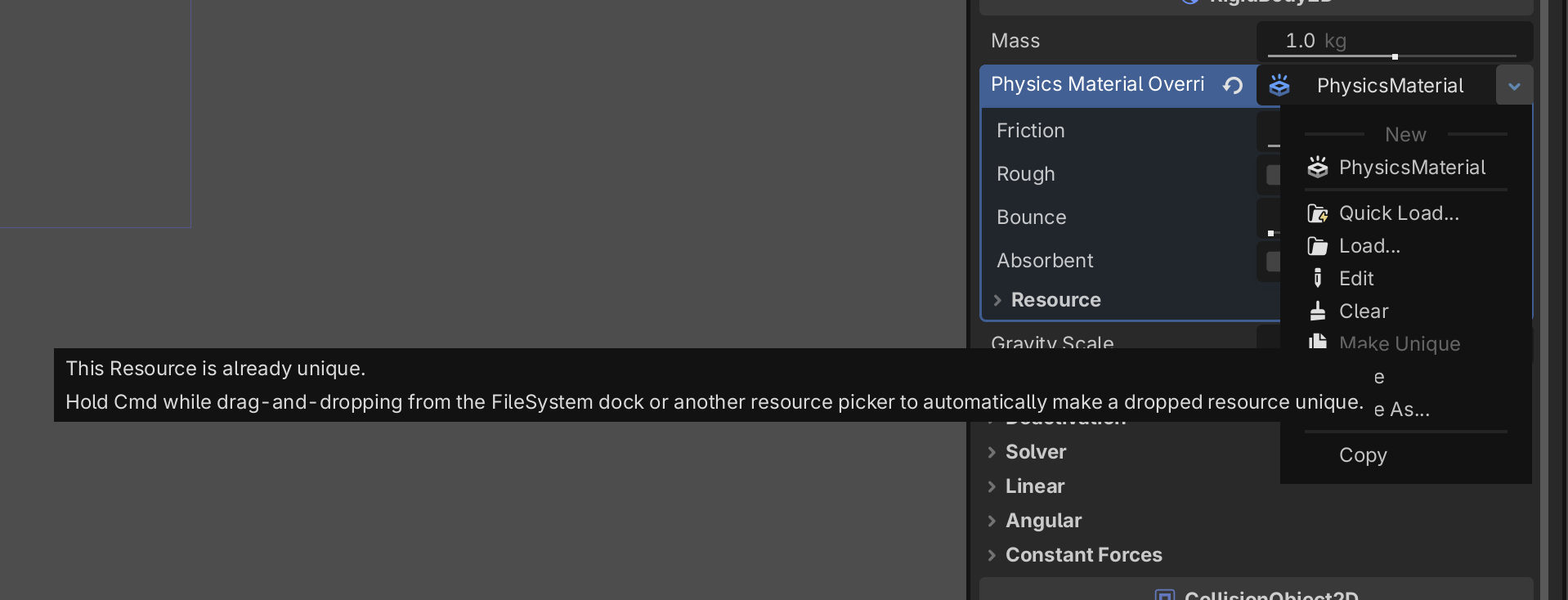
Your resource is already unique, since you can modify it’s values. No need to make it unique again. If you hover your mouse over the grey option, the engine will tell you that.
Found this thread after encountering the same issue. Seems like the tutorial note should be updated because it doesn’t reflect the reality. Is it possibly due to version differences? On opening the project it warned it was converting from 4.2 to 4.6.
Also hovering the mouse over greyed out Make Unique does not show anything for me. Am I supposed to see a tooltip?
This is perfectly normal behaviour. You need to create said resource to be able to modify it, otherwise you wouldn’t be modifying anything.
However, if the documentation says something incorrect, you can open an issue about it on GitHub. Although I imagine it has been reported already so it’s likely going to be fixed soon.
I have tested this on 4 different machines with 4 different Operating systems
It works on my main desktop running Fedora 43, I tested both normal and forced Wayland support, and both times the tooltip showed up correctly.
It works on my Windows machine running Windows 11
It works on my Macbook Air running MacOS 26.2
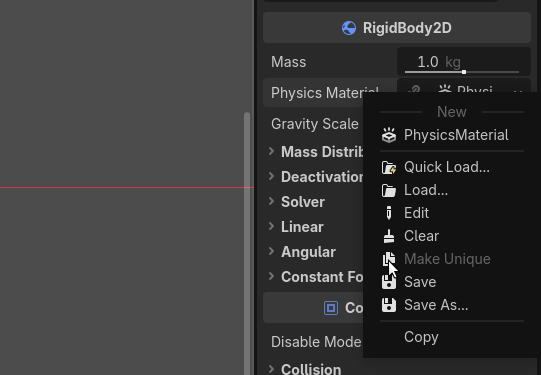
And I’ve also taken the opportunity to set up an older laptop and install Linux Mint 22.3 on it with the Cinnamon Desktop, and both the normal and the Wayland version of Godot displayed the tooltip as it’s shown on my screenshot.
My guess is that this issue is specific to your configuration, or you didn’t hold the mouse there long enough for the hint to appear, but what I posted still stands. Under all the major Operating Systems, this hint shows up.
Wanted to throw in my two cents. Been working on a game in Godot since 2022, and what I’ve always done to add new dialogue interactions is instance the interaction base prefab, then make the collision unique to scale it how I need. Except, with 4.6, it just no longer lets me make the shape unique. Hovering my mouse over the option doesn’t say any hint. And no, the shape is not already unique, because if I have two of the interaction prefabs in the same scene and edit one collision shape, both are editing- meaning it is not unique. I am running this on Windows 11.
If you had this resource (the Shape2D) saved somewhere else and you simply dropped that in the field, then of course it’s not going to be unique, since you had it saved and likely re-used in other places, or if you simply duplicated the node.
If you have an issue with this, it’s a good idea to create a MRP and post a new issue here for the engine:
The problem is that with 4.6 there is a bug where occasionally “Make Unique” as an option for any instance where “Make Unique” can appear… sometimes just doesn’t work. Closing and reopening Godot fixes the issue, but I’ve encountered this multiple times since 4.6. Several times, for several different resources, I’ve been unable to click “Make Unique” until I close and open Godot and suddenly it works
I am also fairly new to Godot and ran into a similar problem with a CollisionShape2D.
I hope @tibaverus will correct me if I am mistaken, but I am starting to understand that in cases similar to this when Make Unique is grayed out for a Resource that has a file path, it is important to take note of that exact file it is relying on. In most cases, you likely mean to chose Clear which will let you create a resource specific to the inherited scene, while still retaining the other inherited properties, because it is already considered “unique” in the Godot-inheritance sense.