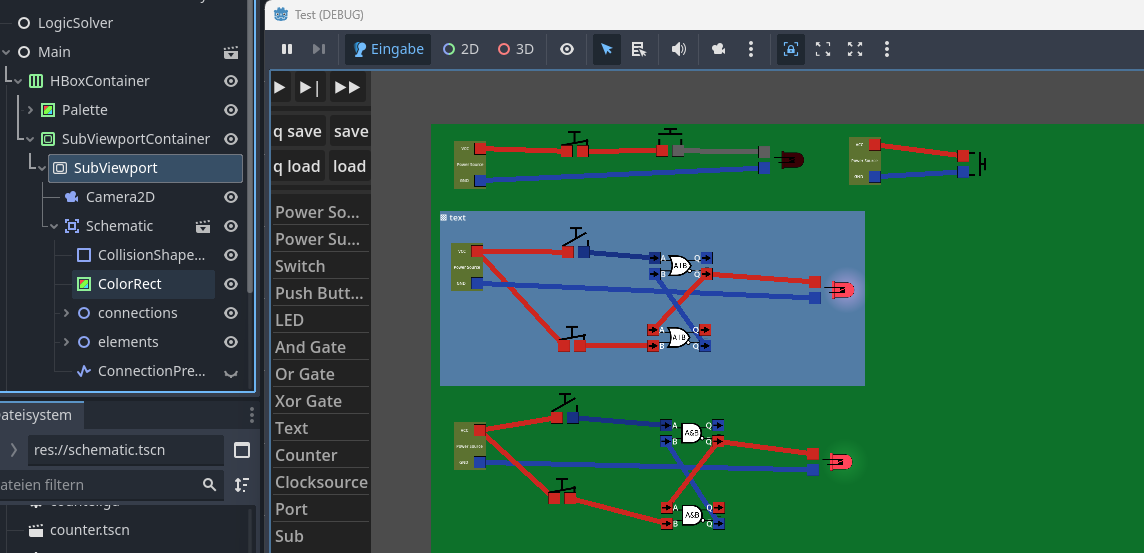
Godot Version
4.5.1
Question
How can I change the background color in Subviewports?
I searched online to this and found a lot of unspecific suggestions (setting themes, worldenvironments, world_2d, putting ColorRects behind the container) and I could not get any of them working.
Here my current scene tree:
I would like to remove the green color rect and get a different backbround color
Putting a color rect under everything in the viewport should work. In what way it didn’t work for you?
With “under everything in the viewport” you mean as it is currently with the green rectangle but just larger?
this does not work in the way that then the position of color rect is relative to the content and scrolls with it. My content should be more or less endless. I am looking for a way to change the background color. where does this grey come from?
Put the color rect under a canvas layer node and set its layout mode to full rect. It should cover the whole viewport and stay in place regardless of what you do with rest of the nodes.
1 Like
Ahh - thats working thank you.
In the meantime I found another solution:
I found a transparent_bgproperty on SubViewportand moved the SubviewportContainer under a Colorrect. This also worked after I found out that I have to change the layout_mode to fix the weired layout results that I got on first try
Yeah, there are several ways you can solve this.
As a conclusion:
Strange that it is that difficult to get a custom bg color. Imho instead of the transparent_bgproperty there should be a bg_color property in Subviewport that could be set to fully transparent to achive the same
You can set viewport clear color in project settings but it’ll affect all viewports including the main one. Setting the clear color per viewport would be nice to have, but color rect intervention is simple enough too.