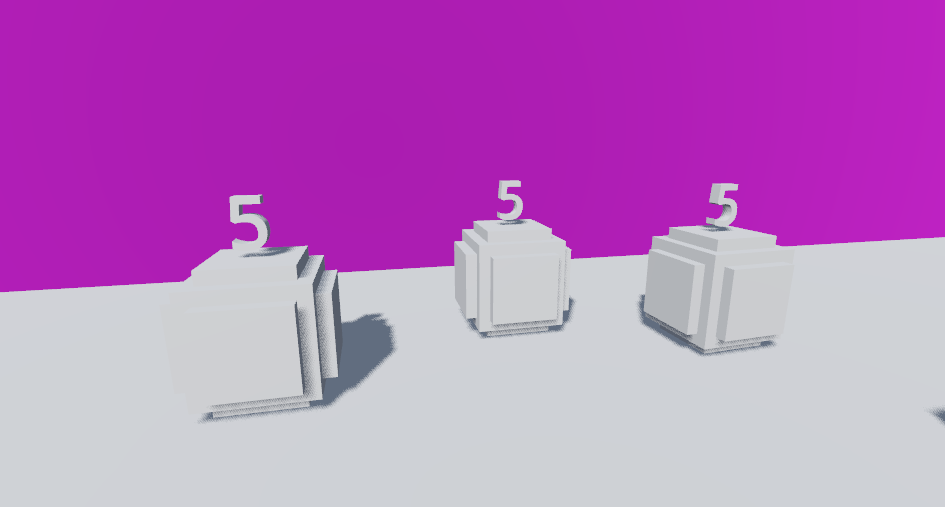
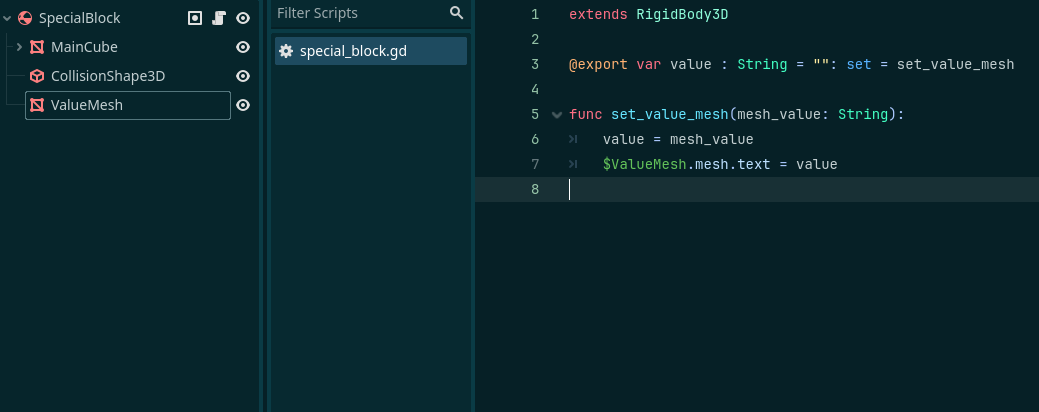
I made a scene of a block that has an exported “value” variable as I want to change it on the fly as I’m messing around with my level. To make things easier/more cohesive when I’m testing I wanted to add a text mesh that shows what the value of the block is based on what the value is set to.
However within a level with multiple of these blocks, all of the blocks’ texts are set to the value of the block lowest in the tree. Here, only one block’s value is set to “5”
Is there a way I can have the mesh text update on the fly and be different than the other blocks within the scene? If there’s any other clarification needed I’m happy to provide and any help is really appreciated. Thanks
Meshes are Resources. Resources are shared by default. You’ll need to make them unique:
Right click over it in the inspector and click on Make Unique
Enable Local to Scene in the Resource. This will make unique the resource when instantiating the scene (if the resource is shared between nodes in the same scene the copies won’t be made unique)