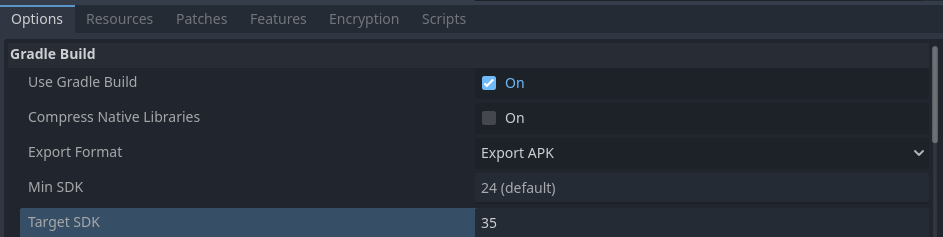
Hi, so I make android games in Godot, recently the google play has changed its policy and has been give warning to change the api level of the app that I have published to api level 35.
I opened the apk file from Android Studio and checked the AndroidManifest.xml and it does show the targetsdk to be 35 but the warning in the google play console doesn’t go away.
Same problem here
I got 2 apps, both got warnings. Originally built on godot 4.2
I get a friend to help me export 1 of the projects on her computer, with godot 4.4 and android studio newly downloaded, and surprisingly it works!
But for the other, I’ve tried all thing (godot 4.4, android API, android SDK build tool, android SDK command-line, android SDK Platform tool) but it still not get complied status.
The “target API” field on Play Console still display 36. I check the Manifest.xml file, it reads clearly targetsdk = 36 but compiledsdk = 34
So I doubt it’s all godot’s problem. I’ve requested google for extension, and still searching for measure
Have you found a solution?
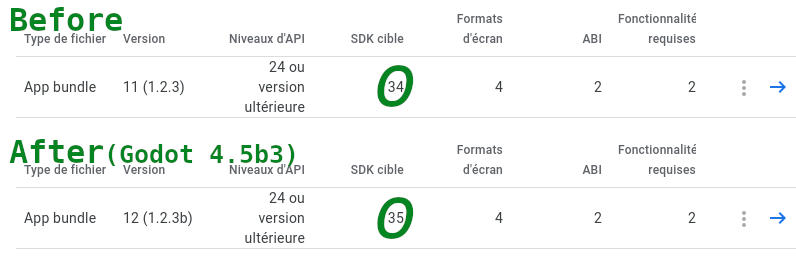
In my case, it’s easier to upgrade to Godot 4.5, which configures the compilation correctly.
Perhaps you can check the editor’s settings to see if the Android SDK folder you’re targeting contains version 35?
From what I have read in other posts on this forum, the only solution is to upgrade to the release version of Godot 4.5 because that’s when support seems to have been added in.