Godot Version
4.4.x, 4.5.x
Question
I have a GLTF asset from a pack. When I use the Generate > Physics in the import modal and assign it a type of “dynamic” with collider body, I can line up a bounding box collision shape. When it’s in-editor and in-game, however, the bounding box doesn’t seem to match with the imported geometry.
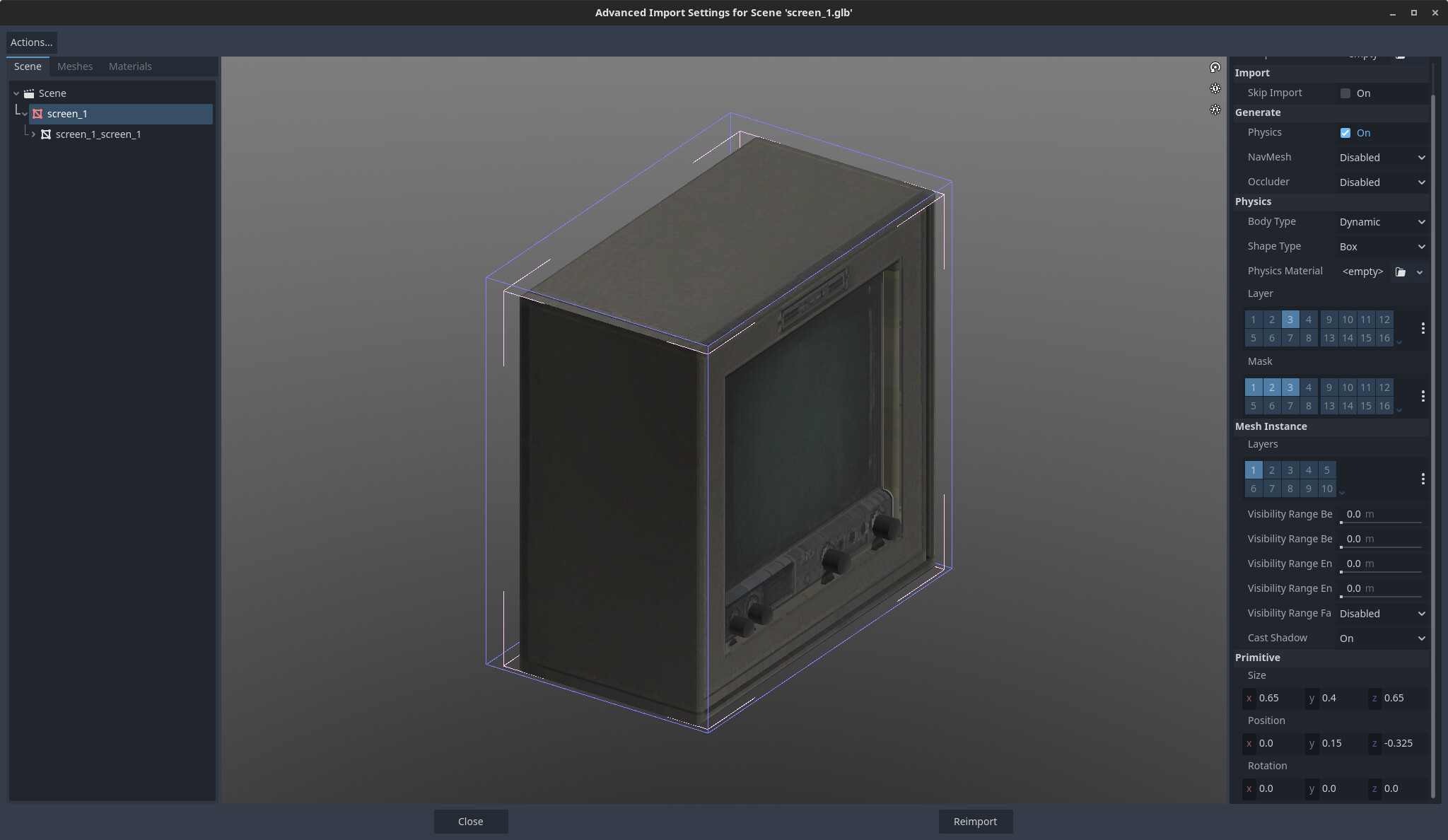
Notice in the above screenshot that the primitive is offset and roughly bounds the object in question.
After I drag the imported object into the scene, however:
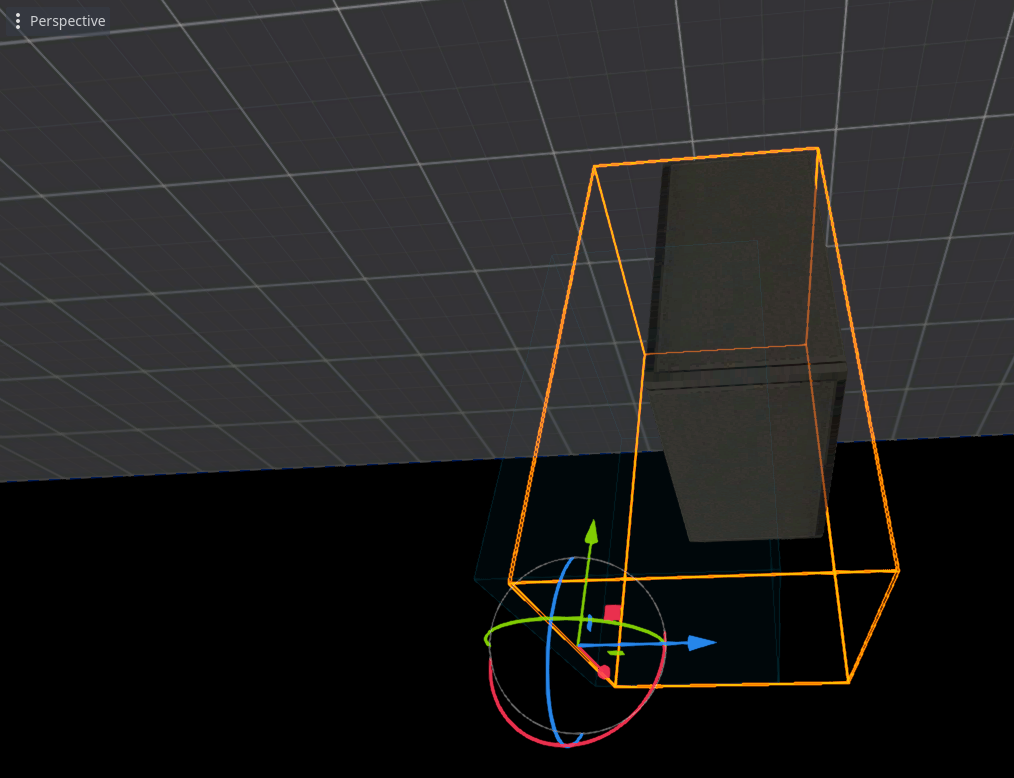
It’s a little hard to see in the photo, but note how the collision shape 3d appears to be at the origin instead of offset, as specified by the Primitive Position. At least it looks like the bounding box is reset.
Strangely, if I change the import body type from dynamic to static, the problem goes away and the collision shape matches up just fine with what appears in the import. Additionally, if instead of selecting the bounding type of “box” I select “convex mesh”, the problem goes away. It seems to occur only for primitive collider types. That is to say, if I select “cylinder”, “box”, “capsule” or one of the other primitive types as the collision shape then indeed the problem appears I don’t see the offset or rotation applied.
Am I doing something wrong or missing a prescribed behavior? This was the case with 4.4.x and remains the case with 4.5.x.